
Key takeaways
 Project resource management is how project-based firms plan, assign, and track the people, time, and budgets their projects depend on.
 Implementing it requires a repeatable workflow and the right frameworks: from capacity assessment through allocation to project close, with metrics like billable utilisation, budget variance by phase, and resource conflict rate telling you whether it's working.
 Dedicated software like Milient Resource Flow removes the visibility gaps spreadsheets create: capacity planning, skills matching, utilisation reporting, and phase-level budget tracking connected in one place.
According to Deloitte's 2026 Global Human Capital Trends, the two most cited drivers of competitive success were how people and resources are orchestrated to perform work, and how fast organisations can adapt.
Both depend on resource management working well.
So, here’s everything you need to know about project resource management, including the types, metrics, common failure points, and where dedicated software like Milient Resource Flow can change the outcome.
What Is Project Resource Management?
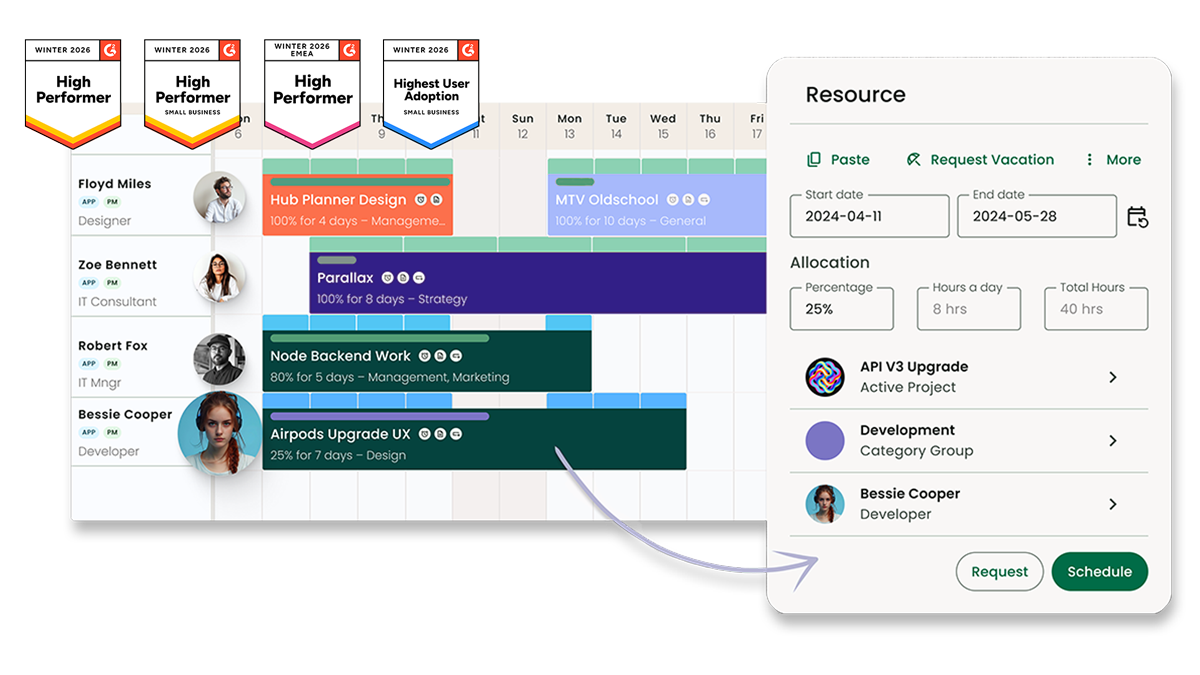
Project resource management refers to how you plan, assign, and track the people, time, and budgets that projects depend on. It answers these main questions:
-
-
- Who is assigned different project tasks?
- Do they have the capacity for it alongside existing commitments?
- Is the project financially viable as hours get logged?
-
Project resource management is crucial for project-based service providers like IT consultancies and professional services teams.
What Are the Core Types of Project Resources?
Resources in project management fall into four categories, each of which requires a different tracking approach.
Human Resources
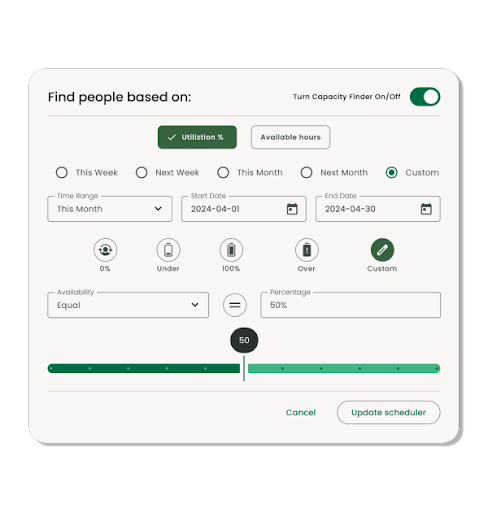
Human resources includes people, their skills, and cost rates. When resource planning, you track their availability and committed time across all active projects simultaneously.
 Plan capacity across your full team in one view. See how Milient Resource Flow's capacity planning works.
Time Tracking
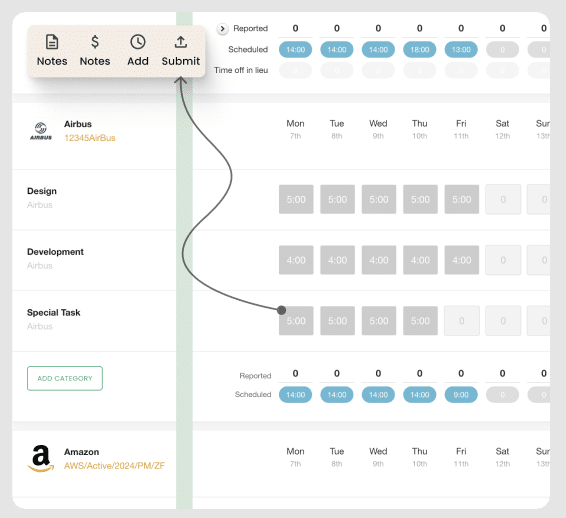
Time includes available hours, scheduled hours, and billable hours across your team and project lifecycle.
Time tracking, across projects and against budgets, determines whether delivery stays profitable.
Milient Time Management connects logged hours to project budgets in real time. You can also use timesheets, so submission is fast, and actuals are always current.
Financial Resources
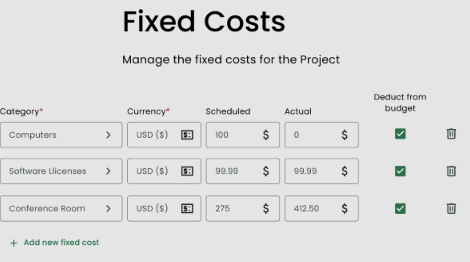
Financial resources are the fee budgets and cost rates attached to each project and phase.
Tracking them against logged hours shows whether a project execution is on track and can deliver profitably.
Physical and Material Resources
Physical resources include the non-human assets a project depends on: equipment, facilities, software licences, and materials.
Like people, they have availability constraints, costs, and lead times that affect the project plan.
Scheduling them alongside human resources gives you a complete picture of what the project actually requires to deliver.
What Good Project Resource Management Does for Your Team and Budget
/Hub%20Planner_Resource%20Management2.png?width=611&height=565&name=Hub%20Planner_Resource%20Management2.png)
Done well, a resource management plan has direct, measurable outcomes on how projects run. You can:
-
-
- Stay within budgets across project phases: Budget tracking at the phase level means you see cost drift early enough to act on it
- Optimise utilisation: Higher billable utilisation means more revenue from the same team, without adding headcount. Gartner analyst Robert Handler recommends a 70–80% target: enough to stay profitable without overloading people or risking delivery quality
- Identify skills gaps: Matching skills to project requirements at the planning stage means gaps surface when there is still time to hire or contract externally
- Prevent overallocation: When all bookings are visible in one place, conflicts are caught at the point of allocation, not when a deadline slips
- Make delivery forecasts: You can create timelines built on confirmed availability and live budget data, which will hold up as the project progresses
-
Key Metrics for Measuring Project Resource Management Performance
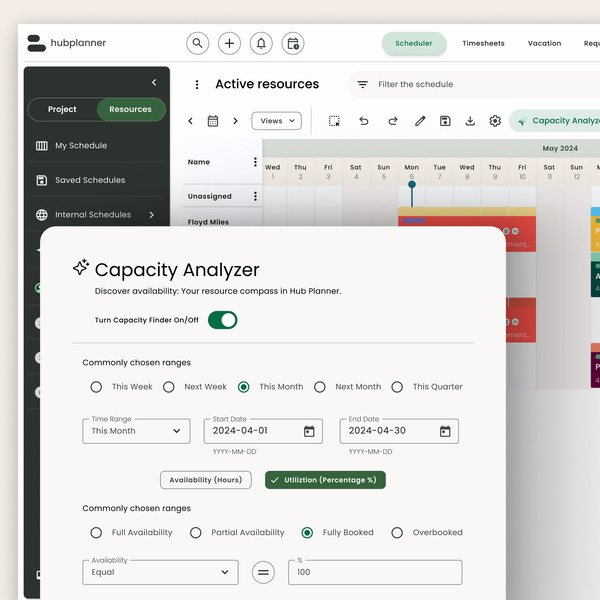
These are the metrics project managers use to track whether resourcing is working week to week. Each one signals a specific problem when it moves in the wrong direction.
| Metric | What It Tells You | What to Do When It's Off |
| Billable utilisation rate | If your team's available hours are converting to revenue | Below 70%: identify bench time and non-billable overhead. Above 80%: check for overallocation before quality suffers |
| Allocation accuracy | How close planned hours are to actual hours per person | A gap above ±10% points to untracked scope changes or poor initial estimates. Revisit the resource plan |
| Budget variance by phase | Whether fee spend per project stage is on track | Negative variance early in a project means later phases are already underfunded. Escalate before the budget is gone |
| Capacity vs. demand | Whether your team can absorb confirmed and incoming work | Demand above 90% of capacity over the next 4–8 weeks requires sequencing decisions now |
| Resource conflict rate | How often the same person is double-booked across projects | A high monthly count means allocation decisions are being made without a shared live view of confirmed bookings |
The Most Common Project Resource Management Challenges and How to Fix Them
/Hub-Planner_IT-consultancies.png?width=800&height=739&name=Hub-Planner_IT-consultancies.png)
These are the resource management problems that come up most often, and what actually fixes them.
Overallocation
Overallocation happens when the same person is booked across multiple projects with no shared view of total commitments. It leads to burnout, missed deadlines, and poor quality work.
To prevent it, use capacity planning software like Resource Flow, or resource scheduling software that gives all project managers a live view of confirmed bookings before new ones are made.
Skills Gaps
Skills gaps are the discrepancy between the competencies a project requires and the actual capabilities of your assigned team members.
They manifest when managers don't filter roles by capability and availability at the project planning stage.
Use Milient Resource Flow's Skills Matching to filter your resource pool by both simultaneously, so the right people are confirmed before the project starts.
Fee Budget Overruns
A fee budget overrun is when the cost of delivering a project exceeds the fee agreed with the client. They happen when hours are not tracked against phase-level budgets in real time.
Milient Resource Flow's Fixed Costs lets you monitor project spend alongside resource allocations in one place.
Want to track project costs against resources with dedicated software? See the best job costing software for 2026.
How Project Resource Management Works in Practice: A Step-by-Step Workflow
/Hub-Planner_Resource-Request_manage-all-team-requests.webp?width=600&height=630&name=Hub-Planner_Resource-Request_manage-all-team-requests.webp)
Resource management follows a repeatable sequence across every project, from scoping to close. Here’s a workflow you can use:
-
-
- Define resource requirements: Break the project into phases and identify what roles, skills, and hours each phase needs to deliver.
- Assess capacity: Check availability across your full team against existing commitments before assigning anyone.
- Allocate and schedule: Assign the right people to the right phases based on confirmed availability and skills, with clear start and end dates.
- Acquire missing resources: If resource constraints exist, hire, contract externally, or resequence work before the project starts.
- Track time and utilisation: Monitor logged hours against planned allocations weekly. Flag deviations before they reach a milestone.
- Adjust allocations as work evolves: Scope changes, absences, and delays all shift the original plan. Reallocate based on live data, not the plan made at kick-off.
- Review and close: At project end, compare actuals to plan, and use the data to improve estimates and capacity planning on the next similar engagement.
-
Project Resource Management Frameworks and Methods Worth Knowing
/resources_rf.png?width=1200&height=645&name=resources_rf.png)
Here are some resource management techniques project-based teams use across structured workflows.
-
-
- Critical Path Method (CPM): Identifies the sequence of tasks that determines the minimum project duration. Tells you which roles must be resourced first because delays on critical-path task dependencies cannot be recovered downstream
- Work Breakdown Structure (WBS): Divides a project into smaller, manageable parts. Makes resource forecasting easier for each phase requires before allocation begins
- Resource Levelling. Resolves overallocation by adjusting the project schedule to bring each person's workload within their available capacity. Used when schedule flexibility exists
- Resource Smoothing. Similar to levelling, but it works within a fixed timeline. Redistributes workload without extending the project end date
- Gantt Charts. A visual timeline mapping tasks, durations, dependencies, and resource assignments across a project. Helps identify scheduling conflicts and resource bottlenecks at a glance
-
Managing Project Resources in Spreadsheets vs Dedicated Software: What Changes
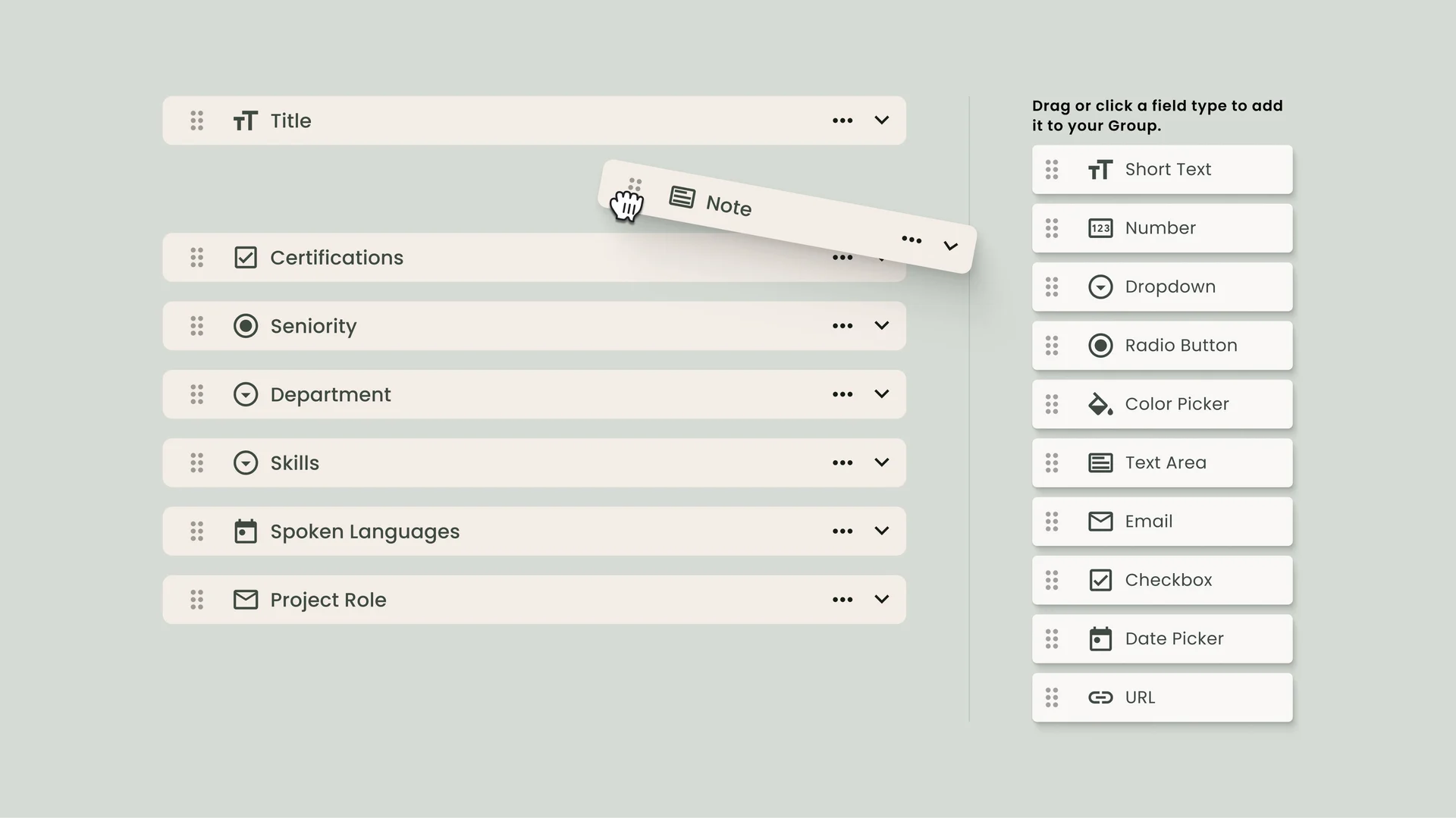
Many project-based teams start with spreadsheets. As they scale, they run into the same problems: stale data, manual entries, version conflicts, and allocation decisions made without a complete picture of team capacity.
If you are deciding between dedicated software and Excel, here is why you need the former:
-
-
- Live availability. Every booking is visible across all projects simultaneously, updated in real time
- Overallocation prevention. Conflicts are flagged before a booking is confirmed, not after a deadline moves
- Connected data. Logged hours feed directly into utilisation reports and phase-level budgets without manual exports
- Forward capacity visibility. You can see demand vs. availability four to eight weeks out, not just today
-
If you are currently using a spreadsheet-based tool and evaluating alternatives, Smartsheet vs. Excel covers how the two compare, and Smartsheet alternatives goes further if you are looking at purpose-built options.
Take Control of Project Resource Management with Milient Resource Flow
If visibility gaps, overallocation, or budget overruns are affecting how your projects deliver, you need a dedicated resource management platform to fix that.
FAQs
 Andrea Neeve
Marketing Associate
Want more content like this? Follow Milient:


/hubplanner_resource.png?width=1024&height=1024&name=hubplanner_resource.png)