
You know your team is busy. What you don't know is whether they're busy with the right work, or quietly heading toward burnout while other projects sit waiting for someone to pick them up.
Finding the best capacity planning software for your team is one of the highest-leverage decisions a resource manager can make in 2026. The right tool gives you a real-time view of who's available, who's overloaded, and who has the skills your next project actually needs. The wrong one, or worse, a spreadsheet, leaves you guessing until it's too late.
5 Best capacity planning software: A quick overview
Not all capacity planning software is built for the same team. Here's a snapshot of every tool in this guide, jump to any section for the full breakdown.
| Tool | Best For | Standout Feature | Starting Price |
| Milient Resource Flow | Best for IT consultancies and professional services teams | Capacity Finder, filter by availability, skills & utilisation in real time | Starts at $7/user/mo with a free 14-day trial |
| Float | Best for agencies and creative teams | Live capacity tracking with over-capacity alerts and time off built in | Starts at $7/person/mo |
| Resource Guru | Best for small teams and simple scheduling | Focused, intuitive resource scheduling with strong clash management. | Starts at $4.16/person / mo |
| Runn | Best for consulting firms needing capacity + financial visibility | Connects utilisation and workload data to project financials and billing. | Starts at $7/resource/mo with a 30-day free trial |
| Kantata Enterprise | Best for large enterprise PSA | Full professional services automation for organisations of 50-5,000+. Powerful but complex | Custom pricing on request |
1. Milient Resource Flow: Best for IT and Project-Driven Teams
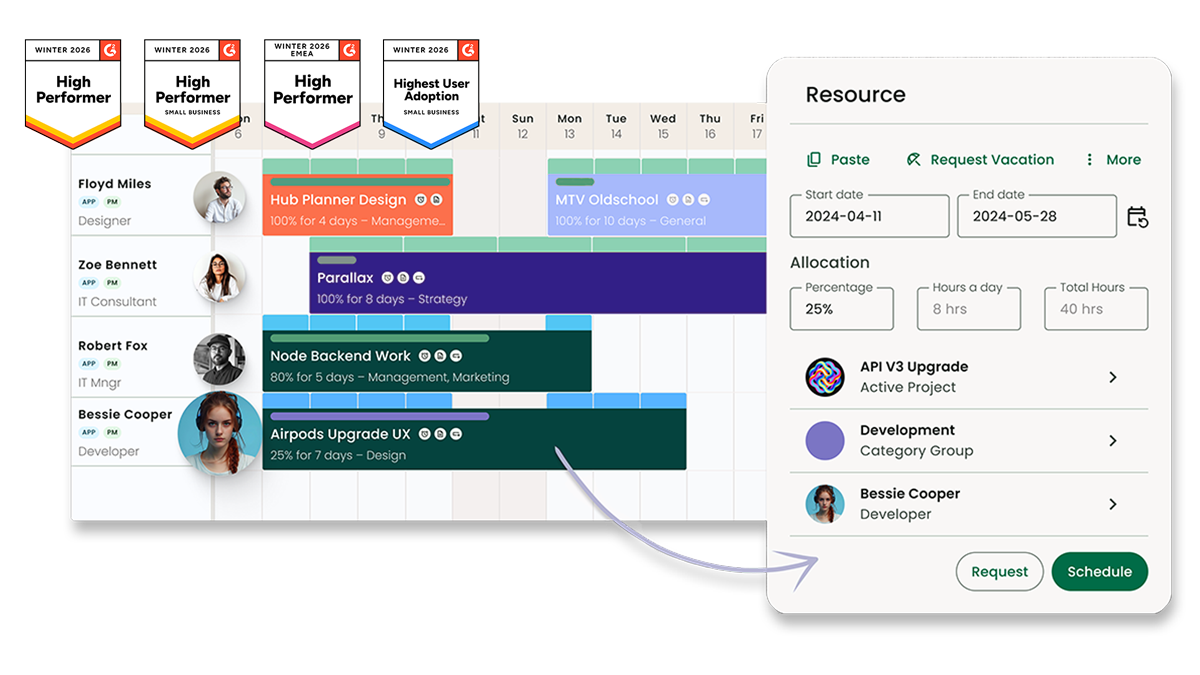
Milient Resource Flow (formerly Hub Planner) is a resource and capacity planning platform built for IT consultancies, agencies, and project-driven teams. It replaces scattered spreadsheets with a single visual scheduler, giving managers a real-time view of who's available, who's overbooked, and who has the right skills for the job.
Key features
Resource Flow packs a lot of planning power into a clean interface. Here are three features that set it apart from generic project management tools.
Capacity Finder
Skills Matching
-
-
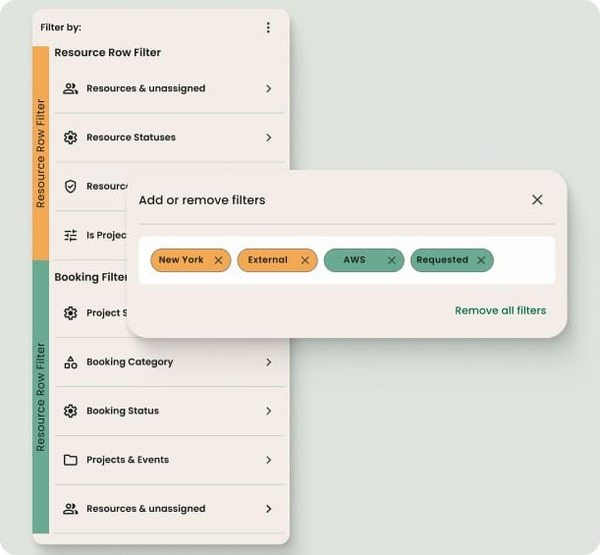
- Tag every team member with custom skills, seniority, and location. Filter the scheduler in real time to surface only the people who match your project's needs.
- Team members can self-assess their own skills, keeping the data current without manager overhead.
-
Visual Resource Scheduler
-
-
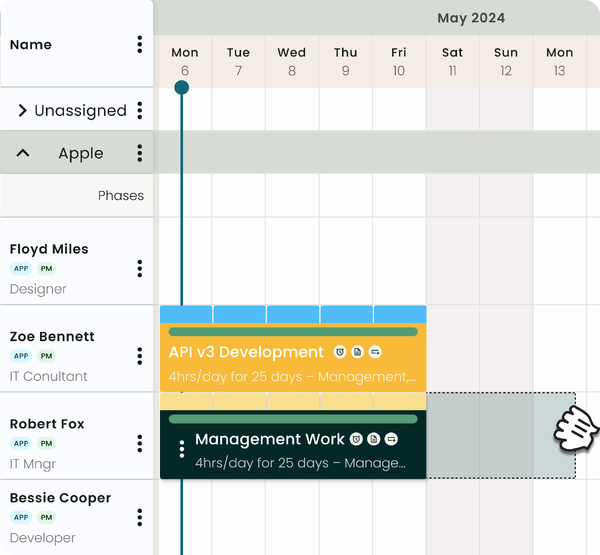
- A drag-and-drop timeline view across all projects and people. Instantly spot gaps, conflicts, and over-allocations without running a report.
- Integrates with timesheets so scheduled vs. actual hours are always in sync.
-
Pricing
Resource Flow is priced per resource per month on an annual plan, with a 14-day free trial and no credit card required.
| Plug & Pay | Premium - Most Popular | Business Leader |
|
$7 per resource/mo
|
$ 18 per resource/mo
|
$54 per resource/mo
|
Where Milient shines
| Capacity visibility at scale: | Real-time capacity filters across large, distributed teams make it easy to find available and skilled people without scrolling endlessly through a scheduler. |
| Skills-led resource planning: | The skills tagging system goes beyond basic availability, managers can match seniority, location, and specialisation simultaneously, which is rare at this price point. |
| Clean, low-friction UX: | Consistently praised for its intuitive interface, teams typically get up and running quickly, with a 14-day trial that carries data over to a paid plan seamlessly. |
Where Milient falls short
| Advanced capacity features require higher tiers: | The Capacity Finder, the tool's most powerful planning feature, is only available on the Business Leader plan ($54/user/mo), which may be more than smaller teams need. |
| Designed for project-driven teams: | Resource Flow is purpose-built for IT consultancies and project-based businesses. Teams outside that context (e.g. manufacturing or retail workforce planning) may find it a less natural fit. |
Customer reviews
"Resource Flow is a great visual tool to easily plan your capacity and make quick decisions. The UI is extremely well-designed and easy to use. The search bar to filter your resource pool by skills is my all-time favourite."
Source: milientsoftware.com (verified customer quote)
Who Milient is best for
-
-
- IT consulting and professional services teams: Mid-to-large organisations juggling complex project portfolios across multiple teams or regions, where a single, clear view of capacity is non-negotiable.
- Resource and operations managers: Those responsible for tracking utilisation, reporting on spend, and maintaining visibility across a growing headcount, without drowning in spreadsheets.
- Teams with structured permission needs: Organisations where line managers, project leads, and executives each need a different window into scheduling and financial data, Resource Flow's role-based access makes that straightforward.
- IT consulting and professional services teams: Mid-to-large organisations juggling complex project portfolios across multiple teams or regions, where a single, clear view of capacity is non-negotiable.
-
2. Float: Best for agencies and creative teams managing workload
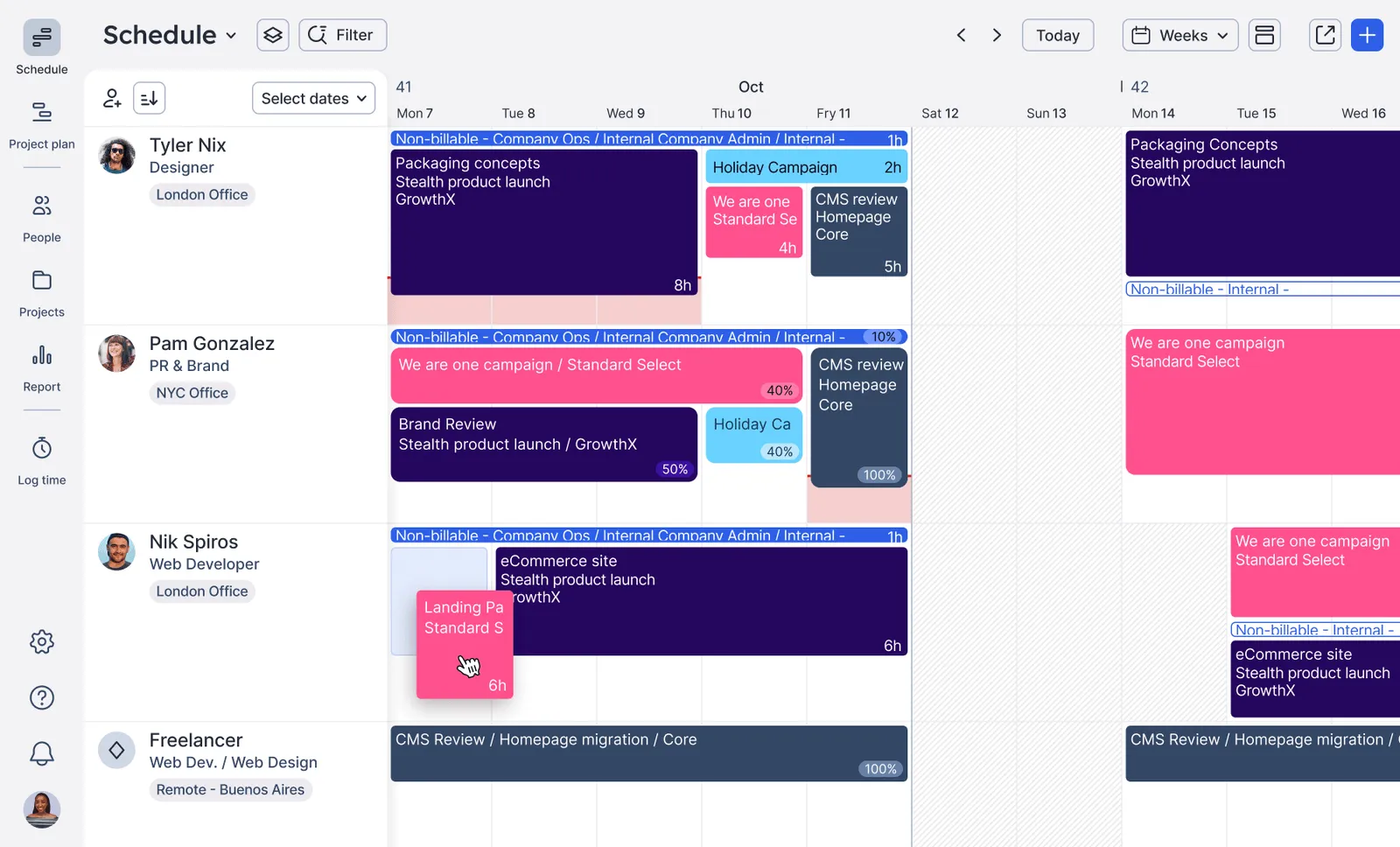
Float is a resource scheduling and capacity planning tool built for agencies, consultancies, and professional services teams. Where many capacity planners focus on project tracking, Float puts workload visibility front and centre, making it easy to see who's available, who's at risk of burnout, and where scheduling conflicts are about to happen, before they do.
Key features
-
-
- Live capacity tracking: Utilisation indicators and over-capacity alerts sit directly on the schedule, so managers can see who's overbooked and who has availability without running a separate report. Includes time off and public holidays in the view automatically.
- Availability settings: Each team member's working hours, part-time days, and start/end dates are stored individually, meaning Float only surfaces people as available when they genuinely are. Reduces double-booking across distributed or mixed-contract teams.
- Time off and global holiday management: Custom leave policies, approval workflows, and auto-assigned regional holiday calendars (covering countries and specific regions) keep capacity data accurate without manual updates.
-
Pricing
| Starter | Pro | Enterprise |
|
$7 per person/mo Scheduling, capacity & time off, unlimited project scoping, project margin tracking, 1x placeholder |
$12 per person/mo + Project estimates, actuals tracking, project finance dashboard, people ops dashboard, estimates vs. planned hours reporting |
Custom (Contact for pricing) + Dedicated CSM, set up & training, priority support, custom placeholders, SLAs |
Float offers two paid plans plus a custom enterprise tier, priced per scheduled person per month. A 30-day free trial is available on both Starter and Pro — no credit card required.
Where Float shines
-
-
- Workload visibility without the noise: Float's schedule is clean and purpose-built, utilisation levels, time off, and over-capacity alerts are all surfaced in one view without needing to configure dashboards or run reports.
- Genuinely accurate availability data: By factoring in individual working patterns, part-time arrangements, and regional holidays automatically, Float's capacity view reflects reality, not just what's been manually logged.
- Strong fit for distributed, global teams: Auto-assigned regional holiday calendars and per-person availability settings make Float one of the more thoughtful capacity planners for teams spread across multiple countries and time zones.
-
Where Float falls short
-
-
- Project budgeting is disconnected at lower tiers: Users on Starter note that capacity scheduling doesn't connect with project budgeting, meaning resource plans and financial tracking live in separate workflows unless you upgrade to Pro.
- Time splitting across weeks lacks precision: Reviewers flag that logging time across multiple weeks with accuracy can be fiddly, which is a meaningful limitation for teams that need granular, week-by-week capacity reporting.
- Learning curve for new users: Despite the clean UI, some reviewers find the initial setup and navigation more complex than expected, particularly for teams without a dedicated resource manager to configure the tool.
-
Customer reviews
Positive — Software Advice verified review
"It easily shows to people what project and how long we can work — great for keeping the whole team aligned on capacity."
Critical — Software Advice, verified review
"Still too complex and not very intuitive. Adding new projects and employees remains easy, but it's hard to split time across weeks with any level of accuracy."
Who Float is best for
-
-
- Creative and digital agencies: Teams that need clean, visual workload management across designers, developers, and project managers, without the complexity of a full project management suite.
- Resource managers at mid-size firms: Those responsible for preventing burnout and double-booking across distributed teams, where individual availability patterns (part-time, remote, multi-region) vary significantly.
- Professional services teams tracking delivery margins: Organisations on the Pro plan who need capacity planning connected to project finance, estimates, actuals, and margin tracking in one place.
-
Teams that need more advanced skills-based capacity planning may find a closer fit with Milient Resource Flow.
3. Resource Guru: best for small teams that want simple, focused resource scheduling
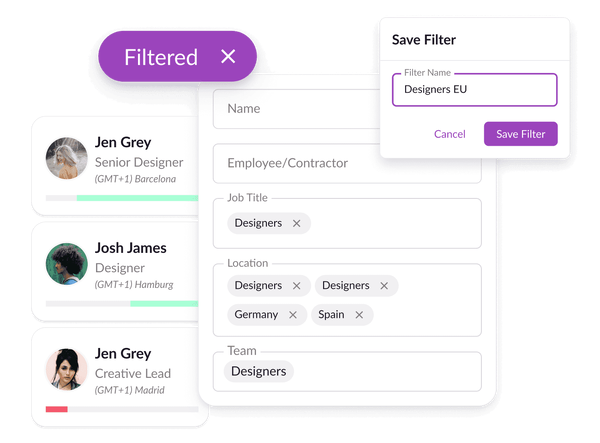
Resource Guru is a straightforward capacity planning and resource scheduling tool built for teams that want clarity without complexity. Rather than trying to be an all-in-one project management suite, it does one thing well, giving managers a real-time view of who's available, who's overbooked, and how workloads are distributed across the team.
Its clean heatmap views, clash management, and approval workflows make it a reliable capacity planner for agencies and service teams of all sizes.
Key features
-
-
- Heatmap capacity view: Colour-coded availability bars show who's over- or under-utilised at a glance, including the split between billable and non-billable work, making workload imbalances obvious without needing to dig into reports.
- Individual availability settings: Store each person's exact working hours, days, and timezone so the schedule only surfaces them as available when they genuinely are, covering vacations, part-time patterns, and sick days.
- Clash management and waiting list: Proactive over-booking alerts flag when someone is double-booked, and a waiting list holds bookings that need adjusting, preventing burnout before it happens
-
Pricing
Resource Guru offers three plans priced per person per month, with a separate rate for non-human resources (equipment, rooms, etc.). All plans include a 30-day free trial — no credit card required. Pricing below is billed annually.
| Grasshopper | Blackbelt - standard | Master |
|
$4.16 per person/mo Unlimited projects & clients, personalised dashboards, custom filters, calendar sync. Other resources: $2.08/each |
$6.65 per person/mo + Timesheets, customisable reports, project dates & milestones, project rates & budgets, custom fields. Other resources: $3.33/each |
$10 per person/mo + Approval workflow, SSO, unlimited activity history & custom fields, phone support. Other resources: $5/each |
Where Resource Guru shines
-
-
- Focused on resource allocation, nothing more: Resource Guru does resource scheduling well. Reviewers consistently praise how intuitive it is for both managers and team members.
- Proactive burnout prevention: The combination of clash management, a waiting list, and utilisation rate tracking means over-booking problems are flagged before they escalate, a meaningful differentiator for teams managing high-demand individuals.
- Strong value at entry-level pricing: At $4.16/person/month, the Grasshopper plan offers unlimited projects, clients, and personalised dashboards, making Resource Guru one of the most accessible capacity planners on this list for budget-conscious teams.
-
Where Resource Guru falls short
-
-
- Scalability has limits for fast-growing teams: Reviewers note that as businesses grow significantly, Resource Guru can start to feel less capable than more enterprise-grade competitors, particularly around handling large volumes of projects and resources simultaneously.
- Reporting and analytics are relatively basic: Advanced analytics feel limited compared to more enterprise-focused platforms. Teams that need granular, customisable reporting beyond standard utilisation data may find themselves needing supplementary tools.
- Key features locked behind higher tiers: Approval workflow, one of the most useful capacity planning controls, is only available on the Master plan ($10/person/mo), which may push smaller teams toward a plan with more than they need.
-
Customer reviews
Positive - Capterra verified review
"Resource Guru makes resource planning and team collaboration simple without dumbing it down. The drag-and-drop scheduling is fast, the visual calendar makes capacity gaps obvious, and the clash management feature saves you from double-booking moments."
Source: Capterra
Critical - Capterra verified review
"It gets to a point where if the business grows too much, it feels like Resource Guru isn't able to handle it as well as some competitors. The scalability could be better."
Source: Capterra
Who Resource Guru is best for
-
-
- Small to mid-size agencies: Teams that want clean, visual resource scheduling without the overhead of a full project management platform, particularly those managing non-human resources like rooms and equipment alongside people.
- Resource managers focused on preventing burnout: Those who need proactive clash management and utilisation tracking to protect high-demand team members and keep workloads sustainable across the organisation.
- Budget-conscious teams getting started with capacity planning: Organisations moving away from spreadsheets who need an affordable, intuitive entry point, the Grasshopper plan delivers solid scheduling fundamentals at one of the lowest price points in this list.
-
4. Runn: best for consulting firms and IT teams that need capacity planning with financial visibility
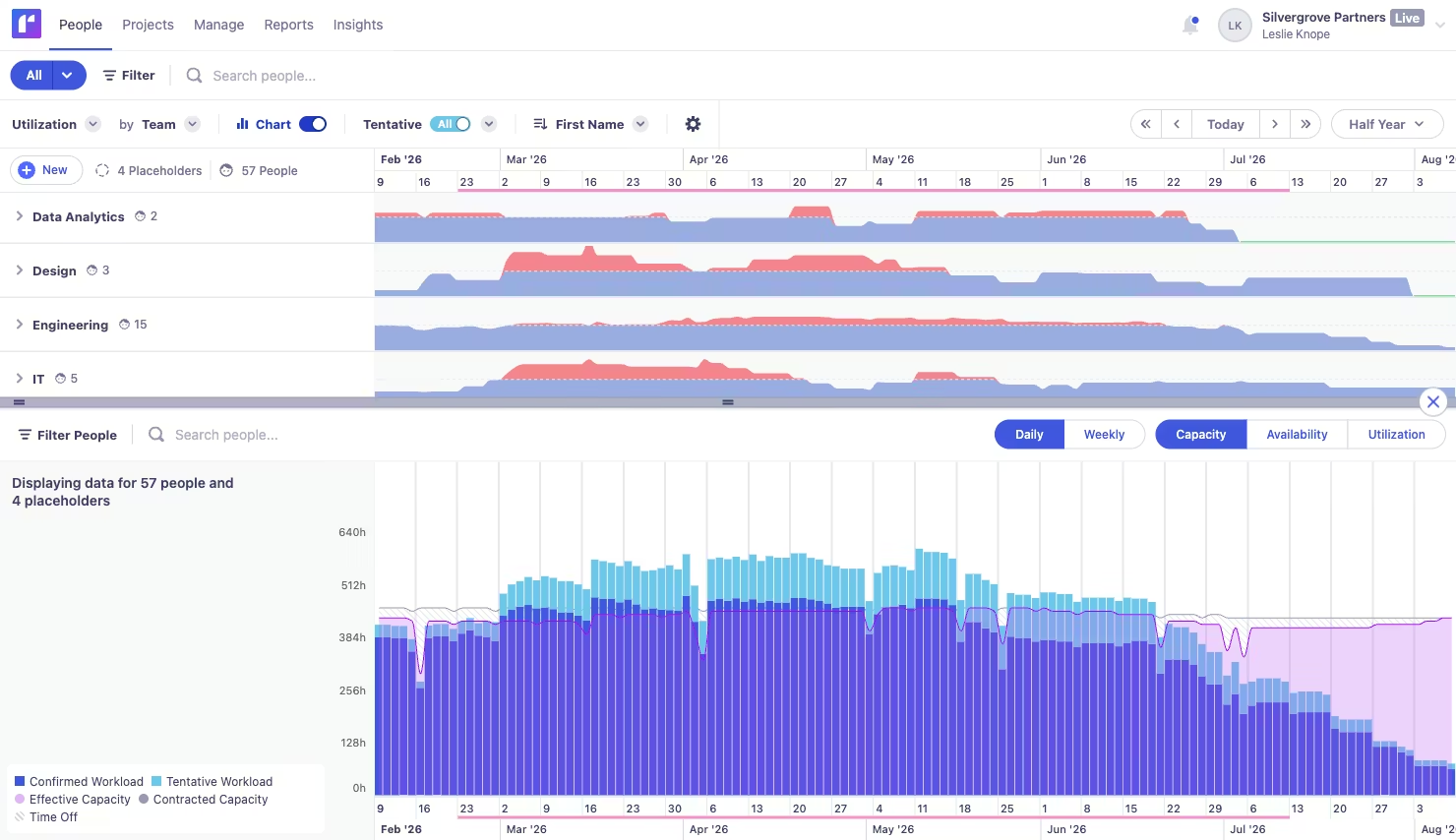
Runn is a capacity management and resource planning platform designed for consulting firms, IT teams, and agencies that need more than just a visual scheduler.
Alongside real-time workload balancing and availability tracking, Runn connects capacity data to project financials, giving managers visibility into utilisation, revenue, and hiring needs all from a single shared view. It's a strong capacity planner for teams where resource decisions directly impact project profitability.
Key features
-
-
- Workload balancing with utilisation trends: A high-level view of the entire resource pool shows daily, weekly, and capacity/availability/utilisation breakdowns, so managers can spot over- and under-allocation trends across short and long-term project pipelines.
- Custom work hours per person: Set individual availability by work days and hours per day, covering full-time, part-time, and flexible arrangements, so capacity data always reflects real-world availability.
- Time off and holiday management: Log leave directly in Runn to maintain a complete picture of everyone's availability and avoid scheduling around people who won't be there.
-
Pricing
Runn offers two self-serve plans plus a custom Advanced tier, priced per resource seat per month. All plans include a 30-day free trial. Pricing below is billed monthly, annual discounts available.
| Lite | Standard - most popular | Advanced |
|
$7 per resource seat/mo Scheduling, tentative projects, capacity & utilisation charts, skills & tags, project financials. ~$350/mo for 50 resources. |
$11 Per resource seat/mo + Timesheets, 5 custom fields, out-of-the-box integrations, API for custom integrations, 30-day audit log. ~$550/mo for 50 resources. |
Custom Contact for pricing + Unlimited custom fields & reports, workstreams, custom insights dashboards, SSO (SAML), optional implementation & support. |
Where Runn shines
-
-
- Capacity planning connected to project financials: Runn links utilisation and workload data directly to revenue, billing, and project financial metrics, making it genuinely useful for managers who need to track both capacity and profitability in one place.
- Clean, intuitive UI that teams actually adopt: Reviewers consistently highlight how fast and easy Runn is to pick up, with forecasting and project tracking features that surface the right information without feeling overwhelming for day-to-day users.
- Strong for forward planning and hiring decisions: Placeholder allocations and pipeline visibility give managers a data-driven way to quantify exactly when and who to hire next, a meaningful capability for growing teams planning capacity months ahead.
-
Where Runn falls short
- Reporting customisation is limited on lower tiers: Custom fields in reporting require upgrading, a common friction point flagged by reviewers who need more tailored data views without committing to the Advanced plan. Teams with complex BI needs may find the standard reports insufficient.
- API access requires the Standard plan: Teams that want to connect Runn to their existing tech stack via API will need to upgrade beyond Lite, which may catch out smaller teams who assumed integrations were included from the start.
- UI navigation can feel inconsistent in places: Some reviewers note that navigation isn't always predictable, certain items accessible from one page aren't easily reachable from another, which can add friction for new users getting up to speed.
Customer reviews
Positive - Capterra verified review
"Runn has a clear and simple UI that makes managing team workloads and project timelines really straightforward. I can quickly see who's doing what and when, and the resource forecasting and project tracking features help you stay on top of everything without feeling overwhelmed."
Critical - Capterra verified review
"We have a pretty complex business intelligence tool to gather finance and project metrics, and we're using the API sometimes. Missing API features is a drawback, having a public roadmap of planned features would be a plus."
Who Runn is best for
-
-
- IT consultancies and consulting firms: Teams that need capacity and financial data in one view, tracking utilisation, billing, and project profitability alongside who's available and when.
- Project managers at growing agencies: Those who want a clean, easy-to-adopt scheduler with strong forecasting capabilities and placeholder-based hiring visibility, without the complexity of an enterprise platform.
- Cross-functional teams with varied roles: Organisations where finance, PMs, delivery, and sales teams all need different visibility into the same resource and project data, Runn's permissions and role-based views support this well.
-
5. Kantata Enterprise: best for large enterprise professional services organisations
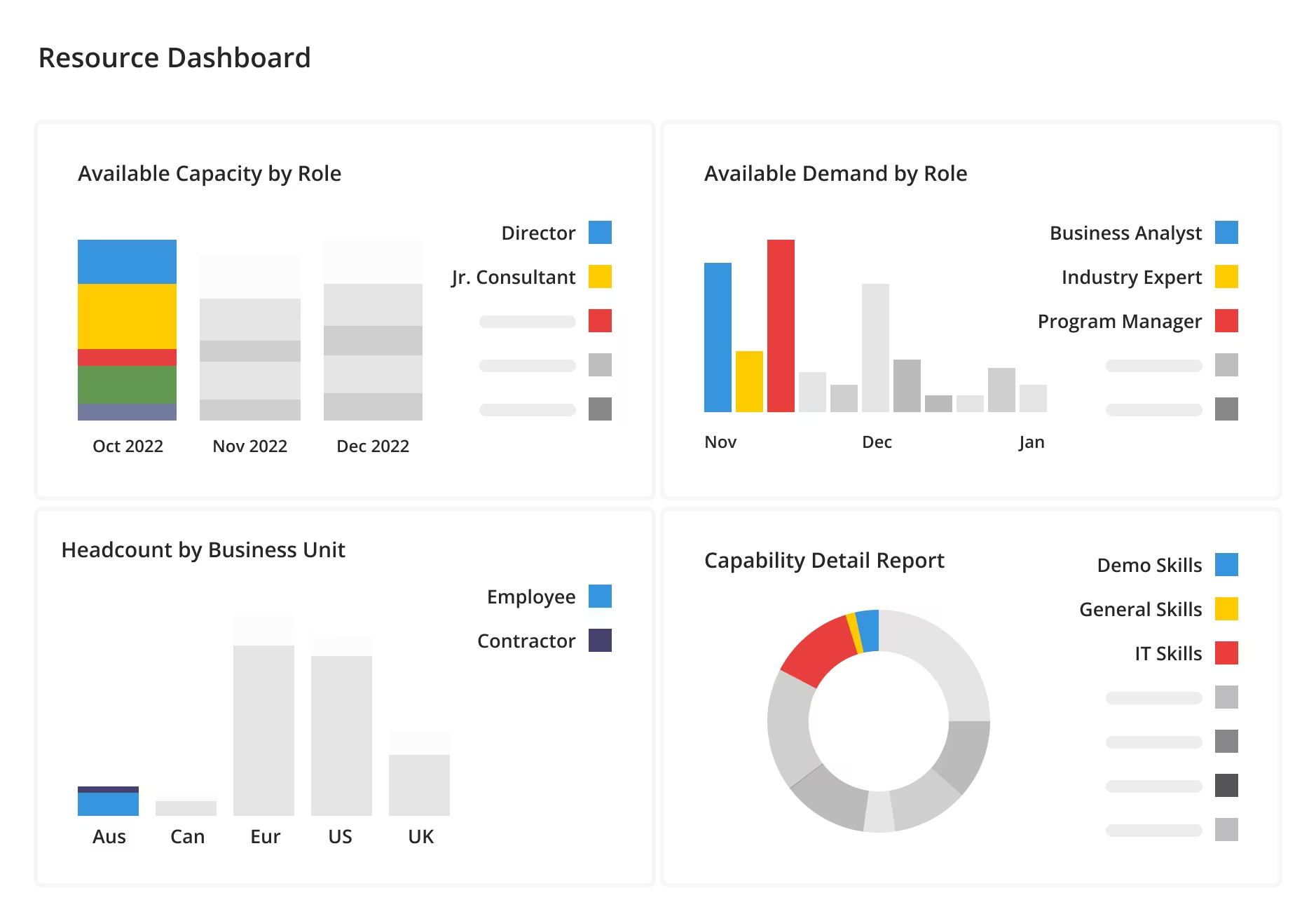
Kantata is an enterprise-grade Professional Services Automation (PSA) platform covering resource management, project forecasting, scheduling, and financial tracking under one roof.
Designed for organisations of 50 to 5,000+ employees, it goes well beyond capacity planning, connecting resourcing decisions to revenue, margins, and project delivery at scale. It's a powerful platform, but that power comes with significant complexity and cost.
Key features
-
-
- Resource forecasting and capacity planning: Supply vs. demand dashboards and role gap charts give leaders a long-range view of resource needs across the project pipeline.
- AI-assisted resource allocation: A built-in Resourcing Agent surfaces best-fit resource matches based on skills, availability, and project demands in real time.
- Skills inventory and staffing optimiser: Match team members to projects by skills, availability, and financial impact, with fit scores and profit projections per candidate.
-
Pricing
Kantata does not publicly display its pricing.
Costs are available on request and vary based on team size, modules, and configuration. Reviewers consistently flag it as expensive, particularly for smaller teams, and note that implementation costs add significantly to the total investment.
Where Kanata Enterprise shines
-
-
- Useful for businesses of all sizes: Reviewers highlight that Kantata's feature breadth, task management, time tracking, resource allocation, and timeline development, covers a wide range of needs, making it appealing as an all-in-one platform for teams that want everything centralised.
- Strong integrations for technical teams: The Jira integration and customisation options are a notable plus for IT and software teams already working within established technical workflows, adding resource planning on top of existing tooling without switching platforms entirely.
-
Where Kantata Enterprise falls short
-
-
- Expensive, and the mobile experience doesn't match the price: Reviewers are direct: Kantata is costly, and the mobile app and site navigation don't hold up. For teams expecting a polished experience at enterprise pricing, this is a recurring frustration.
- Too many moving parts for large accounts: Multiple reviewers note that as accounts scale, more projects, more users, Kantata becomes increasingly tedious to manage. Tasks require multiple steps, project creation is overly complex, and it can feel like the tool is working against you, not with you.
- Resource allocation bugs undermine reliability: A specific and recurring complaint: resourcing allocation has bugs where timeline data and actual hours don't match, forcing users to double-check every time hours are distributed. For a platform positioned around resource accuracy, this is a meaningful weakness.
-
Customer reviews
Positive - Capterra verified review
"Kantata has done a great job with their timeline developments, time tracking, and resource allocation. The idea of having everything available in one program is great for a small account with a few projects."
Critical - Capterra verified review
"Expensive and the mobile app didn't work for me, with the site laid out in a way that's difficult to navigate. With large accounts there are too many moving parts, and there are frequently bugs with resourcing allocation where the timeline says one thing but the hours are behind."
Who Kantata is best for
-
-
- Large enterprise professional services organisations: Teams of 200+ with dedicated resource managers, IT admin support, and the budget and time to implement a full PSA platform properly.
- Firms needing PSA beyond capacity planning: Organisations that need project delivery, financial forecasting, billing, and resourcing all connected in one enterprise system, and have the maturity to configure and maintain it long-term.
-
How to choose capacity planning software
Not all capacity planning software is built the same. Here are the three features that matter most, and what to look for in each one before you commit.
1. Real-time availability and utilisation visibility
The most important thing any capacity planner should do is tell you, right now, who has capacity, and who doesn't. Look for tools that show live utilisation percentages, flag over-allocated team members automatically, and factor in time off and non-working days without manual updates. If you're still piecing this together from spreadsheets, you're already working with outdated data.
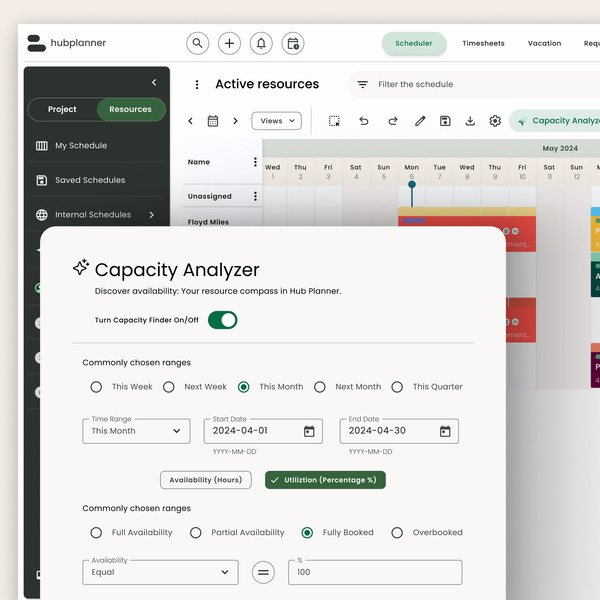
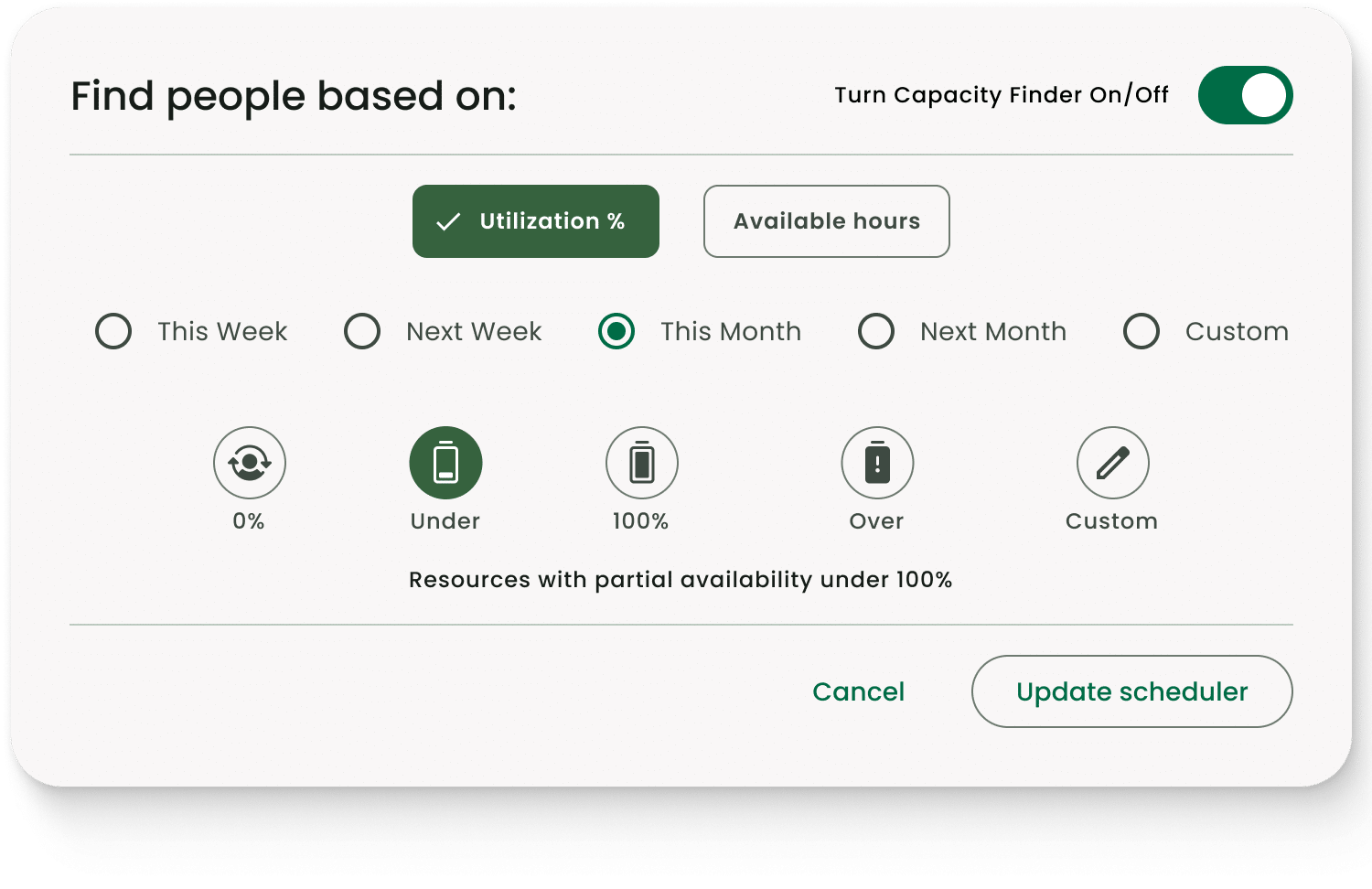
Resource Flow's Capacity Finder shows live availability across the entire team, filterable by utilisation rate, date range, and location, with pre-built templates for Available, Fully Booked, and Over-utilised views. No manual pulling, no spreadsheet cross-referencing.
2. Skills-based resource matching
Availability alone isn't enough. The best capacity planning software should help you find the right person, not just anyone who happens to be free. Look for tools that let you filter by skills, seniority, and role so you're matching project requirements to actual capabilities. This becomes critical as teams grow and projects overlap, finding the right person manually doesn't scale.
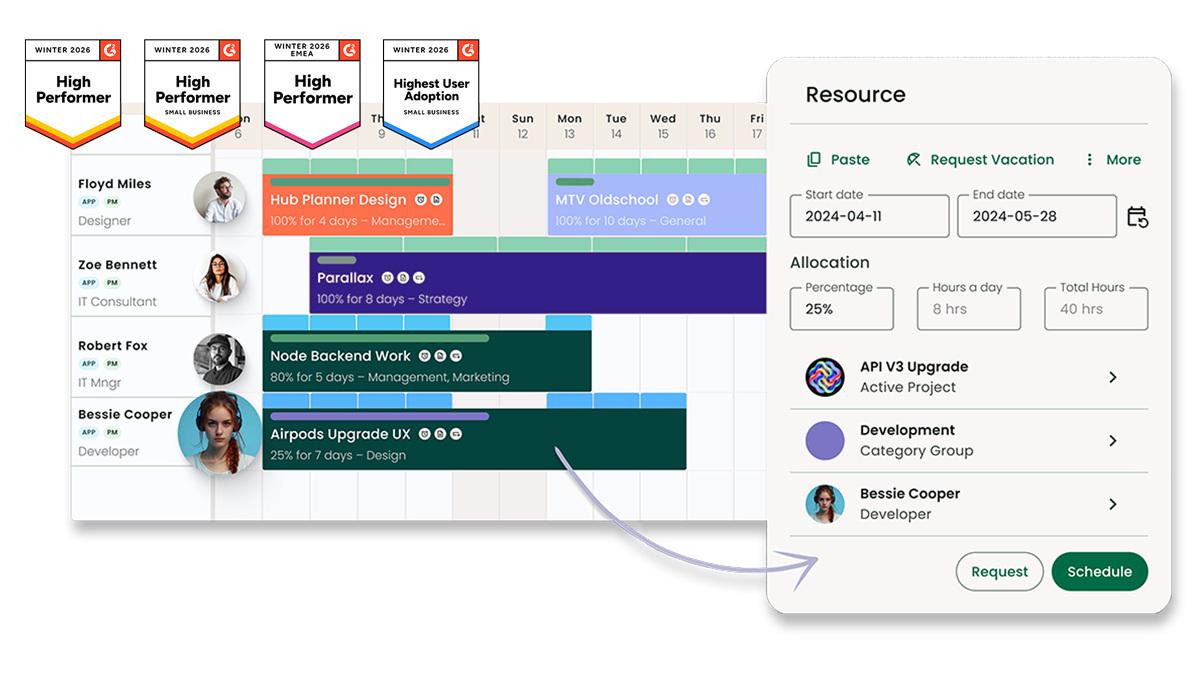
Resource Flow's skills matching lets managers tag every team member with custom skills, seniority levels, and location, then filter the scheduler in real time to find the best fit for any project. Team members can even self-assess their own skills, keeping the data current without extra admin.
3. Role-based access and permission controls
In most organisations, not everyone needs to see everything. Line managers need their team's schedule. Project leads need delivery timelines. Executives need utilisation reports and spend data.
A good capacity planner should let you control who sees what, without building separate views in a spreadsheet or giving everyone access to sensitive financial data by default.
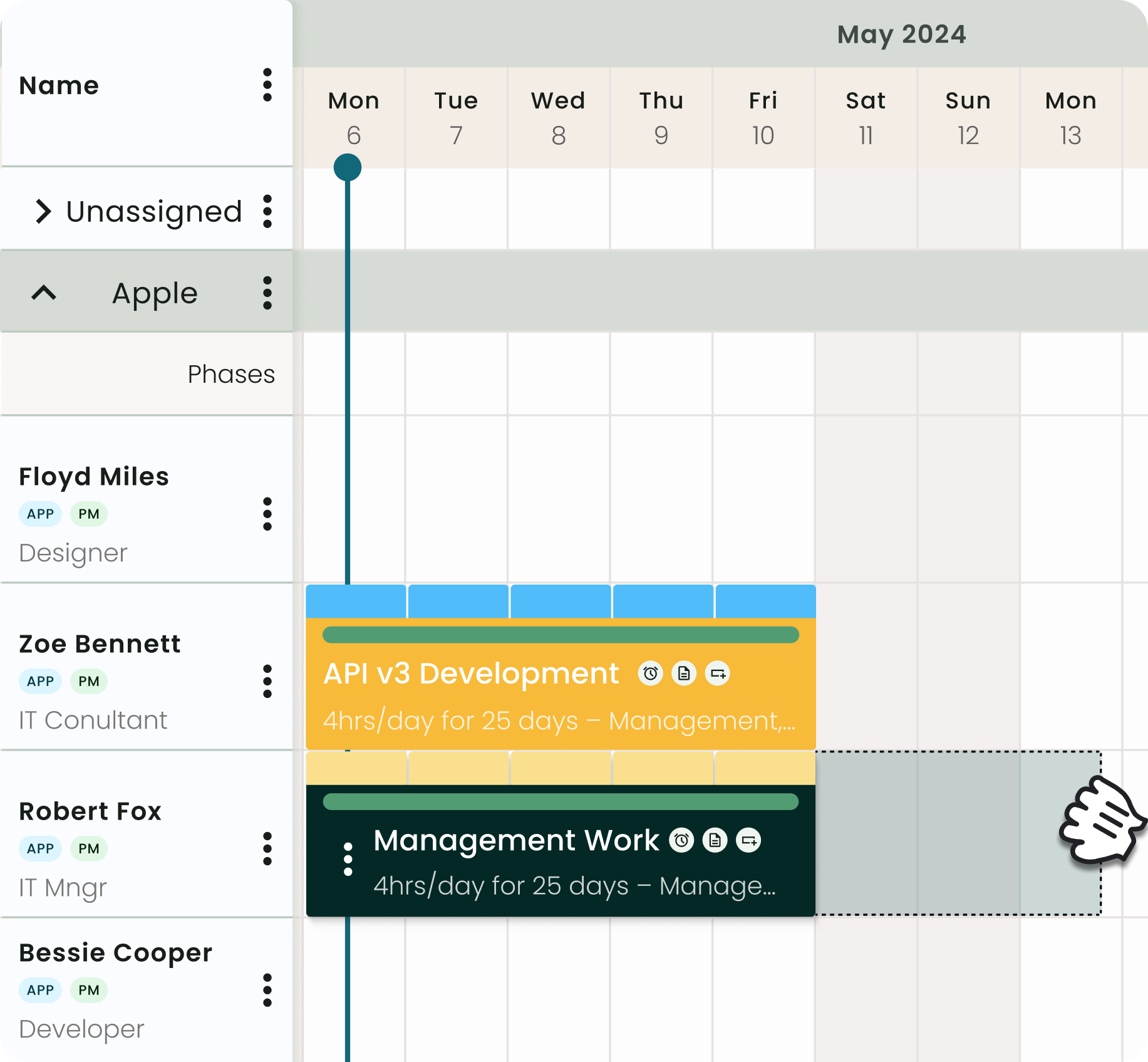
Resource Flow's role-based access controls give different levels of visibility to line managers, project leads, and executives, so everyone sees what they need and nothing they don't. It's one of the features most commonly cited by IT consultancies managing structured teams across multiple projects.
Get a Real-time View of Your Team’s Availability with Milient
The best capacity planning software for your team comes down to one question: do you need a simple scheduler, or a tool built to handle real complexity?
For creative agencies and small teams, Float and Resource Guru offer clean, accessible scheduling at a lower price point. For enterprise organisations already invested in a full PSA ecosystem, Kantata covers the most ground,if you have the budget and the bandwidth to configure it properly.
But if you're an IT consultancy, professional services firm, or project-driven team that needs skills-based capacity planning, role-based access, and real-time utilisation data without enterprise-level overhead, Milient Resource Flow is built for exactly that.
With billable utilisation across professional services averaging just 66.4% in 2025, the gap between what your team could deliver and what they're actually delivering is likely bigger than you think. A dedicated capacity planner closes that gap, and Milient makes it easy to see where those hours are going from day one
Not ready to commit yet? Read our full breakdown of the best resource scheduling software for 2026 to compare your options further before making a decision.
 Andrea Neeve
Marketing Associate
Want more content like this? Follow Milient:

/hubplanner_resource.png?width=1024&height=1024&name=hubplanner_resource.png)