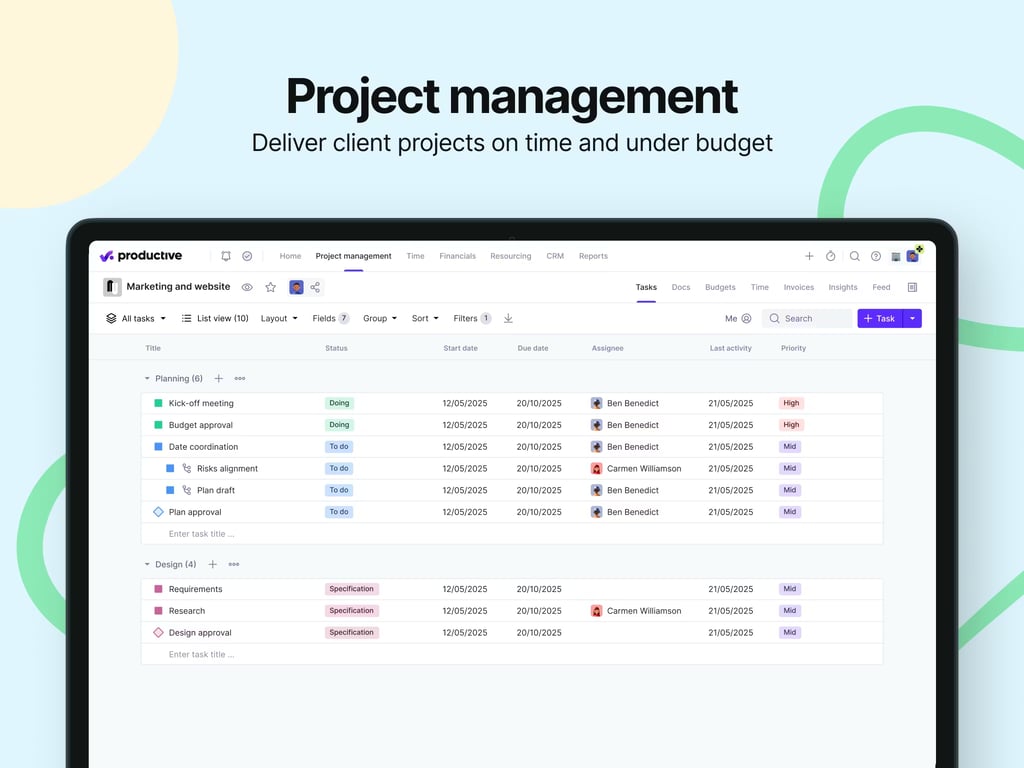
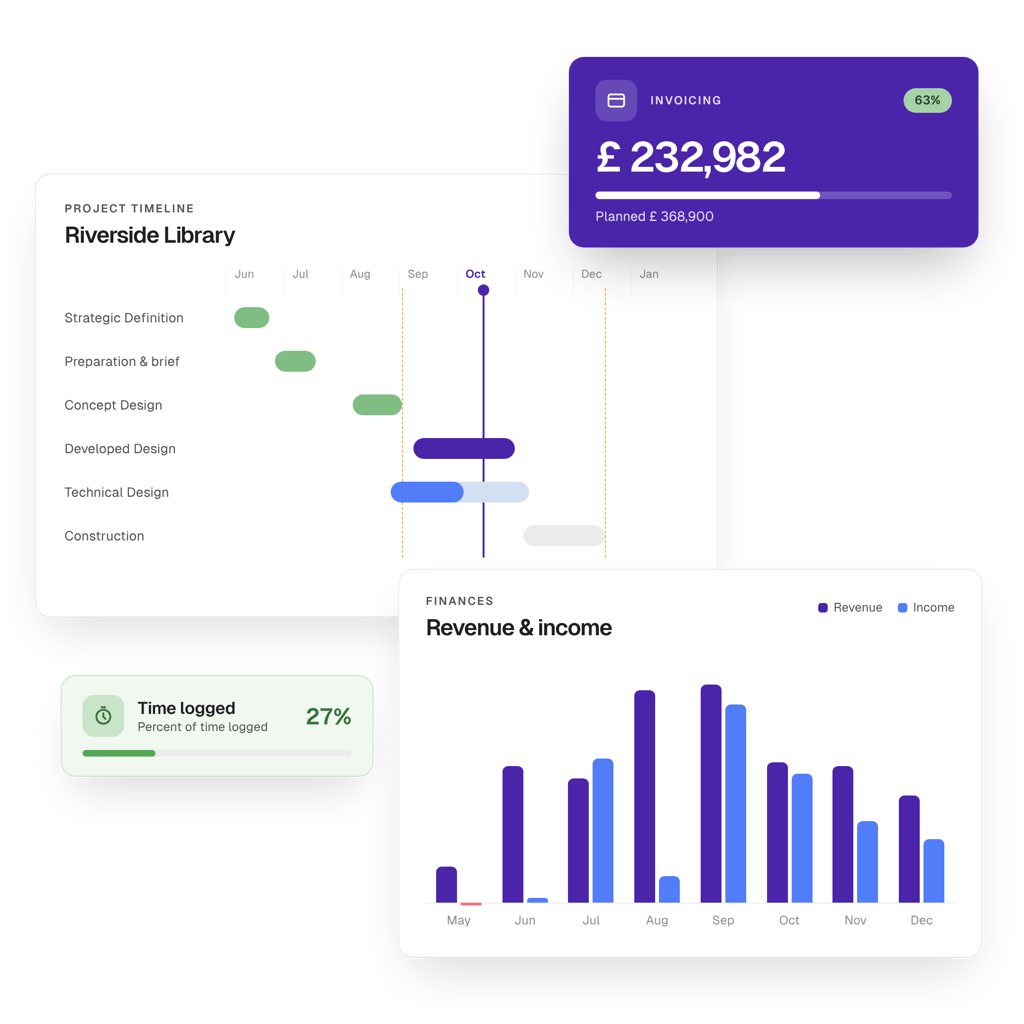
Choosing project management software isn't just about the monthly subscription. For architecture and engineering firms, onboarding costs, contract commitments and the time needed to get everyone using a new system can all affect the overall investment.
CMap pricing is quote-based, with different plans and additional modules available. But how much could the platform cost over three years, and what should you know before signing?
In this guide, we break down CMap's pricing, features, onboarding process and potential additional costs, alongside an alternative for growing AEC firms.
CMap Pricing at a Glance
Milient Project Flow: The AEC-First Alternative to CMap
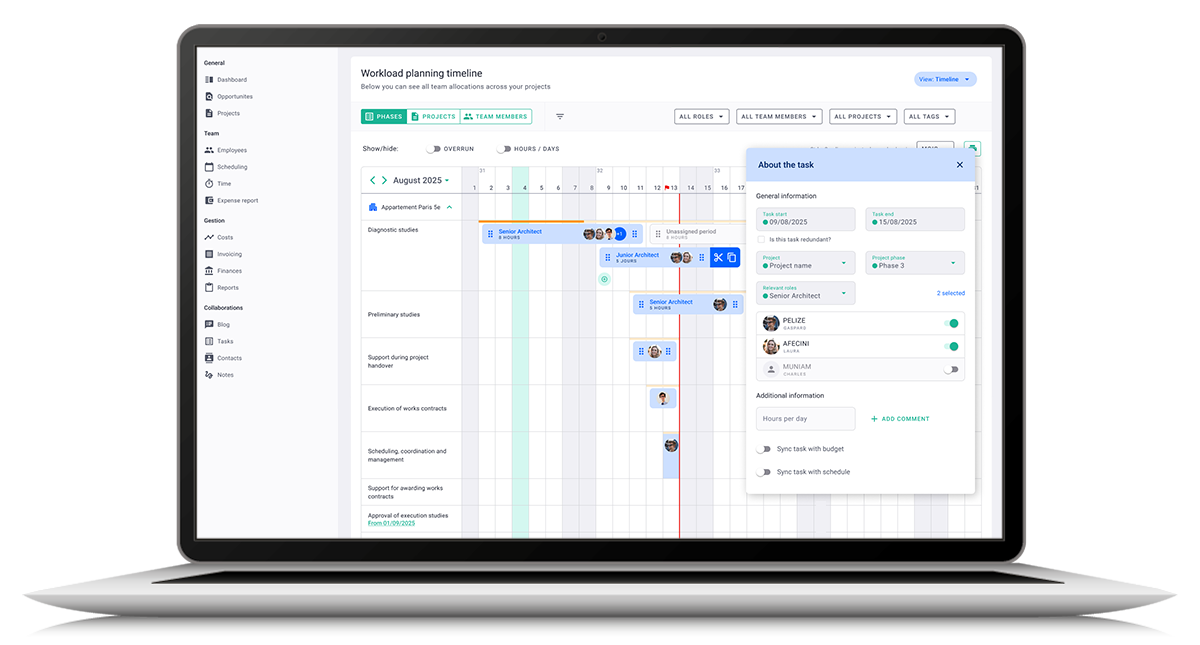
Milient Project Flow gives AEC firms the same project-to-invoice coverage, with more transparent pricing compared to CMap.
It's built for growing and mid-sized architecture, engineering, and consulting firms that have outgrown spreadsheets. In one platform, you get:
-
-
-
- Project management: phase-level planning and Gantt scheduling across Concept, Coordination, Technical Design, and beyond.
- Resource allocation: define roles, set role-specific hourly rates, and track billable against non-billable at the role level.
- Timekeeping: current, expected, and budgeted hours side by side on every project.
- Invoicing: automated client invoicing per phase, with a fees solver handling base fees, discounts, and production totals.
- Reporting: project timeline and deliverable reports, exportable as PDFs for clients or internal review.
-
-
Milient Project Flow also integrates with accounting and reporting tools, including Xero, Sage, QuickBooks and Power BI.
Here's how Milient Project Flow compares to CMap:
CMap Pricing Plans: A Breakdown
On CMap, Growth covers the core commercial cycle from pipeline through to invoicing. Pro unlocks the resourcing and reporting tools most firms assume are standard. Enterprise holds the API, SSO, and CRM integrations.
Here's what sits where.
Growth Plan
Growth covers the commercial cycle end-to-end. You get a contacts database, pipeline management, and the Fee Estimator job-costing tool.
Timesheets, expenses, and live budget-versus-actuals handle delivery, while invoice and purchase order creation, accounting integrations, and revenue forecasting handle the money.
Resourcing at this tier means a resource schedule, staffing reports, and task management. HR covers time off, people profiles, and documents.
Pro is the resourcing and reporting tier. You get the People Planner, the Central Planner, skill fields with a skills matrix for skills-based resourcing, and drag-and-drop tools.
Pro also adds the custom report and dashboard builder, plus full database access for direct data queries.
The plan also unlocks multiple entities, multiple business units, unlimited currencies, unlimited custom fields, and unlimited custom pages. Stage tagging and targets with gap analysis round it out.
Enterprise Plan
CMap Enterprise is designed for larger organisations requiring more advanced financial controls, integrations and security functionality.
Features include advanced revenue scheduling, rate card management and month-end timesheet controls.
It also provides reporting capabilities through Excel and Power BI, alongside additional integration options.
Enterprise includes full API access, Azure single sign-on and IP access restrictions.
CMap Hidden Costs: What Should You Consider?
-
-
- Onboarding and implementation: Setup, data migration and staff training may involve additional costs and time commitments.
- Contract length: Longer agreements, such as three-year commitments, can limit flexibility if your firm's requirements change. Check the terms before signing.
- Additional modules: Advanced resource planning, reporting and integrations may require higher-tier plans or additional fees.
- Long-term costs: Comparing the total cost over three years, including subscriptions, onboarding and add-ons, can reveal potential savings that aren't obvious from monthly pricing alone.
-
1. Onboarding and Implementation Costs
Switching project management software can be a significant undertaking, especially when your practice has years of project data, financial records and established workflows to transfer.
CMap provides structured onboarding, with implementation scoped according to your firm's requirements and objectives.
However, firms should understand exactly what the process involves before committing.
Questions worth asking include:
- How long will onboarding take for a practice of our size?
- What historical project and financial data can be migrated?
- Are implementation and training costs included in the quote?
- How much time will our team need to dedicate to setup?
- What support is available after implementation?
A lengthy or complicated transition can create additional administrative work and delay the benefits of a new system.
What to look for instead: A software provider that clearly explains its onboarding process, migration requirements, expected timeline and support arrangements before you sign.
2. Contract Length and Flexibility
The length of your software agreement is another important consideration, particularly for growing architecture and engineering firms.
A three-year commitment, for example, means choosing a system your practice will rely on for a significant period.
During that time, your team may grow, your workflows may change or your business may need different functionality.
Before agreeing to a CMap subscription, consider asking:
- What is the minimum contract length?
- Are shorter agreements available?
- Can we increase or reduce licences during the contract?
- Does the agreement renew automatically?
- What are the cancellation and notice requirements?
Why it matters: Your project management software should support your firm's changing requirements without unnecessarily limiting your options.
Always review the contract terms and confirm what flexibility is available before making a long-term commitment.
3. Add-On Modules and Advanced Features
Not every CMap feature is included in every pricing plan.
Additional functionality, such as advanced resource planning, custom reporting and certain integrations, may require a higher-tier subscription or separately purchased modules.
Examples include:
- CMap Mail and Documents
- Portfolio management
- HubSpot and Salesforce integrations
- Microsoft Teams integration
- Additional HR system connectors
This means your initial quote may not reflect the final cost of all the functionality your practice needs.
Before comparing providers, list your essential requirements and confirm which features are included in the quoted subscription.
4. Total Cost Over Three Years
When comparing project management software, looking at the monthly price alone can be misleading.
Consider the total cost of subscriptions, onboarding, training, additional modules and support over the period you expect to use the system.
For example, Milient's sales team identified approximately £27,000 in potential savings for an 11-person firm in an internal software cost comparison.
While actual savings depend on the plans, contract terms and services being compared, the example highlights why firms should evaluate the full investment rather than just the price per user.
A lower monthly subscription is only part of the picture. Implementation costs and long-term commitments can make a significant difference to the overall budget.
Looking for other options?
Read our guide to the five best CMap alternatives to compare project management platforms for architecture, engineering and consulting firms.
CMap Pros & Cons
CMap provides a broad range of functionality for professional services firms, including project planning, financial management and resource scheduling.
However, as with any platform, there are advantages and limitations to consider.
Pros
- Unified platform: Combines CRM, project planning, timesheets, invoicing and financial management in one system.
- Advanced resource planning: Offers visual resource schedules, availability reporting and skills-based resource allocation.
- Budget-versus-actual tracking: Helps firms compare project budgets with recorded time and costs.
- Security and compliance: Provides established security controls and certifications.
- Scalable functionality: Different plans allow firms to access more advanced features as their requirements grow.
Cons
- Quote-only pricing: Subscription prices aren't publicly available, making it harder to compare costs without speaking to sales.
- Onboarding requires preparation: Implementation and data migration need planning, so firms should clarify the costs, responsibilities and timeline.
- Contract flexibility needs checking: Firms should review minimum terms, renewals and cancellation conditions before committing.
- Additional feature costs: Advanced resourcing, reporting and integrations may require higher-tier plans or add-ons.
- Reporting complexity: Some customer reviews highlight difficulties with reporting flexibility and customisation.
For a more detailed look at the platform, read our CMap review.
Who Is CMap Best For?
CMap is designed for architecture, engineering and consulting firms looking to manage project delivery, finances and resources in one system.
Its suitability depends on the size of your organisation and the level of functionality required.
Consulting Firms Moving Off Legacy Systems
CMap's Consulting Edition supports professional services firms that need forecasting, resource allocation and financial management.
Its functionality includes work in progress (WIP), revenue recognition and project forecasting.
These capabilities can be useful for consultancies managing multiple projects, billable teams and complex financial reporting requirements.
AEC Practices Needing Job Costing and WIP
CMap's AEC Edition includes the Fee Estimator, job costing functionality and financial reporting tools.
These features support practices that need to estimate project fees, monitor budgets and track financial performance throughout delivery.
For architecture and engineering firms managing fixed-fee projects, this visibility can help identify when project costs are approaching agreed budgets.
Mid-Sized Professional Services Organisations
CMap's advanced resource planning functionality may appeal to mid-sized and larger organisations managing staff across multiple teams and projects.
The People Planner, Central Planner and skills matrix support resource allocation based on availability and capability.
However, smaller practices should consider whether they need these advanced features and whether the associated subscription and implementation costs are justified.
Side note: Milient Project Flow is also designed for smaller and growing AEC practices that need project financial management and resource planning without unnecessary complexity.
CMap Reviews: What Customers Say
Customer reviews can help firms understand how a platform performs in everyday use.
CMap users often highlight its broad functionality and ability to centralise project information, although some raise concerns about reporting flexibility.
What Customers Like
A verified G2 reviewer shares:
"The system is easy to use and intuitive. The range of features means you can customise it to your organisational needs. I particularly appreciate the CRM features, including the ability to distinguish between leads and live opportunities. And also the ability to check my leave requests against the wider team to prevent clashes."
This highlights the benefits of having project, commercial and administrative information available in one platform.
Where Customers See Room for Improvement
Reporting flexibility is one area mentioned in customer feedback.
Giulia S. shares on Capterra:
"A lot of the reporting suite could be better. Architects often complain about the inability to create reports from two different sources (primarily fees and timesheets/resource). It has been raised at most CMap forum days, and it keeps on being one of the key challenges of the software."
For AEC firms that rely on combining financial, time tracking and resource data, reporting capabilities are worth evaluating during a demo.
Alternative to CMap: Milient Project Flow for Real-Time Financial Control
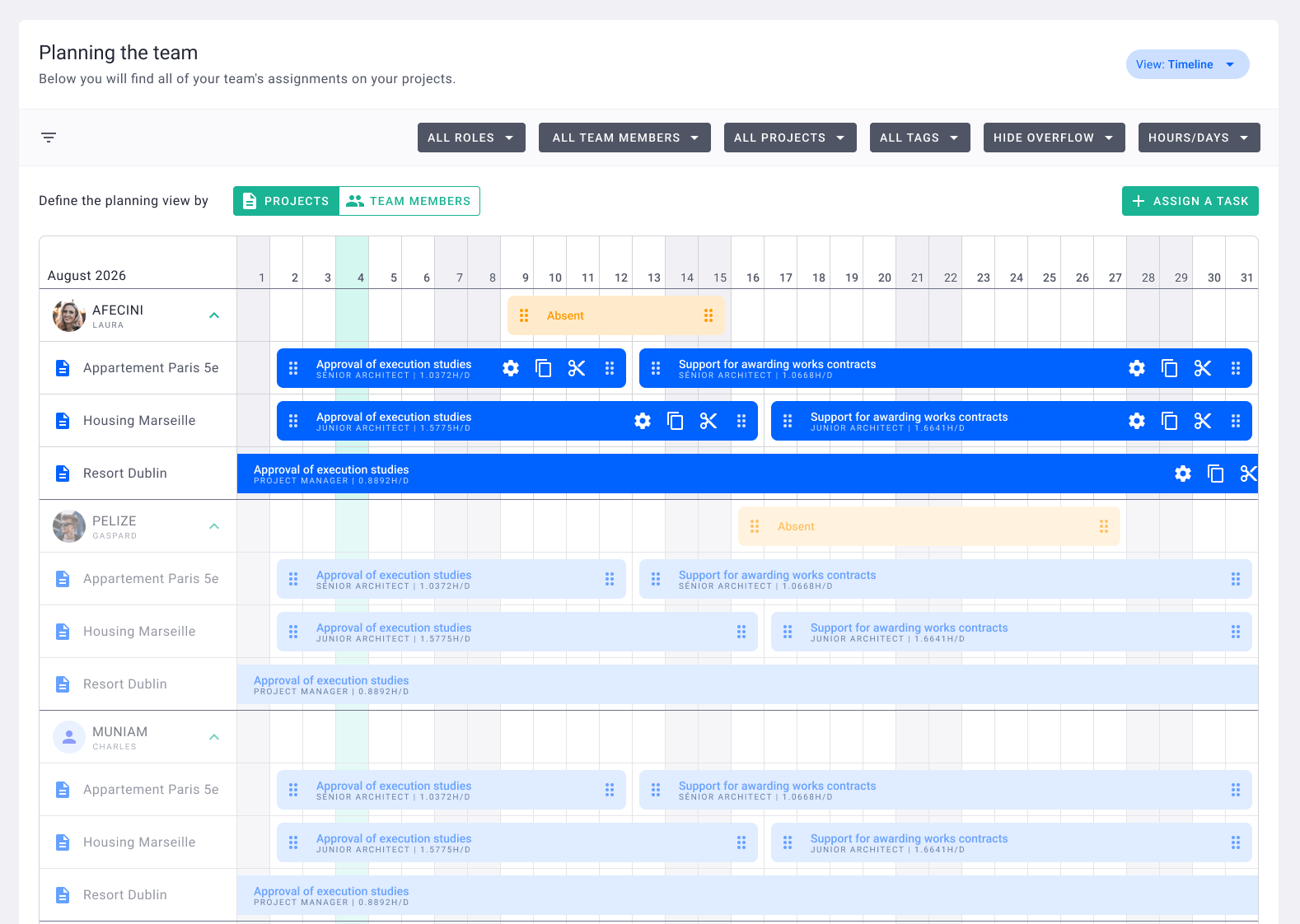
As a CMap alternative, Project Flow is built around how AEC projects work and get billed. So, it suits AEC firms that want project visibility from offer to invoice, with features like:
Project Progress Dashboard
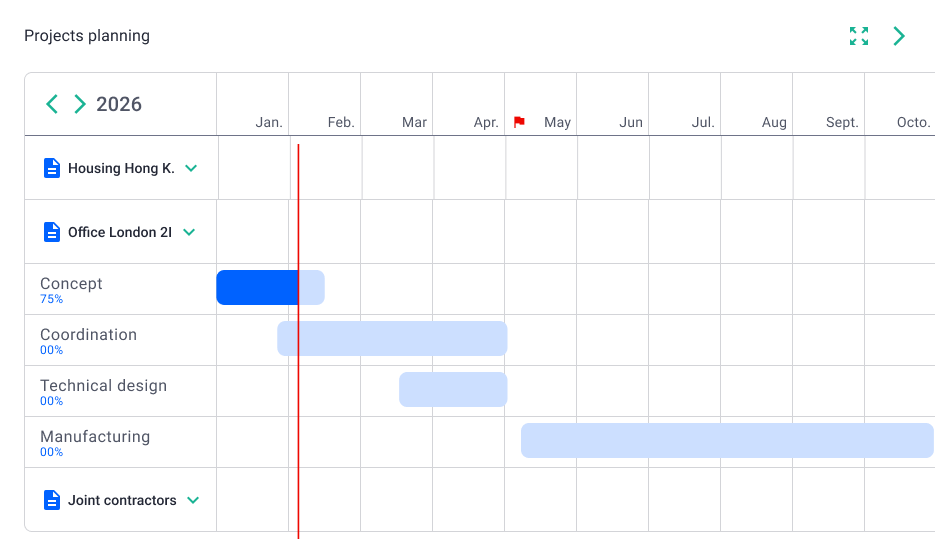
Milient Project Flow’s project management is a live, filterable view across the whole portfolio, showing status, fees, budget consumed, invoiced percentage, and revision history.
Everything stays inside the platform, so combining project health data doesn't mean an export and a spreadsheet.
Time & Budget Tracking
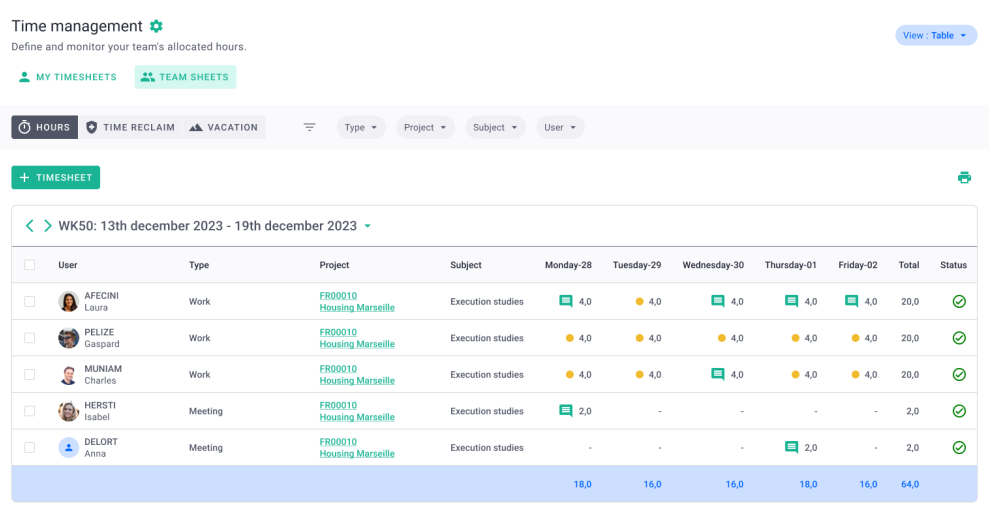
Project Flow’s time management features track current hours, expected hours, and budgeted hours side by side on each project. Overruns are flagged in real time, which lets project managers correct course before the write-off rather than after it.
Automated Invoicing by Phase
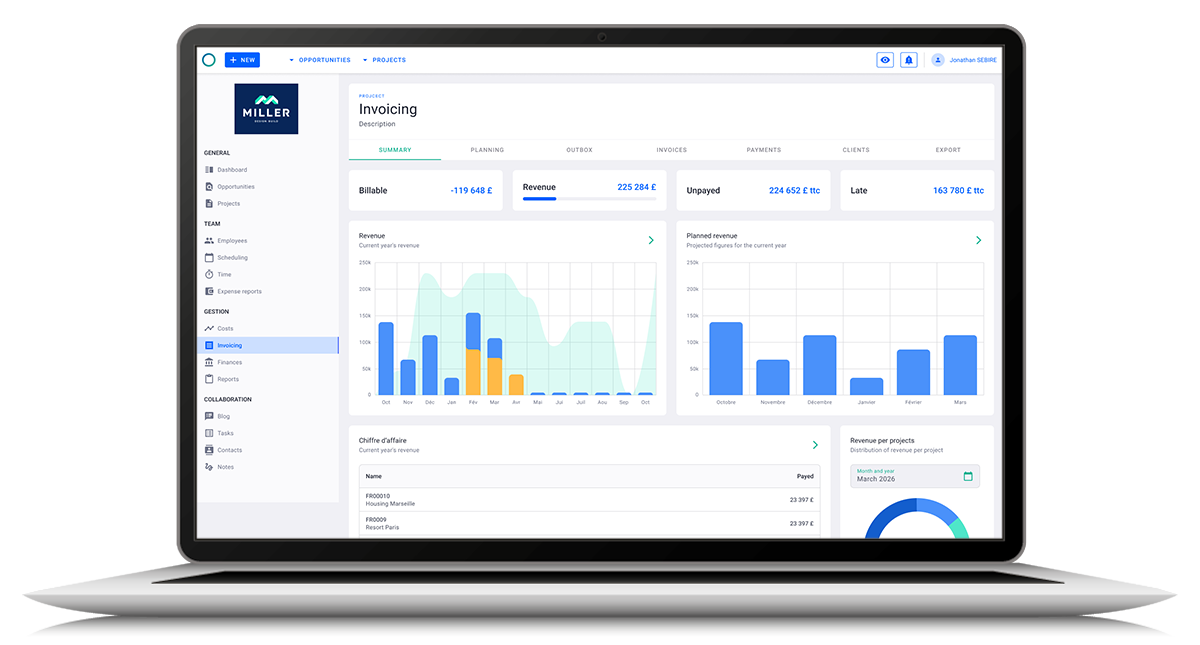
Automates client invoicing per project phase, with a fees solver calculating base fees, discounts, and production totals. Invoices trigger directly from the platform against the same live project record.
Milient Project Flow pricing:
Is CMap Worth the Cost?
Yes, for mid-size and larger firms that want pipeline, delivery, and revenue recognition in one system, and have the operations capacity to implement it properly.
The catch is the entry point. CMap is a significant investment, and the advanced resourcing most firms buy it for sits on the Pro plan. That prices out practices under a few dozen billable staff.
Milient Project Flow is built for exactly that group: growing AEC firms, from one person to twenty-plus, who need project financials without the enterprise overhead.
Before committing, consider three important questions:
- How straightforward will implementation be? Understand the onboarding process, data migration requirements and time your team will need to invest.
- How flexible is the agreement? Review contract length, renewal terms and whether the system can adapt as your firm's needs change.
- What is the total long-term cost? Compare subscriptions, onboarding, additional modules and support rather than focusing only on monthly licence prices.
For growing architecture and engineering practices, Milient Project Flow offers an alternative with published starting prices and functionality designed around AEC project workflows.
The best choice is the platform that meets your firm's requirements today while supporting how you expect to work in the future.
FAQs
 Andrea Neeve
Marketing Associate
Want more content like this? Follow Milient: