Key takeaways
 Milient Project Flow is best for growing architecture and engineering firms that want project budgeting connected with time tracking, resource planning and financial performance.
 Deltek Vantagepoint is best for larger AEC and consulting firms that need comprehensive project financial management as part of a broader ERP system.
 CMAP is best for professional services firms wanting an AEC-focused PSA platform, combining project financials, resourcing, timesheets and invoicing.
 Scoro and Productive are strong options for broader professional services teams. Scoro offers flexible budgeting and resource management, while Productive is particularly suited to agencies and consultancies focused on profitability and capacity.
Keeping project budgets on track becomes harder when costs, hours and resources are managed across different spreadsheets and systems. The best project budgeting software brings this information together, helping teams monitor spending, spot overruns and understand project profitability.
For architecture and engineering firms, tools such as Milient Project Flow, Deltek Vantagepoint and CMAP offer industry-focused functionality, while Scoro and Productive provide broader options for professional services teams. Below, we compare five project budgeting tools based on their features, pricing, strengths and ideal users to help you find the right fit.
5 Best Project Budgeting Software Tools: A Quick Overview
1. Milient: Best for Budgeting & Resource Planning
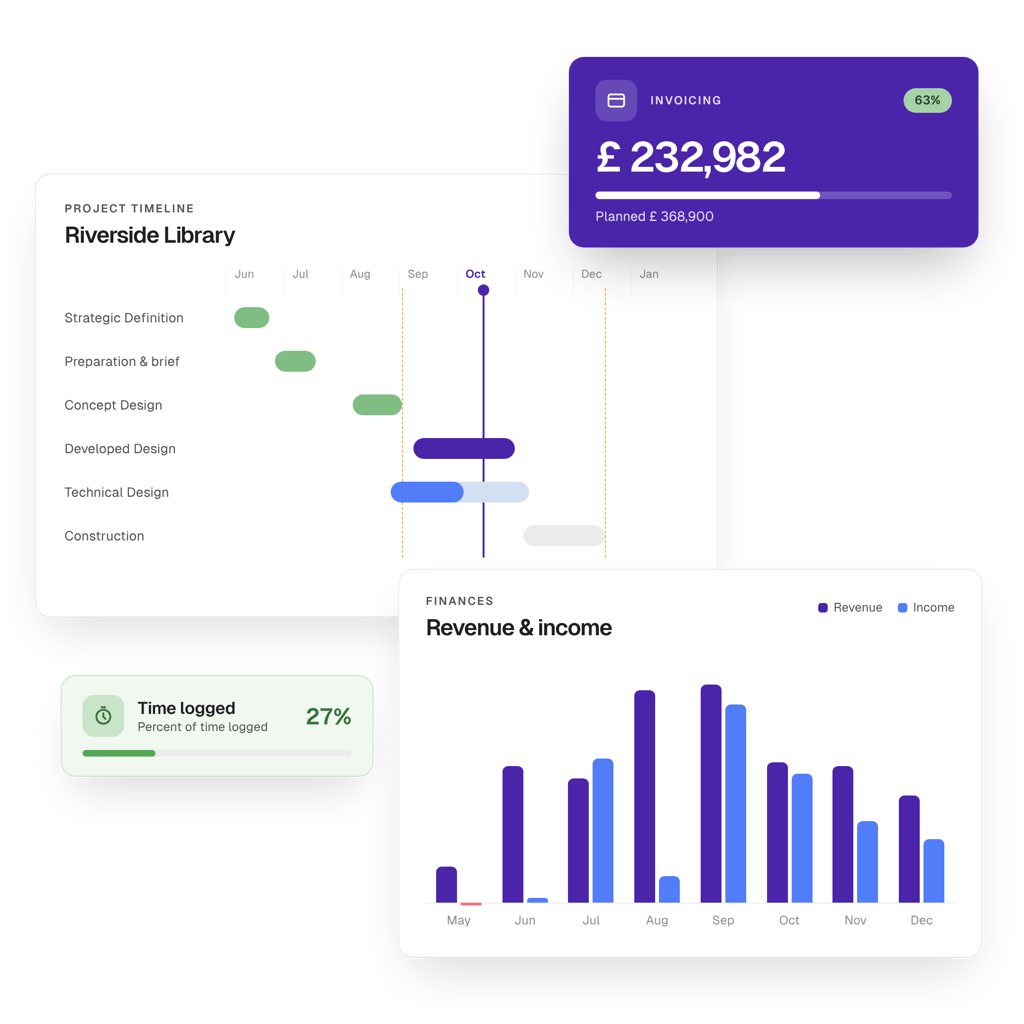
Milient Project Flow is a project management and financial control platform designed for architecture, engineering and consulting firms. It brings project budgets, time tracking, resource planning, invoicing and reporting into one system, giving teams a live view of how projects are performing financially. It’s particularly suited to growing firms that have outgrown spreadsheets or basic project management tools and need greater control over budgets, resources and profitability.
Key features
Milient Project Flow connects project budgeting with the work actually being delivered. Rather than treating budgets as static figures, teams can compare planned hours and costs with actual progress, allocate resources according to project requirements and monitor financial performance as projects develop. For project budgeting specifically, three features stand out: real-time time and budget tracking, resource allocation and portfolio-level project visibility.
1. Time & budget tracking
Project Flow lets teams track current hours, expected hours and budgeted hours side by side at project level. This makes it easier for project managers to understand whether delivery is staying in line with the original budget as work progresses.
Because time data feeds into project financials, teams can identify potential overruns earlier rather than discovering them once a project or phase is complete. This is particularly useful for AEC firms where projects may run across multiple stages, budgets and fee structures.
2. Resource planning & allocation
Project Flow allows firms to define project roles, assign team members and set role-specific hourly rates. This connects resource decisions with project budgets, helping managers understand not only who is available, but also the financial impact of allocating those people to a project.
Teams can track billable and non-billable allocation at role level, making it easier to plan project capacity while keeping costs and profitability in view. For firms managing several projects simultaneously, this provides a clearer connection between resource planning and financial performance.
3. Project progress dashboard
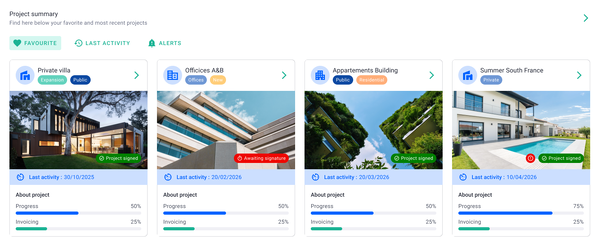
The project progress dashboard provides a live, filterable overview of projects across the business. Teams can monitor metrics including project status, fees, budget consumed and percentage invoiced without having to compile information manually from separate spreadsheets.
This portfolio-level view can help owners and project managers identify projects that require attention and compare financial progress across multiple jobs. Instead of waiting for periodic reporting, teams have access to current project information that can support day-to-day budgeting and planning decisions.
Pricing
Milient Project Flow uses a per-user subscription model. Its Standard plan starts at approximately £20 per user/month, making it most relevant for project-based firms looking for budgeting and financial management capabilities alongside broader project management functionality.
Where Milient shines
-
-
- AEC-specific project financial management: Project Flow is designed around the way architecture, engineering and consulting firms operate, connecting budgets, project phases, time, resources and fees.
- Budget and resource data in one place: Resource allocation, hourly rates and time data sit alongside project budgets, giving managers greater context when making staffing and financial decisions.
- Less reliance on spreadsheets: Live project and financial information reduces the need to maintain separate spreadsheets for budgets, forecasts and project progress.
-
Where Milient falls short
-
-
- More functionality than very small teams may need: Firms simply looking for lightweight expense or project budget tracking may not need Project Flow's wider resource planning, invoicing and project management functionality.
- Some timesheet and admin UX limitations: Users have noted areas for improvement around timesheet approval visibility and certain administrative processes, such as invoice numbering. Teams that rely heavily on these workflows should consider these requirements during evaluation.
-
Customer reviews
"Very user friendly. The display is easy to understand and I can change my operating language. I like the visualisation and the blog, which helps me and my colleagues communicate on our project progress." - Verified user, Capterra
"Project Flow allowed me to stop relying on endless Excel spreadsheets. Updating the billable forecast is the feature that has saved me a huge amount of time. The support team is very responsive." - Verified user, Capterra
"The ease of use, it's intuitive enough." - Verified user, Capterra
“Recording time against specific project stages has given us much better visibility into where our time is going and how our projects are performing." - Ian Blake, Founder and Managing Director, IB Architects.
Who Milient is best for
-
-
- Growing architecture and engineering firms: Particularly those moving beyond spreadsheets or simple project management tools and needing closer control over project budgets.
- Firm owners and principals: Suitable for decision-makers who want greater visibility into budget consumption, fees, invoicing and overall project financial performance.
- Multi-project teams: A good fit for firms balancing resources across several simultaneous projects and wanting resource planning to connect more closely with budgets and financial data.
-
2. Scoro
Scoro is a professional services automation platform that combines project management, resource planning, time tracking and financial management. Designed for service-based businesses, it takes a modular approach, allowing firms to combine different apps depending on the workflows and functionality they need.
Key features
Estimating & budgeting
Scoro includes an Estimate app specifically for estimating and budgeting. It can be combined with the platform's project, time tracking and financial tools to help teams compare planned work with actual performance.
Its dashboards provide visibility into figures such as budgeted income and project profitability, helping firms keep track of financial performance as projects progress.
Resource & capacity planning
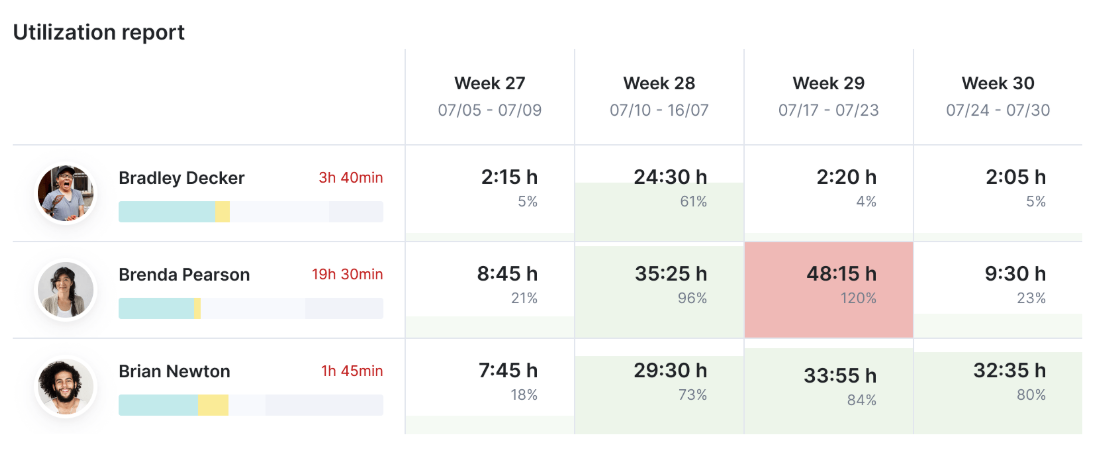
Scoro's Resource app helps teams plan capacity and forecast resource requirements. Utilisation reports show how workloads are distributed across employees, making it easier to identify periods of over- or underutilisation.
For project budgeting, this can help firms understand whether they have the capacity to deliver planned work and make staffing decisions before resource shortages affect delivery.
Project & profitability tracking
Scoro brings project delivery and financial information together, allowing teams to monitor metrics such as estimated versus completed hours, income, invoices, bills and profit.
This provides a useful view of whether projects are performing as expected financially and can help teams identify projects, clients or services that are affecting margins.
Pricing
Scoro uses a modular pricing structure, with combinations starting from £13 per user/month and a minimum of five users. It also offers a 14-day free trial.
Where Scoro shines
-
-
- Flexible setup: Scoro's modular structure lets businesses combine project management, budgeting, resourcing, time tracking and other apps according to their needs.
- Financial visibility: Budgeting, project profitability and other financial metrics can be monitored alongside project delivery.
- Resource planning: Capacity and utilisation tools help teams understand workloads and plan resources around upcoming work.
-
Where Scoro falls short
-
-
- Can take time to learn: With a broad range of functionality, some users report that Scoro can initially feel complicated or overwhelming.
- Project management may not suit every workflow: Some reviewers mention wanting additional project views, more customisable timelines or fewer steps when navigating the system.
-
Customer reviews
A positive reviewer rated Scoro 4.5/5 and said:
“Task lists and planner are my most used tools. Project views work well, and I like the pace at which new improvements are being rolled out.”
Another reviewer highlighted a limitation with project management:
“I find project management a sticking point. We used Asana previously, which is really best in class in that area, so we knew that it would be harder for the team, but we potentially underestimated how much of a difference it would be.”
The same reviewer noted that additional views, customisable timelines and fewer clicks would improve the experience.
Read all G2 reviews here
Who Scoro is best for
-
-
- Professional services firms: Designed for consultancies, agencies, IT, architecture and engineering businesses.
- Teams wanting flexibility: Its modular structure suits firms that want to select specific project, resource and financial functionality rather than adopt everything at once.
- Firms focused on profitability: Particularly relevant for businesses wanting budgeting and resource planning alongside project profitability tracking.
-
3. Deltek Vantagepoint: Best for Comprehensive Project Financial Management
Deltek Vantagepoint is an ERP platform built specifically for architecture, engineering and consulting firms. It combines project management, financials, resource planning, CRM and business operations in one system, making it a comprehensive option for firms that want project budgeting and financial management as part of a broader ERP platform.
Key features
Project planning & delivery
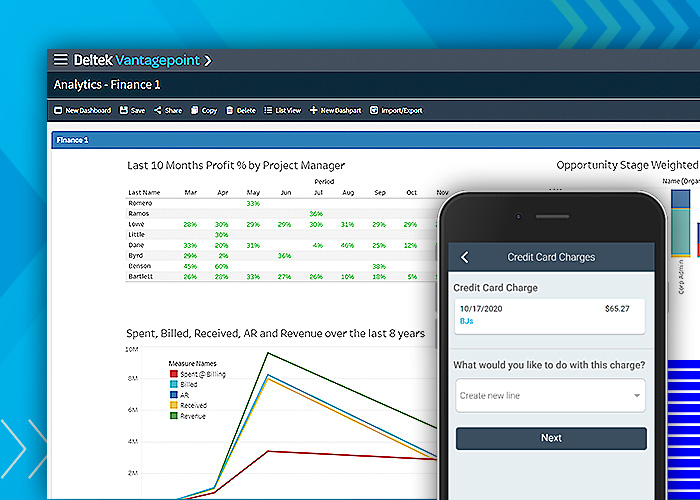
Vantagepoint helps teams plan, track and monitor projects from one place. Dashboards and project KPIs give visibility into project progress and performance, which can help teams spot issues earlier.
Financial management & billing
The platform brings together project financials, timesheets, expenses, billing and invoicing. This gives firms a more complete view of financial performance across projects rather than treating budgeting as a standalone process.
Resource management
Vantagepoint includes resource planning tools that show employee availability and utilisation. Teams can use this to balance staffing needs with project demand and create more realistic project plans.
Pricing
Deltek does not publish Vantagepoint pricing on its website, so businesses need to contact Deltek directly for a quote.
Where Deltek Vantagepoint shines
-
-
- Broad functionality: Combines project management, financials, resource planning and billing in one platform.
- Built for project-based firms: Designed specifically for architecture, engineering and consulting businesses.
- Strong financial visibility: Useful for firms that want project budgeting to sit alongside wider project and accounting data.
-
Where Deltek Vantagepoint falls short
-
-
- Can be more complex than lightweight tools: Its wider ERP functionality may be more than smaller firms need if they are mainly looking for simple budgeting software.
- Pricing is not transparent: Costs are not published publicly, so firms need to request a quote.
-
Customer reviews
One reviewer gave Vantagepoint 5/5 and said:
“Very good. A complete system that fulfilled our requirements. loved it.”
Another reviewer highlighted complexity as a downside:
“The platform is overwhelmingly complex and rarely intuitive.”
These reviews reflect the trade-off between Vantagepoint’s broad functionality and the learning curve that can come with a more comprehensive ERP system.
Read more reviews here
Who Deltek Vantagepoint is best for
-
-
- AEC and consulting firms: Especially firms that want project budgeting alongside financial, resource and project management.
- Growing or larger project-based businesses: Suitable for teams that need a more comprehensive system rather than a standalone budgeting tool
-
4. CMAP
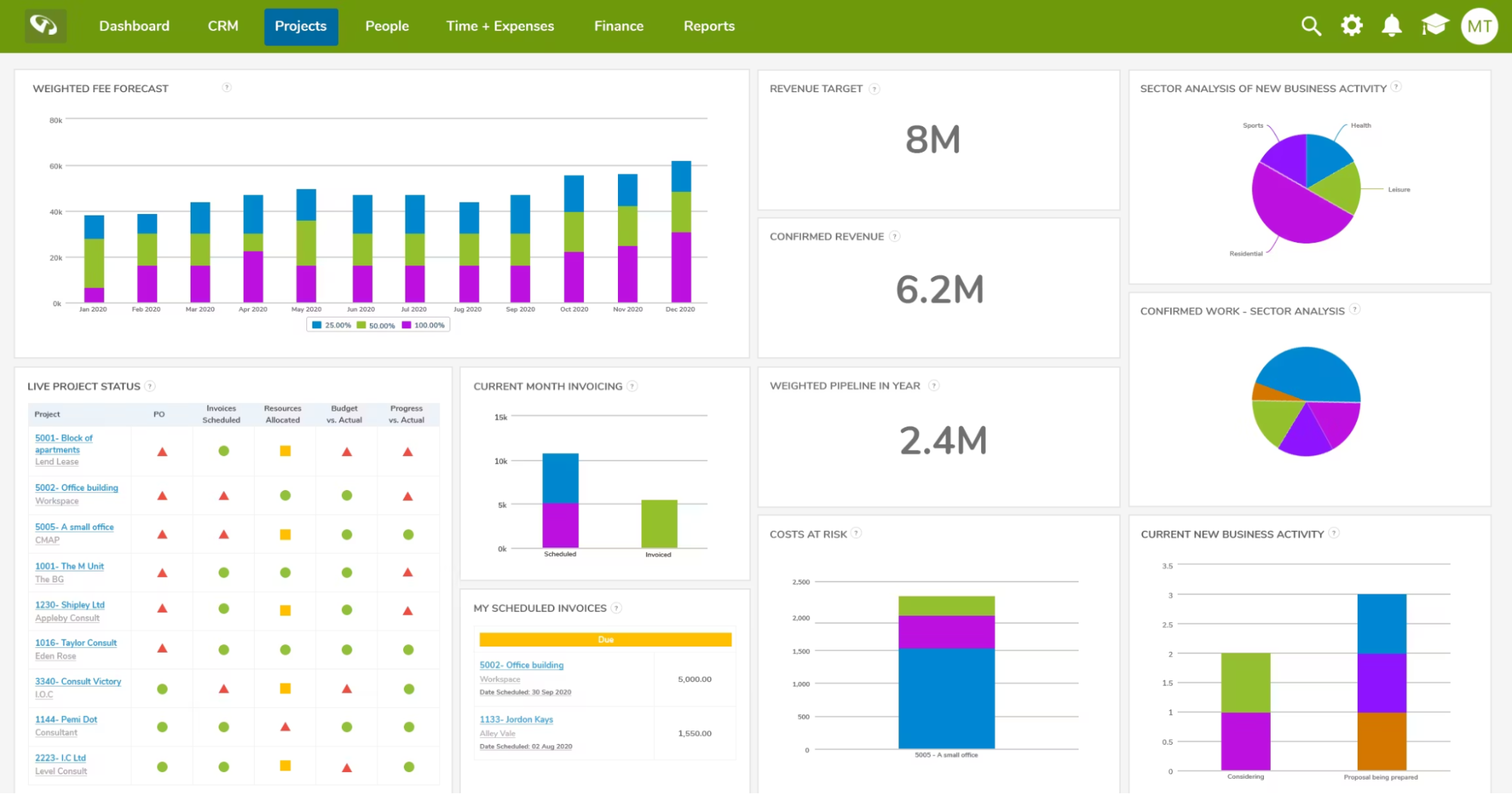
CMAP is an operations and project management platform designed for consulting, architecture and engineering firms. It combines resourcing, timesheets, project financials, invoicing, CRM and reporting, with built-in intelligence designed to help firms manage project delivery and financial performance in one place.
Key features
Project financials
CMAP connects timesheets, expenses and project financial information so teams can monitor the financial side of project delivery. This gives project managers greater visibility into costs and performance without relying on separate spreadsheets.
For project budgeting, having time and financial information together can make it easier to understand how work being delivered compares with the project's commercial expectations.
Resourcing
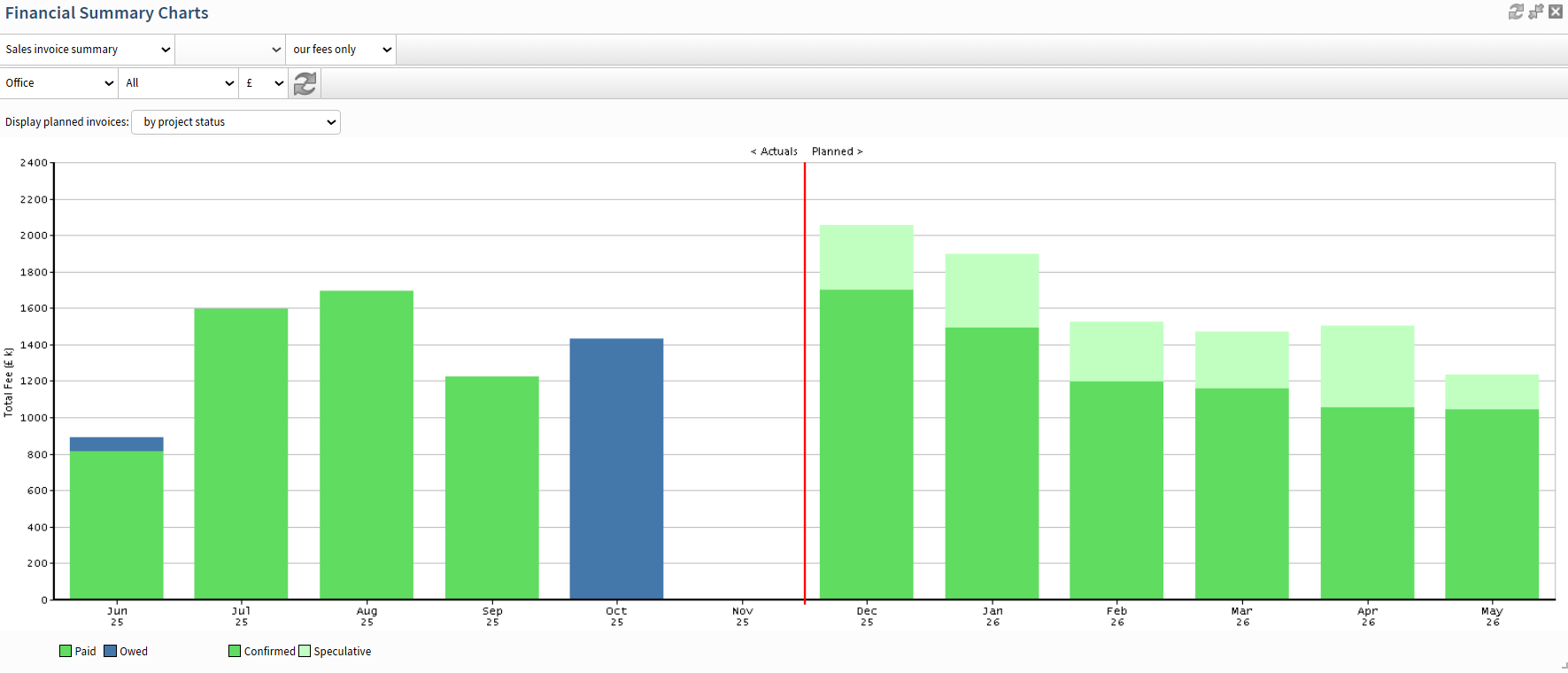
CMAP includes resource planning tools for allocating people to projects, monitoring utilisation and matching skills with upcoming work. This helps firms understand where capacity is available and where teams may be stretched.
Connecting resourcing with project information can also support more realistic budgeting and forecasting, particularly for service firms where employee time represents a significant proportion of project costs.
Invoicing, revenue & reporting
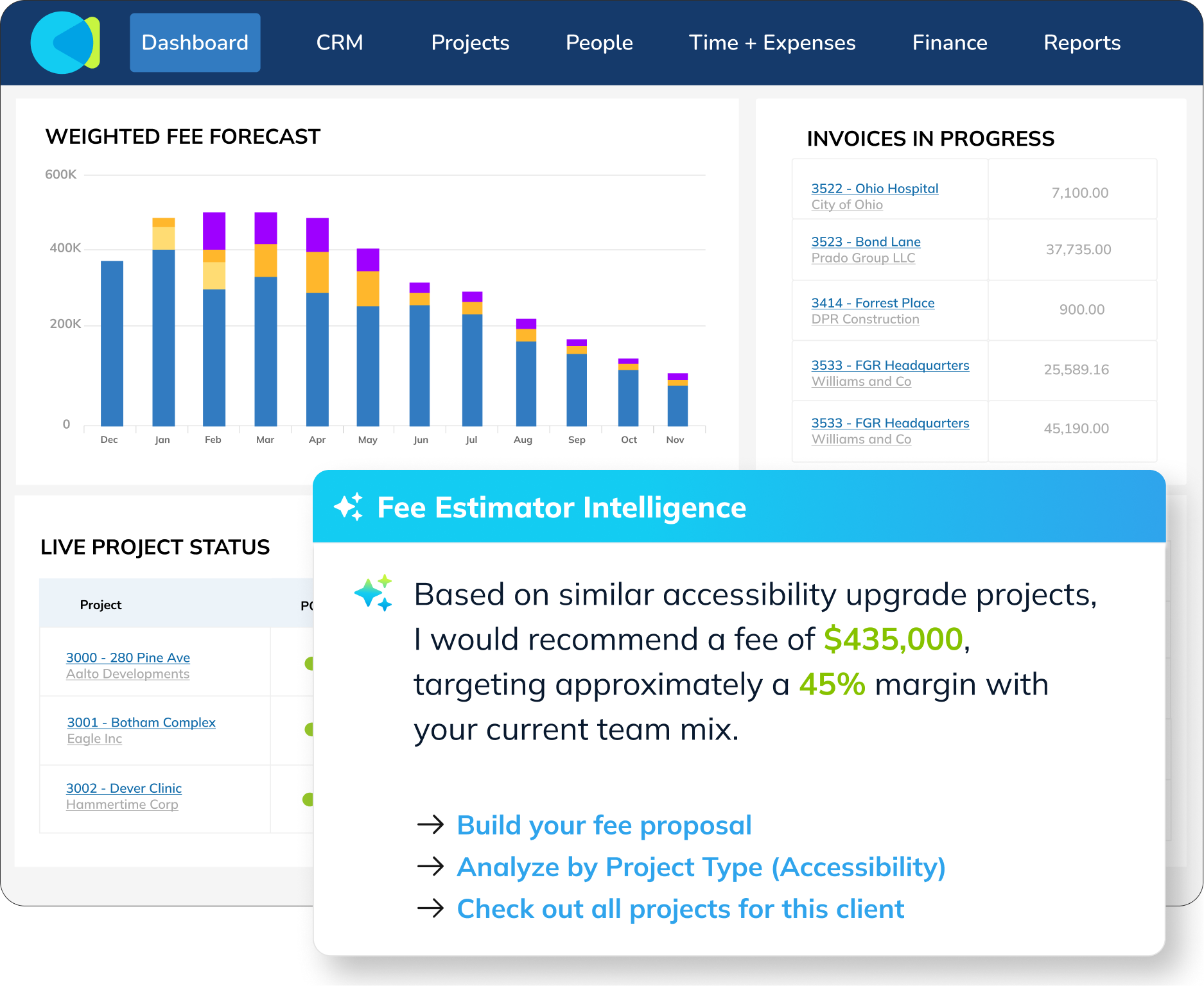
CMAP provides invoicing, revenue tracking, forecasting, dashboards and reporting alongside its project management functionality. Its Finance Intelligence features can also surface information such as overdue invoices and payment patterns.
This gives firms a broader view of project finances beyond the initial budget, including how work translates into revenue and cash flow.
Pricing
CMAP does not display pricing publicly on its website. Businesses need to contact the company directly for pricing based on their requirements.
Where Cmap shines
-
-
- Built for professional services: CMAP is specifically aimed at consulting, architecture and engineering firms, rather than being a general-purpose project management platform.
- Financial and resource visibility: Resourcing, project financials, invoicing and reporting are connected within the same system.
- Broad project information in one place: Several reviewers highlight the benefit of centralising project information, timesheets and reporting rather than managing them through separate tools.
-
Where Cmap falls short
-
-
- Some workflows can take time to learn: Reviewers mention a learning curve for new users and note that navigating between modules can sometimes feel more complex than expected.
- Reporting can require extra setup: While CMAP offers custom reporting, some users say building or extracting certain reports can require additional steps or support.
-
Customer reviews
For a balanced section, I’d use two reviews — one focused on a strength and one on a limitation.
Positive review - 4/5:
“Brings a lot of project information into one place. The timesheet features are just excellent.”
Negative review - 4/5:
“One area I find challenging with CMap is that some processes can feel more complex than they need to be, particularly when navigating between different modules or trying to locate specific information quickly.”
These work well because they’re quite specific and don’t make the section feel overly positive or overly critical.
Who Cmap is best for
-
-
- Consulting and AEC firms: Particularly businesses that want project financials, resourcing, timesheets and invoicing in one platform.
- Firms moving away from spreadsheets: Suitable for teams looking to centralise operational and project information.
- Project-based firms needing broader financial visibility: Useful where budgeting needs to connect with utilisation, revenue, invoicing and reporting.
-
5. Productive.io
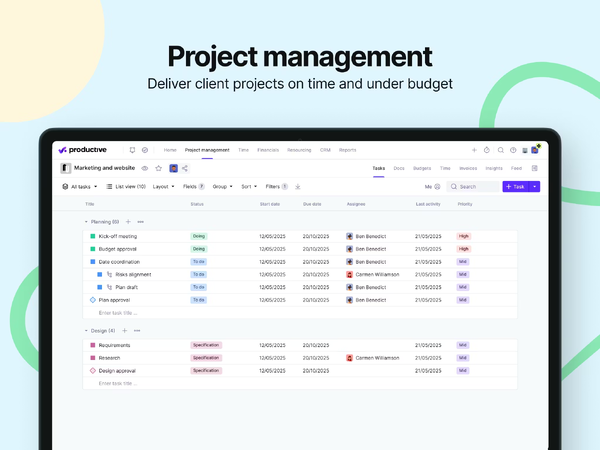
Productive is an all-in-one platform built for agencies, consultancies and other professional services businesses. It brings project management, resource planning, time tracking, budgeting, profitability and CRM together, with AI-powered features designed to help teams manage operations and make decisions using their project and financial data.
Key features
Budgeting and profitability
Productive connects project delivery with financial performance, giving teams visibility into budgets, revenue, costs and profit margins. Budgets can be monitored alongside the work being delivered, helping teams see when projects are performing as expected and identify potential overruns or overservicing.
Its reporting tools provide insights into profitability across projects, services and teams. Productive also incorporates AI into financial reporting, allowing users to access information about metrics such as utilization, revenue, costs and margins more quickly.
Resource planning and forecasting
Productive provides a visual resource planning system for managing availability, workloads and time off. Teams can see who is available now and in the months ahead, allocate people to projects and adjust priorities when plans change.
For longer-term planning, forecasting and scenario-building tools help businesses model future revenue, utilization and resource requirements. This makes the platform useful for teams that want to connect day-to-day resource allocation with wider capacity and financial planning.
Time tracking and project management
Teams can track time using timers, timesheets and time-tracking suggestions, with logged hours connected directly to project budgets. This gives project managers greater visibility into how actual time spent compares with estimates and how this affects profitability.
Project management functionality brings tasks, projects and workflows into the same platform. Productive also offers automation and AI features that can help create tasks and views, reducing some of the manual work involved in setting up and coordinating projects.
Where Productive shines
-
-
- Combines operational and financial data: Project management, resourcing, time tracking and profitability sit within the same platform, reducing the need to manage these areas separately.
- Strong resource and profitability visibility: Capacity planning, budgeting, forecasting and utilization reporting help service businesses understand both how people are being used and how projects are performing financially.
- AI and automation: Productive is increasingly incorporating AI across reporting, resource planning and project workflows, alongside automations designed to reduce repetitive administrative work.
-
Where Productive falls short
-
-
- Reporting can take some getting used to: One reviewer describes the reporting functionality as “slightly clunky,” while another says reporting and analytics could offer greater customisation.
- Time tracking could be more streamlined: One reviewer specifically describes time tracking as “a bit fiddly.”
- CRM may not suit every business: One customer noted that its CRM and Deals functionality was not sufficient for their requirements, although they also said improvements were being made.
-
Customer reviews
5/5 – “A great end to end product”
“I enjoy using Productive, especially trying to build out processes that use it to its full potential. We have the opportunity to make it our single source of truth, and I believe it has the capability to do that. I can't wait to see what new developments also come.
Pros:
I really like the ease of use, it is very intuitive, making it a great product to use. I love all of the updates and developments, the use of AI and automations across the tool is making task management and in general project management so much easier and more efficient.
Cons:
I did find the reporting functionality slightly clunky, but it is improving and the AI report feature is really helping with that. For us the CRM and Deals functionality was also not quite enough for us to use it, but a lot of improvements have been made and we are currently in the process of moving our spreadsheets over to Productive for this.”
4/5 – “Quality product(ive)”
“Productive is the centre of the day-to-day organisation of our business and gives great clarity and structure on project progress ad budgeting and whether projects are running on time or over budget.
Pros:
Very clear and on the whole easy to use.
Cons:
Time tracking can be a bit fiddly and could be more streamlined.”
5/5 – “Great tool and amazing customer service”
“Great tool to manage agency projects, time sheets, finances. Easy to navigate and easy as well as super fast to get someone to help if having difficulties finding anything.
Pros:
Very efficient and user friendly tool that caters a broad aspect of agencies needs: project management, time logs, budgeting, reporting, etc. Amazing customer service (kudos to [sensitive content hidden]).
Cons:
It would be great if it was not as expensive, but it's worth it.”
5/5 – “Great for Team Collaboration and Task Tracking”
“Productive is a solid project management tool that balances usability with functionality. It’s great for teams looking to manage projects, tasks, and collaboration in one place.
Pros:
Good templates and views that speed up project setup and clean and intuitive user interface that makes navigation easy.
Cons:
Reporting and analytics could be more customisable and occasional minor delays when switching between large projects.”
Read all Capterra reviews here
Who Productive is best for
-
-
- Agencies and consultancies: A strong fit for project-based service businesses that want project delivery, resources, time and financials managed within one system.
- Growing professional services teams: Suitable for businesses that need more visibility into capacity, utilization and profitability as the number of people and projects increases.
- Teams focused on financial performance: Particularly relevant for businesses that want project budgeting, forecasting and profitability data closely connected to their day-to-day project management.
-
How to Choose the Best Project Budgeting Software
Choosing project budgeting software isn’t just about comparing features. Consider how well each platform fits your industry, project structure and financial processes, as well as how easily it connects budgets with time, resources and project performance.
1. Industry Fit and Project Structure
Start with whether the software is actually designed around the way your business delivers projects. Architecture and engineering firms often need to manage projects across stages or phases, track fees and time against those stages, and maintain financial visibility throughout lengthy projects.
More general professional services platforms can still provide strong budgeting functionality, but may require more configuration to fit AEC-specific workflows. Consider how naturally the system reflects your terminology, project structure and reporting requirements rather than judging it on the length of its feature list.
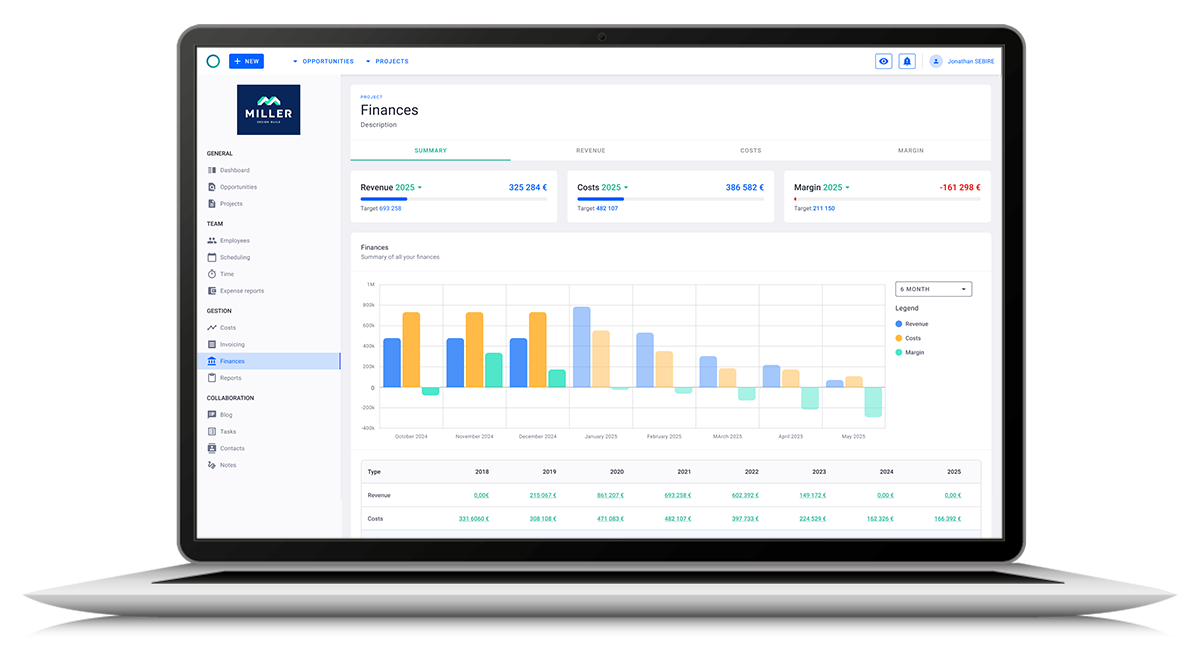
Milient Project Flow is built specifically with architects, engineers and other project-based businesses in mind, connecting project stages, fees, time and financial performance within the same workflow.
This is also where you can subtly establish why someone might choose Project Flow/CMAP/Deltek over Scoro/Productive without putting the latter down.
2. Budget, Time and Profitability Tracking
The strongest project budgeting tools connect the original budget with what's actually happening on the project. Look for software that brings together fees, recorded hours, costs and revenue so you can compare planned and actual performance as work progresses.
For AEC firms in particular, consider whether you can monitor performance at both the overall project and individual stage level. This can help identify where more time is being spent than originally allowed for and where margins may be under pressure.
Milient Project Flow connects timesheets directly with project and financial data, helping teams understand how time spent across different stages affects budgets and profitability.

3. Resource and Capacity Planning
Project budgets and resource plans are closely connected. Before choosing a platform, consider whether it can show who is available, how much capacity they have and where people are already committed across current and upcoming projects.
This becomes particularly important for architecture, engineering and consulting businesses managing specialist employees across multiple projects at once. Good resource planning can help teams make more informed decisions about new work, project schedules and staffing rather than treating the budget as a standalone financial exercise.
Milient combines resource planning with wider project information, giving teams visibility into workloads and capacity alongside the projects those resources are delivering.

4. Forecasting and Financial Visibility
Budgeting shouldn't stop once a project begins. Look for software that lets you use current project data to understand where projects are heading, rather than only reporting what has already happened.
Dashboards and forecasting tools can help managers spot changes in expected revenue, costs, workload and profitability earlier. The level of financial depth you need will depend on your business: a smaller consultancy may prioritise simple project-level visibility, while a growing architecture or engineering practice may need more detailed reporting across stages, projects and the wider portfolio.
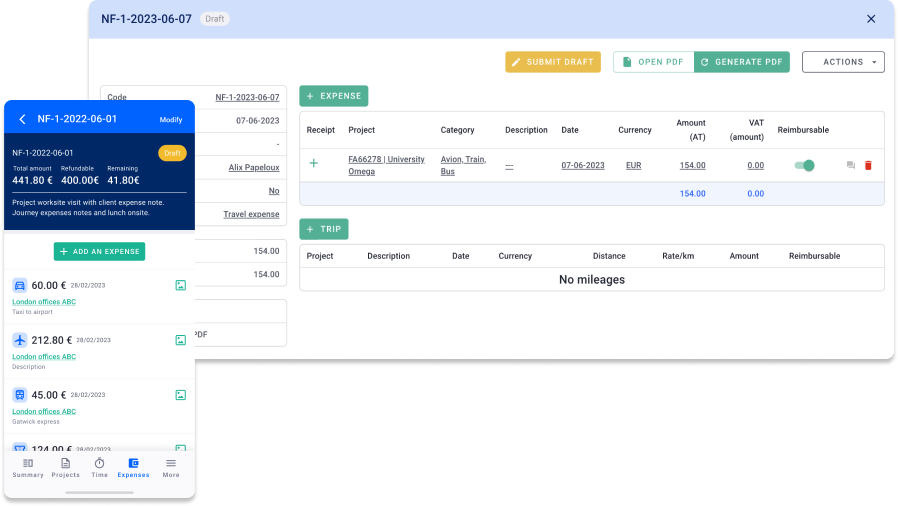
Milient Project Flow brings project and financial information together to give teams an ongoing view of performance and support more informed forecasting.
5. Ease of Use and Implementation
Feature depth matters, but so does whether your team will actually use the system. Consider how easy it is for employees to complete everyday tasks such as entering time, reviewing projects and accessing reports, as well as how much configuration and training will be required.
This is particularly worth considering when comparing specialist AEC platforms with broader professional services software. A more flexible system isn't automatically better if substantial configuration is needed to match your existing workflows. Equally, specialist functionality only provides value if your team can use it effectively.
Milient supports implementation and onboarding alongside the software, helping teams configure Project Flow around their processes and get employees comfortable using it day to day.

Take Control of Project Budgets With Milient Software
Budget overruns are much harder to manage when time, resources and financial data are spread across different tools. Milient Project Flow brings project budgeting, resource planning and time tracking together, giving architecture and engineering firms a clearer view of project performance.
With real-time insights and forecasting, teams can track costs as projects progress, identify potential overruns earlier and make informed decisions to protect margins. While basic tools may work for straightforward tracking, growing firms often need greater visibility across projects, people and finances.
FAQs
 Andrea Neeve
Marketing Associate
Want more content like this? Follow Milient: