
In project-based firms, every untracked hour is a silent leak in your bottom line.
When technical precision meets messy manual logs, the result is almost always lost revenue and eroded profit margins.
Fortunately, specialised time-tracking software is designed to bridge this gap, ensuring that complex project hours are captured accurately.
In this guide, we evaluate the 7 best resource scheduling software options on the market, comparing features, pricing, and specific use cases. You’ll also learn how to choose the best software for your specific team size and industry.
Best 7 Resource Scheduling Software in 2026: A Quick Look
| Software | Best For | Standout Feature | Price Starting Point | G2 Review | Capterra Review |
| Milient | Integrated project & resource flow | End-to-end visibility from bid to invoice | $7/month | n/a | 4.5★ |
| Float | Real-time team scheduling | Visual drag-and-drop interface | $8/scheduled person/month | 4.3★ | n/a |
| Resource Guru | Simple, clash-free booking | "Waiting list" for overbooked resources | $5/person/month | 4.6★ | 4.7★ |
| Runn | Long-term capacity forecasting | "Placeholder" roles for pipeline planning | $9/resource seat/month | 4.5★ | 4.8★ |
| Kantata | Margin-conscious services firms | Strategic "Soft" vs. "Firm" allocations | Custom | 4.2★ | 4.2★ |
| Productive | Real-time workload balancing | Automated time-off conflict resolution | $12/user/month | 4.7★ | 4.6★ |
| Smartsheet | Spreadsheet-based scheduling | Automated alerts and dependency tracking | $12/member/month | 4.4★ | 4.5★ |
1. Milient: Best Resource Scheduling Software for Project-Based Teams
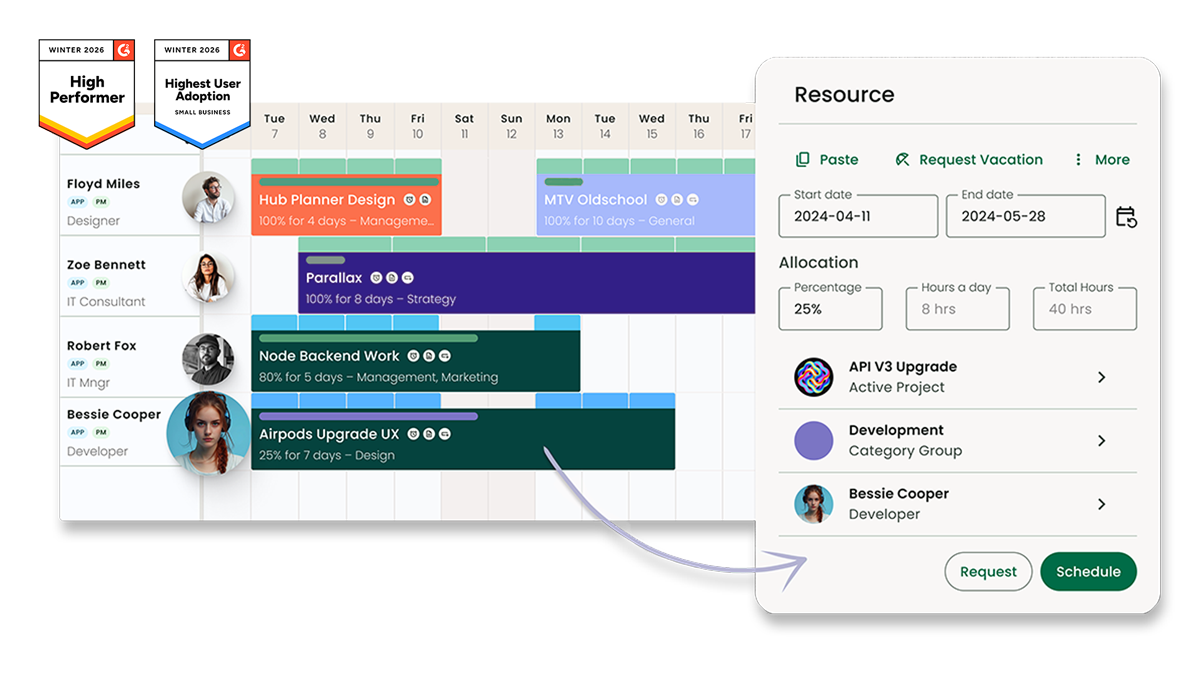
Milient has a dedicated Resource Flow solution for project-based teams that need to schedule, plan, and track their projects across multiple teams.
This system replaces static spreadsheets with a visual, real-time interface, allowing managers to coordinate schedules across multiple projects and regions with ease.
By centralising team availability and project data, Milient ensures every team member is allocated effectively, helping firms maintain control over their people and their profitability.
Key Features
The resource scheduling software is built to provide transparency and ease of use. It centralises project data, enabling managers to identify schedule gaps and see exactly who is available at any given time.
Here are its key features:
1. Intuitive Interface
The scheduler uses a clean, speed-focused interface, packed with useful tools that simplify complex planning. It features drag-and-drop interactivity, allowing you to assign tasks or adjust bookings with a simple mouse drag.
/Hub-Planner_Operations_Feature.jpg?width=800&height=739&name=Hub-Planner_Operations_Feature.jpg)
This makes it easy to move tasks between team members or shift dates, with the entire organisation seeing the updates instantly.
2. Instant Availability Insights
Finding the right person for a task is handled through powerful filtering tools. You can filter the schedule and return results based on the exact availability required for a project phase.
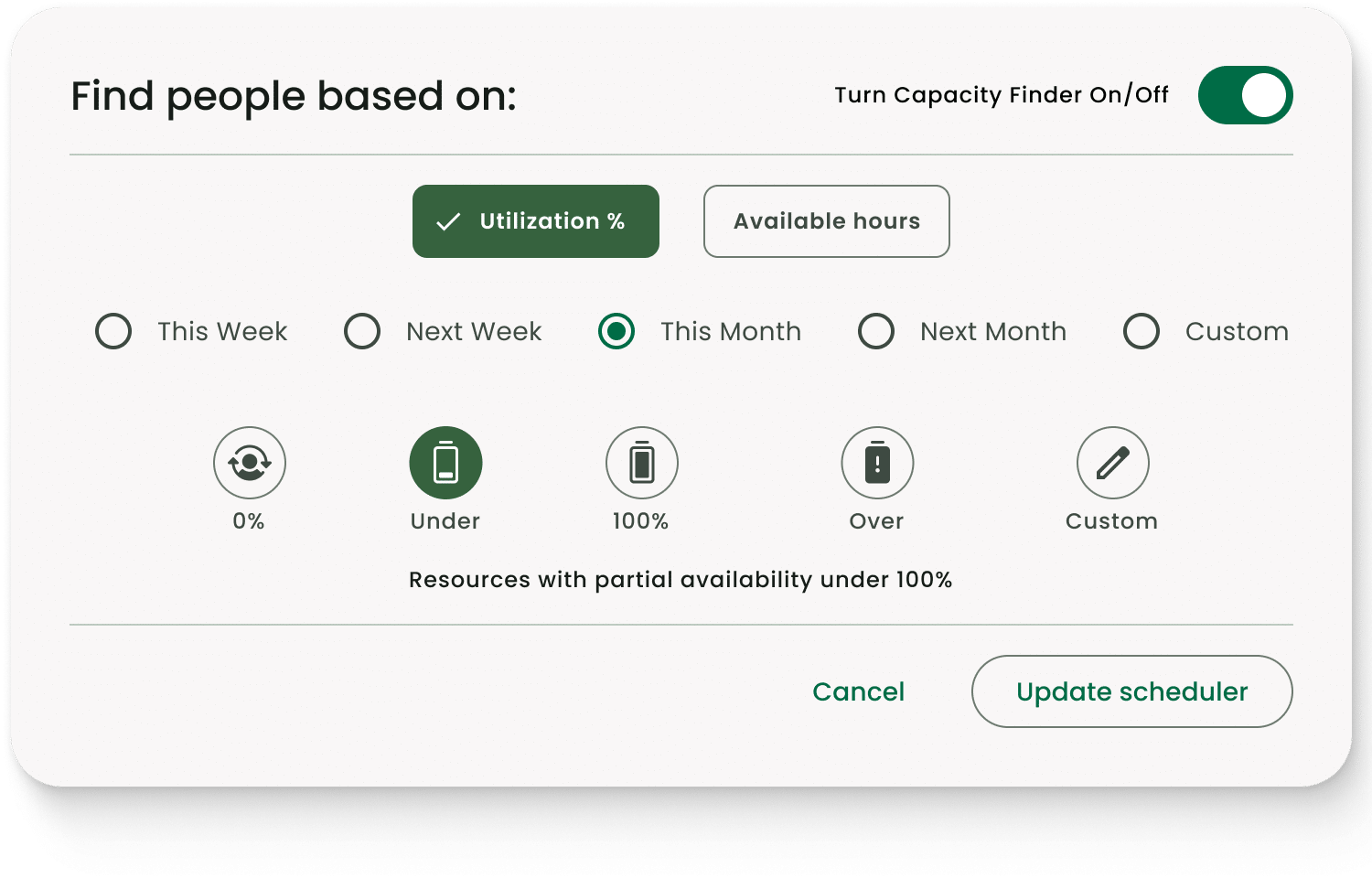
This ensures you can find who is truly free in seconds, eliminating the need to manually hunt through a dense team calendar.
3. Built-in Templates
To help you get started quickly, Milient includes pre-formatted templates designed for different scheduling needs. The templates provide an immediate overview of team availability and utilisation without requiring a from-scratch setup.
This allows managers to focus on project delivery rather than administrative configuration.
Pricing
Milient offers a 14-day free trial and simple pricing plans that grow with your needs.
| Plan | Pricing |
| Plug & Play | $7/month |
| Premium | $18/month |
| Business Leader | $54/month |
Where Milient Shines
- Team transparency: Makes it easy to see who is available at a glance, allowing you to identify schedule gaps and fill them with new projects.
- Complex scheduling: Despite its ease of use, the tool is packed with features designed to solve the heavy scheduling demands of professional services.
- Utilisation control: You can filter teams by performance to see who is over-scheduled or who can be allocated more tasks. This ensures a balanced workload across the firm.
Where Milient Falls Short
- Project specificity: Highly optimised for project-driven firms; it may be more structured than teams with very simple, non-project task needs.
- Feature density: Because it handles complex scheduling, new users may need some time to explore all the tools it packs
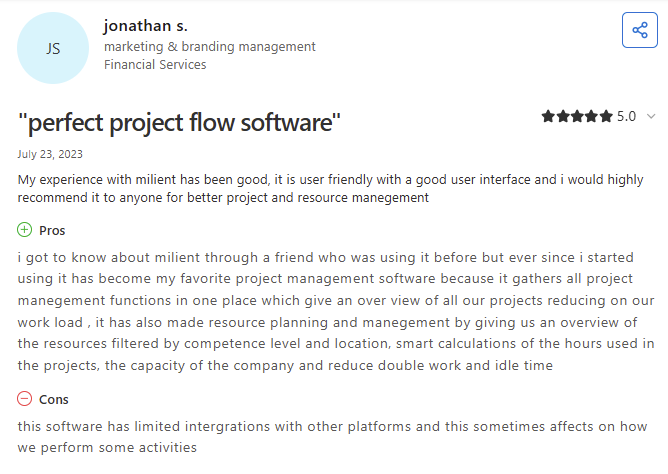
Customer Reviews
Who Milient is Best For
- Architects and engineers: Teams scheduling specialists across multiple projects and phases.
- IT Consultants and professional services teams: Businesses that need visibility into team capacity, utilisation, and project workloads.
- Growing project-based organisations: Companies moving from spreadsheets to a structured resource scheduling system.
Ready to see your team's schedule clearly? Book a Milient walkthrough today.
2. Float: For Visual Simplicity and Speed
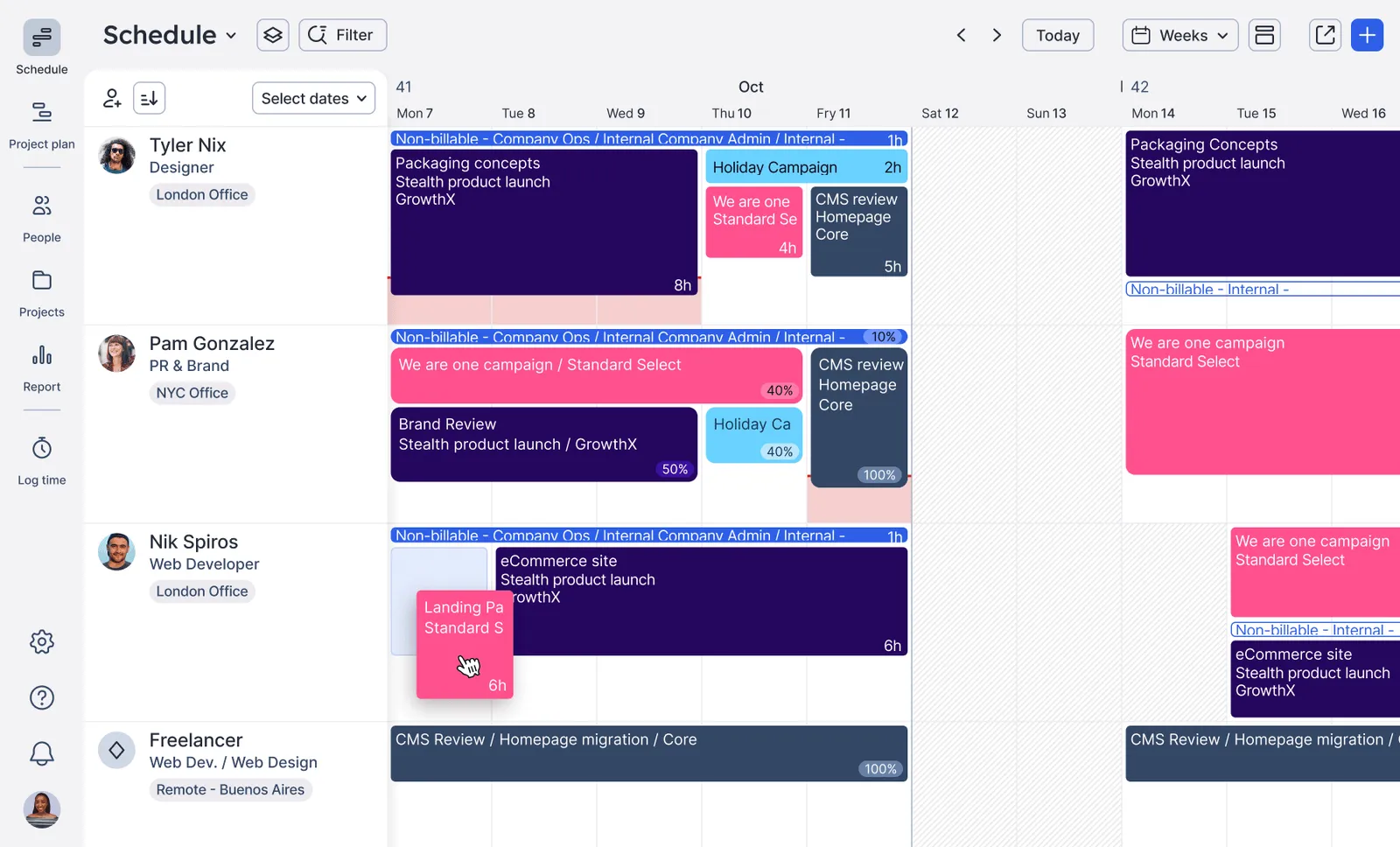
Float is a dedicated resource planner software that focuses on speed and visual simplicity. This makes it a good option if you want to move away from messy spreadsheets. It gives you a real-time, unified view of everyone’s capacity and project assignments.
Float’s scheduling-first approach helps you balance workloads and avoid overbooking without the administrative burden often found in complex systems.
Key Features
- Visual team schedule: Timeline-style schedule that displays projects, assignments, and availability across the team.
- Capacity indicators: You can monitor team bandwidth with live indicators that account for public holidays and individual time off.
- Direct multi-view toggle: You can switch between "People" and "Projects" views. This lets you focus on individual workloads or specific project timelines as needed.
Pricing
| Plan | Pricing |
| Starter | $8/scheduled person/month |
| Pro | $14/scheduled person/month |
| Enterprise | Custom |
Where Float Shines
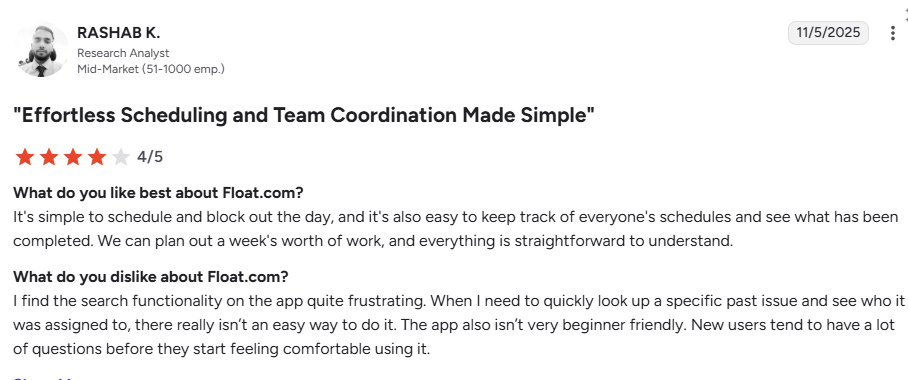
- Clear schedule visibility: Its interface makes it easy to understand who is booked, who has capacity, and how projects are distributed across your team.
- Simple resource planning: Focuses primarily on scheduling, helping teams plan resources without navigating complex project management features.
Where Float Falls Short
- Reporting depth: You might find the advanced analytics and financial forecasting a bit limited compared to specialised professional services software like Milient.
- Large team navigation: If you’re managing very large teams, the single-page schedule view can become a bit of a scrolling marathon to find what you need.
Customer Review
Who Float is best for
- Creative and marketing agencies: Best for fast-moving teams that need a visual way to manage high volumes of changing tasks.
3. Resource Guru: For Simple Capacity Planning

Resource Guru is a simple resource management tool that helps you keep projects on track without the clutter of a full project management suite. You get a clear, bird’s-eye view of your team, equipment, and meeting rooms all in one place.
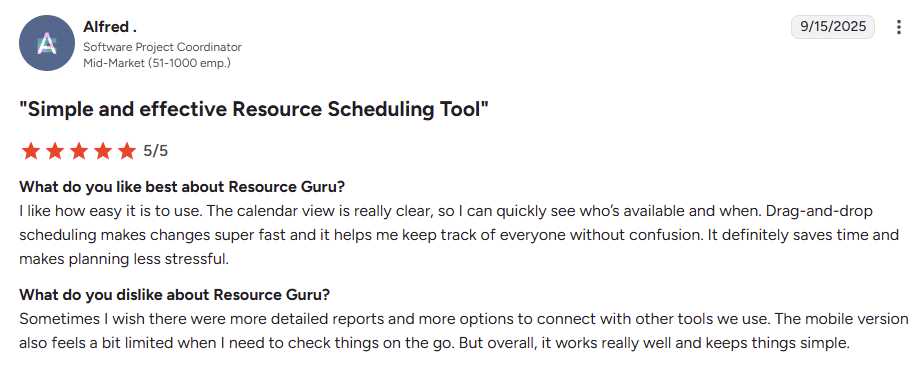
Its intuitive dashboard lets you spot over-allocation instantly and find the right person for a job based on their specific skills and availability.
Key Features
- Availability heatmaps: You can use colour-coded heatmaps to see exactly who is overstretched or under-utilised at a glance.
- Tentative bookings and placeholders: Resource placeholders and tentative bookings that you can turn into firm plans in an instant.
- Non-human resource tracking: Lets you schedule equipment, vehicles, and meeting rooms alongside your staff to manage your entire operational footprint.
Pricing
| Plan | Pricing |
| Grasshopper | $5/person/month |
| Blackbelt | $8/person/month |
| Master | $12/person/month |
Where Resource Guru shines
- Daily schedule breakdowns: Personalised dashboards and automated daily emails that let everyone know what to focus on.
- Real-world availability: Accounts for time zones, sick days, and personal vacations so you know exactly when your team is actually free to work.
Where Resource Guru Falls Short
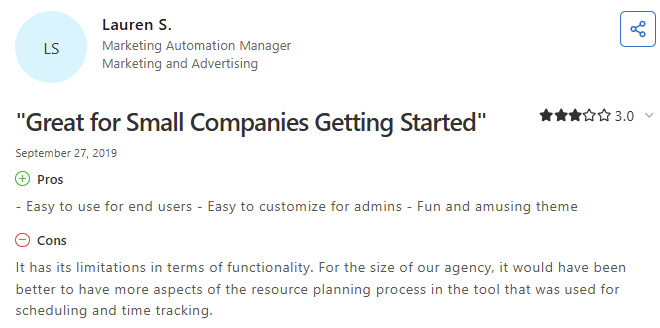
- Basic reporting capabilities: Reporting options are more basic than those of broader project operations platforms like Milient.
- Mobile navigation: The mobile experience is less fluid for heavy scheduling tasks.
Customer Reviews
Who Resource Guru is Best for
-
Creative and production teams: Ideal for managing a busy team and shared physical resources, such as studios or gear.
4. Runn: For Forecasting and Capacity Insights
Runn is a resource management platform that helps you see your business's future. It goes beyond simple scheduling by providing a real-time view of how today’s bookings affect your long-term capacity and project margins.
You can map out your entire team and project pipeline on a single timetable to identify hiring needs or underutilised staff.
Key Features
- Dynamic people planner: Drag-and-drop calendar to track allocations, vacations, and placeholders to avoid overloading your team.
- Placeholder assignments: Define role and skill requirements for potential projects before you have a specific person in mind.
- Bird’s-eye schedule heatmaps: Instantly spot gaps and over-allocation across your entire team with a unified availability heatmap.
Pricing
| Plan | Pricing |
| Lite | $9/resource seat/month |
| Standard | $13/resource seat/month |
| Advanced | Custom |
Where Runn Shines
- Future-focused visibility: A global view of people and projects that signals demand for specific skillsets months in advance.
- Planning speed: Capacity planning that takes weeks in spreadsheets can be completed in just a few days.
- Skill-based search: Filters let you find the exact people you need by role, skill, team, or tag.
Where Runn Falls Short
- No native mobile app: Lack of a dedicated mobile app can be a hurdle if you need to manage schedules on the go.
- Task granularity: Focused on project and portfolio resourcing rather than deep, task-level tracking.
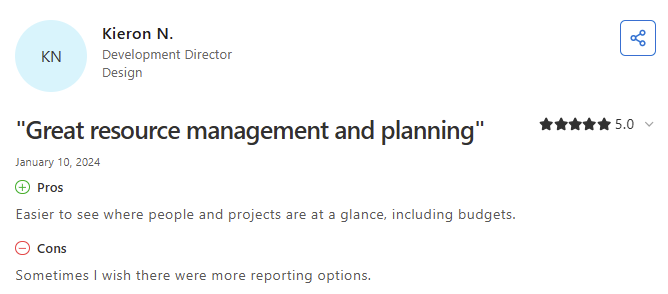
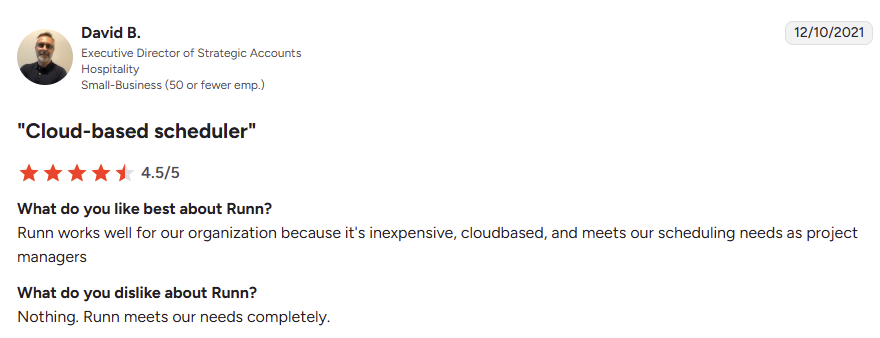
Customer Reviews
Who Runn is Best For
-
Growing IT and software firms: Ideal if you need to solve challenges around resource costs, skills management, and long-term capacity.
5. Kantata: For People-Centric Resource Scheduling
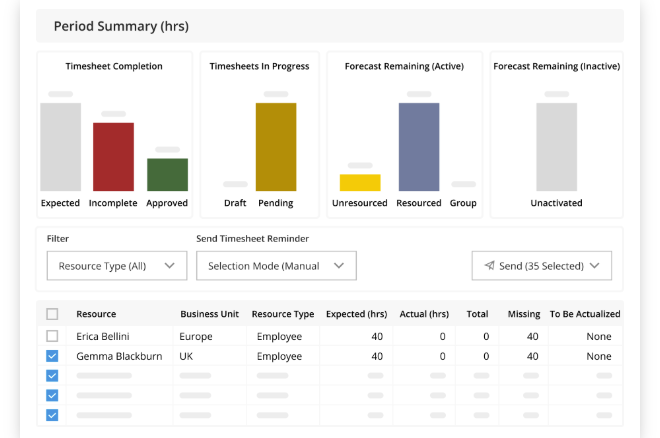
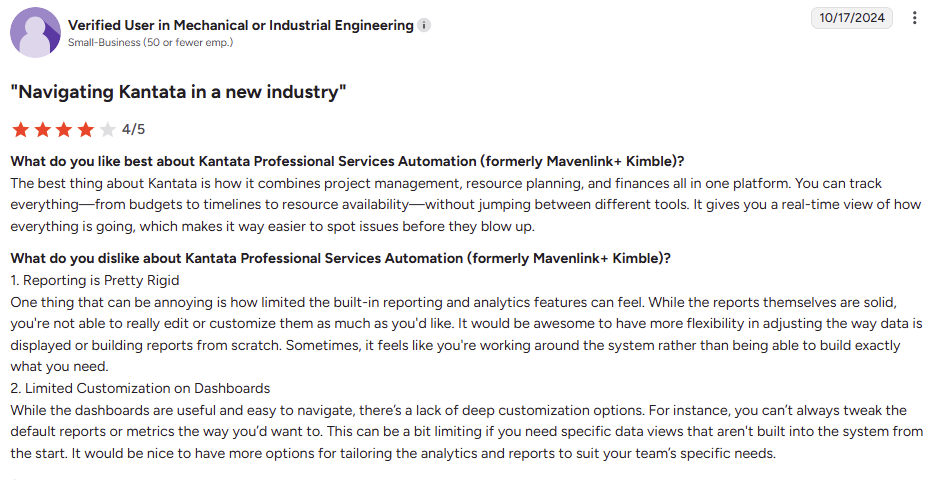
Kantata (formerly Mavenlink+ Kimble) is built for professional services firms that need to connect scheduling with overall project health. It centralises resource data, so you can see changes in real time and find the best fit for every role.
Managing both current assignments and the future pipeline keeps your workloads balanced as your project needs grow.
Key Features
- Scheduled hours management: Add or adjust hours in bulk and drill down to the task level for precise daily planning.
- Distribution flexibility: Spread hours evenly across a date range to match your actual work patterns.
- Soft vs. firm allocations: Use "soft" bookings for tentative upcoming projects and "firm" allocations for confirmed, active work.
Pricing
| Plan | Pricing |
| Custom | Contact their PSA Advisors |
Where Kantata Shines
- Task-level detail: You can schedule tasks down to the hour, ensuring team members have a clear daily focus.
- Supply visibility: Managing staff and contractors in one place makes it easier to spot resource gaps before they delay a project.
- Planning accuracy: Built-in holiday and custom workweek support ensures your schedules reflect real-world availability.
Where Kantata Falls Short
- Setup complexity: The platform's depth requires more configuration than simple drag-and-drop tools.
- Navigation speed: With so many options, finding specific settings can take more clicks than in a single-purpose scheduling tool like Milient.
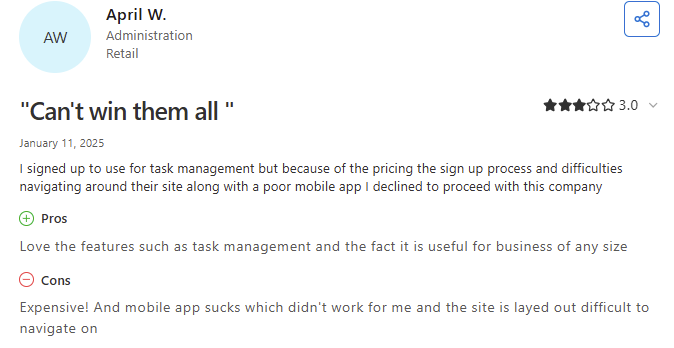
Customer Reviews
Who Kantata is Best For
-
Mid-to-large services firms: Ideal for organisations that need a professional-grade tool to manage complex staffing across a large project portfolio.
6. Productive: For Real-Time Workload Balancing
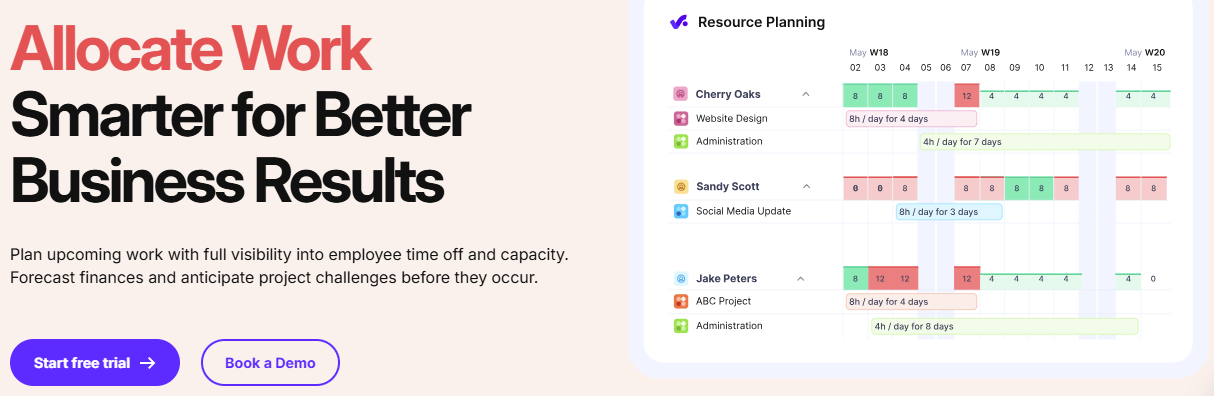
Productive centres on a visual Resource Planner that provides a live bird’s-eye view of team capacity and availability.
This resource-tracking software allows you to manage team workloads, time off, and billable utilisation in a single view, ensuring project demands align with your actual resource availability.
Here are its key features:
- Use a structured request-and-approval workflow to manage staffing needs.
- Map out unconfirmed work or future hiring needs using placeholders and tentative bookings.
- Prevent overbooking with a system that automatically accounts for vacations and sick leave.
- View how scheduling changes affect forecasted profit margins and revenue in real time.
Productive offers 3 pricing plans:
| Plan | Pricing |
| Essential | $12/user/month |
| Professional | $29/user/month |
| Ultimate | Custom |
Here's where Productive falls short:
- Navigating through long project timelines can feel clunky or slow.
- There is no single undo button for booking mistakes, needs manual correction.
- Task-based scheduling distributes time evenly and does not allow for manual daily adjustments within a single task booking.
7. Smartsheet: For Spreadsheet-Based Scheduling
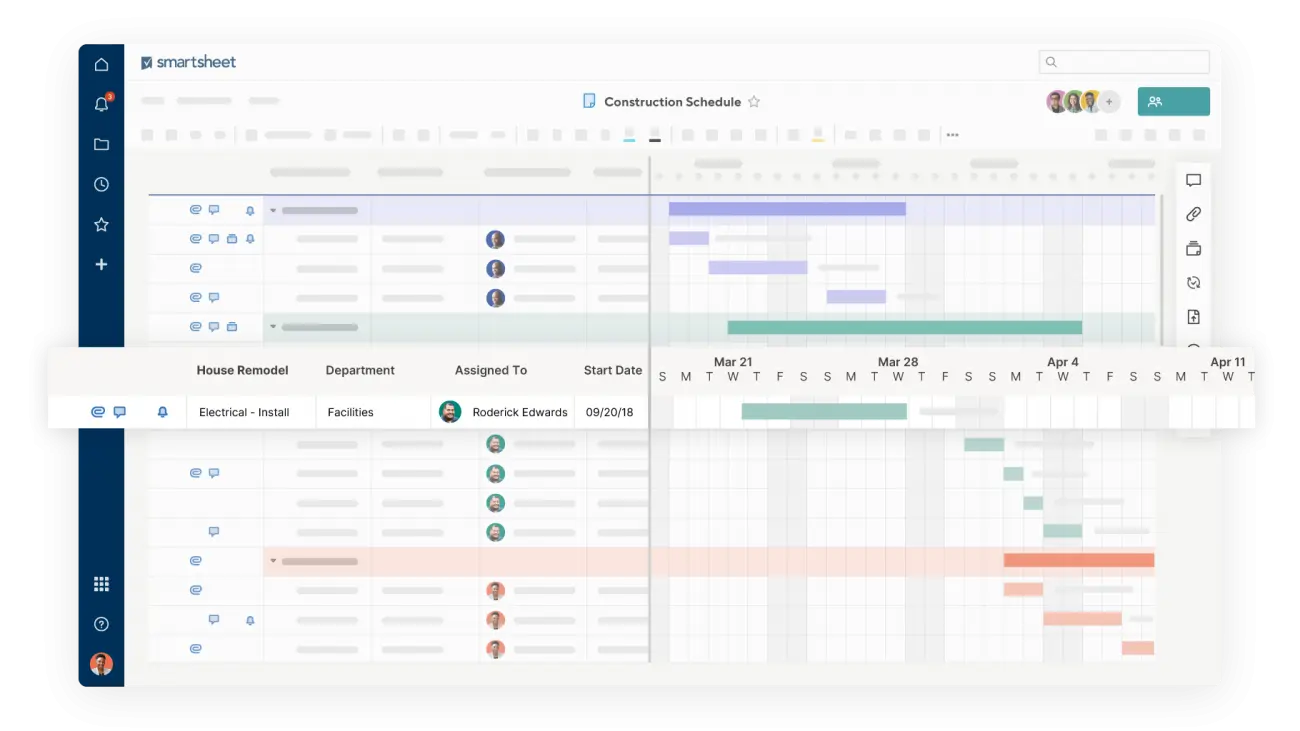
Smartsheet is a flexible work platform that uses a spreadsheet interface for project scheduling.
It is designed for teams that want to organise tasks, track dependencies, and check capacity within a grid-based layout.
Here are its key features:
- Switch between Gantt, Calendar, and Card views to see timelines.
- Check team availability and update assignments in the Resource Management view.
- Create alerts to notify people about upcoming deadlines or status updates.
- Attach files and notes directly to rows to keep project information in one place.
Smartsheet offers 3 pricing plans:
| Plan | Pricing |
| Pro | $12/member/month |
| Business | $24/member/month |
| Enterprise | Custom |
Here’s where Smartsheet falls short:
- The resource scheduling software can slow down when sheets get very large or complex.
- Full resource planning and high-level reporting usually require extra paid add-ons.
- Setting up formulas and automation rules takes more effort than using drag-and-drop tools.
How to Choose the Best Resource Scheduling Software
Selecting the right resource management software requires balancing ease of use with the depth of data needed to stay profitable.
Here are the key features to consider:
1: Instant Availability Insights
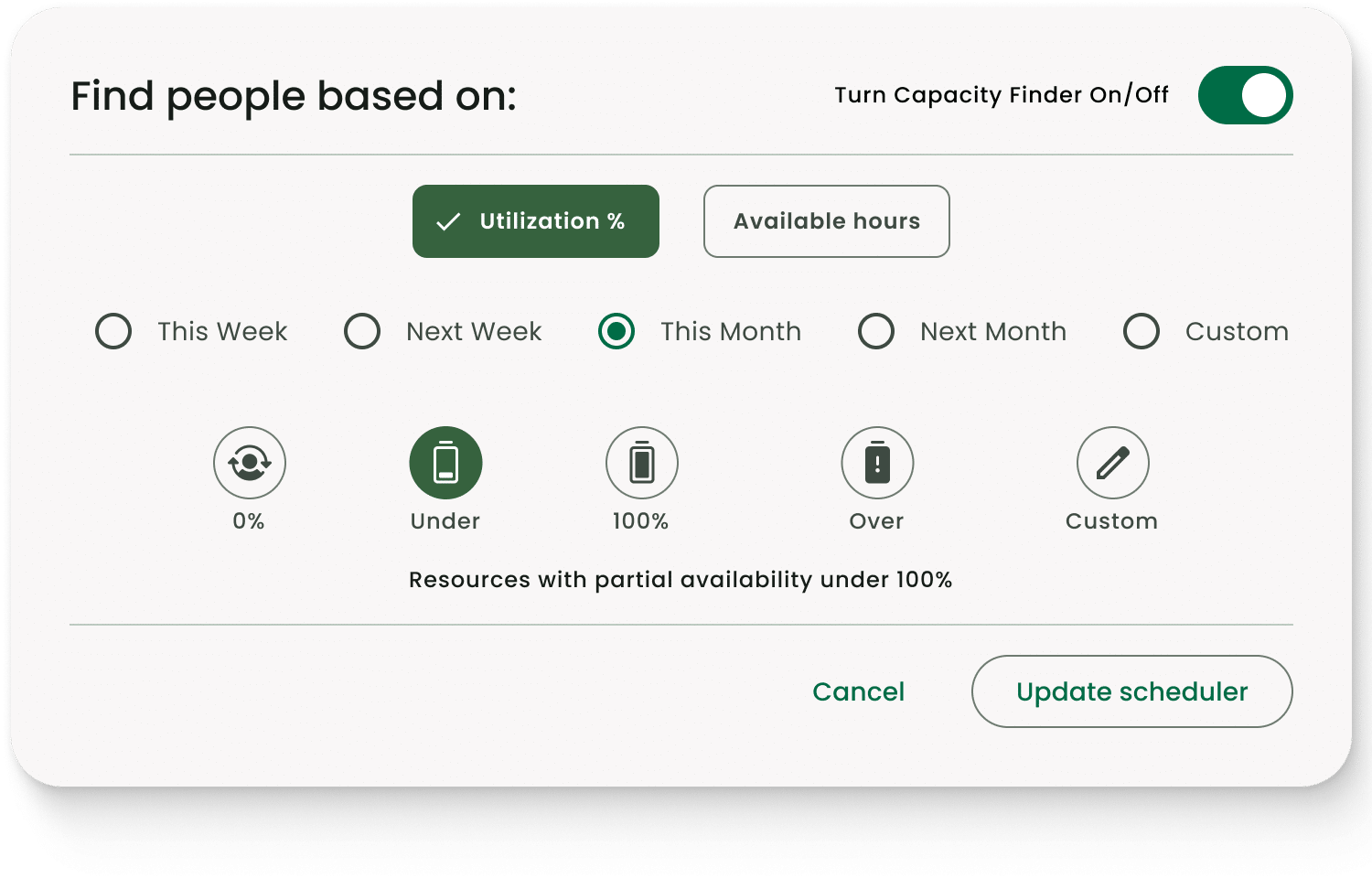
To avoid overburn, you need to know exactly who is free across multiple teams. Effective resource allocation software provides a clear view of team bandwidth at a glance.
Milient’s Resource Flow excels here with its Capacity Finder, which lets you filter by specific skills and utilisation levels to instantly find the perfect fit.
Ready to stop the scheduling guesswork? Try Milient Resource Flow today for free.
2: Integrated Leave & Vacation Tracking
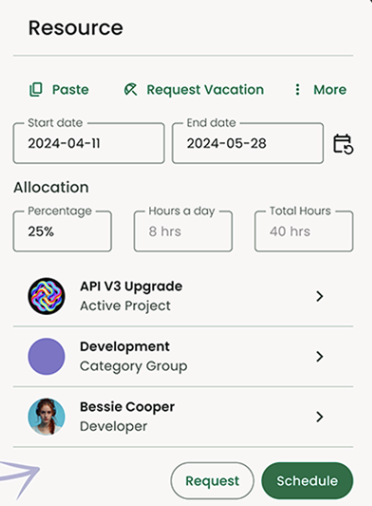
Manual checks for time-off or public holidays are a major bottleneck. The best resource planning tools sync these directly into the schedule.
Milient’s Resource Flow handles this natively, visualising vacations, PTO, and annual leave alongside project tasks so you never assign work to an empty desk.
3: Budget-Linked Planning
Scheduling should not happen in a vacuum; every hour counts. Look for resource management tools that show the financial weight of your plan.
Milient’s Resource Flow allows you to understand budget impacts as you plan, ensuring your resource allocations align with project profitability from day one.
Stop losing billable time to manual admin. Explore the Milient product suite.
Optimise Your Resource Scheduling and Improve Efficiency with Milient
Tired of juggling spreadsheets and endless admin? Lost hours and shrinking margins are symptoms of a fragmented workflow.
Milient is the best resource scheduling software for architects and engineers who need to protect profitability. It connects your projects, people, and financials into one clear flow, helping you avoid overbooking and stay in control from bid to invoice.
 Andrea Neeve
Marketing Associate
Want more content like this? Follow Milient:

/hubplanner_resource.png?width=1024&height=1024&name=hubplanner_resource.png)