
Key takeaways
 Excel is best for finance professionals and data analysts who need deep data analysis, complex formulas, and offline flexibility
 Smartsheet is best for large organizations managing structured workflows, campaign timelines, and cross-team tracking
 Milient’s Resource Flow is built for mid-sized to large IT consulting and professional services teams managing complex schedules, from multi-team environments to advanced reporting.If you’re moving beyond spreadsheets and want clarity, control, and forecasting, use Milient to plan ahead and avoid overbooking
More than 90% of spreadsheets contain serious errors yet most people using them are convinced theirs are fine. The Smartsheet vs Excel debate matters because the tool you choose shapes the decisions your team can make.
Excel wins for financial modeling and heavy data work, Smartsheet wins for structured, cross-team process tracking. However, looking at comparisons like Smartsheet vs Teamwork shows that for project-driven firms needing real visibility into capacity, people, and profitability, traditional platforms often hit a wall fast. In this guide, you'll get a clear, side-by-side breakdown: pricing, ease of use, integrations, and what to look for when neither option quite fits.
|
Smartsheet |
Microsoft Excel |
|
|
Best For |
Large orgs managing structured workflows and portfolio tracking |
Finance professionals and analysts doing heavy data work |
|
Standout Feature |
Gantt charts, automated workflows, cross-sheet views |
Pivot tables, Power Query, 450+ formulas |
|
Price (Monthly billing) |
From $12/user/month (Pro) |
From $8.25/user/month (Microsoft 365 Apps for Business) |
|
Pros |
Kanban Board, Calendar View, Gantt View, form builder |
Offline access, massive formula library, Power BI integration |
|
Cons |
Key features locked behind expensive tiers, UI feels dated |
Version confusion in teams, limited real-time collaboration |
|
Customer Support |
Email standard; phone and live support cost extra |
Extensive docs; direct human support is harder to reach |
|
Resource Management |
Paid add-on only |
Not built for it |
Who Is Smartsheet Best For?
Smartsheet is a work execution platform that layers Gantt charts, Card views, and workflow automation on top of a familiar grid interface.
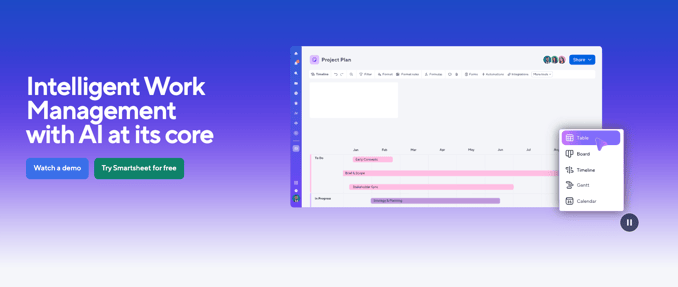
It's a meaningful step up from a flat spreadsheet for teams tracking work across many moving parts
It works well for:
- Enterprise operations teams running repeatable processes (Business Operations, procurement, onboarding)
- Marketing departments managing campaign timelines and content marketing production
- IT and service teams handling structured workflows in IT & Service Ops environments
- Portfolio managers needing Cross-project resource views and consolidated dashboards
- Organizations in field operations (including 5G rollouts, fiber construction, or EV charging networks) where rigid process control matters
For Whom Is Excel Useful?
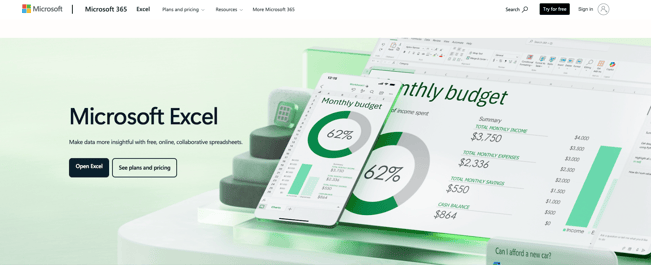
Microsoft Excel remains the go-to for number-heavy work and works best when the problem is data, not coordination
It suits:
- Finance professionals working with pivot tables, Power Pivot, and conditional formatting
- Data analysts using Power Query, Python code, and data pipeline workflows
- Small businesses needing accessible spreadsheet software without complex setup
- Teams embedded in Microsoft 365 wanting tight integration across the Office suite
Milient Software: An Alternative
If your team runs on projects, chances are neither Smartsheet nor Excel is showing you what you actually need: who's available, what they're working on, and whether a capacity crunch is coming.
/resource-management-badges-small.png?width=1200&height=675&name=resource-management-badges-small.png)
That's the gap Milient's Resource Flow fills.
Key advantages of Milient vs Smartsheet and Excel include:
- Resource management designed for project-driven teams, not an add-on
- Real-time capacity planning with skills matching and utilization tracking
- Scheduled vs. actual time comparison, so your plan reflects reality
- Task dependencies and scheduling in one connected view
- Integrates with Microsoft Teams, Google Calendar, GitHub, and more
Resource Flow pricing:
|
Plan |
Monthly Price |
Best For |
|
Plug & Play |
$7/user/month |
Small teams needing core scheduling and visibility |
|
Premium |
$18/user/month |
Mid-sized teams needing timesheets, approvals, and 24/7 support |
|
Business Leader |
$54/user/month |
Large teams needing advanced security, capacity tools, and SLAs |
Price
Price is rarely just the number on the plan page. With Smartsheet especially, the sticker price is just the starting point.
Smartsheet
Smartsheet's Pro plan costs $12/user/month on monthly billing. Business starts at $19/user/month on annual billing. Enterprise requires a custom quote.
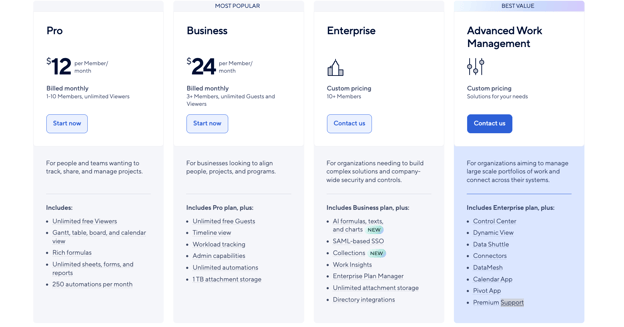
What adds up fast: premium applications e.g Dynamic View, Control Center, DataMesh, and WorkApps, are priced separately and can increase total contract value significantly. Phone support is a paid add-on, not available on the Pro plan at all.
- Pro: $12/user/month (monthly billing)
- Business: $19/user/month (annual billing)
- Enterprise: Custom (10+ members)
Excel

Most users access Excel through Microsoft 365, making the cost feel bundled with their Microsoft account.
- Microsoft 365 Business Basic ($6/user/month): Includes Excel Online and mobile apps.
- Microsoft 365 Business Standard ($12.50/user/month): Includes desktop versions and Microsoft Teams integration.
- Microsoft 365 Business Premium ($22/user/month): Adds advanced data security and Intune.
A limited free version exists via Excel Online.
Note: Microsoft has confirmed pricing increases across Microsoft 365 commercial plans effective July 1, 2026.
Verdict
Excel is more affordable at the entry level for individual work. Smartsheet's real cost becomes clear when you factor in add-ons. You can compare both against Milient's Resource Flow pricing which is transparent and tiered from the start.
Ease of Use
A system with every feature imaginable means nothing if half your team avoids logging in. Here's how both tools handle the learning curve.
Smartsheet
The grid interface feels familiar at first but that familiarity tends to fade quickly past basic task tracking.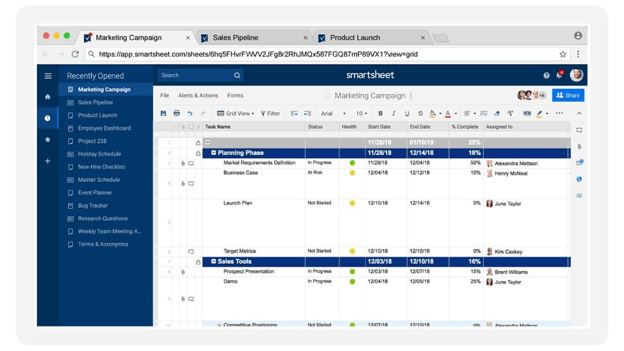
- Familiar interface: looks like spreadsheet software
- Drag-and-drop views: switch between grid, Kanban Board, and Gantt View
- Learning curve: increases with automation and cross-sheet reporting
Excel
Excel is easy to open but hard to master at scale.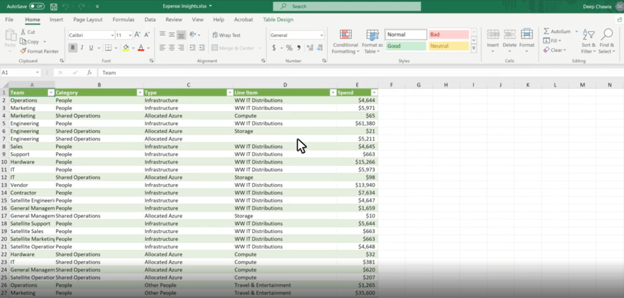
- Basic formulas, conditional formatting, and tables: accessible to almost anyone
- Power Query, Power Pivot, and Visual Basic for applications require genuine technical expertise
- AI copilot features in Microsoft 365 are improving formula accessibility but depth still demands skill
- No built-in structure for task tracking
Verdict
Although neither solves the resource planning challenge that project-driven firms face, Excel wins for individual data work while Smartsheet wins for structured team task tracking.
If you want to see how these layout structures stack up against relational database alternatives, you can read our comparison on Smartsheet vs Airtable for more insight.
Customer Support
A two-day wait for a response when your resource plan is broken is a real cost. Here's what to expect from both tools when you need help.
Smartsheet
- Email support is included on all paid plans
- Phone support is a paid add-on and not available on Pro
- Community forums and a help center exist for self-service queries
- AI copilot features provide basic in-app guidance
Excel
- Microsoft provides extensive documentation, a large community, and in-app help via Microsoft 365
- Direct support requires navigating Microsoft's tiered system which is not always fast
- The community is vast but finding the right answer still takes time
Verdict
Smartsheet wins on structure, Excel wins on volume, but both make you pay in either money or time. Smartsheet locks meaningful support behind a paywall while Excel buries it inside a documentation library most users never fully navigate.
If your team is running live projects and can't afford to wait, that's a real operational risk.
Integrations
Your tools don't work in isolation. The right integration setup eliminates double-entry and keeps data accurate.
Smartsheet
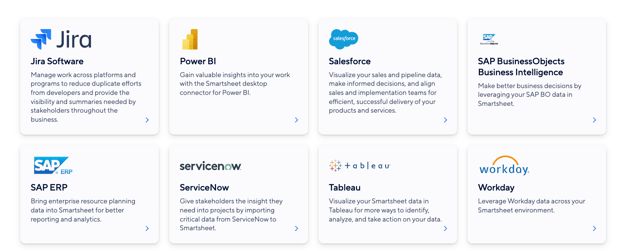
- Native connections to Microsoft 365, Microsoft Teams, Google Workspace, Slack, Salesforce, and Jira
- Task automation via Power Automate and Zapier
- File Attachments and file sharing built-in across sheets
- API settings available for custom integrations
- Advanced data integrations (like Salesforce sync) are Business/Enterprise only
Excel
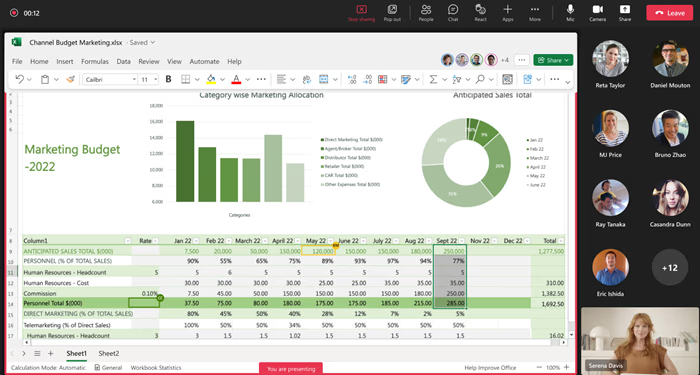
- Deep integration with Power BI, Microsoft Teams, SharePoint, and Power Automate
- Connects to most major ERP and CRM systems natively
- Python code integration and data pipeline support for advanced analytics users
- Google Workspace interoperability exists but can be imperfect in practice
Verdict
Excel wins on depth within the Microsoft stack. Smartsheet is more flexible for cross-platform collaboration tools. Then there’s Milient which connects cleanly to both without making it your team's problem to manage.
Project Management Capabilities
A project plan is just a wish list if you don’t have a clear view of your team’s real-time utilisation. Plus as your firm grows, simply tracking deadlines isn't enough. You need to plan ahead to avoid burnout and missed milestones. Here's how both tools perform.
Smartsheet
Smartsheet handles project management reasonably well:
- Task dependencies, linked Gantt charts, and task tracking across projects
- Automated workflows and task automation via a rule-based engine
- Project / portfolio management dashboards for high-level visibility
- Resource tracking available as a separate paid add-on (not included in standard plans)
The gap: if you want to know whether your team can take on a new project next month, based on real capacity, Smartsheet won't tell you that without purchasing an additional product.
Excel
Excel can technically support project planning with spreadsheet templates for Gantt charts and task tracking. But everything is manual.
- No native automated workflows or workflow automation
- No built-in team collaboration designed for live project updates
- Task dependencies managed entirely by hand
- Remote teams editing the same file often create the version chaos that project delivery can't afford
Verdict
Smartsheet is better than Excel for collaborative project tracking but neither was built for capacity-aware, people-first resource management.
How to Choose the Right Tool
Think about the last time a project went over budget. Was it a strategy failure, or a visibility failure?
Does It Allow for Real-time Collaboration?
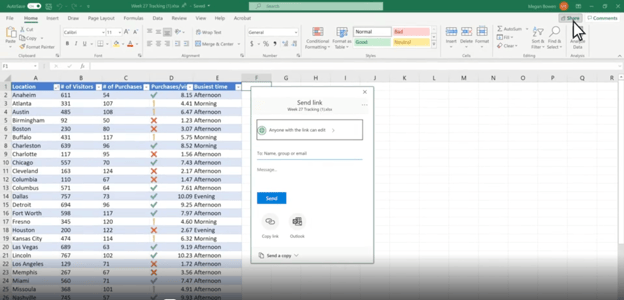
If you have team members working across different locations, you need a collaboration platform. Smartsheet and Excel try here by allowing multiple users to edit shared sheets simultaneously.
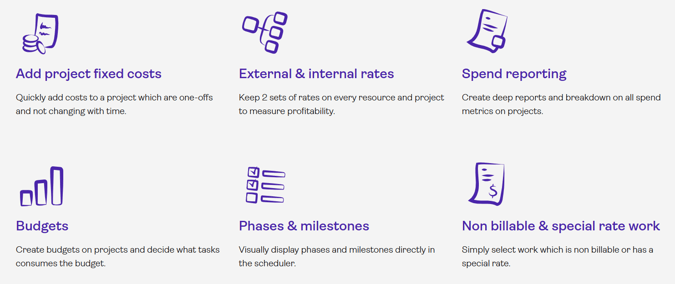
But a tool like Milient goes further by combining project management and resource management in one platform, so teams can set budgets, track spend against actuals, manage phases and milestones, and schedule resources, all without switching between tools."
Does It Connect Planning to Actual Hours?
Imagine you planned 40 hours for a phase. Halfway through, 35 have been logged. Are you on track? A tool that only shows scheduled time without comparing it to logged hours can't answer that question reliably.
It’s why Milient's time management connects timesheets directly to resource plans.
/Hub-Planner_Timesheets_Hero.png?width=600&height=630&name=Hub-Planner_Timesheets_Hero.png)
The gap between "what we planned" and "what actually happened" is always visible. This is especially important forarchitecture and engineering firms tracking billable time.
Does It Reduce Admin or Reorganize It?
There's a difference between automating busywork and decorating it. If your team is still chasing approvals by email and exporting data to build reports, the tool isn't working hard enough.
Before switching tools, map where your current process breaks down. Our free project checklist for architecture projects is a practical starting point for any project-driven firm evaluating a switch. It helps you identify the gaps before you commit to a new system.
Alternative To Smartsheet and Excel: Milient Software
Milient is a specialized system for professional services firms that are tired of fighting with grids.
/Hub-Planner_Skills-Matching_Hero-2-1-600x630-1.png?width=600&height=382&name=Hub-Planner_Skills-Matching_Hero-2-1-600x630-1.png)
For a project-based firm, hitting the ceiling with Smartsheet and Excel looks like being able to track tasks, store data. But not seeing your team's real capacity, balancing workloads, or forecasting whether you have the right people for what's coming next.
Key Features
Spreadsheets tell you what happened, Milient shows you what's coming, who's available, who's overloaded, and whether your plan matches reality. These are the features that make that possible.
- Capacity Planning and Skills Matching
Milient's Resource Flow allows you to search your entire workforce by discipline and availability to plan ahead for new contracts.
You can filter your team by skill, role, location, and utilization instantly surfacing the right fit. No need for manual cross-referencing or email chains asking who's available.
/Hub-Planner_Skills-Matching-2.jpg?width=611&height=565&name=Hub-Planner_Skills-Matching-2.jpg)
- Real-Time Utilisation Tracking
Get a clear view of billable time, overtime, and team utilisation through built-in dashboards, helping leadership spot trends, protect profitability, and proactively manage capacity, without the need for manual reports.
/resources_rf.png?width=1200&height=645&name=resources_rf.png)
- Forecasting & Scenario Planning
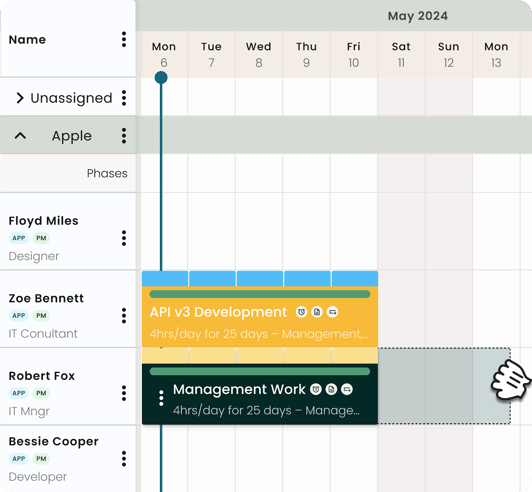
By combining scheduling with forward-looking forecasting, Resource Flow helps teams predict demand, identify resource shortages early, and make more confident hiring decisions — going beyond what spreadsheets can offer.
Averna improved their resource planning by gaining a clear, real-time view of team capacity, enabling faster and more confident decision-making across projects. With Resource Flow, they were able to better match skills to demand, reducing bottlenecks and improving overall utilisation.
Pricing
|
Plan |
Monthly Price |
What's Included |
|
Plug & Play |
£7/user/month |
Scheduler, unlimited projects, basic reporting |
|
Premium |
£18/user/month |
Timesheets, approvals, skills matching, 24/7 support |
|
Business Leader |
£54/user/month |
Advanced security (MFA), Capacity Finder, smart schedules, SLAs |
Note: Resource Flow includes a 14-day free trial — no credit card required.
Where Milient Shines
- Purpose-built for project-driven teams: Resource Flow reflects how consultancies, engineering firms, and IT teams actually work
- Planned vs. actual visibility: Comparing scheduled hours to logged timesheet data is standard, not locked behind a premium tier
- Scalable tiers: Start simple with Plug & Play and grow into advanced capacity tools as your team expands
- Connected data across projects and resources:Resource Flow brings together scheduling, dependencies, costs, and reporting in one place, reducing manual work and eliminating the need to switch between tools. The result is a single, reliable view as operations grow.
Where Milient Falls Short
- Custom reporting: Teams with very specific reporting needs beyond standard templates may require some initial configuration
- Complexity grows with scale: As project volumes increase, maintaining clarity across multiple categories and ongoing work may require more considered setup.
Customer Reviews
“Resource Flow makes scheduling work very simple, and the user interface is intuitive. Their customer service is top-notch.” –G2 Review
“PMs save a lot of time visualising resource planning and can quickly decide who to move and where.” –Capterra Review
Who Milient Is Best For
- IT consulting and professional services teams: mid-sized to large organisations running complex project portfolios across multiple teams or regions
- Resource and operations managers: who need to track utilisation, report on spend, and control visibility across a growing organisation
- Teams with structured permission needs: where line managers, project leads, and executives each require a different level of access to scheduling and financial data
Start your free trial and get instant visibility into your team’s capacity
Smartsheet vs Excel vs Milient: Which One Should You Choose?
If you need to model complex financial data or run deep analysis, Excel is still the best tool for that specific job. Smartsheet belongs in large organizations that need structured, repeatable workflows tracked across teams and portfolios.
But if you're regularly finishing projects late, over budget, or with a team that's stretched too thin, and you can't see why until it's already happened, Milient's Resource Flow gives you the visibility to catch those problems before they cost you.
Try the interactive demo or book a meeting to see how it works for teams like yours.
 Andrea Neeves
Marketing Associate
Want more content like this? Follow Milient:

/hubplanner_resource.png?width=1024&height=1024&name=hubplanner_resource.png)