Key takeaways
 Choose Milient Project Flow for small and growing AEC firms that need architecture billing software connecting invoices to project phases, time tracking, and quality assurance in one platform
 Choose Monograph for US-based studios of 5 to 50 people that bill by phase and collect payments through Stripe and QuickBooks
 Choose BQE Core for US mid-sized practices that want invoicing software for architects with a full general ledger built in
 Choose Deltek Ajera for established US firms that need project accounting and payroll inside one ERP
Architecture billing software turns tracked hours, phase progress, fees, and expenses into accurate invoices, then sends them, chases payment, and records what's been collected.
Done well, it shortens the gap between finishing work and getting paid and closes the leaks where billable time goes uninvoiced.
This guide covers 7 options for architecture firms, covering pricing, customer sentiment, and the criteria that should shape your shortlist.
Best Architecture Billing Software: Quick Comparison
1. Milient Project Flow: Best Architecture Billing Software for Firms That Want Billing Inside Project Delivery
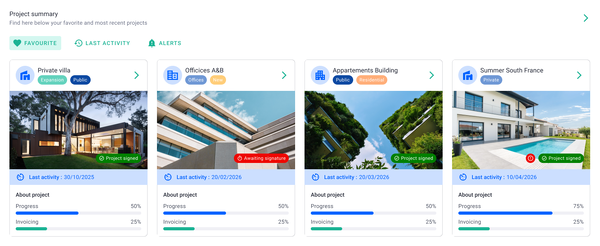
Milient Project Flow is a project management software built for architecture and engineering practices. It consolidates the entire flow from offer to invoice, so billing data is never re-entered. Fees, budgets, hours, and invoiced percentages live on the same project record.
Milient Project Flow Key Features
These three Project Flow features do the heavy lifting for billing accuracy.
Invoicing Built on Live Project Data
/invoicing_dashboard.png?width=1200&height=645&name=invoicing_dashboard.png)
You can create invoices directly from the information registered on each project. Logged hours, fees, and phase progress populate the invoice, and invoice splitting handles shared fees across clients or companies.
Automatic payment status tracking and reminders chase overdue invoices for you. Enterprise firms can also run multicompany internal invoicing across offices.
Offer Builder: From Quote to Project in One Click
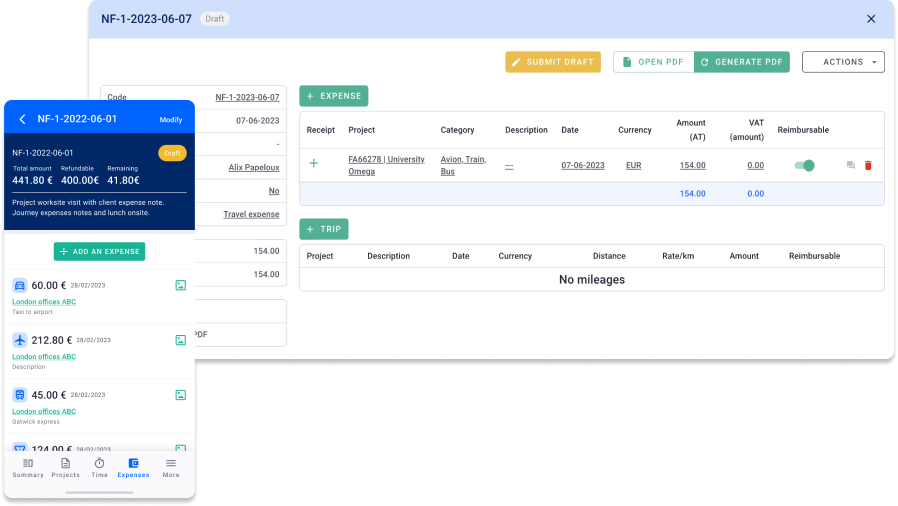
The Offer Builder lets you create quotes inside the platform. Once accepted, the quote becomes the project structure with a single click. Fees, phases, and budgets carry over intact.
This closes the most common revenue leak in architecture billing: scope agreed in the proposal that never reaches the invoice.
Time Tracking that Flows Straight to the Invoice
/time%20management.svg)
Time tracking is built for fast registration, so architects actually log hours on time. You can then see hours and costs against the fee per phase, and flag overruns before they escalate.
Because approved hours sit on the project record, billable time converts to invoice lines without exports.
Milient Project Flow Pricing
 You get a 14-day free trial, and your data carries over when you become a paying customer. See full plan details on the Project Flow pricing page.
Where Milient Project Flow Shines
-
-
- RIBA-aligned quality assurance: Checklists, processes, and non-conformity management sit inside each project, supporting structured delivery and audits
- Reports that answer profitability questions: Dashboards track fee burn, invoiced percentage, and margin per project, while Analytics surfaces firm-wide trends
- Resource planning connected to fees: Shows capacity and skills next to project budgets, so staffing decisions reflect billing reality
-
Where Milient Project Flow Falls Short
-
-
- Timesheet approval visibility: It's not always clear when a timesheet has been validated, as there are no approval notifications yet
- No calendar view for logged hours: You cannot review project hours in a calendar layout, which some architects request
-
Milient Project Flow Customer Reviews
"Very user-friendly. The display is easy to understand, and I can change my operating language. I like the visualisation and the blog, which helps me and my colleagues communicate on our project progress." — Verified user, Capterra
"Project Flow allowed me to stop relying on endless Excel spreadsheets. Updating the billable forecast is the feature that has saved me a huge amount of time. The support team is very responsive." — Verified user, Capterra
"The ease of use — it's intuitive enough." — Verified user, Capterra
Who Milient Project Flow Is Best For
-
-
- AEC firms of all sizes - teams that have outgrown simple PM tools and need financial control
- Firm owners and principals focused on profitability - want live budget and margin data across the portfolio
- Firms scaling their operations - growing headcount, more complex multi-phase projects, need a scalable platform
-
2. Monograph: Best for Small US Studios Billing by Phase
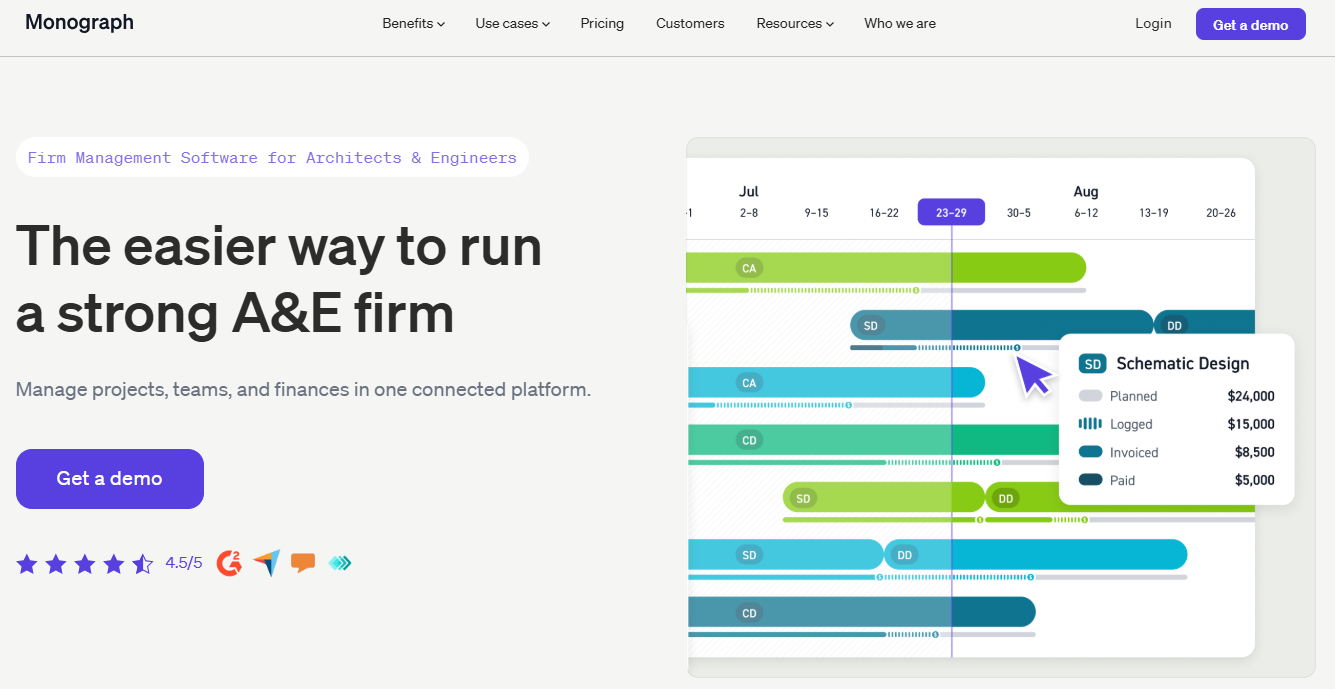
Monograph is a firm management platform built for US-based architecture and engineering firms with roughly 5 to 50 people. Its billing model mirrors how American studios structure contracts, with phases, mixed fee types, and consultant pass-throughs.
Key Features
-
-
- Phase-based invoicing: Invoices show billing progress across phases with breakdowns of fixed fees, hourly work, consultants, and retainers
- Payments and collections: Automated payment reminders, real-time tracking, and online payments reduce delays and improve collections, with Stripe card payments available in the US and Canada only
- QuickBooks sync: Invoice data posts to QuickBooks Online, keeping the ledger current without duplicate entry
-
Pricing
Where Monograph Shines
-
-
- MoneyGantt budget views: Budget versus cash received is overlaid on the project timeline, showing project health before problems surface
- Pipeline management: Leads and fee forecasts sit next to live projects, useful for principals planning workload
- Fast rollout: Prepopulated phases, schedules, and budgets mean small firms are billing within days
-
Where Monograph Falls Short
-
-
- US-centric billing conventions: No RIBA-stage frameworks or multi-currency invoicing, which disqualifies most UK and European practices
- Accounting lives elsewhere: There is no general ledger, so firms remain dependent on QuickBooks for actual accounting
-
Customer Reviews
“The integrations with QuickBooks Online has allowed our principals to get a comprehensive visual picture of the firm's financial performance without the need to switch between programs,” shares Jason P on G2.

“The fact that I need to subscribe to other tools to make it complete. If Monograph could offer an all-in-one suite (from estimate to billing), I would highly recommend it,” says Marc G on Capterra.

Who Monograph Is Best For
-
-
- US studios of 5 to 50 people: Phase billing, Stripe payments, and QuickBooks cover the standard American small-firm stack
- Visual-first project managers: Gantt-based budget views suit teams that think in timelines
-
3. BQE Core: Best for US Firms That Want Billing and Accounting in One Suite
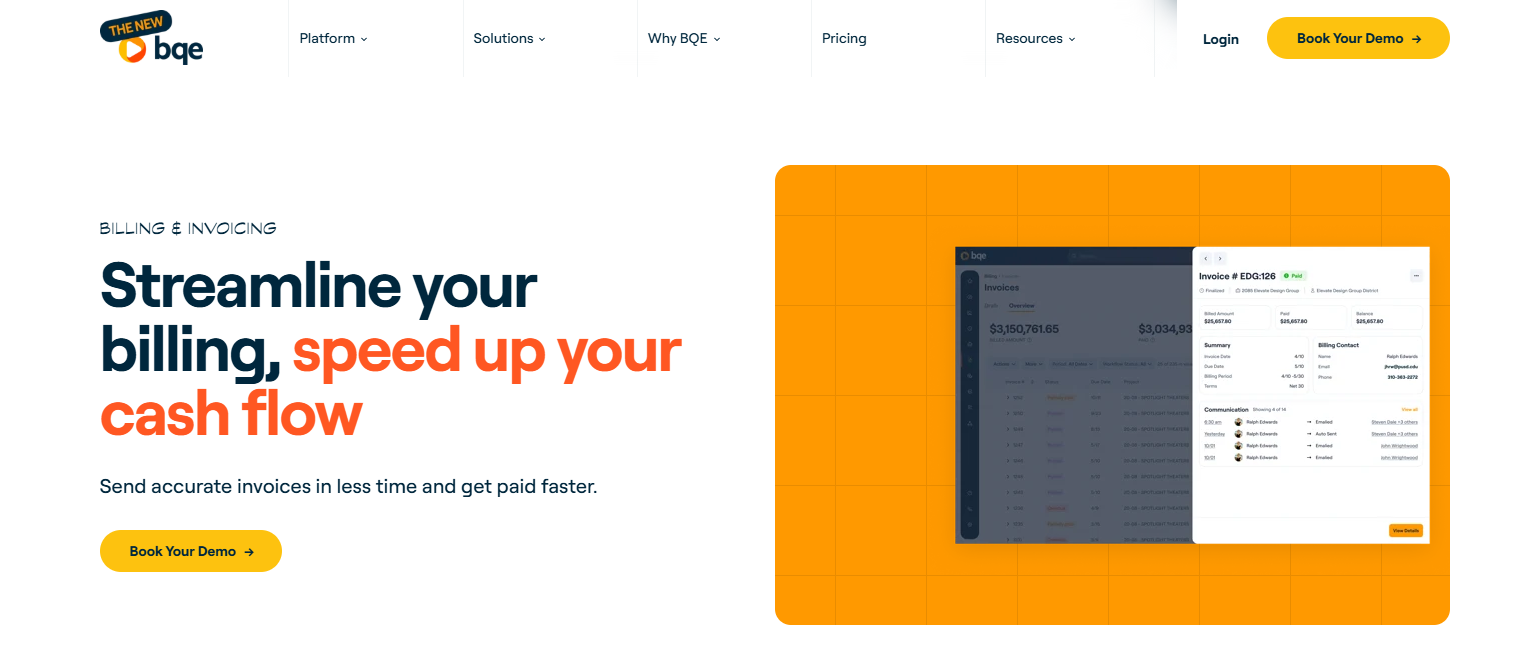
BQE Core is an architecture firm management software that puts accounts payable, accounts receivable, general ledger, and bank reconciliation inside the same platform as project billing.
Key Features
-
-
- Flexible invoice formats: Billing accommodates fixed fees, hourly rates, retainers, and progress billing
- Batch invoicing: Produce all invoices at once and bill by percent complete or by time and expense
- Timesheet-to-invoice automation: Timesheet entries flow into draft invoices with phase codes and mark-ups already applied
-
Pricing
Where BQE Core Shines
-
-
- Payroll inside the platform: CORE Payroll, powered by Gusto, connects payroll processing with project financials
- Project phases with budget control: Projects break into phases with real-time progress monitoring and detailed reports
- Rate flexibility: Flexible rate options cover different project types across hourly and fixed-fee work
-
Where BQE Core Falls Short
-
-
- Configuration load for small teams: Initial setup can feel heavy for very small teams used to lighter platforms
- Modular costs stack up: Costs rise as modules and add-ons are included, making budgeting less predictable for firms that need the full suite
-
Customer Reviews
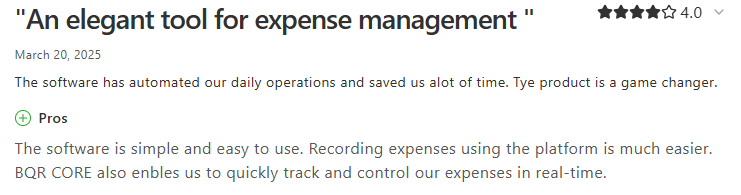
“Recording expenses using the platform is much easier. BQR CORE also enables us to quickly track and control our expenses in real-time.” Gideon B on Capterra.
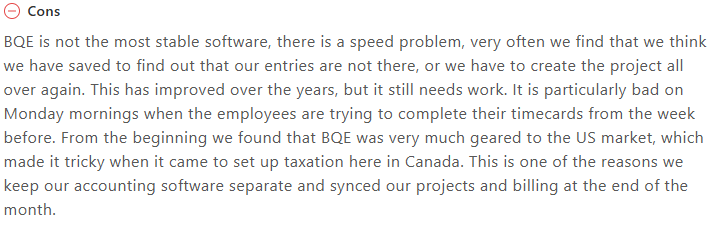
“From the beginning, we found that BQE was very much geared to the US market, which made it tricky when it came to setting up taxation here in Canada. This is one of the reasons we keep our accounting software separate and sync our projects and billing at the end of the month.” Carmel C on Capterra.
Who BQE Core Is Best For
-
-
- US mid-sized practices consolidating finance: One platform for billing, AP/AR, and payroll removes the QuickBooks dependency
- Firms with complex mixed-fee contracts: Retainers, progress billing, and hourly work coexist on one invoice
-
4. Deltek Ajera: Best for Established US Firms That Need a Project-Based ERP

Deltek Ajera is a project management and accounting application for small architecture and engineering firms, and it sits within the wider Deltek ERP family.
Its pitch is longevity: full project accounting that firms grow into rather than out of.
Key Features
-
-
- Auto-generated draft invoices: Invoices generate from time and expenses, with billing rate tables covering standard rates, markups, and pass-through costs, organised by project phase
- Multi-phase, milestone billing: Project phases are tracked at a granular level to support multi-phase, milestone-based billing that generic accounting tools cannot handle
- AR automation: Automated bank feeds, paperless invoicing, and AR automation reduce invoice processing time and speed up collection
-
Pricing
Where Deltek Ajera Shines
-
-
- Payroll and full accounting built in: General ledger, accounts payable and receivable, and payroll link directly to projects
- Utilisation dashboards: Colour-coded views identify over- or under-utilised resources with long-term projections based on budget and dates
- AI-assisted data retrieval: Ask Dela surfaces project details, client information, and financial data instantly
-
Where Deltek Ajera Falls Short
-
-
- US framework focus: Payroll and compliance features centre on American requirements, with no RIBA-stage structures for UK practices
- Report flexibility: The reporting depth and some accounting functions are limited or dated, which can frustrate firms with bespoke KPI needs
-
Customer Reviews
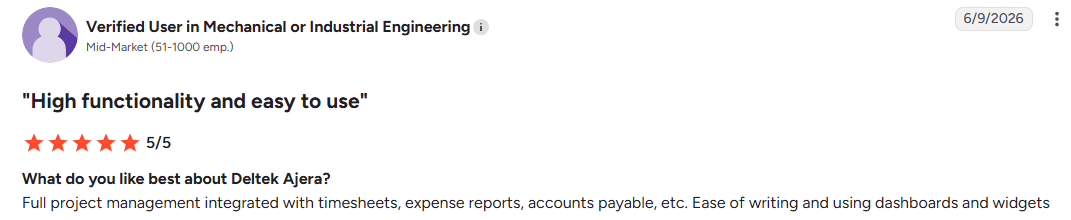
“Full project management integrated with timesheets, expense reports, accounts payable, etc. Ease of writing and using dashboards and widgets,” shares this verified G2 reviewer.
“The expense reporting is slightly clunky, and although other companies and software are able to effectively submit photos and expenses through mobile apps, the Ajera app could use an overhaul in this regard.” Schuyler R.

Who Deltek Ajera Is Best For
-
-
- Established US A&E firms: Practices that want project accounting, billing, and payroll in one long-term ERP investment.
- Finance-led firms: Teams where accountants, not architects, own the platform day to day
-
5. Sage Intacct: Best for Multi-Entity Enterprise Practices

Sage Intacct is enterprise financial management software rather than a practice management platform.
Its construction edition handles the billing complexity that large, multi-office AEC groups face. It supports fixed price, time and materials, and cost-plus contracts, manages AIA billing, and consolidates multi-entity financials in minutes.
Key Features
-
-
- AIA billing and retainage: Lump sum, T&M, cost-plus, unit price, and mixed billing arrangements are supported, including AIA billing and retainage
- Revenue recognition compliance: Billing complies with ASC 606 and IFRS 15 revenue standards, which matters for audited groups
- Automated WIP: Automated WIP calculations keep over- and under-billings in check with current views of revenue, cost, and margin
-
Pricing
Where Sage Intacct Shines
-
-
- Dimensional reporting: Results slice by project, phase, cost code, division, customer, and location without bloating the chart of accounts
- Multi-entity consolidation: Multiple companies and legal entities run in one platform with intercompany eliminations and consolidated reporting
- Open API connectivity: Open APIs connect HR, CRM, project management, and field management platforms
-
Where Sage Intacct Falls Short
-
-
- No project management: There is no phase planning, Gantt scheduling, or design-stage workflow, so architecture firms still need delivery software alongside it
- Implementation timelines: Mid-size deployments take six to ten months, which rules out firms needing billing live this quarter
-
Customer Reviews
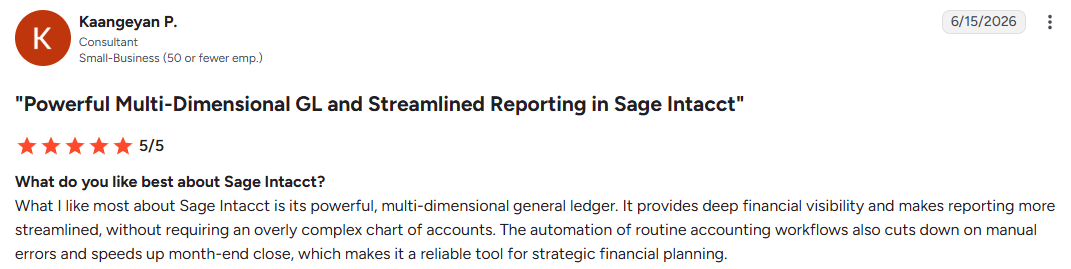
“What I like most about Sage Intacct is its powerful, multi-dimensional general ledger. It provides deep financial visibility and makes reporting more streamlined, without requiring an overly complex chart of accounts.” Kaangeyan P.
“The user interface, while functional, maintains a very rigid and austere look that can intimidate non-financial team members. Furthermore, any custom report development outside of standard templates requires advanced technical skills, making the tool quite dependent on expert support. Poulard F.
Who Sage Intacct Is Best For
-
-
- Multi-entity enterprise groups: Practices consolidating several offices, currencies, or legal entities under one finance function
- CFO-led organisations: Firms where compliance, audit, and revenue recognition outweigh delivery-side features
-
6. Scoro: Best for Multidisciplinary Studios Mixing Retainers and Project Fees
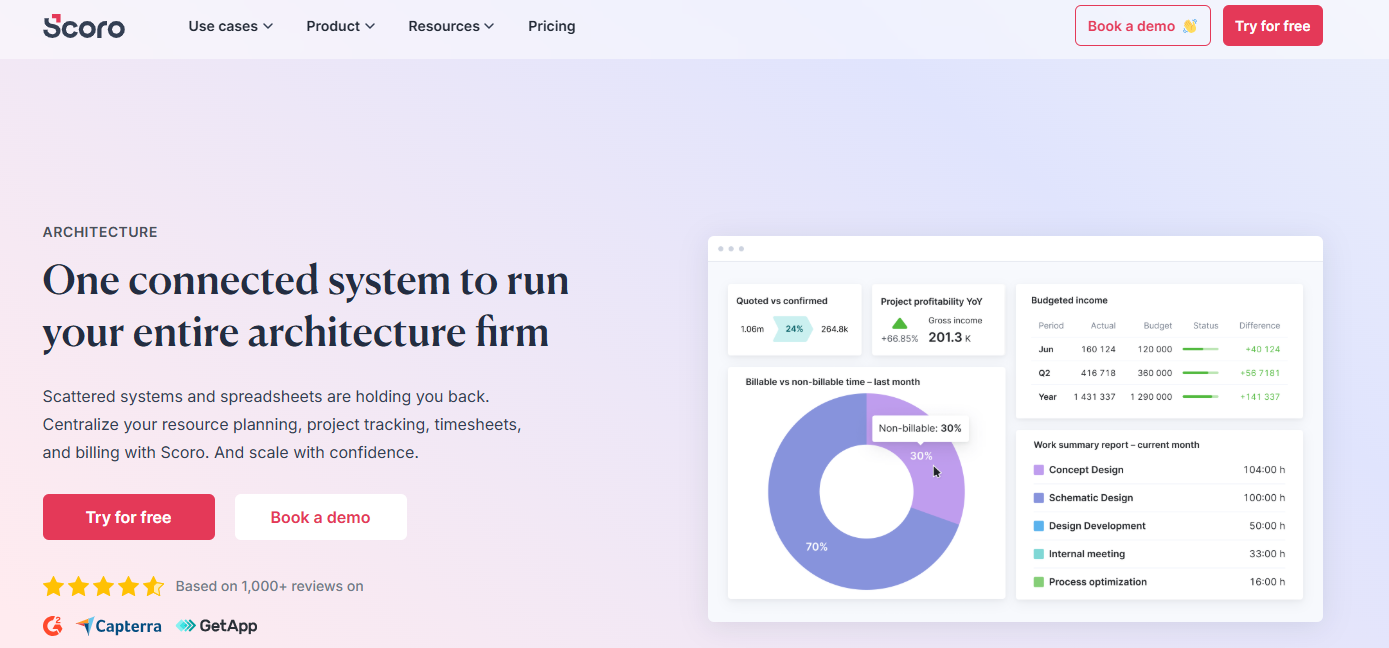
Scoro is a professional services automation platform for consultancies, agencies, IT firms, and architecture companies. ItWith Scoro, confirmed quotes convert straight into invoices, partial invoicing bills as work progresses, and retainer invoices generate automatically each period.
However, there is no RIBA-stage structure, AIA billing, or drawing-tool connectivity, so AEC workflows need manual configuration.
7. Autodesk Forma Build: Best for BIM-Connected Construction Cost Control

In Autodesk Forma Build, every subscription includes project management, quality management, safety management, and cost management, plus access to Autodesk Docs.
The Cost Management module handles budgets, contracts, payment applications, change orders, and project-level cash flow analysis, with cost data syncing to accounting systems such as Sage, Viewpoint, and JD Edwards.
Pricing runs to around $117 per user/month billed annually, with unlimited-user pricing on custom quote. Still, there is no timesheet-based invoicing, phase fee billing, or retainer handling for professional services.
How to Choose the Right Architecture Billing Platform
Architecture firm billings have now stayed below the growth threshold since January 2023, with the AIA/Deltek Architecture Billings Index falling to 48.3 in April 2026. By May, the index had dropped further to 44.5.
When fee income is contracting across the profession, unbilled hours and slow collections stop being admin problems and start deciding margins.
The five criteria below separate the platforms that protect revenue from those that leak it.
Match the Billing Motion to Your Contracts
Your software should support how you actually bill: progress billing, milestones, T&M, retainers, and change management.
UK firms need RIBA-style staged invoicing; US firms need AIA formats. Anything forcing a workaround here leaks revenue every month, so test it with a real contract before buying.
/finances_dashboard.png?width=1200&height=645&name=finances_dashboard.png)
Milient Project Flow's fees solver calculates base fees, discounts, and production totals per phase, so complex fee agreements bill without spreadsheet arithmetic.
Phase-Level Job Costing and Budget Visibility
Billing errors come from re-keyed data, and every correction delays payment. The invoice should pull directly from logged hours, role rates, and signed fee totals, with job costing sitting on the same record.
/roles_2.jpg?width=732&height=487&name=roles_2.jpg)
In Milient Project Flow, hourly rates are set per project role, so an architect's and an intern's hours are priced correctly on the invoice without manual adjustment.
Ask How Early You'll See Margin Erosion
A budget overrun discovered at invoicing is a write-off; discovered in week two, it's a staffing decision.
Look for live views of budget consumed against invoiced percentage, plus forecasting of billable work still to come. With clients approving smaller projects and stalling decisions, that early warning is what protects the fees you've already won.
/general_dashboard.png?width=1200&height=645&name=general_dashboard.png)
Milient Project Flow's billable forecast shows expected invoicing ahead of time.
Test Whether Time Capture Survives a Deadline Week
Timesheets fail when entry is slow, and unlogged hours never reach an invoice.
Look for fast registration, role rates, and approvals with audit trails, then judge tools honestly against our comparison of the best time tracking software for architects.
Milient Project Flow separates billable from non-billable allocation at role level, so utilisation stays honest even in crunch periods.
Count the Total Cost Against the Revenue It Recovers
Map seats, add-on modules, implementation, and migration support, then weigh that against the unbilled hours and slow collections the platform eliminates.
A £20 seat with invoicing included often beats a cheaper seat needing three paid modules. Also, check accounting integrations against your current ledger, because double entry between systems burns the admin hours you're trying to recover.
Milient Project Flow includes invoicing, payment reminders, and support in every plan.
How We Selected These Architecture Billing Tools
Most billing software shortlists fail the same way: they rank general project management strength, then treat invoicing as a footnote. We selected these seven the opposite way, testing each against the mistakes that cost firms money after purchase:
-
-
- Billing depth over feature count: Each platform had to handle real architecture billing structures, meaning phase and milestone invoicing, retainers, mixed fee types, and rate handling
- Accounting integrations that close the loop: We checked which ledgers each platform actually syncs with, from QuickBooks and Xero to Fortnox and Visma
- Pricing that fits the firm buying it: We assessed whether pricing is per user, modular, or custom quote, and what firm size each structure suits
- Billing connected to project data: We favoured platforms where budgets, logged hours, and phase progress feed the invoice directly
- What users say about billing specifically: We weighted G2 and Capterra reviews that discuss invoicing, expense tracking, and financial visibility and found positive and critical billing feedback
- Segment spread: The list deliberately covers US firms, European practices, multi-entity enterprises, and BIM-centred firms, because recommending one platform for all four would be dishonest
-
Final Word on Architecture Billing Software
1/4 of firm leaders expect their billings to fall further in the third quarter of 2026. You can prevent slow invoicing from making that worse by picking the platform that bills the moment work is done, not at month-end.
 Andrea Neeve
Marketing Associate
Want more content like this? Follow Milient: