Key takeaways
 Choose Milient Project Flow if your architecture firm has outgrown spreadsheets: best architecture project management software for growing AEC firms needing RIBA-aligned project delivery, resource utilisation, fee forecasting, and time tracking in one platform
 Pick Autodesk Revit for large BIM projects: best for multidisciplinary practices producing detailed construction documents and MEP coordination
 Use SketchUp for fast concept design: best for solo architects and small studios creating early-stage 3D models and client presentations

Architecture firms run different software for different stages of work, from concept design through documentation, delivery, and fee tracking.
In this guide, we have compared the best architecture software platforms across BIM, CAD, 3D modelling, and architecture project management in 2026. You’ll see pricing, key features, customer sentiment, and which type of firm each platform fits best.
Best Architecture Software: A Quick Overview
1. Milient Project Flow: Best Project Management Software for Architecture Teams
Milient Software helps architecture practices manage projects, staffing, budgets, invoicing, quality assurance, and resource planning from the first client offer to the final invoice.
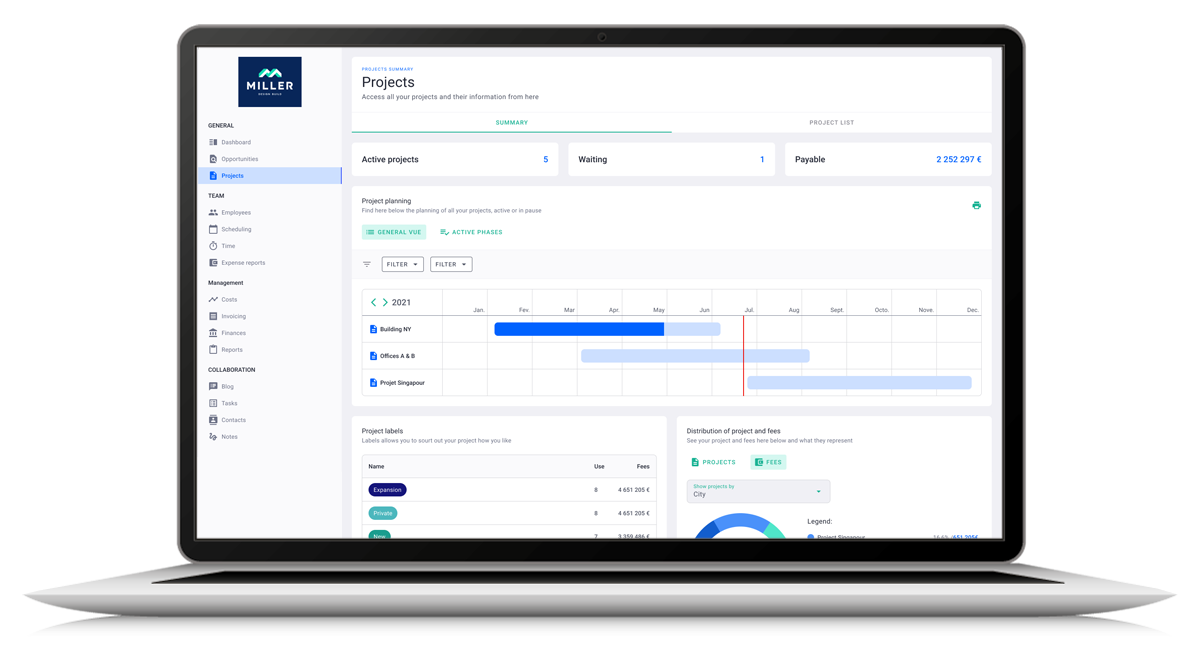
Project Flow Key Features
Project Flow is Milient’s project management solution built specifically for architecture and engineering practices, helping teams manage projects, track time, plan resources, monitor finances, and improve project visibility from start to finish.
Here’s how they replace the spreadsheets, inboxes, and disconnected tools that fragment project data.
1. From Offer to Final Invoice
/project_progress.png?width=1169&height=750&name=project_progress.png)
Project Flow sets up projects with phases, roles, budgets, and fees in a single workflow.
You can also track financial performance across RIBA (Royal Institute of British Architects) stages, and generate invoices directly from the same project data.
Resource Planning Built for Busy Architecture Firms
/schedule.png?width=1200&height=645&name=schedule.png)
Keep projects moving smoothly with built-in resource planning designed for architecture and engineering teams. Get a clear view of team capacity, workloads, and availability across projects, making it easier to allocate the right people at the right time.
As deadlines, priorities, and project demands shift, schedules can be adjusted quickly to help teams stay aligned and workloads balanced.
Project Progress Dashboard
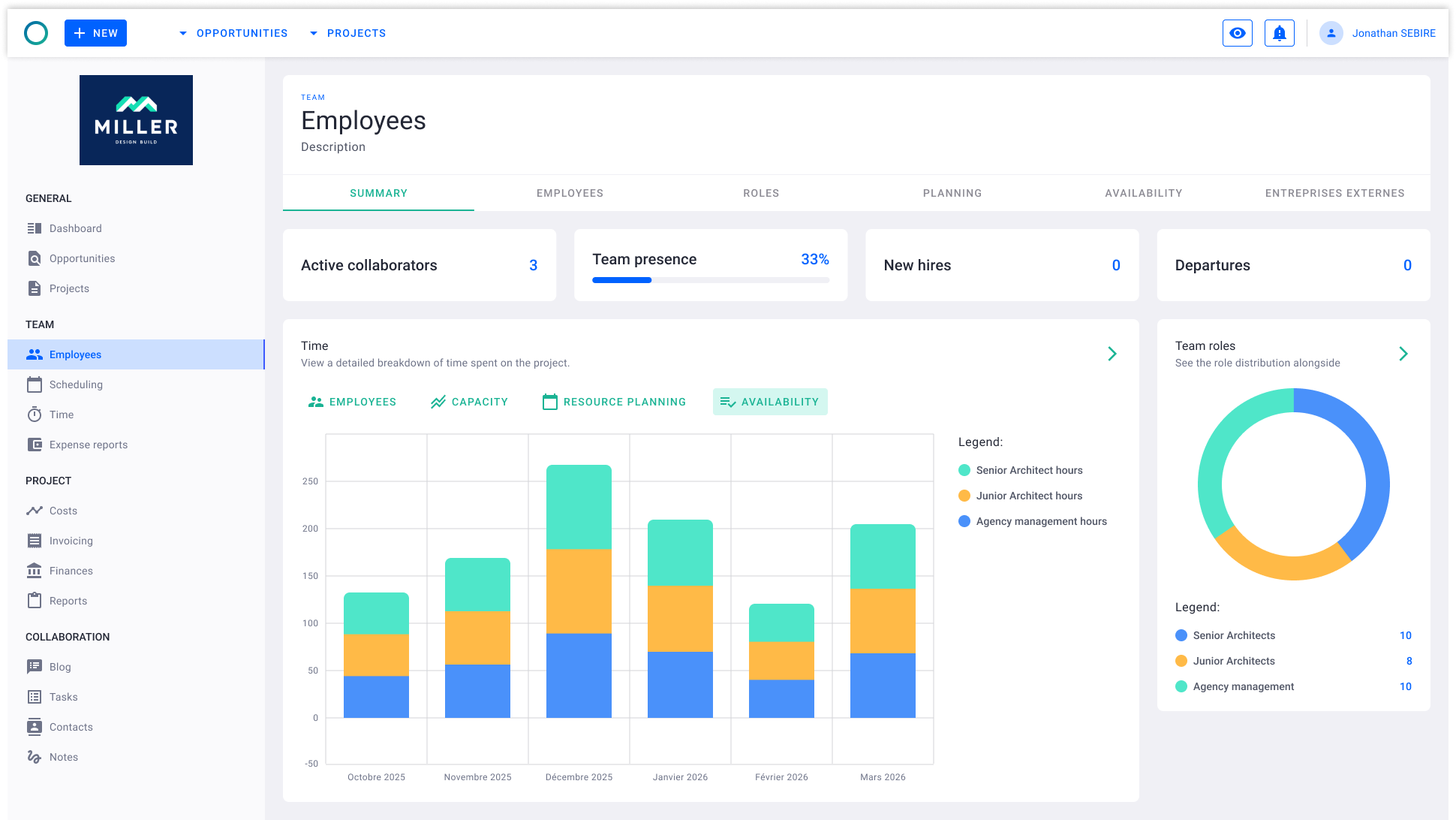
Get a live, filterable overview of all projects in one place. Track project status, fees, budget consumption, invoiced percentage, and revision history across your portfolio, helping teams stay informed, monitor performance, and quickly spot projects that may need attention.
Milient Software Pricing
 Milient Pricing varies depending on add-ons and modules. Explore different plan details to tailor your account today.
Where Milient Software Shines
-
-
- Purpose-built for architects: RIBA stages, phase-level fee tracking, built-in QA, and a mobile app are defaults. Open a project, and the structure architects actually work in is already there
- Connects with the tools architecture firms already use: Milient Integrations include Xero, Openasset, Sage, Power BI, and Outlook.
- Connected project and financial reporting: Time logged against a project phase updates the budget, feeds the invoice, and rolls into firm-wide reporting, so nothing needs to be exported or re-entered between tools
- Reporting built around practice performance: The analytics and reports tools give practice directors a live view of fee performance, utilisation rates, and project trends
- Grows with the firm: Small architecture teams get a clean, fast setup, while larger firms layer in resource management, capacity forecasting, and business intelligence without switching platforms
-
Where Milient Software Falls Short
-
-
- Not designed for solo architects: Milient is a full practice management software, which means it brings more structure than a one-person studio typically needs
- Not a design tool: Milient only manages the business side of your practice. You'll still need separate software for design and modelling work
-
Milient Customer Reviews
"Very user friendly. The display is easy to understand and I can change my operating language. I like the visualisation and the blog, which helps me and my colleagues communicate on our project progress." - Verified user, Capterra
"Project Flow allowed me to stop relying on endless Excel spreadsheets. Updating the billable forecast is the feature that has saved me a huge amount of time. The support team is very responsive." - Verified user, Capterra
"The ease of use. It's intuitive enough." - Verified user, Capterra
Questions? Flag to the content lead before publishing anything referencing the old product name.
Who Milient Is Best For
-
-
- Growing and large architecture practices ready to replace spreadsheets and fragmented tools with one connected system aligned to RIBA workflows
-
2. Autodesk Revit: Best BIM Software for Large-Scale Multidisciplinary Projects
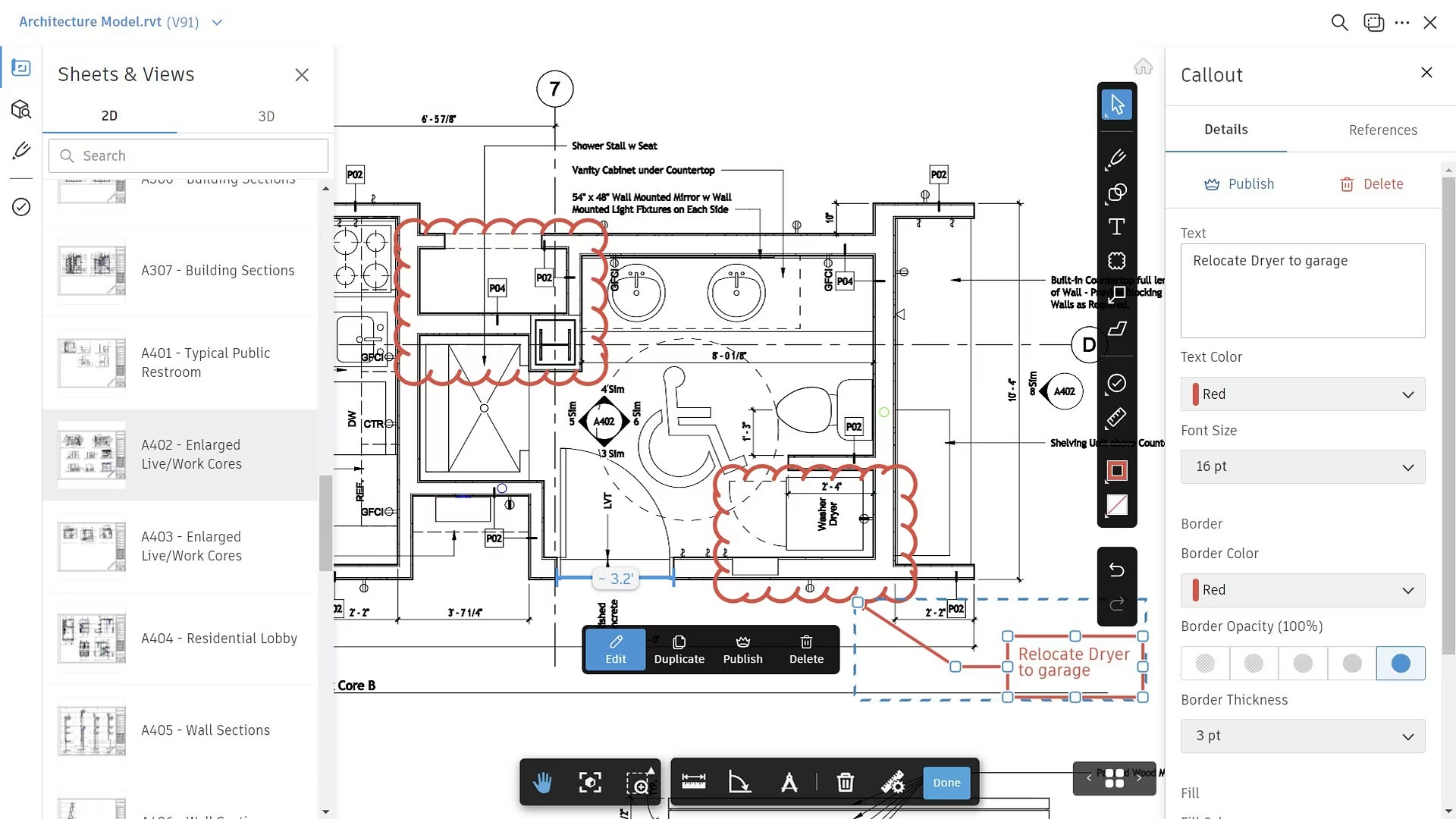
Revit is a BIM (Building Information Modelling) platform for large, multidisciplinary AEC projects.
You need it if your projects involve multiple consultants across architecture, structure, and MEP (Mechanical, Electrical, and Plumbing).
Key Features
-
-
- Parametric BIM Modelling: Every element carries embedded data parameters. Change a wall thickness, and every floor plan, section, schedule, and tag updates automatically across the model
- Multidisciplinary Coordination: Architecture, structural, and MEP teams work within a shared project environment with built-in clash detection
- Revit Cloud Worksharing: Multiple users co-author models simultaneously via Autodesk Construction Cloud, keeping distributed teams on the same version without file conflicts
-
Pricing
Where Autodesk Revit Shines
-
-
- Live linking with Twinmotion: Lets you push the design model into a real-time visualisation environment without re-modelling, including automatic substitution of Revit Families with high-fidelity Twinmotion assets
- The AEC Collection offers great value: The bundle includes AutoCAD, Civil 3D, Navisworks, and 3ds Max under one subscription, which removes the need for separate licences across disciplines
-
Where Autodesk Revit Falls Short
-
-
- Freeform and organic geometry require workarounds: Revit's parametric family system is built for orthogonal building elements, so projects with very fluid forms often start in Rhino or another modeller before being brought into Revit
- Windows only: Mac-first studios need Boot Camp or Parallels, which adds friction that compounds across daily workflows
-
Customer Reviews
Positive review - G2
“What stands out most about Revit isn’t just one feature—it’s how everything is connected. The biggest strength is that it’s fully parametric and model-based, which changes how you think about design,” shares Robby R.
Critical review - Capterra
"Very steep learning curve, along with its performance and stability issues, can make it difficult to operate by someone that is not sufficiently trained and has experience,” says Michael H.
Who Autodesk Revit Is Best For
-
-
- Established practices delivering large documentation-heavy projects: Revit handles the design and documentation layer well, but you’d still need a separate platform for project management
-
3. SketchUp: Best 3D Modelling Software for Early-Stage Concept Design

SketchUp suits architecture firms that need to get a design idea into 3D, show it to a client, and iterate quickly.
Key Features
-
-
- Push-Pull Modelling: Turn any 2D face into a 3D form with a single gesture. Architects who have never used 3D software can produce a credible massing study within hours
- 3D Warehouse: Millions of free downloadable models covering furniture, fixtures, trees, vehicles, and building components
- LayOut for Documentation: Produces 2D drawings and presentation sheets directly from the 3D model
-
Pricing
Where SketchUp Shines
-
-
- Concept-to-presentation in a single environment: From a sketch on the wall to a textured 3D model and a printable LayOut sheet to speed up the project and collaboration
- DWG and PDF export through LayOut: When consultants need drawings, the model translates cleanly, plus DWG export tags translate to CAD layers
-
Where SketchUp Falls Short
-
-
- Limited intelligent data: What you build stays as geometry, which means you need a second platform for full documentation on most commercial commissions
- LayOut hits a ceiling on heavy construction documentation: It handles presentations and planning documents well, but you’d need to switch to another tool for building warrant submissions for some projects
-
Customer Reviews
Positive review - G2
"It remains indispensable to most of the firms of the design industry as it allows designers very fast iterations, beautiful visualisations, and professional-grade performance and collaboration. The software is easy to set up, and the onboarding process is smooth," according to Jayant G.
Critical review - G2
"The ease of use is a plus for newcomers to 3D modelling, but it can eventually turn out to be a constraint for projects that are meant for professional quality," shares Designers S.
Who SketchUp Pro Is Best For
-
-
- Solo architects and small studios: SketchUp covers early-stage design, residential and interior projects, and client-facing presentation. You can pair it with a dedicated time tracking tool for architects if your team needs to log billable hours against projects
-
4. Graphisoft ArchiCAD: Best BIM Software for Mac-Based and Design-Led Practices
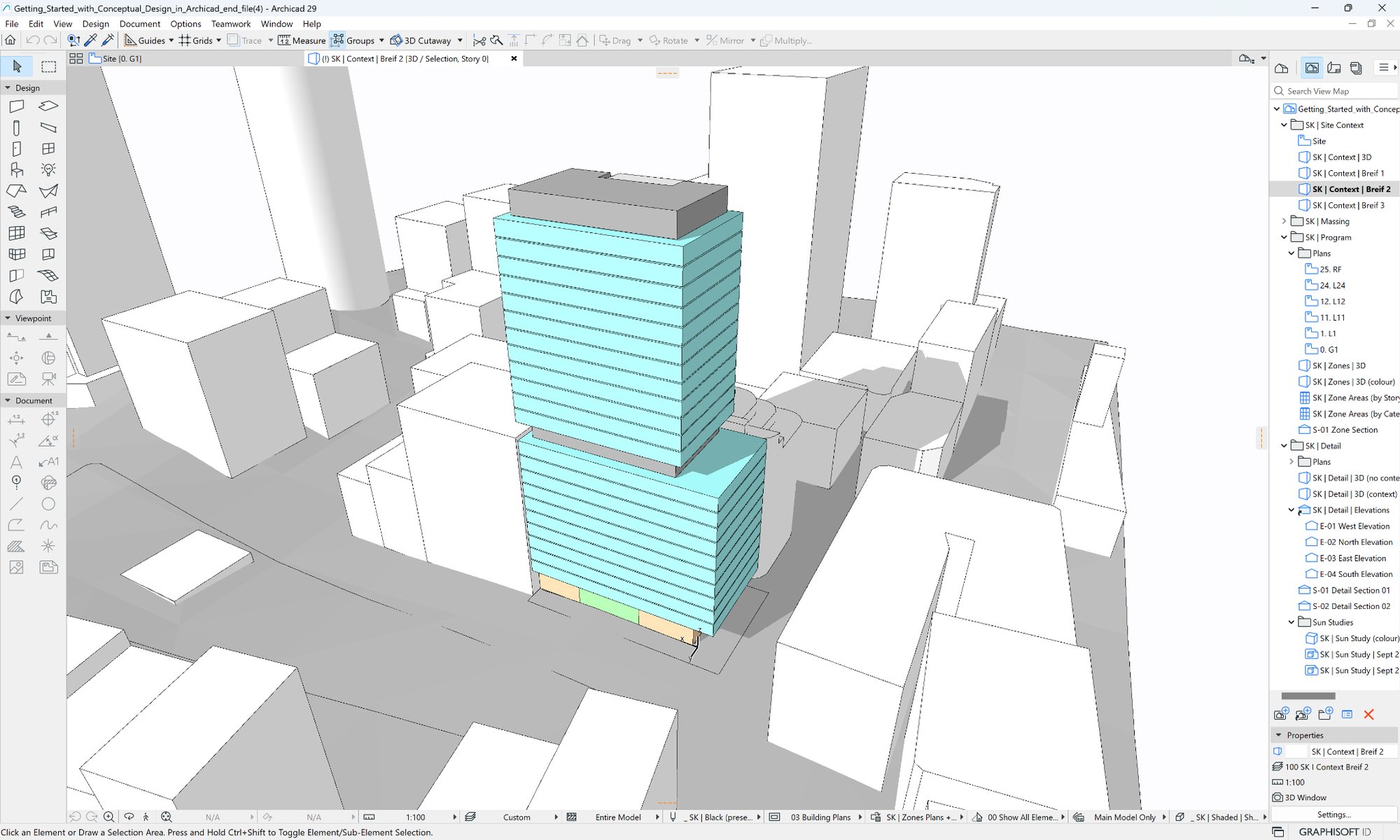
ArchiCAD is a BIM for architects who prioritize design quality over multidisciplinary engineering coordination.
It runs natively on Mac and Windows, models intuitively from walls and spaces rather than parametric grids, and connects to consultants through open IFC (Industry Foundation Classes) exchange.
Key Features
-
-
- Virtual Building Model: ArchiCAD works from architectural elements (walls, roofs, slabs, stairs) that behave like their real-world counterparts, making the process feel natural to architects who think spatially, and need fast iteration
- OpenBIM and IFC Exchange: Native IFC support means ArchiCAD models transfer cleanly to structural, MEP, and landscape consultants regardless of what BIM software they use
-
Pricing
Side Note
Graphisoft phased out perpetual licences in 2024. Subscription is now the only path for new customers.
Where ArchiCAD Shines
-
-
- BIMx for Client Presentations: Exports a navigable 3D model to a phone or tablet for site visits and client walkthroughs
- Built-in photorealistic rendering engine: Access to visualisation software like Enscape, D5, and Twinmotion to present concept-stage renderings to clients
-
-
-
- Cross-platform access: Access full features on Windows, Apple products, and Android
-
Where ArchiCAD Falls Short
-
-
- MEP and structural depth are limited: The Collaborate tier includes MEP Designer, but it does not match Revit for engineering-heavy projects. If your in-house team coordinates building services, expect to layer in a second tool
- Paywalled features for growing firms: Small but growing teams will need to upgrade plans to access important features like BIMCloud and MEP Designer
-
Customer Reviews
Positive review - G2
"I find Archicad to be an integral product for designing buildings as an architect. It is the primary tool I use to manage, coordinate, and develop project design information from concept to construction." Lorna M.
Critical review - G2
"While Archicad excels in design, it falls short in large-scale coordination and documentation. We struggled with standardization across teams, model scalability, and interoperability with consultants — especially MEP and structural teams working in Revit." Ana M.
Who Graphisoft ArchiCAD Is Best For
-
-
- Design-led practices of 1-50 architects on Mac or Windows: who prioritize design quality and OpenBIM collaboration. However, you’d need to run a separate platform alongside it for project economics, resource planning, and fee tracking
-
5. Monograph: Best Architecture Project Management Software for Small US Firms
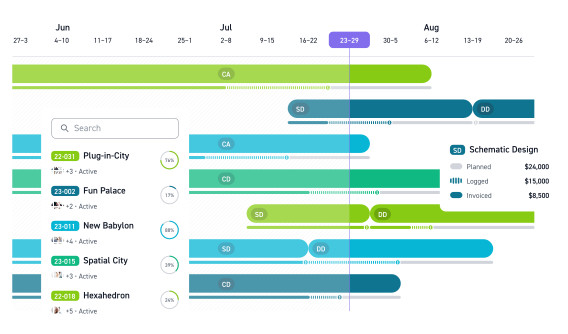
Monograph is a project planning platform built specifically for small US architecture and engineering firms.
It uses AIA (American Institute of Architects) phase language and gives small teams the kind of project and financial visibility they'd otherwise be building manually in spreadsheets.
Key Features
-
-
- Visual Project Gantt: Phase-based scheduling with colour-coded budget tracking
- One-Click A&E Reports: Utilization rate, realization rate, and profit and loss reports formatted in the language A&E firms use
- QuickBooks Online Sync: Two-way integration keeps invoicing and accounting aligned without duplicate data entry
-
Pricing
Where Monograph Shines
-
-
- AIA phase structure is built in: Schematic Design, DD, CD, and CA fee buckets are pre-configured, so you don't spend time mapping your fee structure into the platform
- Real-time burn against phase budgets: See which phases are over budget while there is still time to adjust scope or staffing
-
Where Monograph Falls Short
-
-
- No RIBA workflow support: Built entirely around AIA phases, which makes it a poor fit for UK and European firms working under RIBA frameworks
- Few integrations beyond QuickBooks: No native connections to Xero, Harvest, BIM platforms, or design tools
-
Customer Reviews
Positive review - G2
"It's pretty user-friendly - it's easy to create new projects, manage invoices/billing, and assign employees to tasks/projects." G2 Verified Reviewer.
Critical review - Capterra
"The fact that I need to subscribe to other tools to make it complete. If Monograph could offer an all-in-one suite (from estimate to billing), I would highly recommend it," shares Marc G.
Who Monograph Is Best For
-
-
- Small US-based architecture and engineering firms running QuickBooks that want clean project scheduling and invoicing in one tool. Not ideal for UK or European firms working under RIBA frameworks
-
For a broader comparison of tools across different firm sizes and regions, see our guide to the best architecture firm management software.
6. Deltek Ajera: Best ERP for Mid-Sized US A&E Firms with Integrated Accounting
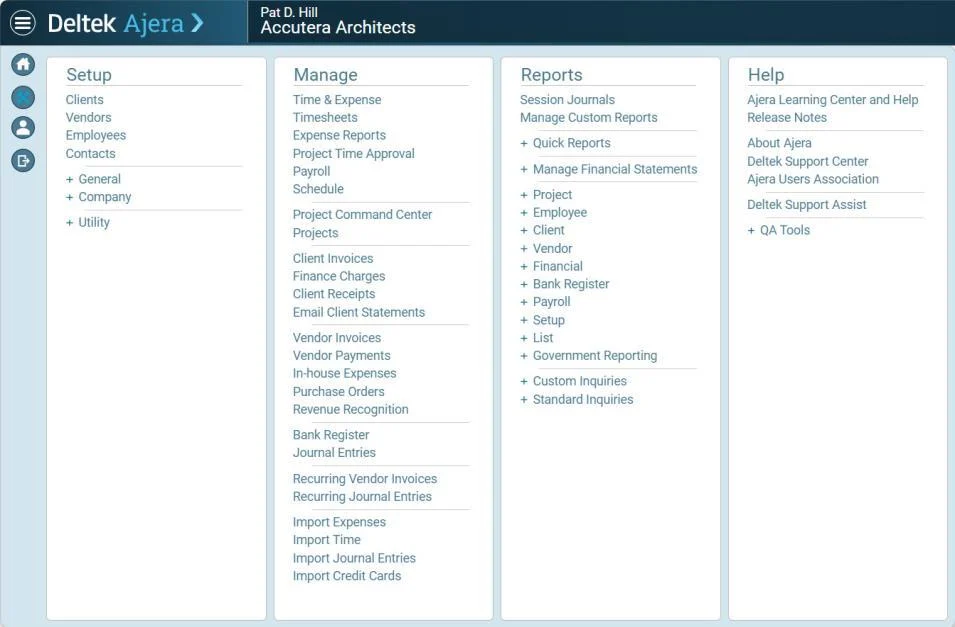
Deltek Ajera combines project management with a full accounting and ERP backbone. Ajera handles fixed-fee, time-and-materials, and milestone billing, with real-time integration between time entry and financial reporting.
However, it’s not well-suited to European firms working under RIBA frameworks. Here are some Deltek alternatives to consider instead.
7. Vectorworks Architect: Best BIM Software for Freeform and Creative Design Workflows
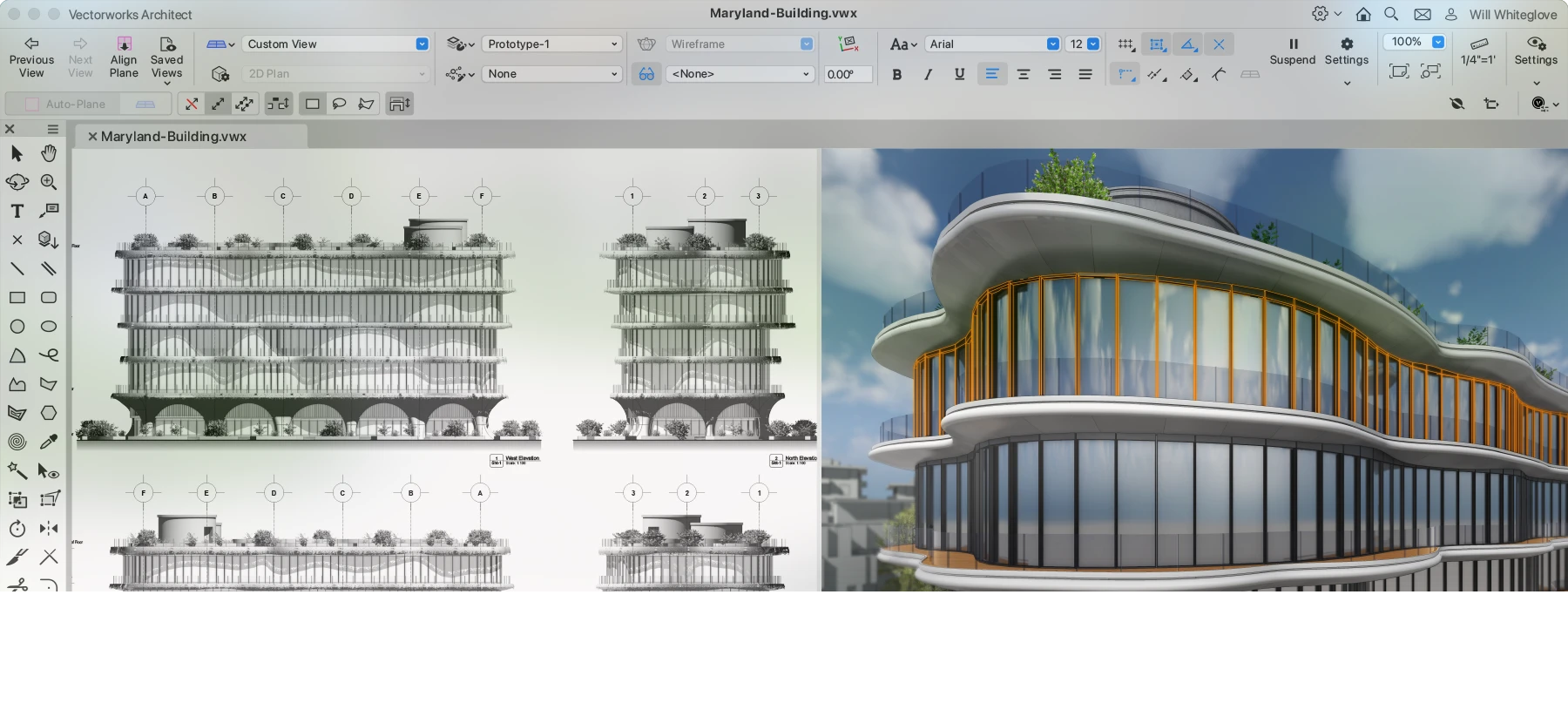
Vectorworks Architect handles BIM alongside freeform 3D modelling. It’s best for projects involving existing buildings, complex curved geometry, and landscape architecture using non-rectilinear forms.
The software runs natively on Mac and Windows with a free trial, and suits small-to-mid-sized firms, but doesn’t cover fees, timesheets, or resource planning.
8. AutoCAD Architecture: Best CAD Software for 2D Architectural Drawing and Drafting
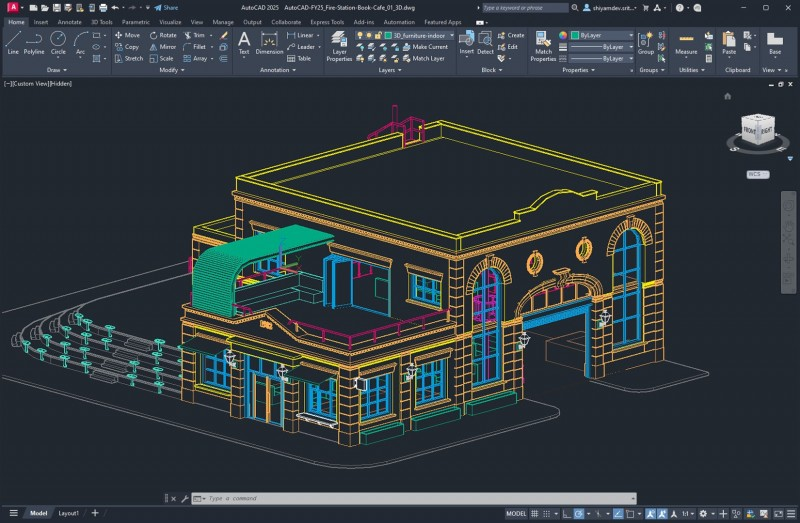
AutoCAD Architecture bundles Autodesk's industry-standard 2D drafting platform with architecture-specific intelligent objects (walls, doors, windows, stairs) that speed up drawing production.
It’s ideal for firms and individual architects producing 2D construction drawings, renovation documents, and smaller residential projects where full BIM isn't required.
9. Chief Architect: Best Architecture Software for Residential Design Automation
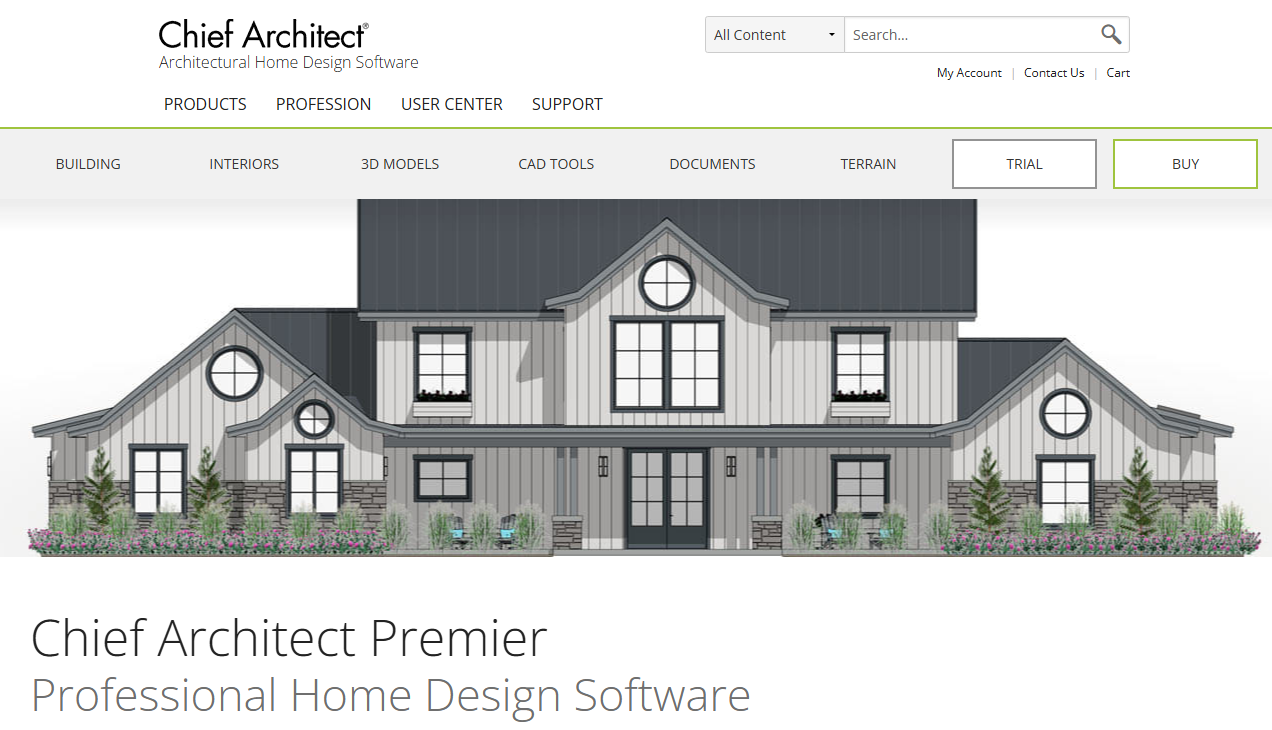
Chief Architect Premier automates the construction documentation process for residential work.
Design in 3D, and the software generates roofs, foundations, framing plans, electrical layouts, and elevations automatically. You can change the design, and every view updates across every drawing.
Best for residential architects, stock plan designers, and design-build firms delivering single-family housing and light commercial work.
How to Choose the Best Architecture Software for Your Firm
In AIA's 2024 Work-on-the-Boards survey, 30% of architecture firms ranked improving project profitability as their biggest concern for the year. That means that the platform you choose should close operational gaps that drain resources and time.
Here are some questions to ask before you choose:
PM vs BIM vs CAD: What Do You Need?
BIM and CAD tools handle what gets designed and documented, and project management software handles how the work gets planned, tracked, and billed.
Architecture firms need all three, but if your problem is lost fee hours, budget overruns, or scattered project data, no design tool will fix it.
/project_planning.png?width=935&height=556&name=project_planning.png)
In this case, you need Milient to cover the full project management layer from offer to invoice. It’s purpose-built for architecture firms that need to plan and deliver more efficiently.
Here’s a guide on project management vs project leadership, plus the best project management software for architects in 2026.
Individual vs Team Support
Solo architects can manage with lightweight tools, but once projects involve more than one person, you need shared visibility across timesheets, budgets, and resource allocation.
You need software like Milient, which allows role-based access, approval workflows, and firm-wide reporting, not just a shared spreadsheet.
Here’s our review of Spreadsheet vs Resource Scheduling Software for architects buying for a growing team.
RIBA vs AIA: Which Framework Does Your Firm Work To?
UK and European firms structure projects around RIBA stages. US firms typically use AIA phases. Most generic PM tools default to neither, leaving you to configure the structure from scratch.
Milient is RIBA-aligned by default. If you work to RIBA, the stage structure, checklists, and fee tracking are already built in.
Download Milient's free RIBA Stage 3 Checklist to see how RIBA-aligned project tracking works in practice before committing to a platform.
Choose the Right Architecture Software for Smarter Project Delivery
Is your biggest struggle planning and delivering your architecture projects?
For everything that runs the practice behind the design work, project fees, timesheets, resource planning, invoicing, and quality assurance, Milient is purpose-built for architecture firms at every stage of growth.
 Andrea Neeve
Marketing Associate
Want more content like this? Follow Milient: