Inaccurate timesheets mean undercharged invoices, unseen budget overruns, and fee negotiations you lose before they start.
The right time tracking software for architects fixes this, but most tools aren't built for how AEC firms actually work. We've reviewed the five best options so you can find the right fit for your practice, from dedicated architecture timesheet software to broader platforms.
Quick Comparison: Best Time Tracking Software for Architects
1. Milient’s Time Management Software: Best for Project-Based Architecture Billing
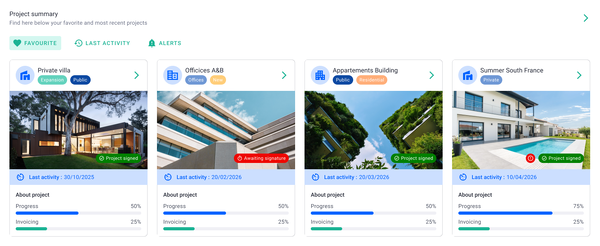
Milient Project Flow is a project management and timekeeping platform built specifically for architecture, engineering, and construction (AEC) firms.
Unlike generic time trackers, every hour logged in Project Flow ties directly to a project, phase, and budget, giving principals and project managers real-time visibility into costs, workload, and profitability without manual reconciliation.
Its deep integration between time registration, resource planning, and financial reporting makes it the strongest choice for firms that bill by project phase or fee agreement.
Key features
Project Flow packs a focused set of features designed around how architects and engineers actually work, logging hours against projects, tracking budgets in real time, and managing team availability across concurrent commissions.
1. Project-linked timesheets
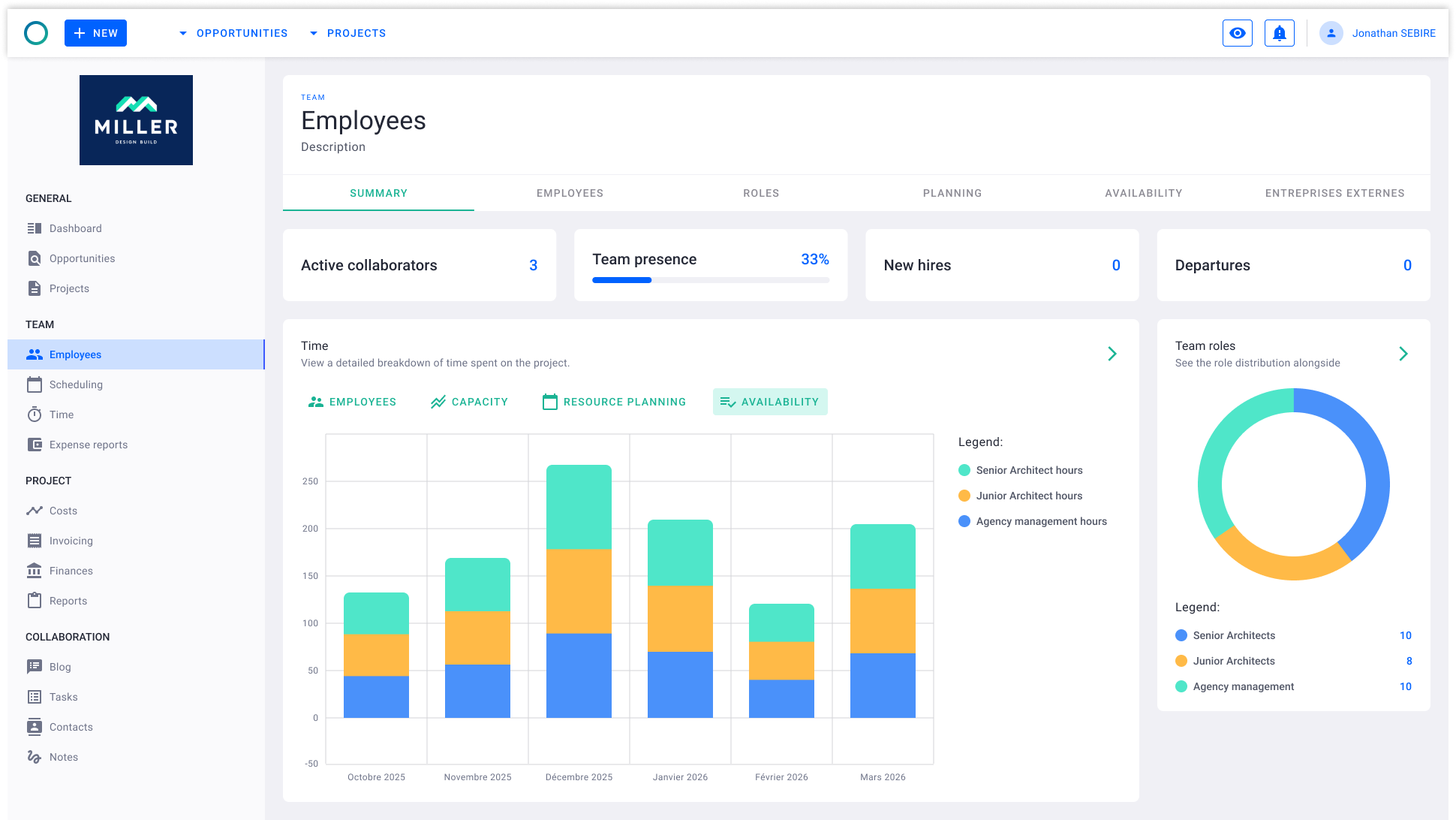
Each team member logs hours directly against specific projects, phases, and task types, including work, meetings, and vacation. The team timesheet view gives managers a live, week-by-week breakdown of who worked on what, with status indicators so nothing falls through the cracks. Hours feed straight into project cost calculations, eliminating double-entry between your time tool and your project tracker.
2. Budget hour tracking & productivity reporting
/project_progress.png?width=1169&height=750&name=project_progress.png)
Project Flow plots hours spent against productivity over time in a single chart, making it immediately obvious where a project is burning budget faster than output justifies. Managers can filter by project, phase, or date range and export the data for client reporting or internal reviews. This turns raw timesheet data into actionable insight without needing a separate BI tool.
3.Expense reports & cost composition
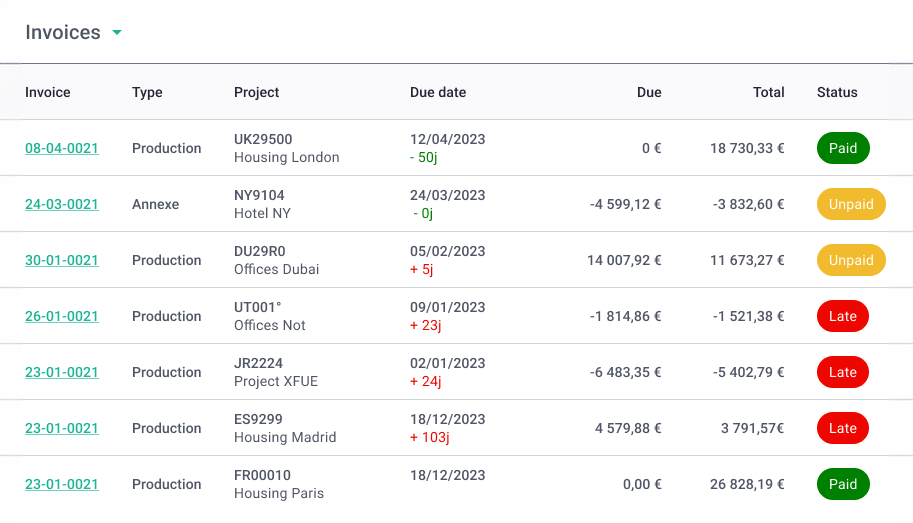
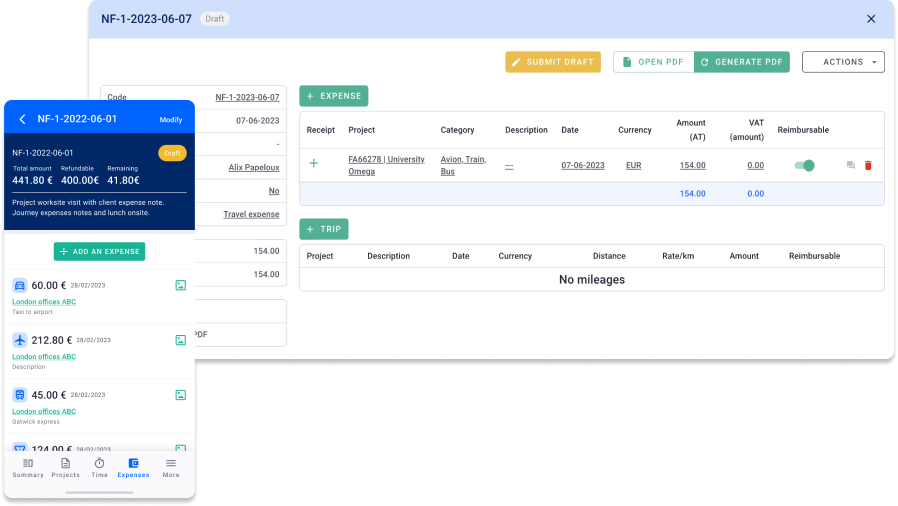
Staff can submit expense reports, complete with receipt photos from the mobile app, and assign them directly to projects. On the management side, a cost composition dashboard breaks total spend down by general expenses, payroll, and service providers, with month-by-month filtering. This gives finance teams a single view of where project money is actually going, salary costs included.
Pricing
Where Milient shines
-
-
- AEC-specific project structure: Time is logged at project, phase, and task level, matching the fee structures architects actually use, rather than forcing a generic client/task hierarchy on a purpose-built workflow.
- Real-time budget visibility: Because timesheets, salaries, and expenses all flow into the same cost model, project managers see live burn rates against budget without waiting for month-end reports.
- Built by Architects & Engineers: Project Flow was developed by architects and engineers, so the interface reflects the way AEC teams actually plan and track work, including integration with resource planners and support for overtime and vacation tracking.
-
Where Milient falls short
-
-
- Calendar integration could be deeper: Users have noted that hours logged against projects don't yet surface directly in the calendar view, which means there's no single glanceable overview of time planned versus time spent across the working week.
- Steeper onboarding for small teams: The depth of project, phase, and cost configuration that makes Project Flow powerful for larger practices can feel like overhead for solo architects or very small studios who just need simple hour logging.
- Some document and invoicing features still maturing: A small number of users have flagged that the word processing section and invoice numbering based on accounting period dates could be refined further.
-
Customer reviews
"Project Flow allowed me to stop relying on endless Excel spreadsheets. Updating the billable forecast is the feature that has saved me a huge amount of time. The support team is very responsive."
- Verified Capterra Review
"The ease of use, it's intuitive enough. It would be nice to integrate the working hours spent on a project in the calendar, to have a more general overview of them."
- Verified Capterra Review
Who Milient is best for
-
-
- Mid-size architecture & engineering practices: Teams of 5-200 who bill by project phase and need time, expenses, and budgets managed in one place.
-
2. Monograph: Best for small US architecture firms already using QuickBooks Online
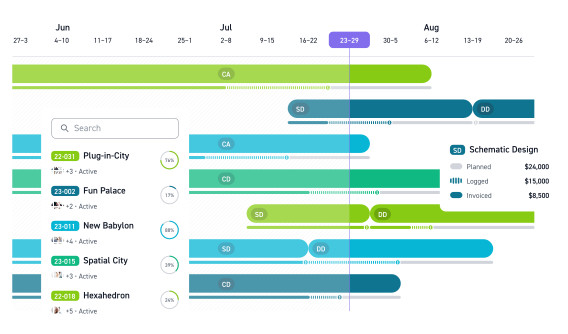
Monograph is a US-based time tracking and project management tool for architecture and engineering firms. It connects timesheets to project phases, staff budgets, and QuickBooks Online, and is known for a clean interface that makes time entry straightforward. It covers the core tracking workflow well but stops short of being a full practice management suite.
Key features
-
-
- Phase-level timesheets: Log hours against project phases and activities from a weekly grid, with auto-assignment based on staffing plans.
- Fee and budget tracking: Real-time visibility of fee consumption by phase, with utilisation reporting across the team.
- Mobile time and expense capture: Log hours and photograph receipts on site via the mobile app.
- QuickBooks Online integration: Time and expense data syncs directly to QBO for accounting.
- Gantt chart scheduling: Phase-level project timelines with milestone tracking.
-
Pricing
Where Monograph shines
-
-
- Clean, architect-friendly interface: The UI is intuitive enough that teams actually adopt it, a genuine differentiator in a category where timesheet compliance is a constant struggle.
- QuickBooks-connected workflow: For US firms already on QBO, the native integration meaningfully reduces accounting admin.
-
Where Monograph falls short
-
-
- Not an all-in-one solution: Users frequently note the need to subscribe to additional tools for invoicing and billing. Firms wanting a single platform for timekeeping, expenses, and financial reporting may find the gaps frustrating.
- Support has slipped: Several Capterra reviews flag slower response times and no community forum as the platform has grown, a concern for firms with time registration compliance obligations.
- US-centric pricing and integrations: Dollar-denominated pricing and a QBO-first integration focus make it a less natural fit for European practices. Teams struggling to get consistent timesheet submissions may also find the mobile app needs improvement.
-
Customer reviews
"My team of architects enjoy looking at and analysing data now. Fee and staffing projections are married together to give a clear picture of our firm's profitability."
"Support is quite a bit slower now and there is no community forum. Invoicing requires the review of multiple tabs simultaneously, we've suggested combining this but nothing has been done yet."
Who Monograph is best for
-
-
- Small US-based architecture firms: Studios of 5-20 staff already using QuickBooks Online who want a simple, well-designed time and budget tracker.
- Firms comfortable using multiple tools: Practices that don't mind supplementing with separate invoicing or billing software.
-
3. Productive: Best for: Digital and creative agencies wanting an all-in-one management tool
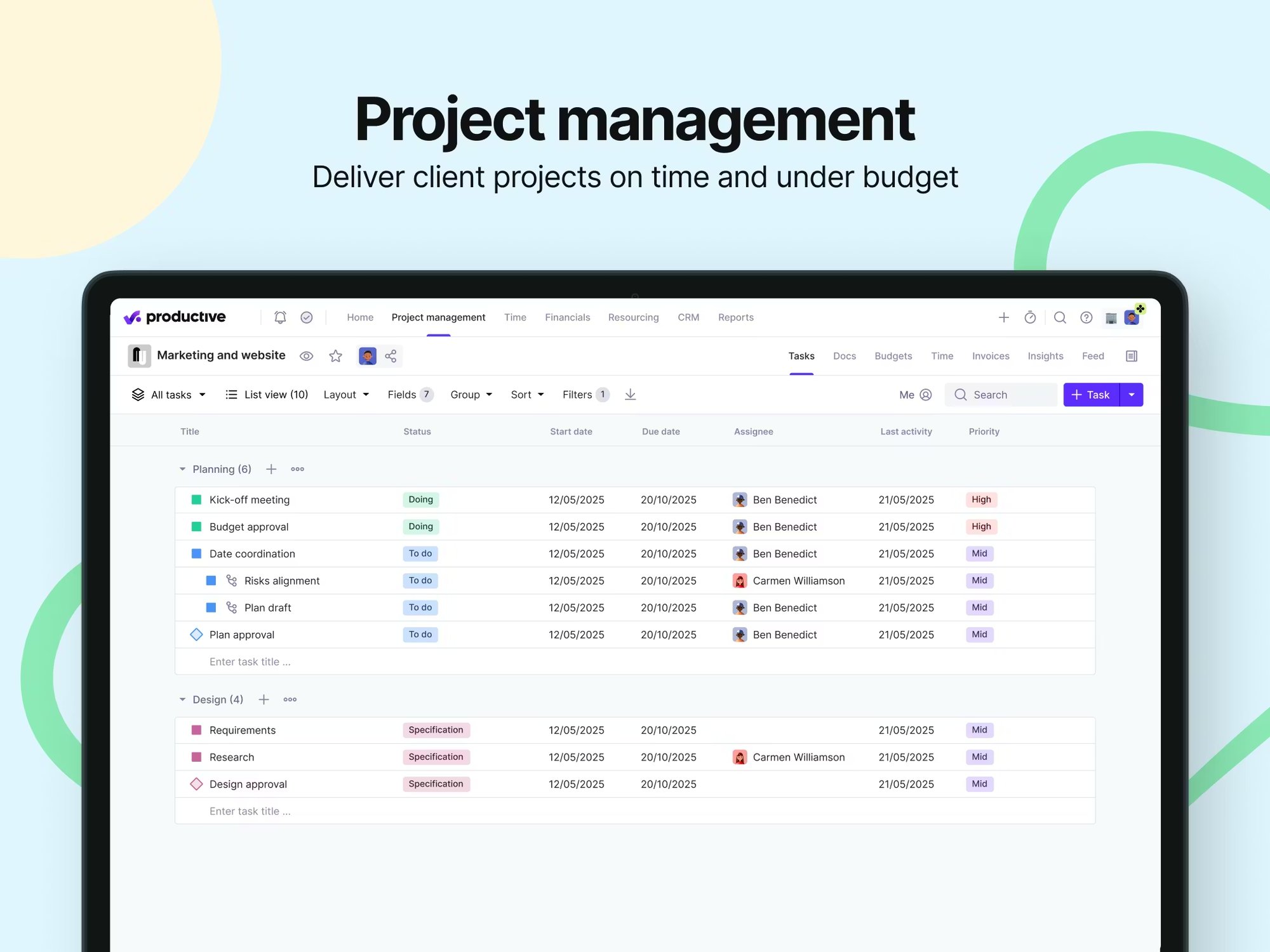
Productive is an agency management platform that combines time tracking, project management, budgeting, and CRM in one tool. It's built primarily for agencies and consultancies rather than AEC firms specifically, but its breadth makes it appealing to teams wanting to consolidate multiple tools.
Time tracking feeds directly into profitability reporting, and an AI-assisted layer is being added across the platform. It's broad by design, though that depth can bring a learning curve.
Key features
-
-
- Multiple time entry methods: Log time daily, via weekly timesheets, Google/Outlook calendar sync, desktop timer, or automatic tracking based on pre-scheduled bookings.
- Billable vs non-billable tracking: Time entries are flagged as billable or non-billable, feeding directly into profitability reports per project and person.
- Time approval workflow: Managers can approve or request changes to submitted time entries before they're locked for invoicing.
- Time off management: Built-in leave requests and approvals feed automatically into resource planning, removing the need for a separate HR tool.
- Profitability reporting: Real-time dashboards show budget spend, billable hours, and team utilisation across the portfolio.
-
Pricing
Where Productive shines
-
-
- Breadth of features in one platform: Productive genuinely covers a wide surface area, time tracking, resource planning, budgeting, invoicing, and CRM, which suits agencies that want to reduce the number of tools they're paying for.
- Flexible time entry options: The range of ways to log time (calendar sync, desktop timer, auto-tracking, task-level entry) gives teams options that suit different working styles, which helps with consistent timesheet compliance.
-
Where Productive falls short
-
-
- Not built for AEC project structures: Productive is designed for agencies and consultancies, not architecture or engineering firms. It lacks the phase-level project hierarchy and AEC-specific billing logic that practices need for accurate fee tracking. Teams with a formal timekeeping policy tied to project phases will find the fit imperfect.
- Learning curve for a broad tool: The depth that makes Productive powerful also makes it complex to set up, several users note it can feel intricate and not immediately user-friendly, especially for teams who only need time tracking rather than the full suite.
- Time tracking can feel fiddly: Despite the range of entry methods, user reviews flag that the time tracking experience itself could be more streamlined, a concern for practices relying on it for EU time registration compliance.
-
Customer reviews
"A great tool to manage agency projects, timesheets, and finances. Easy to navigate, and super fast to get help if you need it. Very efficient and user friendly, covers project management, time logs, budgeting, and reporting."
"Productive gives great clarity on project progress and budgets, and whether projects are running on time or over. Very clear and easy to use on the whole. Though time tracking can be a bit fiddly and could be more streamlined."
Who Productive is best for
- Digital and creative agencies: Teams running service-based projects who want time, budgets, CRM, and invoicing in one platform.
- Firms comfortable with a learning curve: Practices willing to invest setup time in exchange for broad functionality across their whole operation.
4. Deltek: Best for large enterprise AEC firms and government contractors
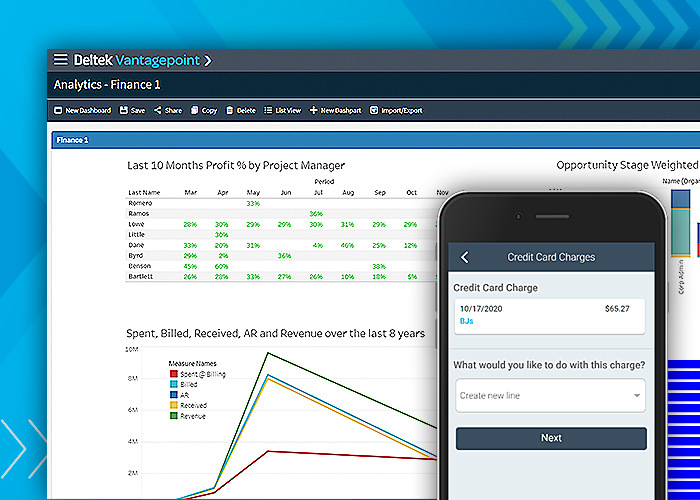
Deltek is an enterprise ERP platform with a long-standing presence in the AEC and government contracting sectors.
Time tracking is one module within a much larger system covering project financials, CRM, compliance, and HR. The depth is real, but so is the complexity, it's an enterprise tool with enterprise overhead, and most small to mid-size architecture practices will find it disproportionate to their needs.
Key features
-
-
- AI-assisted timesheets: Automated time suggestions and compliance checks built into the timesheet workflow.
- DCAA and GDPR compliance: Built-in controls for government contractors and firms with EU time registration requirements.
- Full ERP integration: Time connects to payroll, HR, project accounting, and CRM across the Deltek ecosystem.
- Mobile time capture: Log time and expenses via mobile on or off site.
-
Pricing
Deltek does not publish pricing. All plans are custom-quoted based on product line, modules, user count, and deployment. No free trial is available. Third-party sources estimate starting costs from around $30/user/month, but enterprise implementations run significantly higher.
Where Deltek shines
-
-
- Enterprise compliance: Strong fit for firms with hard DCAA or GDPR compliance requirements where audit trails and labour law controls are non-negotiable.
- Large-scale integration: Covers the full organisation, time, payroll, HR, and financials in one system for firms complex enough to need it.
-
Where Deltek falls short
- Cumbersome to use: Users consistently flag a dated interface, excessive clicks to enter time, and help documentation that lags behind the product. Getting teams to fill out timesheets consistently is harder when the tool feels like work.
- Heavy cost and implementation: Significant setup effort, long learning curve, and pricing well above most alternatives. Smaller practices with straightforward timekeeping needs will be paying for a lot they don't use.
Customer reviews
"Intuitive interfaces and dashboards give great visibility into projects. Our launch went smoother than expected."
"Focused on the engineering space and customisable, but the interface feels dated. Entering time requires too many clicks and the AI agent is inconsistent — faster to bypass it entirely."
Who Deltek is best for
-
-
- Large AEC and engineering organisations: Firms of 100+ staff needing a fully integrated ERP with compliance built in.
- Government contractors: Practices with hard DCAA compliance requirements.
-
5. Xero: Best for small businesses wanting accounting software with basic time tracking built in
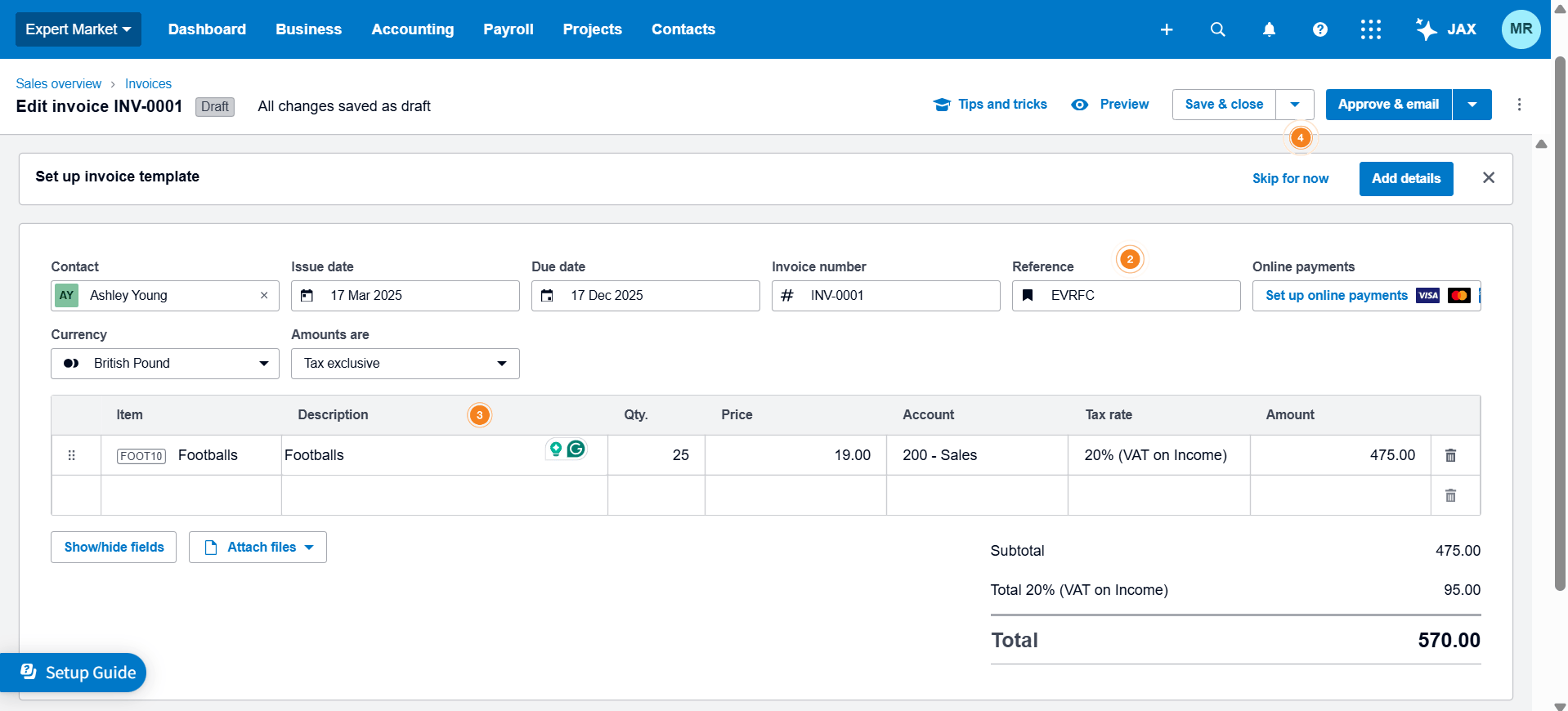
Xero is primarily an accounting platform with time tracking included via its Xero Projects module. It handles the timesheet-to-invoice workflow well for simple client billing, but it isn't designed around project phases or AEC workflows.
For practices needing more than basic hour logging, such as phase budgets, resource planning, or expense management against projects, it quickly shows its limits.
Key features
-
-
- Time-to-invoice workflow: Tracked hours auto-populate client invoices with rates and descriptions, no manual re-entry.
- Multiple entry methods: Log time via timer, manual entry, or GPS auto-tracking on mobile.
- Billable vs non-billable tracking: Separate billable and non-billable hours per project for accurate client reporting.
- Payroll integration: Time entries feed directly into Xero Payroll for pay runs.
-
Pricing
Xero is priced as accounting software, time tracking is included in paid plans rather than priced separately. UK pricing below (standard rates; promotional discounts available).
Where Xero shines
-
-
- Accounting-first simplicity: If a firm already uses Xero for bookkeeping, having time tracking in the same system removes one integration and keeps the invoicing workflow clean and fast.
- Low barrier to entry: Easy to set up, with a clear interface that non-finance staff can pick up quickly, useful for very small teams without dedicated practice managers.
-
Where Xero falls short
-
-
- Not built for AEC project structures: Xero tracks time against clients and tasks, not project phases or fee agreements. Architecture firms with formal timekeeping policies tied to RIBA stages or budget phases will find it too basic.
- Limited reporting flexibility: Users flag that report customisation is restricted and that invoice editing can be clunky. Teams with EU time registration requirements will need more granular controls than Xero offers.
- Time tracking is secondary: It's an accounting tool that includes time tracking, not a time tracking tool. Firms trying to build consistent timesheet habits across a team need something purpose-built.
-
Customer reviews
"Clean, intuitive UI that makes finance easy for both finance and non-finance staff. Strong integration ecosystem and good value compared to larger ERP platforms."
"Clean design and reports generate quickly. But bank reconciliation takes much longer when data isn't 100% accurate, and not being able to edit an invoice without removing the payment first is frustrating."
Who Xero is best for
-
-
- Small practices already on Xero for accounting: Firms who want basic time-to-invoice tracking without switching tools.
- Freelancers and sole traders: Individuals billing hourly who need simple time logging and invoicing in one place.
-
How to Choose the Best Time Tracking Software for Architects
Not all time tracking tools are built the same, and for architecture firms, the gap between a generic tool and one designed for project-based work is significant. Time tracking also sits within a wider set of operational needs covered by architecture firm management software, but here we focus on the key time-specific features to look for before committing to a platform.
Does it track time at project and phase level?
Architecture projects are structured around phases, schematic design, design development, construction documentation, and so on. Your time tracking tool needs to reflect this, so hours log against the right phase and feed into fee burn reporting accurately.
A tool that only tracks time by client or task will leave gaps in your project data. Milient Project Flow is built around exactly this structure, every timesheet entry maps to a project, phase, and activity, giving you real-time visibility straight from the timesheet.
For a closer look at how this plays out on the engineering side, see our guide to Engineering Time Tracking Software.
Does it connect time to budgets in real time?
Logging hours is only useful if those hours are automatically reflected in your project budget. Without this link, you're always working from yesterday's data, and by the time you spot an overrun, it's too late to act.
Look for a tool where time entries update budget burn automatically, without manual reconciliation. Milient does this natively, so project managers can see live fee consumption at any point, helping you track the financial metrics that matter without extra admin.
/time%20management.svg)
Does it handle expenses alongside time?
On-site visits, travel, materials, project expenses need to sit alongside time entries, not in a separate system. When expenses are siloed, reconciling project costs at invoice time becomes a manual headache.
The best tools let staff submit expenses directly against projects, ideally with mobile receipt capture. Milient includes expense reporting within the same platform, so your full project cost picture is always in one place, making invoicing faster and more accurate.
Will your team actually use it?
The best time tracking system in the world only works if people fill it in. Adoption is often the hardest part, and it comes down to how easy the tool is to use on a daily basis.
Look for a clean interface, mobile access, and ideally a calendar view that helps staff plan as well as record. Milient was developed directly with architects and engineers for this reason, and its mobile app means team members can log time from wherever they're working.
Does it support compliance and reporting requirements?
Depending on where your firm operates, time registration may carry legal obligations. EU regulations increasingly require firms to keep verifiable records of working hours. Your tool needs to support this with reliable audit trails and exportable reports, not as an afterthought, but as a core feature.
Milient is built with compliance in mind, with structured timesheet approval workflows and reporting that meets the financial and regulatory standards AEC firms need.
Optimise, Organise And Save Time With Milient’s Software For Architects
Choosing the right time tracking software comes down to one question: does it work the way your firm works? Generic tools can handle basic hour logging, but architecture practices need something that understands project phases, fee agreements, and the link between time and profitability.
If you're running a small US studio on QuickBooks, Monograph covers the basics. If you need enterprise ERP with compliance built in, Deltek has the depth, at the cost and complexity that comes with it. But for most AEC firms looking for a purpose-built tool that connects time, budgets, and expenses without the overhead of a full ERP, Milient Project Flow is the strongest fit.
The next step is understanding how your time actually translates into profit. Read our guide on making the most of non-billable work, or use our framework to assess whether a project is actually worth taking on. Or if you're ready to see how Milient works in practice, book a demo and we'll show you.
 Andrea Neeve
Marketing Associate
Want more content like this? Follow Milient: