
Scoro alternatives: find the right fit for your team
If you’re exploring Scoro alternatives, you’re likely dealing with common challenges like complex setup, rising costs, or limitations in reporting and workflow flexibility. While Scoro offers a broad all-in-one platform, it doesn’t always suit every team or industry.
The good news is there are strong alternatives available. In this guide, we break down the best Scoro alternatives to help you choose the right tool based on your workflows, team size, and project requirements.
Best Scoro Alternatives at a Glance
| Tool | Best for | Standout Feature | Price Starting Point |
| Milient Project Flow | Architects & engineers | Purpose-built project & resource management | From £20/user/month |
| Teamwork | Client work & service-based teams | Time tracking, billing & project delivery in one | From $5.99/user/mo |
| Microsoft Project | Enterprise project planning | Advanced scheduling & portfolio management | From $10/user/mo |
| Monday.com | Customisable work management | Dashboards, automation & cross-team visibility | £8/user/month |
| Trello | Simple task tracking | Visual Kanban boards | Free plan available |
1. Milient Project Flow: Best for Architecture & Engineering Practices Seeking a Simpler Scoro Alternative
/Blocs%20Project%20Cards.png?width=1529&height=628&name=Blocs%20Project%20Cards.png)
Milient Project Flow is a purpose-built project management platform designed specifically for architects and engineers. Unlike Scoro’s highly customisable but often complex setup, Project Flow provides structured, ready-to-use workflows that simplify project delivery, financial tracking, and team coordination, all in one intuitive system.
You can read more about selecting the right architecture software for your practice in our dedicated guide.
Key features
Milient Project Flow focuses on delivering everything project-based teams need, without unnecessary complexity. From planning and time tracking to invoicing and reporting, each feature is designed to follow how AEC practices actually work.
- Project Planning & Resource Management
/schedule_task2.png?width=1200&height=645&name=schedule_task2.png)
Get a clear overview of project timelines, phases, and team workload in one place. Projects are broken down into structured stages, making it easy to track progress, manage dependencies, and understand how work evolves over time without relying on manual tracking.
- Integrated Invoicing & Financial Overview
/invoicing_dashboard.png?width=1200&height=645&name=invoicing_dashboard.png)
Get a clear picture of your project finances in one place. Track revenue, monitor unpaid invoices, and forecast planned income, all without leaving the platform. Built-in financial dashboards give you real-time visibility across all projects, so you always know where your practice stands.
- Scalable Reporting & Business Intelligence
/project-details.png?width=770&height=873&name=project-details.png)
Generate and export custom reports across projects, timelines, and deliverables in just a few clicks. From phase progress to project schedules, Project Flow auto-generates the reports your team needs, so you spend less time compiling data and more time delivering great work.
Where Milient shines
- Purpose-built for AEC: Designed specifically for architects and engineers, reducing the need for heavy customisation
- Simpler setup vs Scoro: Pre-configured workflows mean faster onboarding and quicker time-to-value
- End-to-end visibility: Combines projects, resources, time, and finances in one clear system
Where Milient falls short
- Less suited for non-AEC industries: Built specifically for project-based firms like architecture and engineering
- Fewer “all-in-one CRM” features: Focuses more on delivery than sales pipeline management
Customer reviews
“Project Flow is a unique tool. It allows us to centralise all our documents, requests, and scheduling in one single piece of software rather than having several separate files. It also gives us an overall view of all service requests, interventions, and works. This software is truly the key tool for our department.”
Who is Milient best for
- Small to mid-sized AEC practices: Need structured project management without complexity
- Growing teams: Want better visibility across projects, resources, and finances
- Firms moving away from spreadsheets or Scoro: Looking for a simpler, purpose-built alternative
Milient Pricing
| Plan | Price (per user/month) |
| Pro | £20/user/month |
| Enterprise | Custom |
2. Teamwork: Best for Client-focused Project and Resource Management
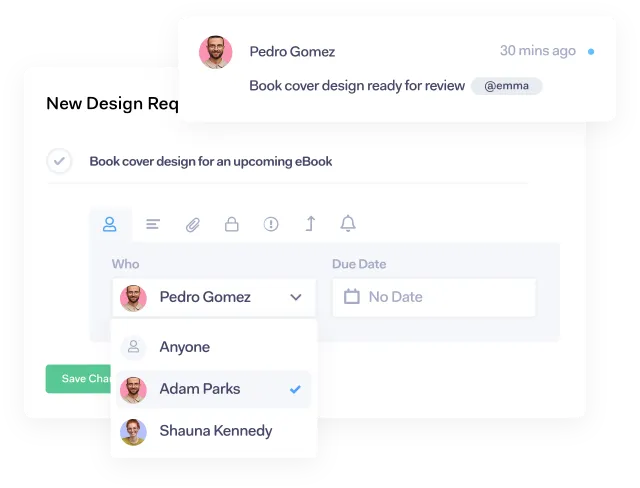
Teamwork.com is a project management platform built for teams delivering client work. It combines task management, time tracking, resource planning, and financial insights in one place. Its standout USP is its focus on profitability and client delivery—helping teams manage projects while keeping budgets, billable time, and resources aligned.
Key features
- Client project management: Manage tasks, milestones, and deliverables with list, board, or Gantt views, keeping client work structured and visible.
- Time tracking & billing: Track billable and non-billable hours directly within projects, helping teams better understand utilisation and profitability.
- Resource & workload planning: Visualise team capacity and balance workloads to avoid over- or under-utilisation.
- Reporting & profitability insights: Access real-time dashboards on project health, budgets, and margins to support better decision-making.
- Teamwork AI: Automate admin tasks like generating task lists or surfacing insights, reducing manual work across projects.
Pricing
| Plan | Price (per user/month) | Best for |
| Basics | £9.99 (billed yearly) | Small teams managing projects & time tracking |
| Accelerate | £24.99 (billed yearly) | Growing teams needing automation & capacity planning |
| Optimize | Custom pricing | Services businesses managing budgets & profitability |
| Enterprise | Custom pricing | Larger organisations needing advanced security & control |
Where Teamwork shines
- Strong client delivery focus: Built specifically for managing client projects, with integrated billing, time tracking, and financial visibility.
- All-in-one functionality: Combines project, resource, and financial management in a single platform, reducing the need for multiple tools.
- Collaboration & communication: Centralises client communication, files, and updates, making it easier to keep everyone aligned.
Where Teamwork falls short
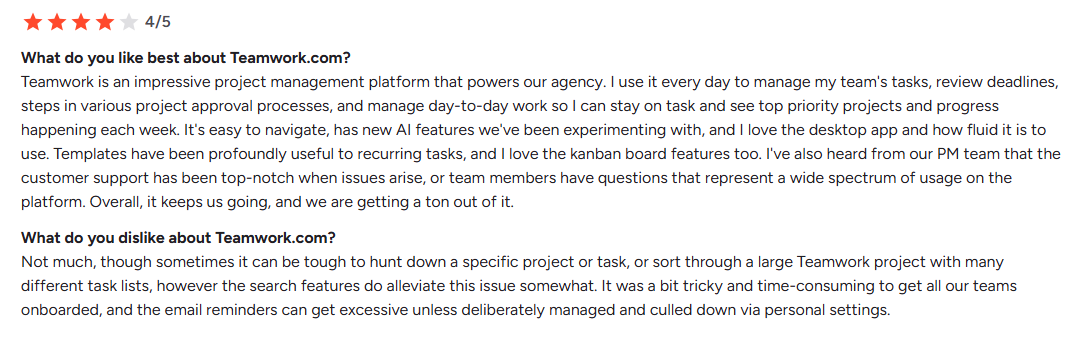
- Navigation can feel complex: Some users report that features are slightly hidden or harder to navigate, especially for new users.
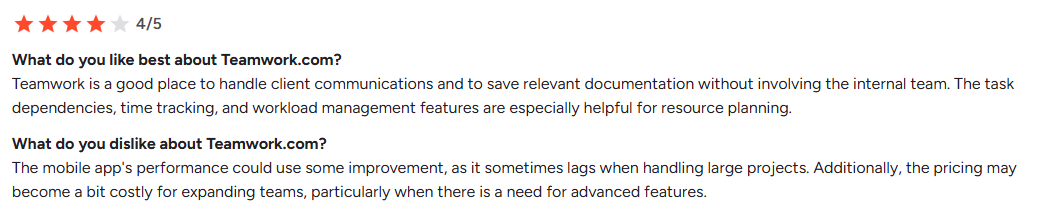
- Performance issues at times: Reviews mention occasional bugs or lag, particularly when managing larger or more complex projects.
- Pricing scales quickly: Costs can increase significantly for growing teams needing advanced features.
- Overly complex for smaller teams: Some users find the platform includes more features than they need, making it harder to use efficiently, particularly for smaller practices or startups.
You can also learn more about finding a Teamwork alternative in our in-depth guide for smaller practices.
Customer reviews
Who Teamwork is best for
- Agencies & client service teams: Need integrated time tracking, billing, and collaboration tools
- Professional services firms: Managing multiple client projects with resource planning needs
- Growing teams: Looking to move beyond basic task management into more advanced project and financial tracking
3. Microsoft Project: Best for structured project planning in enterprise environments
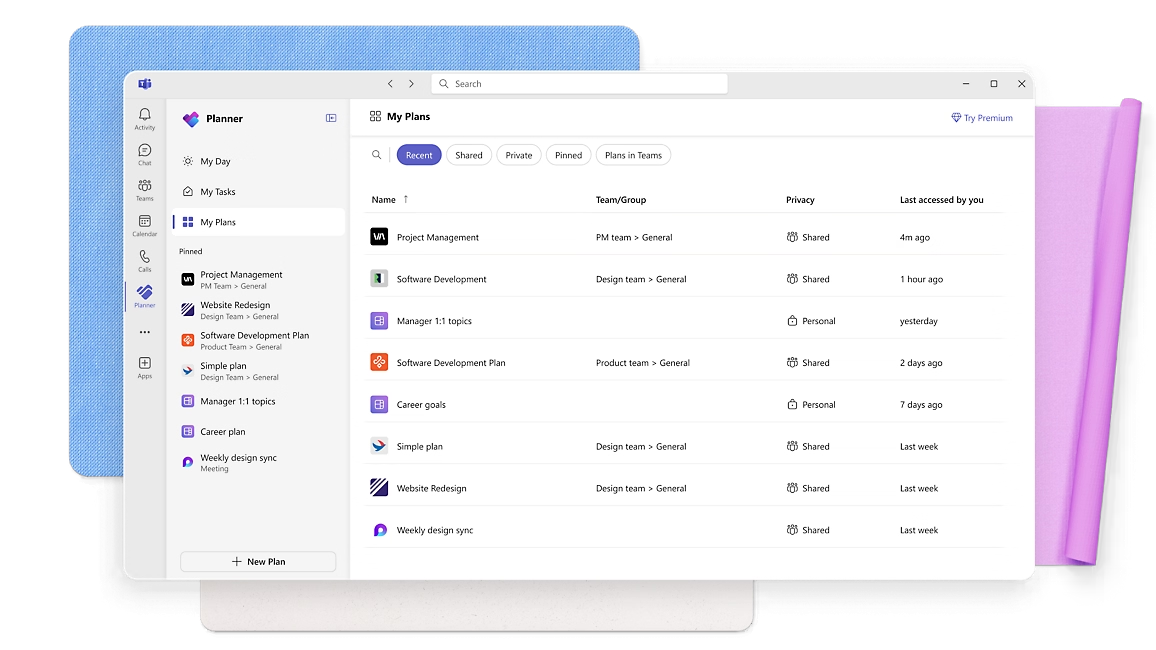
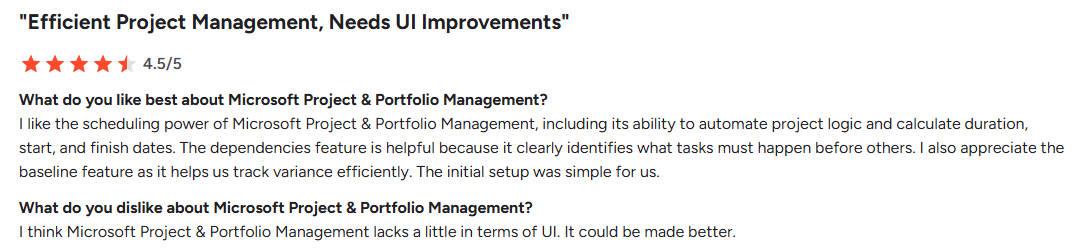
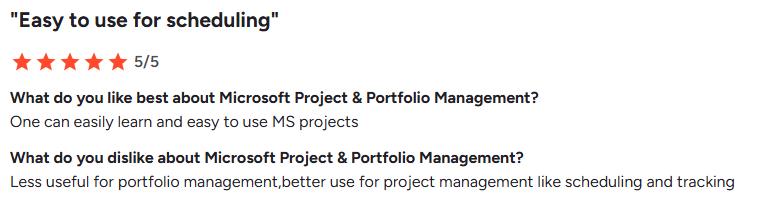
Microsoft Project is a well-established project and portfolio management tool designed for structured planning and scheduling. Part of the Microsoft ecosystem, it stands out for its powerful dependency management, forecasting capabilities, and deep integration with Microsoft 365 tools like Teams and Planner.
Key features
- Advanced scheduling & dependencies: Build detailed project plans with task dependencies, timelines, and automated scheduling for accurate forecasting.
- Gantt charts & timeline views: Visualise project progress clearly with interactive Gantt charts and timeline tracking.
- Portfolio & resource management: Manage multiple projects and allocate resources across teams with visibility into capacity and workloads.
- Microsoft 365 integration: Seamlessly connect with Teams, Excel, and other Microsoft tools for collaboration and reporting.
- Templates & structured planning: Use pre-built templates and standardised workflows to maintain consistency across projects.
Pricing
| Plan | Price (per user/month) | Best for |
| Planner (Microsoft 365) | Free (included) | Basic task management within Microsoft ecosystem |
| Project Plan 1 | ~$10 | Small teams needing planning tools |
| Project Plan 3 | ~$30 | Advanced project & portfolio management |
Microsoft Project is typically bundled within Microsoft 365, with more advanced capabilities available in higher-tier plans. You can also explore a complete breakdown of Microsoft Project pricing to compare total license costs across enterprise tiers.
Where Microsoft Project shines
- Powerful scheduling capabilities: Industry-leading tools for dependencies, timelines, and forecasting make it ideal for complex project planning.
- Strong Microsoft ecosystem integration: Works seamlessly with tools like Teams, Excel, and SharePoint for collaboration.
- Structured project control: Provides detailed oversight across multiple projects, making it suitable for organisations needing rigorous planning.
- Use a bolded bullet point and colon to describe each idea
Where Microsoft Project falls short
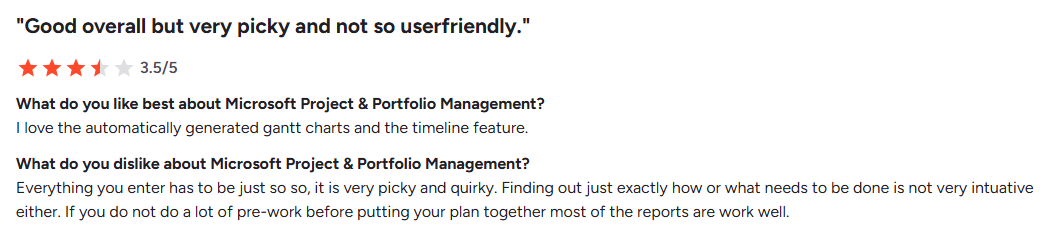
- Steep learning curve: Users often report it can be complex to configure and requires time to fully understand.
- Limited collaboration features: Compared to modern tools, collaboration and communication features can feel less intuitive.
- UI and usability gaps: Some reviews highlight that the interface could be improved and feels less modern than newer tools.
Customer reviews
Who Microsoft Project is best for
- Best for organisations needing structured project planning, rather than industry-specific workflows such as architecture or engineering
- PMOs & project managers: Requiring advanced scheduling and dependency tracking
- Microsoft-centric teams: Already using Microsoft 365 and want tight integration across tools
4. Monday: Best for highly customisable work management across teams
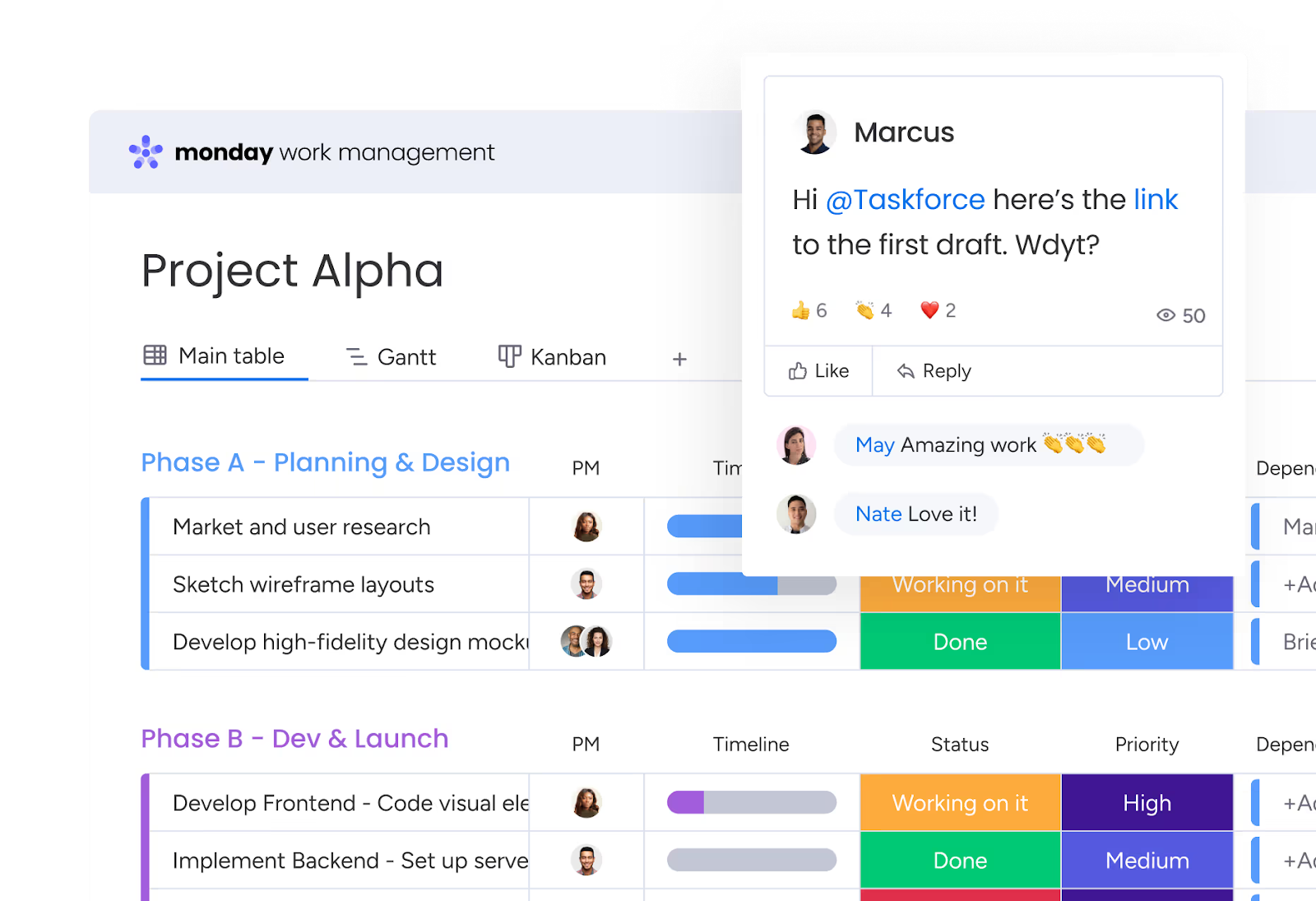
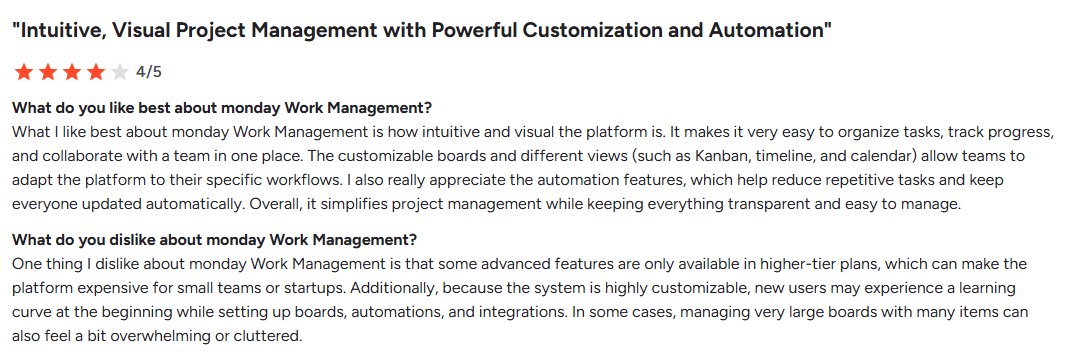
Monday.com is a flexible work management platform built for teams that want to manage projects, portfolios, processes, resources, and goals in one place. Its biggest strength is how visual and customisable it is, making it a strong option for organisations that need adaptable workflows rather than rigid project management software.
Key features
- Highly visual project tracking: Manage work through boards, timelines, Gantt charts, and Kanban views, giving teams multiple ways to track progress and deadlines.
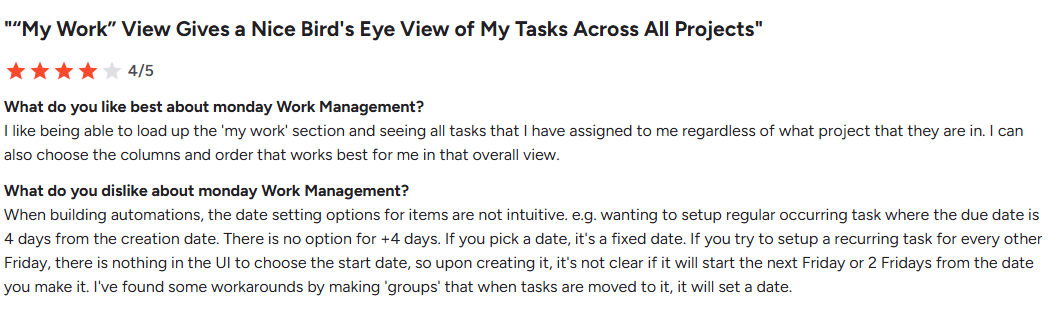
- Custom workflows and automations: Build workflows tailored to your processes, with automation features that reduce repetitive tasks and keep projects moving.
- Portfolio and reporting dashboards: Get real-time visibility across projects with dashboards that highlight risks, progress, and performance.
- Resource and workload management: Monitor team capacity and allocate resources effectively to avoid bottlenecks and overloading staff.
Pricing
| Plan | Price (per seat/month) | Notes |
| Free | £0 | Up to 2 users |
| Basic | £8 | Core features |
| Standard | £11 | Timeline, calendar, automations |
| Pro | £17 | Advanced workflows & reporting |
| Enterprise | Custom | Enterprise-level features |
Where Monday shines
- Flexibility and customisation: Teams can tailor boards, workflows, and automations to suit different processes, making it adaptable across departments.
- Strong visual interface: Dashboards and views make it easy to understand project status, workload, and priorities at a glance.
- All-in-one work management: Combines project tracking, resource planning, and reporting in one platform, reducing the need for multiple tools.
Where Monday falls short
- Learning curve: The level of customisation can make initial setup complex, especially for teams new to project management software.
- Pricing tiers: Many advanced features are only available in higher plans, which can become expensive as teams scale.
- Can feel cluttered: Large or highly customised boards may become overwhelming, particularly for users managing multiple projects.
Customer reviews
Who Monday is best for
- Growing teams needing flexibility: Ideal for organisations that want a customisable platform to manage projects, workflows, and collaboration across departments.
5. Trello: Best for simple, visual task and project management
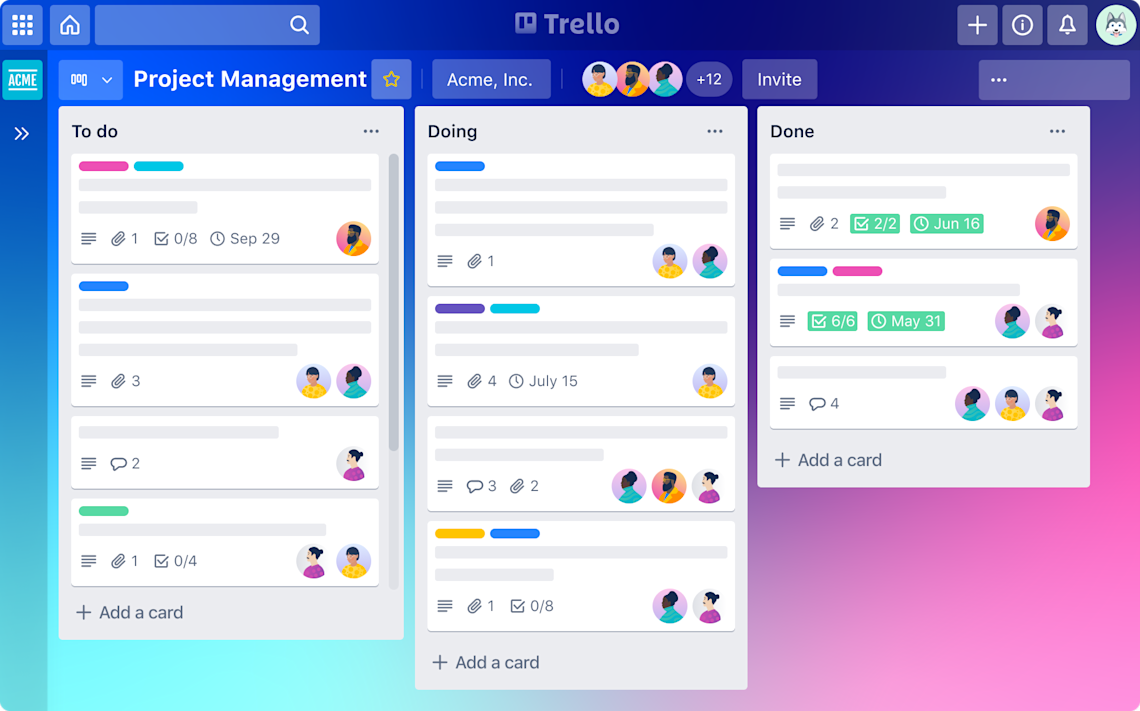
Trello is a simple, visual project management tool built around Kanban-style boards. It’s designed to help teams organise tasks, track progress, and collaborate in a clear and intuitive way. Its biggest strength is ease of use, making it a strong option for teams that want straightforward task management without complex setup.
Key features
- Kanban-style boards: Organise tasks into lists (e.g. To Do, Doing, Done) for a clear visual overview of project progress.
- Automation with Butler: Automate repetitive actions like moving cards, assigning tasks, or setting due dates to streamline workflows.
- Custom fields and Power-Ups: Add extra functionality such as calendars, integrations, and reporting through extensions.
- Templates and quick setup: Use pre-built templates to get started quickly and standardise workflows across teams.
Pricing
| Plan | Price (per user/month) | Notes |
| Free | $0 | Up to 10 collaborators |
| Standard | $5 | Unlimited boards & basic features |
| Premium | $10 | Views, automation, admin tools |
| Enterprise | $17.50 | Advanced security & permissions |
Read our Smartsheet vs Excel breakdown to see if a spreadsheet-style project tool or a purpose-built platform is better for your team.
Where Trello falls short
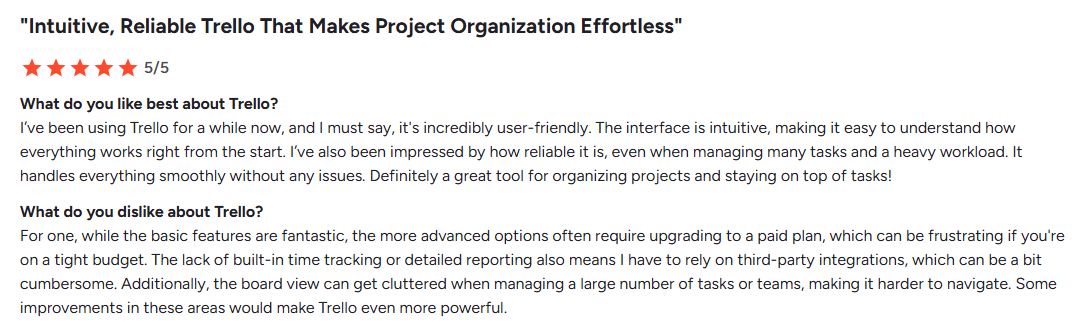
- Limited scalability: Can become restrictive for complex projects with dependencies, reporting, or multiple workflows.
- Feature gaps: Lacks built-in time tracking, advanced reporting, and resource management without integrations.
- Board clutter: Larger projects with many tasks can become difficult to navigate and manage effectively.
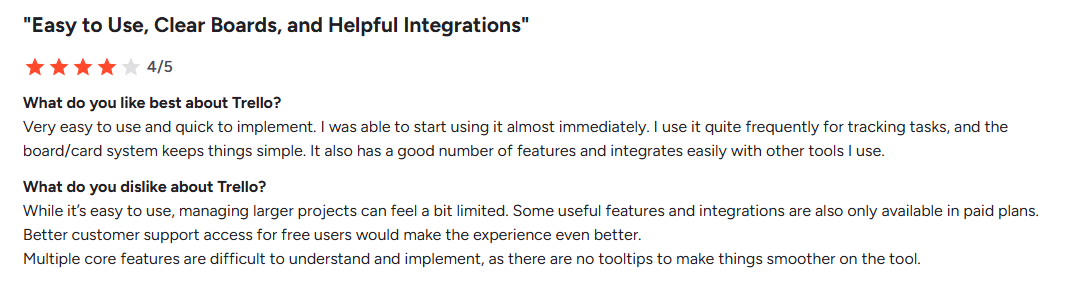
Customer reviews
Who Trello is best for
- Small teams or simple workflows: Ideal for teams that need a straightforward, visual way to manage tasks without the complexity of full project management platforms.
Reasons to Consider an Alternative to Scoro
While Scoro offers a powerful all-in-one platform, user reviews highlight several challenges around complexity, flexibility, and day-to-day usability. If your team needs faster setup, clearer workflows, or more intuitive project delivery, it may be worth exploring alternatives.
-
Complex setup and learning curve
Several users highlight that Scoro’s initial setup can be time-consuming, especially when configuring workflows, permissions, and financial settings. Its depth is powerful, but it often requires trial and error before teams feel fully confident using it.
For teams that need quicker onboarding and simpler adoption, this can slow down implementation. In contrast, Milient Project Flow is designed specifically for project-based teams, offering a more structured setup aligned with how architects and engineers already work.
-
Limited flexibility in workflows and documents
Users mention challenges with contract creation and document workflows, particularly when needing flexibility for different client types. Repetitive steps and limited customisation can lead to inefficiencies and manual workarounds.
For organisations managing varied project requirements, this can become frustrating. Milient addresses this by offering more tailored workflows and structured project processes, helping teams standardise delivery without adding unnecessary complexity.
-
Reporting and data structure limitations
Although Scoro provides reporting features, some users note that combining financial and operational data can feel restrictive. Custom reports may require additional effort, and flexibility is sometimes limited when trying to analyse projects in more advanced ways.
Milient, on the other hand, focuses on giving project-driven businesses clearer visibility across projects, resources, and performance, making it easier to turn data into actionable insights.
-
Clarity and usability in task tracking
Some feedback highlights that task comments, documentation, and tracking history can feel less intuitive, especially when compared to simpler task management tools. This can make it harder for teams to quickly follow updates or collaborate efficiently.
Milient’s approach focuses on clarity and usability, helping teams maintain a single source of truth across projects without losing visibility or context.
Get the Best Scoro Alternative: Milient
Choosing the right Scoro alternative depends on how your organisation delivers projects. While Scoro offers a broad all-in-one platform, teams that prioritise structured workflows, clearer project visibility, and easier adoption often benefit from a more purpose-built solution.
Milient is designed specifically for project-based businesses like architects, engineers, and consultants, helping teams manage projects, resources, and knowledge in one connected platform.
FAQs
 Andrea Neeve
Marketing Associate
Want more content like this? Follow Milient:

/roles.png?width=1024&height=1024&name=roles.png)
/Project%20Card.png?width=1024&height=1024&name=Project%20Card.png)