Key takeaways
 Monograph offers two main pricing plans: Track, a pay-as-you-use model for active seats, and Grow, which includes a default 5-seat bundle. Neither is published on the pricing page
 Exact plan pricing sits behind a demo or an account: Third-party reviews place Track at around $25 to $30 per user per month, and Grow at $45 to $55 per user per month
 You can pay for extra add-ons: the Data Add-on unlocks global file storage plus Google Drive and OneDrive integrations, at a cost only revealed inside your account
 Milient Project Flow is a transparent alternative for AEC firms: Pricing starts at £20/user/month*, with project management, budget tracking, and automated invoicing included from day one
Monograph is a performance management platform for architecture, landscape architecture, and engineering firms.
But Monograph pricing is hard to pin down. The pricing page shows a revenue calculator, not a price list, and the exact plan costs only appear after a demo or inside your account settings.
This review breaks down both plans, the add-ons, and the hidden costs before you commit. And if you're still scouting architecture software, we'll show you why Milient Project Flow deserves a look.
Monograph Pricing Overview
Monograph does not publish plan prices. Its pricing page uses a calculator that estimates revenue growth after switching.
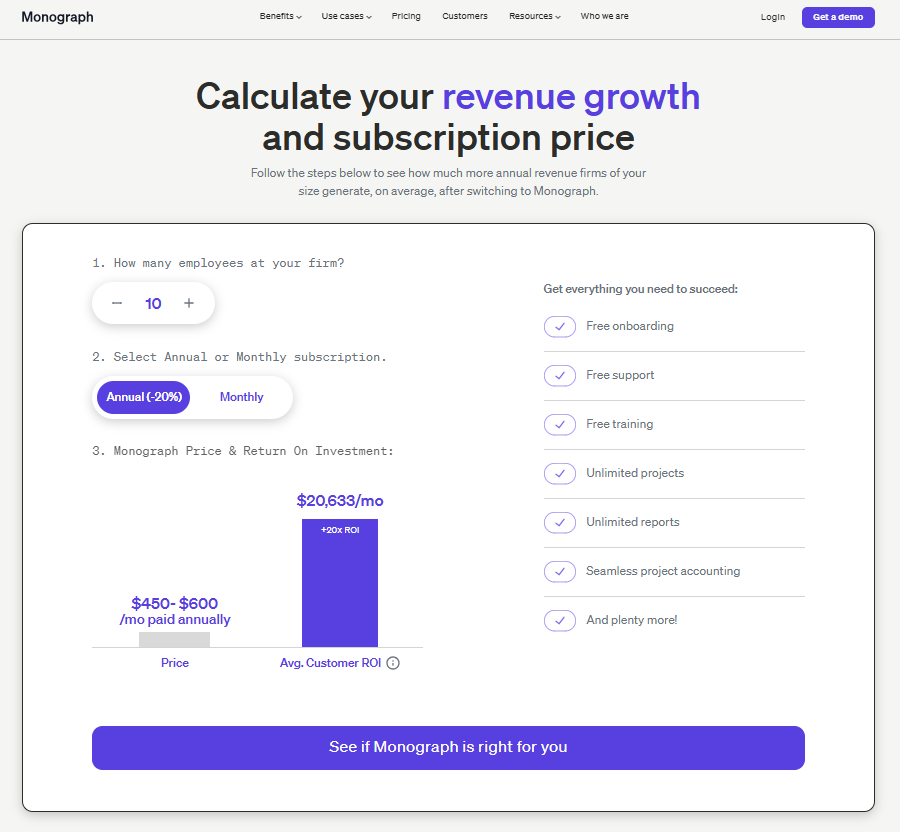
Here's what the pricing structure looks like based on Monograph's own documentation and third-party review data:
Milient Project Flow: A More Affordable and Advanced PM Alternative for AEC
/project_progress.png?width=1169&height=750&name=project_progress.png)
Milient Project Flow covers the same ground as Monograph's Grow plan, with pricing starting at £20/user/month.
It's built for architecture, engineering, and consulting firms that have outgrown spreadsheets and basic tools. In one platform, you get:
-
-
- Project management: phase-level planning with built-in Gantt scheduling, from concept through technical design to delivery
- Resource planning: assign staff by role, grade, and hourly rate, and see the profit impact of every change immediately
- Capacity management: colour-coded team availability that accounts for planned leave and current allocations, so overloads surface early
- Time tracking: hours logged against projects and phases feed straight into budgets
- Reporting: a live portfolio dashboard plus exportable PDF reports for clients and stakeholders
-
Side Note
If you're weighing several options, our guide to Monograph alternatives compares the field in detail.
Here's how Milient Project Flow compares to Monograph:
Explore Project Flow's pricing to pick the right plan for your team.
Monograph Pricing Plans: A Breakdown
This is what you get for your money, and which plan fits your firm's size and reporting needs.
Track Plan
.png?width=752&height=524&name=Monograph%20Pricing%20Plans%20(Track%20Plan).png)
Track follows a pay-as-you-use model, so you only pay for active seats, making it the cheaper entry point for small or fluctuating teams.
The trade-off is depth. On insights, Track is limited to a single-project time log view. You get project budgets, phase-based time tracking, invoice tracking, and the QuickBooks Online integration.
You don't get forecasting, staffing, or firm-wide reports. The Track plan is primarily reserved for firms of 5 or fewer employees.
Pro tips
You can request a trial, but Monograph only grants them to select firms that qualify.
Grow Plan
.png?width=748&height=445&name=Monograph%20Pricing%20Plans%20(Grow%20Plan).png)
Grow is the full product. It adds unlimited projects, profit-driver reporting, planned profit forecasting, team workload forecasting, project templates, forecasted project financials, and payroll exports.
Support also steps up, with priority email support, a dedicated account manager, and onboarding training.
One catch: Grow includes a default 5-seat bundle. A three-person firm on Grow pays for five seats.
Data Add-on
.png?width=1590&height=373&name=Monograph%20Pricing%20Plans%20(Data%20Add-on).png)
The Data Add-on expands file management. It unlocks global file storage and connects Google Drive and OneDrive, so teams can access and share files inside Monograph.
Without it, storage is restricted. Firms are limited to 10 global files, though project-related files remain unlimited. Pricing follows the same pattern as the plans: the cost only appears in a purchase window under Settings > Subscriptions.
Side Note:
If invoicing efficiency is part of your evaluation, read how firms increase liquidity through invoicing before deciding which platform handles billing best.
Monograph Hidden Costs
-
-
- The 5-seat minimum on Grow. Grow's default 5-seat bundle means small teams pay for capacity they don't use
- The Data Add-on. File storage beyond 10 global files and cloud drive integrations cost extra, on top of your plan
- Gated evaluation. Demos are provided for select firms, and trials follow the same qualification model. You may have to commit before fully testing the product
-
Monograph Pros & Cons
Monograph scores well overall. It holds a 4.5 rating on G2 and Capterra. But the picture has two sides, and real reviews back both.
Pros
-
-
- Built for architects: It does a good job specifically for architecture firms, with phase-based billing baked in
- Easy to use: Users consistently mention the intuitive project management, clear time tracking, and visually appealing interface
- Prevents over-budgeting: You get real-time alerts if your team is logging more hours than you are getting paid for
- Clear task management: Every team member gets a clear list of what to do each week. This stops people from doing too much work at once
-
Cons
-
-
- Price: Monograph sits on the high side of the price spectrum compared to other project management software
- Lacks independent accounting: Monograph cannot handle accounting on its own. It requires mandatory integration with QuickBooks Online, which has a documented history of syncing and reliability issues
- Limited integrations. Only two third-party integrations are supported: QuickBooks Online and Stripe
- Invoicing limits. You can't add notes under phases or combine hours under the same title on invoices
-
Who Is Monograph Best For?
Monograph fits a specific type of firm. If you match one of these three profiles, the cost can justify itself.
Small Architecture Studios on a Budget
Track suits small or fluctuating teams with precise cost management needs, since you only pay for active users.
A two-person studio that needs time logging, budgets, and invoicing gets that here. Just know you'll outgrow it. The moment you want forecasting or firm-wide reports, you're on Grow pricing.
Worth knowing:
The features that usually trigger the Grow upgrade (reporting, resource planning, and phase scheduling) come standard in Milient Project Flow.
Growing US Architecture Firms
Grow is built for practices scaling past five people that want profit forecasting and workload planning.
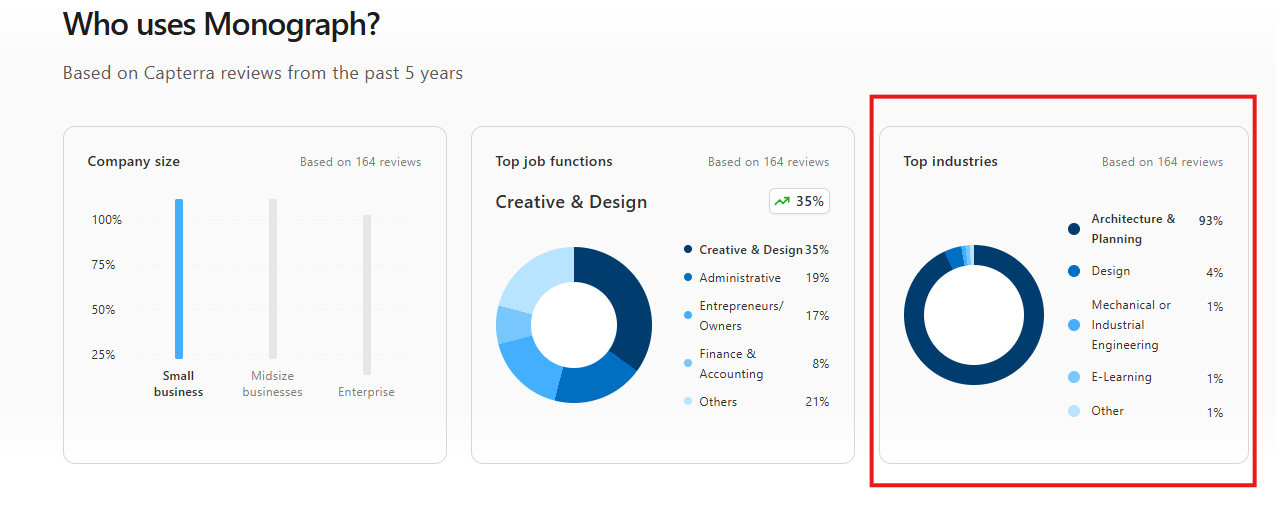
By industry, 92% of Monograph reviewers work in architecture and planning, so the workflows match how these firms bill.
Worth knowing:
If you have a multi-disciplinary practice, Milient Project Flow is built for architects, engineers, and consultants alike, with role-based workflows that fit each on
Firms Already Running QuickBooks Online
Monograph's financial workflow leans heavily on its QuickBooks Online integration. If your accounts already live there, invoicing and payments connect cleanly.
If you use Xero or another system, you'll be working around the platform rather than with it. Our roundup ofarchitecture firm management software covers options with broader integration support.
Monograph Reviews: What Customers Say
Here's the overall sentiment across Capterra and G2. The pattern is consistent: people like using Monograph, and their complaints cluster around bugs and depth.
Positive
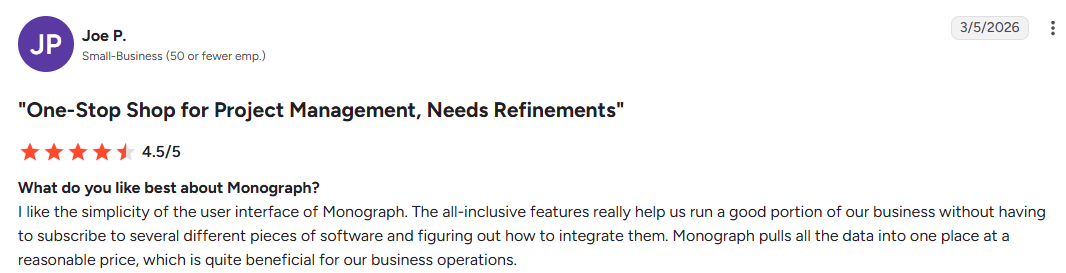
“I like the simplicity of the user interface of Monograph. The all-inclusive features really help us run a good portion of our business without having to subscribe to several different pieces of software and figuring out how to integrate them. Monograph pulls all the data into one place at a reasonable price, which is quite beneficial for our business operations.” Joe P.
“Adding previously billed amounts does not function from project that were started before we migrated to the software. We were told it was a glitch, but there was no urgency to fix it. We cannot prepare invoices, and we are a small firm that does not have the reserves to wait until they get around to fixing this basic function.” Ari M.

Alternative to Monograph: Milient Project Flow for Projects and Finances in One
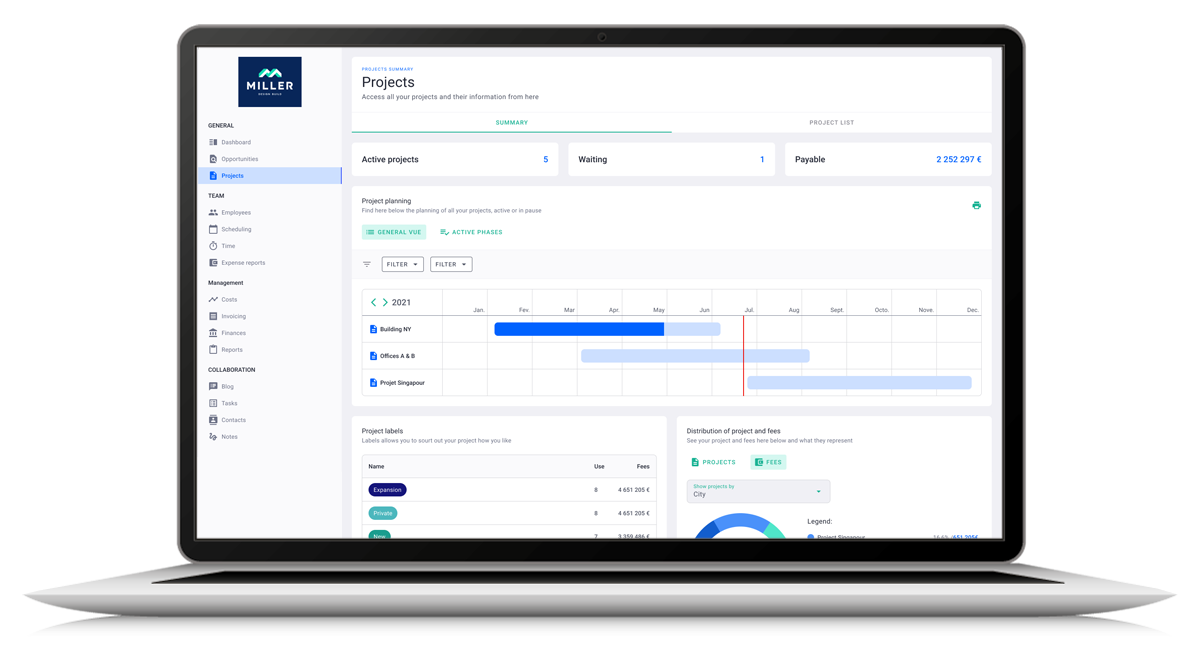
Milient Project Flow is built for growing and mid-sized AEC firms that need real financial control alongside project management. It replaces the pattern behind most Monograph complaints: strong day-to-day tracking, thin financial depth.
Milient Project Flow Key Features
Here are the daily project management features you get from Project Flow:
Project Management
/Centralised-data_Project2.png?width=1058&height=1072&name=Centralised-data_Project2.png)
Every project runs from offer to invoice in one record: team, roles, signed fee totals, key dates, and client details. One source of truth per project, so nobody hunts through files or systems for the current version.
Resource Management
/roles_2.jpg?width=732&height=487&name=roles_2.jpg)
With Project Flow’s resource management, you get a clear overview of capacity and skills, so the right person is always in the right place. Assignments account for competence and location, not just availability.
Timekeeping
/time%20management.svg)
Registering hours is simple enough that the whole team actually does it. Current, expected, and budgeted hours sit side by side per project, with overruns flagged in real time before they escalate.
Budget and invoice planning
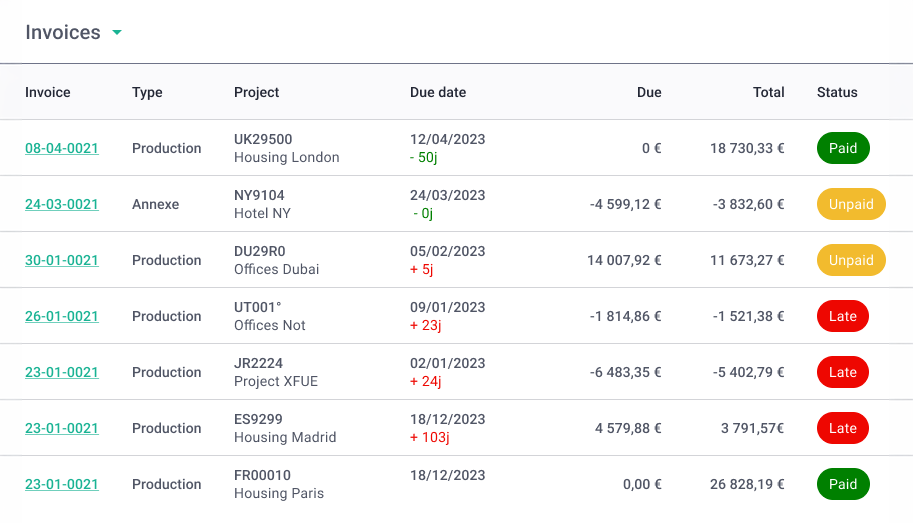
Quotes built in the offer builder become project budgets in a single click.
Invoicing then automates per phase, with a fees solver calculating base fees, discounts, and production totals. Finished invoices flow to your accounting system through Milient's integrations.
Milient Project Flow Pricing
Is Monograph Worth the Cost?
For small US architecture studios on QuickBooks Online, yes. The workflows fit, the interface is liked, and Track keeps entry costs manageable.
But growing teams need an alternative like Milient Project Flow. It lets you consolidate project planning, resourcing, timekeeping, and invoicing in one platform.
FAQs
 Andrea Neeve
Marketing Associate
Want more content like this? Follow Milient: