
Looking for a Teamwork alternative that better fits your workflow? While Teamwork is a popular project management platform, many teams eventually look for tools that offer more flexibility, clearer reporting, or workflows tailored to their industry.
In this guide, we compare the best alternatives to Teamwork, covering pricing, key features, and real pros and cons so you can find the right platform for managing projects more effectively.
Best Teamwork Alternatives - Quick Look
Here’s a quick comparison of the top Teamwork project manager alternatives covered in this guide.
| Tool | Best for | Standout feature | Price starting from |
| Milient Project Flow | Architects & engineers managing structured project delivery | Industry-specific project stages and resource planning | ~£13/user/month |
| Asana | Cross-team collaboration and task management | Timeline views and workflow automation | Free plan available |
| Trello | Visual task tracking for small teams | Kanban boards and drag-and-drop workflows | Free plan available |
| Basecamp | Simple team collaboration | Centralised projects with message boards and check-ins | $15/user/month |
| Monday.com | Customisable work management | Visual dashboards and automation tools | ~£8/user/month |
1. Milient Project Flow: Best Teamwork Alternative for Architecture and Engineering Firms
Milient Project Flow is designed for architecture and engineering firms managing complex client projects. Unlike generic tools like Teamwork, it structures projects around phases, budgets, and billable time in a single platform.
Key features
Milient Project Flow brings together project planning, time tracking, financial oversight, and resource planning in one system.
While many project management tools focus primarily on tasks and collaboration, architecture and engineering teams often need to manage project phases, billable hours, budgets, and team capacity simultaneously.
Project Flow is built around these workflows, making it easier for firms to track progress across multiple projects while maintaining visibility into workload, deadlines, and financial performance.
Project Phases Built for Architecture Projects
/Blocs%20Project%20Cards.png?width=1529&height=628&name=Blocs%20Project%20Cards.png)
Architecture and engineering projects are typically structured around multiple delivery phases, such as concept design, schematic design, and construction documentation.
Milient Project Flow allows teams to organise projects according to these real project phases, making it easier to track progress, manage deliverables, and monitor deadlines across the entire lifecycle of a project.
This structured approach gives project managers a clearer overview of project timelines compared to generic task-based systems.
End-to-End Project Lifecycle
/invoicing_dashboard.png?width=1200&height=645&name=invoicing_dashboard.png)
Manage projects from initial planning through to invoicing in one connected system. With real-time visibility into revenue, billable work, and financial performance, teams can track progress and profitability without switching between tools, something many users of Teamwork often need to supplement with additional systems.
Financial Control & Automated Billing. Centralised Project & Financial Data
/project-details.png?width=705&height=800&name=project-details.png)
Milient brings project data, team roles, and financial details together in one unified system. This makes it easier to stay aligned, reduce admin, and avoid disconnects between project delivery and financial tracking.
This is especially valuable for architecture and engineering practices managing multiple projects with tight budgets and delivery timelines.
Want to go deeper? Explore how different pricing structures impact profitability in our guide to project pricing models.
Where Milient shines
- Built for architecture and engineering firms: Project Flow supports structured project phases, budgets, and billable hours, workflows commonly used by architecture and engineering practices.
- All-in-one project visibility: Teams can manage projects, timesheets, financials, and reporting within a single platform.
- Resource planning and workload management: Milient helps teams plan project workloads and allocate resources more effectively.
Where Milient falls short
- More specialised than general project tools: Teams looking for simple task boards may prefer more lightweight tools.
- Best suited for project-based industries: The platform is designed primarily for professional services such as architecture, engineering, and consulting.
Customer reviews
“Project Flow is a unique tool. It allows us to centralise all our documents, requests, and scheduling in one single piece of software rather than having several separate files. It also gives us an overall view of all service requests, interventions, and works. This software is truly the key tool for our department.”
Capterra Reviewer
Who is Milient best for
- Architecture firms: Studios managing projects across multiple design phases.
- Engineering consultancies: Teams needing visibility into project progress, time tracking, and resource planning.
Pricing
Milient Project Flow offers flexible pricing depending on team size and functionality.
| Plan | Price | Best For |
| Grow | £13 / user / month | Architecture & engineering teams (1–19 users) |
| Professional | £20 / user / month | Growing firms managing multiple complex projects |
| Enterprise | Custom pricing | Large organisations with advanced requirements |
2. Asana: Best for Cross-Functional Teams
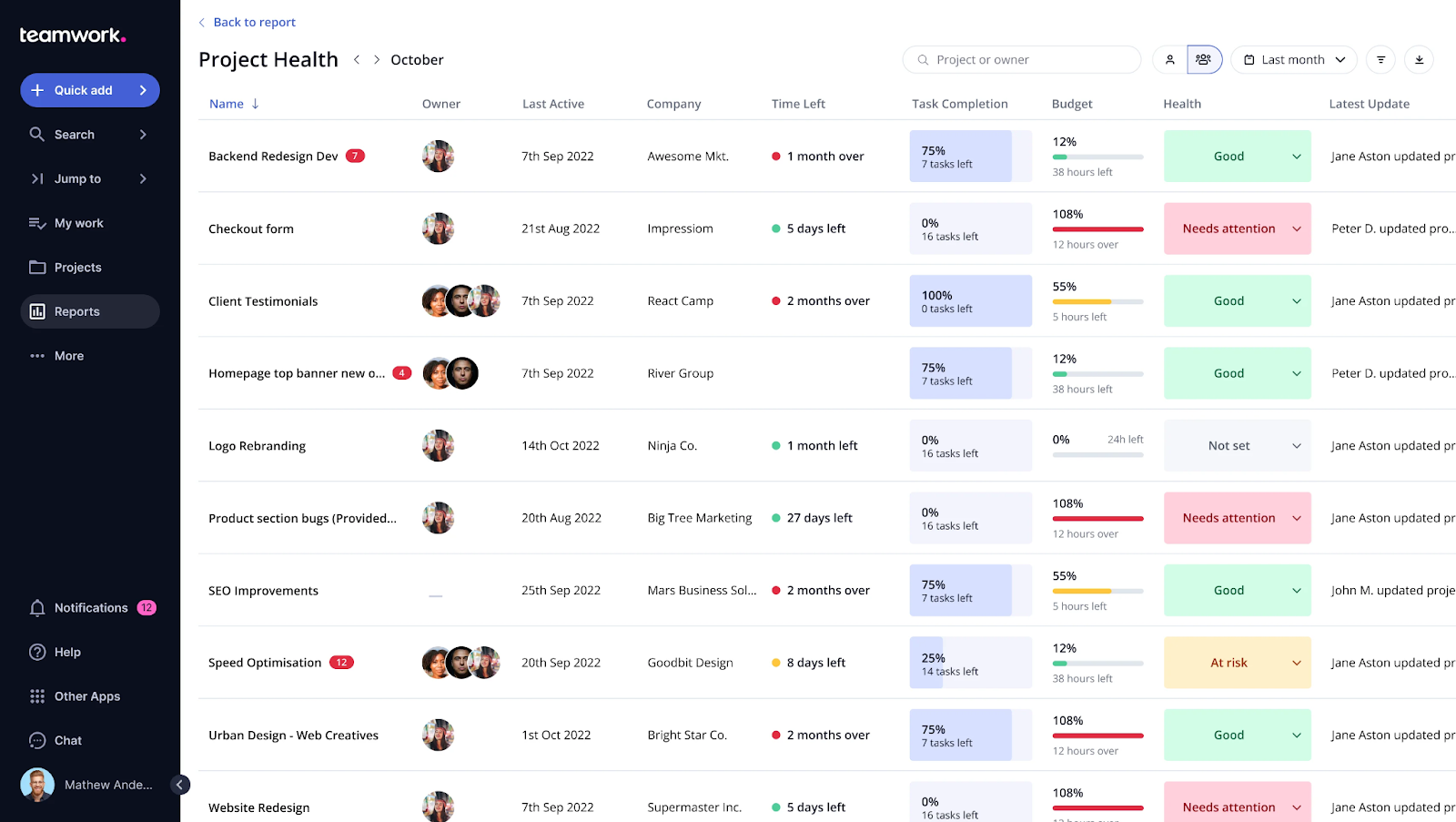
Asana is a widely used project management platform designed to help teams organise tasks, collaborate, and track progress across projects. It focuses on flexible task management rather than industry-specific project workflows.
Key features
- Flexible project views: Teams can organise work using list, board, calendar, timeline, or Gantt-style views, helping different teams visualise project schedules and task progress in ways that suit their workflow.
- Automation and reporting: Asana includes built-in automations and reporting dashboards that help teams track progress, remove repetitive work, and gain visibility into project performance.
- Customisation and integrations: Users can create custom fields, templates, and forms to capture additional project information. Asana also integrates with over 100 tools including Slack, Google Workspace, and Microsoft Teams.
Where Asana shines
- Flexible task management: Asana’s simple task structure makes it easy for teams to break down projects into manageable tasks and track progress collaboratively.
- Strong integrations ecosystem: With over 100 integrations, Asana fits easily into existing tech stacks and connects with many productivity and communication tools.
- Custom workflows: Teams can create custom fields, templates, and automations to adapt the platform to their internal processes.
Where Asana falls short
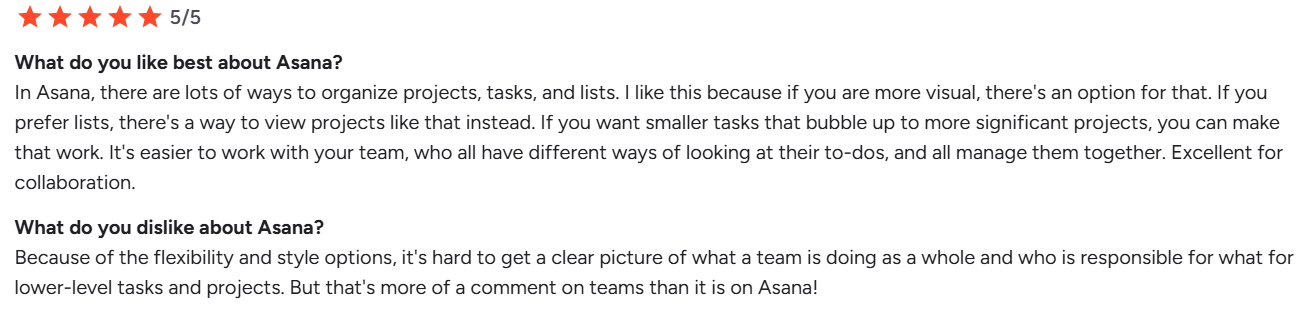
- Not built for project-based industries: Asana focuses primarily on task management rather than structured project phases, financial tracking, or professional services workflows.
- Can become complex as projects grow: When projects scale and the number of tasks increases significantly, it can become harder to maintain visibility across dependencies and project timelines.
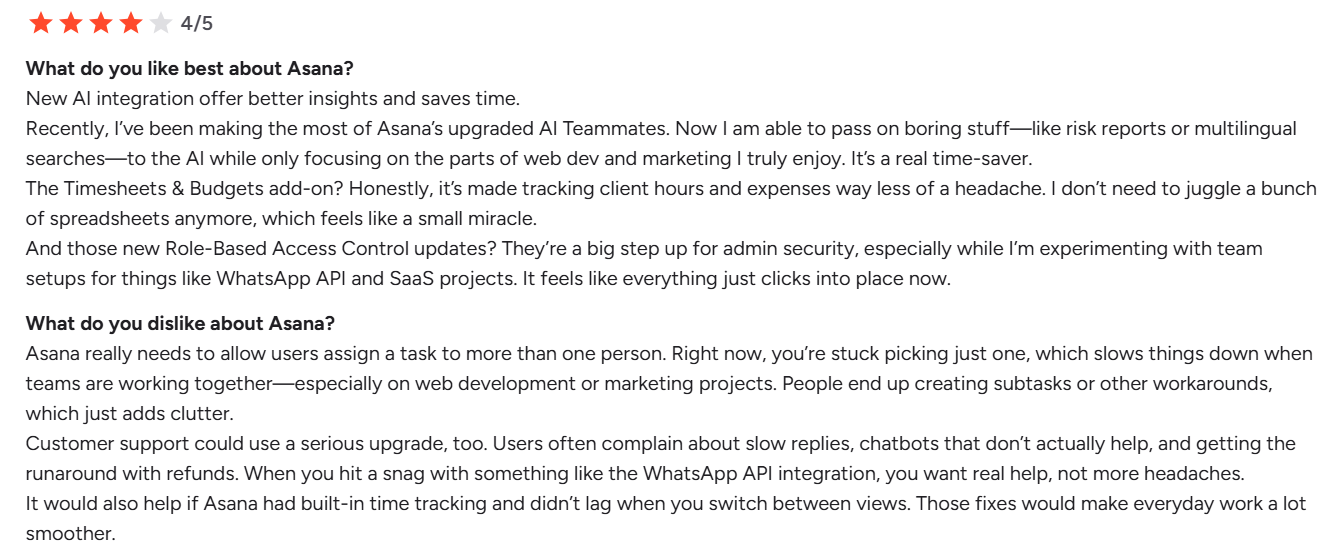
- Customer support complaints: Some users report slow response times from support and frustration around billing or account management processes.
Customer reviews
Who Asana is best for
- Cross-functional teams: Marketing, product, and operations teams managing internal workflows.
- Organisations needing flexible task tracking: Teams looking for simple project visibility rather than industry-specific project management.
Pricing
| Plan | Price |
| Personal | Free (up to 2 users) |
| Starter | £8.49 per user/month |
| Advanced | £16.99 per user/month |
| Enterprise | Custom pricing |
The free plan includes unlimited tasks and projects, while paid plans unlock features such as reporting dashboards, automation, and advanced portfolio management.
Pro Tip: Think Beyond Task Tracking
 While flexible tools like Asana work well for general task management, project-based teams often need more structure around phases, budgets, and delivery timelines as complexity grows.
Exploring tools built specifically for project-driven industries can help avoid rework later on.
3. Trello: Best for Simple Visual Task Tracking
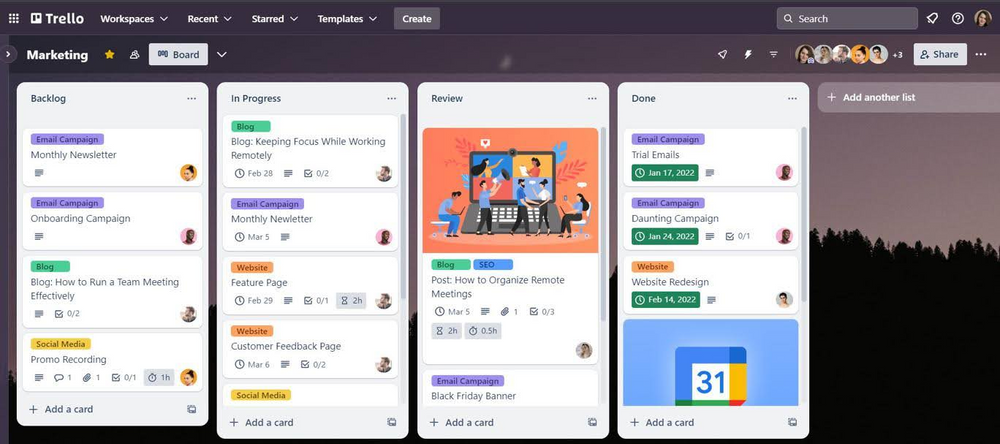
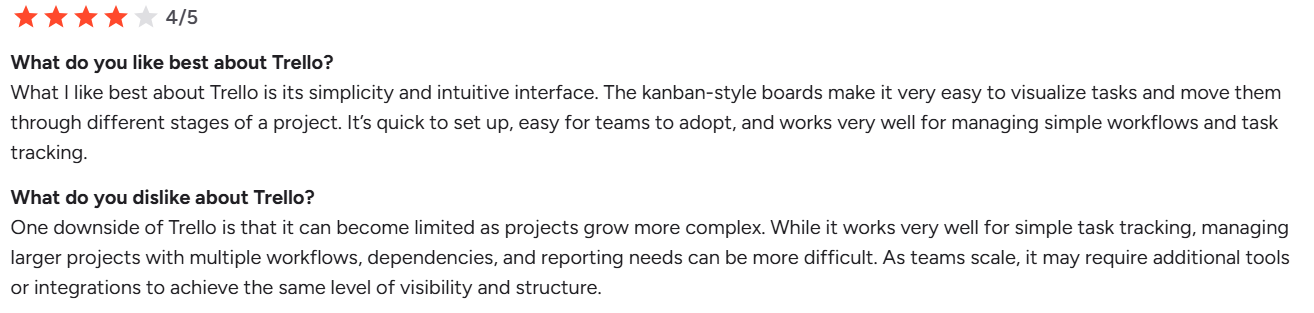
Trello is a visual task management platform developed by Atlassian that helps teams organise work using Kanban-style boards, lists, and cards. Instead of complex project plans, Trello focuses on a simple drag-and-drop interface where tasks move through stages of a workflow.
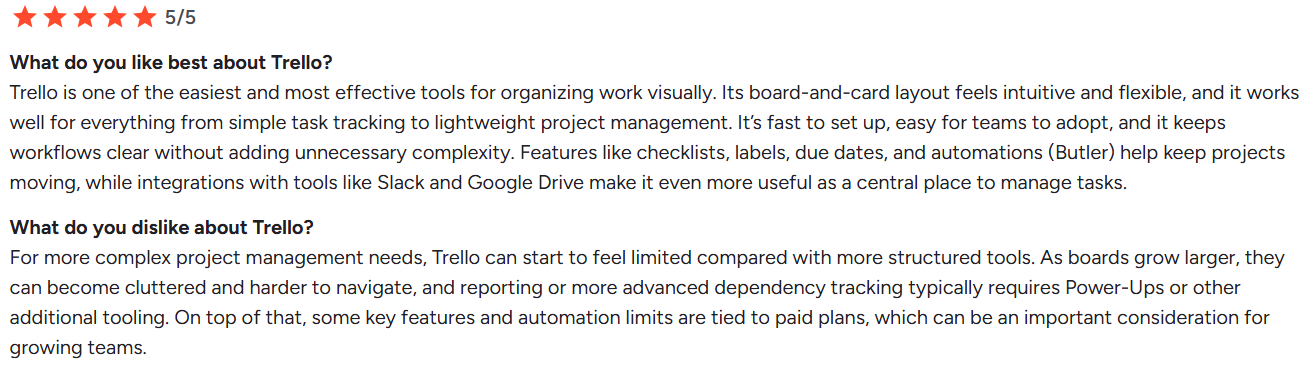
Teams can capture ideas in an inbox, organise work on boards, and track progress visually. Features such as labels, due dates, checklists, automations, and integrations with tools like Slack or Google Drive make it flexible for everyday task tracking.
While Trello works well for simple workflows, larger projects with complex dependencies or reporting needs may require additional integrations or more structured project management tools.
Key features
- Kanban boards: Trello uses a visual board-and-card layout where tasks move through different workflow stages. This makes it easy for teams to see what’s planned, in progress, and completed.
- Automation with Butler: Built-in automation allows teams to create rules, triggers, and scheduled actions that move cards, assign tasks, or send reminders automatically.
- Integrations and Power-Ups: Trello integrates with tools like Slack, Google Drive, and Microsoft Teams. Power-Ups extend functionality with calendar views, reporting, and additional workflow features.
- Inbox and task capture: Teams can quickly capture tasks or ideas from emails, messages, or notes and add them directly to Trello boards to organise work.
Time-Saving Tip: Track where time actually goes
Trello makes it easy to organise tasks visually, but teams often still lack visibility into how long work actually takes, especially across multiple projects.
Explore 5 time-saving strategies for architecture teams to improve efficiency and better manage project time.
Pricing
| Plan | Pricing |
| Free | $0 per user/month (up to 10 collaborators per workspace) |
| Standard | From $5 per user/month (billed annually) |
| Premium | From $10 per user/month (billed annually) |
| Enterprise | From ~$17.50 per user/month (billed annually) |
Trello offers a free plan for small teams, with paid tiers unlocking additional automation, advanced views, and administrative controls. As teams scale, many advanced features are only available in the Premium or Enterprise plans.
Where Trello shines
- Ease of use: Trello’s simple interface makes it easy for teams to adopt quickly. Boards can be created in minutes, making it accessible for both small teams and individuals.
- Visual workflow management: The Kanban-style layout provides a clear visual overview of tasks and project progress without requiring complex setup or configuration.
- Flexible customisation: Labels, checklists, filters, and Power-Ups allow teams to tailor boards to their workflow, making Trello useful for both professional projects and personal task management.
Where Trello falls short
- Limited structure for complex projects: As projects grow more complex, Trello’s board-based structure can become harder to manage. Advanced features like dependencies, forecasting, or structured reporting often require additional tools.
- Boards can become cluttered: Large projects with many tasks can quickly create crowded boards, making navigation and visibility more difficult.
- Key features behind paid tiers: Some features, including automation limits or advanced views, are only available on higher-tier plans, which can become costly as teams scale.
Customer reviews
Who Trello is best for
- Small teams or startups: Teams that need a simple visual task management tool without complex setup.
- Marketing or creative teams: Teams managing content calendars, campaigns, or collaborative workflows.
- Individuals and freelancers: Professionals looking for an easy way to organise tasks and projects visually.
4. Basecamp: Best for communication-focused teams
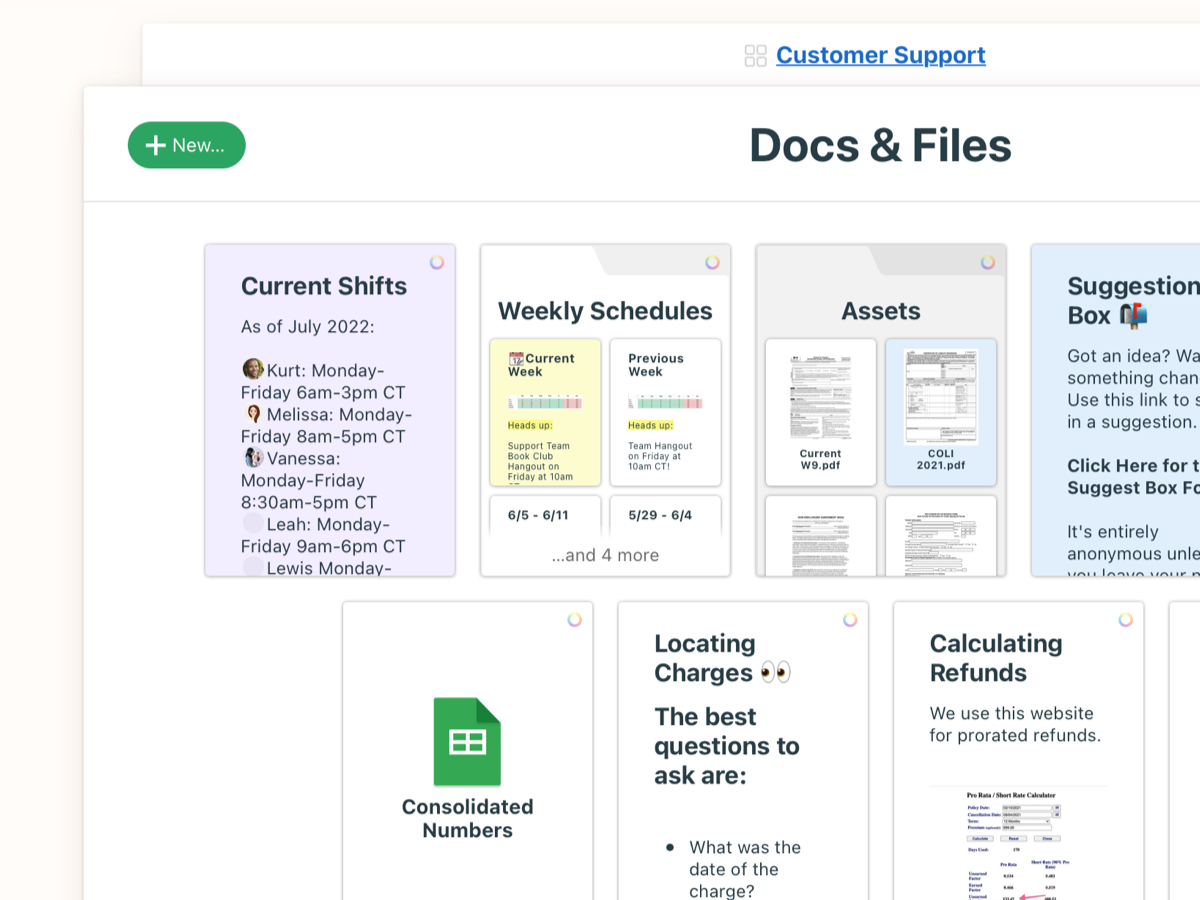
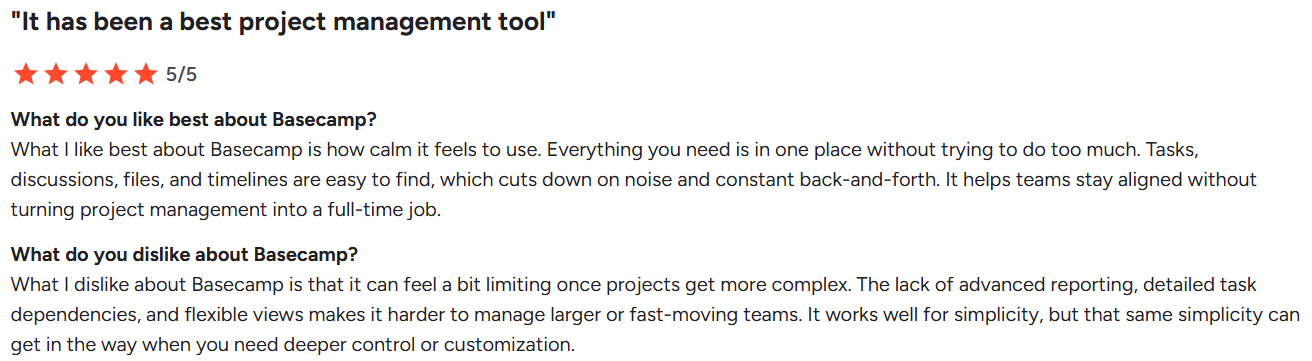
Basecamp is a long-standing project collaboration platform designed to simplify team communication and task management. Rather than offering dozens of complex features, Basecamp focuses on keeping projects organised in one place through tools like to-do lists, message boards, schedules, document storage, and team check-ins.
Each project acts as a central hub where discussions, files, tasks, and updates are stored together, helping teams avoid scattered email threads and disconnected tools. Basecamp also includes visual progress tools such as Hill Charts and Mission Control to help teams track work at a high level.
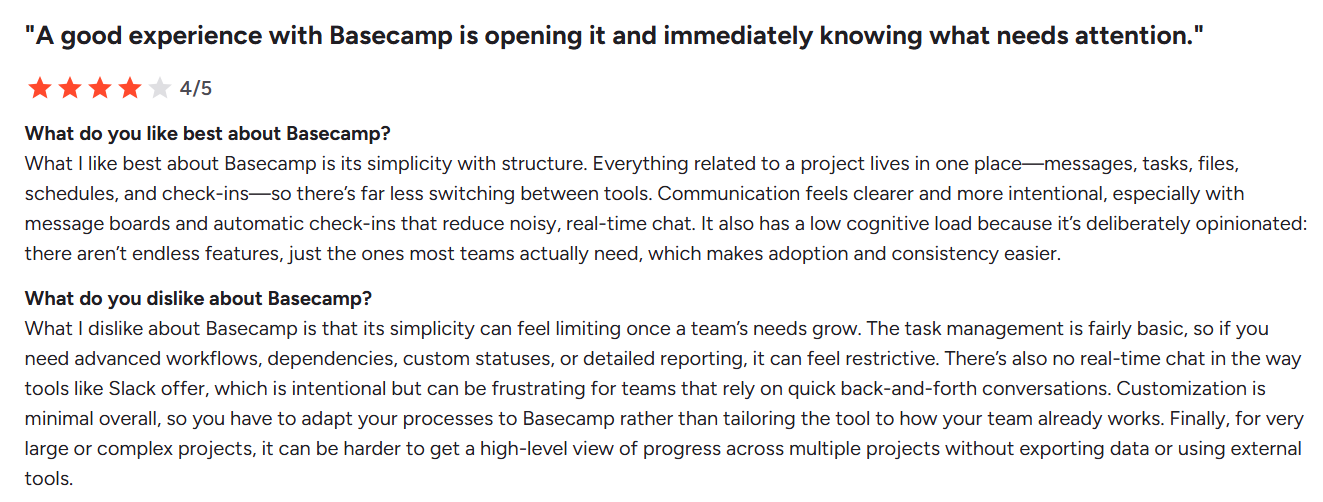
While the platform is appreciated for its clarity and simplicity, teams managing complex workflows or needing advanced reporting may find its functionality more limited compared with more structured project management software.
Key features
- Centralised project hubs: Every project in Basecamp contains message boards, task lists, files, schedules, and discussions in one organised space. This helps teams keep conversations, documentation, and deliverables together.
- Hill Charts and progress visualisation: Basecamp’s Hill Charts provide a simple way to track project progress and uncertainty without relying on complex Gantt charts or detailed reporting dashboards.
- Message boards and team communication: Teams can communicate through structured message boards rather than scattered email threads, making project discussions easier to follow and reference later.
- Automatic check-ins: Recurring questions or updates can be scheduled automatically, encouraging team members to share progress without constant meetings or manual reporting.
Pricing
| Plan | Pricing |
| Basecamp Free | Free (limited to one project) |
| Basecamp Plus | $15 per user/month |
| Basecamp Pro Unlimited | $299/month billed annually (flat price for unlimited users) |
Where Basecamp shines
- Simple, structured collaboration: Basecamp keeps tasks, files, and communication in one place, helping teams reduce email clutter and stay organised without managing multiple tools.
- Low learning curve: The platform is intentionally designed to be straightforward, making it easy for teams to adopt without extensive onboarding or training.
- Strong communication features: Message boards, team check-ins, and project discussions help teams communicate clearly and document decisions within projects.
Where Basecamp falls short
- Limited advanced project management features: Compared with more structured project management platforms, Basecamp offers fewer capabilities for managing dependencies, complex workflows, or detailed reporting.
- Less flexibility for complex projects: Teams managing large projects with many moving parts may find Basecamp’s simplified structure limiting as project complexity increases.
- Minimal customisation: Basecamp’s opinionated design keeps the platform simple, but it also means teams have fewer options to tailor workflows or processes.
Customer reviews
Who Basecamp is best for
- Small teams and startups: Teams that want a simple collaboration platform without complex configuration.
- Creative or marketing teams: Teams managing discussions, tasks, and files around campaigns or projects.
- Organisations prioritising communication: Teams looking to centralise conversations and reduce email clutter.
5. Monday.com: Best for Highly Customisable Workflows
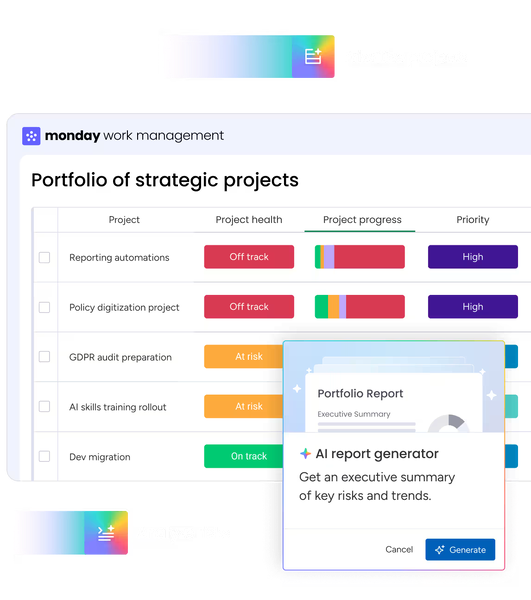
Monday.com is a popular work management platform designed to help teams organise projects, automate workflows, and track progress in real time. Built around visual boards, Monday.com allows teams to manage tasks, timelines, files, and communication in one shared workspace.
The platform supports multiple project views such as Kanban, timeline, Gantt, calendar, and dashboards, making it flexible for different workflows. Automation features allow teams to create rules for task assignments, status updates, and notifications, reducing manual work.
While Monday.com is highly customisable and visually intuitive, larger projects may require multiple boards and careful setup to maintain visibility across workflows.
Key features
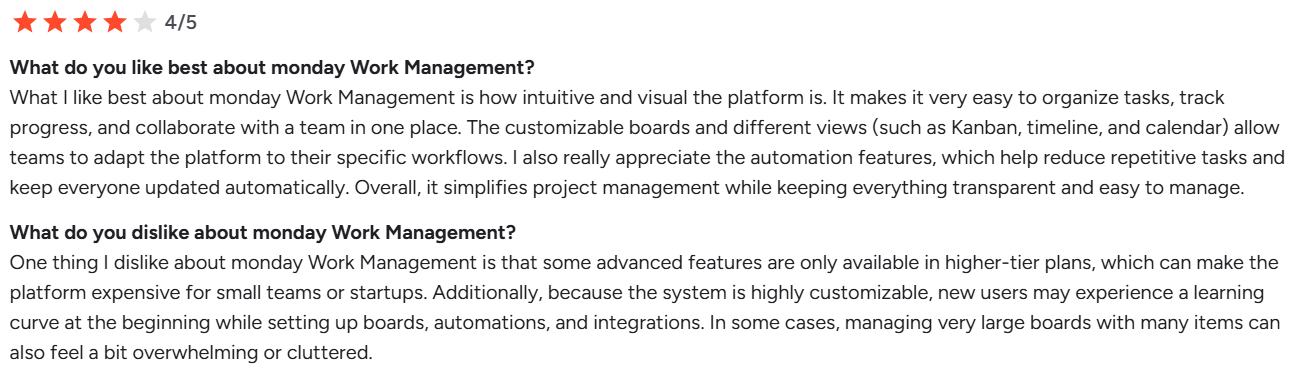
- Customisable project boards: Monday.com uses visual boards to organise tasks, deadlines, owners, and project status. Teams can customise columns, labels, and views to match their workflow.
- Multiple project views: Users can switch between Kanban, Gantt, calendar, and timeline views to track project progress from different perspectives.
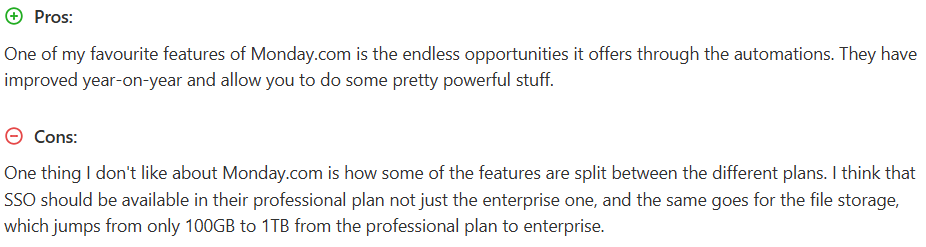
- Automation and workflow rules: Automation tools allow teams to trigger actions such as task assignments, notifications, and status updates automatically.
- Dashboards and reporting: Teams can build dashboards to track project performance, workload distribution, and progress across multiple boards.
Where Monday.com shines
- Highly visual project management:
The platform’s colourful boards and dashboards make it easy to track tasks, priorities, and progress at a glance. - Flexible workflows:
Teams can customise boards, automations, and views to fit different project types, from marketing campaigns to product development. - Strong automation capabilities: Monday.com offers powerful automation rules that reduce repetitive administrative work and streamline project updates.
Where Monday.com falls short
- Pricing structure for small teams: Some plans require a minimum number of users, which can make the platform less cost-effective for freelancers or very small teams.
- Complex boards can become difficult to manage: For large projects, information may need to be split across multiple boards, which can make it harder to maintain a single high-level overview.
- Advanced features locked behind higher tiers: Some capabilities, such as enhanced security or additional automation limits, are only available on higher-tier plans.
For a deeper look at how these challenges are shaping the industry, explore insights from our Project Truth roundtable on AI, compliance, and the future of AEC practice.
Customer reviews
Who Monday.com is best for
- Cross-functional teams: Teams managing projects across departments that benefit from visual workflows and dashboards.
- Growing organisations: Businesses that need flexible project management with automation and reporting.
- Teams wanting highly customisable workflows: Organisations that want to tailor project structures to their own processes.
Pricing
| Plan | Pricing |
| Free | £0 (up to 2 users) |
| Basic | From £8 per user/month |
| Standard | From £11 per user/month |
| Pro | From £17 per user/month |
| Enterprise | Custom pricing |
Monday.com requires a minimum number of paid users for most plans, which may influence pricing for smaller teams.
Reasons to Consider an Alternative to Teamwork
While Teamwork is a capable project management platform, some teams may find its functionality less suited to certain workflows. As organisations scale or require more specialised project delivery features, they may look for alternatives that offer stronger resource planning, industry-specific workflows, or deeper reporting.
1. Lack of industry-specific workflows
Teamwork is designed as a general project management tool for a wide range of industries. For architecture and engineering practices, however, projects often follow structured stages such as concept design, planning, technical design, and delivery.
Platforms like Milient Project Flow are built specifically for architects and engineers, allowing teams to structure projects around real delivery phases and maintain consistency across every project.
2. Limited resource planning visibility
Managing multiple projects often requires clear visibility of team workloads and availability. While Teamwork offers task management features, organisations needing advanced resource planning may find the process less centralised.
Milient Project Flow helps teams allocate staff across projects, track availability, and manage workloads more effectively.
/planning_team.png?width=1578&height=1122&name=planning_team.png)
3. Reporting and portfolio oversight
As organisations grow, having visibility across multiple projects becomes increasingly important. While Teamwork provides reporting features, teams managing larger project portfolios may require deeper insights into project progress and performance.
Milient Project Flow centralises project data and provides clearer portfolio oversight across projects and teams.
4. Managing time tracking and project profitability
Professional services firms often rely on accurate time tracking to manage project budgets and profitability. While Teamwork includes time tracking tools, some organisations prefer platforms where time management is tightly integrated with project delivery.
Milient Time Flow helps teams track time, manage utilisation, and maintain visibility over project performance.
/timesheets.png?width=1200&height=645&name=timesheets.png)
Get the Best Teamwork Alternative: Milient
Choosing the right Teamwork alternative depends on how your organisation manages projects, teams, and delivery. Tools like Trello and Basecamp offer simpler task management, while platforms like Monday.com provide flexible workflow customisation.
For organisations that need structured project delivery, resource planning, and clear oversight across multiple projects, Milient Project Flow provides a purpose-built solution designed for professional services teams.
If you're looking to move beyond general project management tools and adopt a platform built specifically for managing complex projects and teams, the next step is to see how Milient works in practice.
 Andrea Neeve
Marketing Associate
Want more content like this? Follow Milient:

/hubplanner_resource.png?width=1024&height=1024&name=hubplanner_resource.png)