Key takeaways
 Milient Project Flow: Best for growing architecture, engineering and consulting firms needing integrated project planning, time tracking and financial management.
 CMap: Best for consultancies requiring detailed project accounting, resource planning and profitability reporting.
 Deltek and Scoro: Deltek suits larger consulting firms with complex financial operations, while Scoro is ideal for consultancies managing projects, resources and business performance.
 Monograph: Best for architecture and engineering firms seeking industry-specific project planning, budgeting and resource management.
Managing multiple projects, budgets and client deadlines can be challenging without the right software.
The best project management software for consultants includes Milient Project Flow, CMap, Deltek, Scoro and Monograph. This guide compares their features, pricing and limitations to help you choose the right consultant project management software for your firm's needs.
5 Best Project Management Software for Consultants: A Quick Overview
Comparing project management tools for consultants? Here's a quick overview of five platforms, including their standout features, ideal users and starting prices.
Prices are indicative and may vary by plan, number of users and billing terms.
See Project Flow’s Project Budget Feature in Action
Want to see how you can plan and manage project budgets more effectively?
Take a self-guided tour of Milient Project Flow’s project budgeting feature to see how it helps consulting firms plan budgets, track costs and monitor financial performance.
1. Milient Project Flow: Best for Consulting Project Management
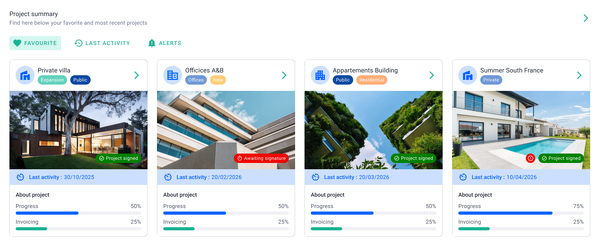
Milient Project Flow is project management software designed for architecture, engineering and consulting (AEC) firms. It combines project planning, budget tracking, resource management, time recording and invoicing in one platform.
Built for growing consultancies, Project Flow helps teams manage complex projects, reduce manual administration and gain clearer visibility over project finances and profitability.
Key Features
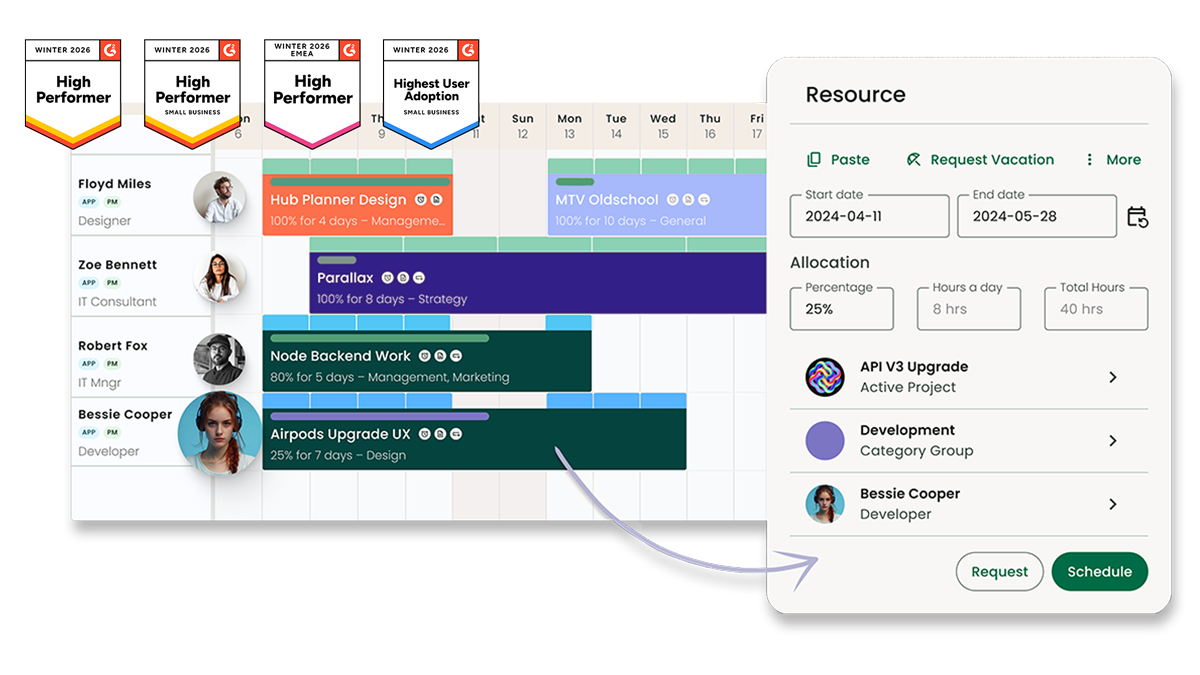
Milient Project Flow provides consulting firms with the tools to manage projects from initial planning through to final invoicing. Its features are designed around the financial and operational needs of project-based consultancies.
1. Project Budget Planning and Financial Tracking
Plan project budgets using workstage templates, staff grades and different fee structures, including fixed fees and percentage-based fees. Project managers can compare planned costs against actual performance, monitor profitability and identify potential budget overruns before they escalate.
2. Project Dashboards and Reporting
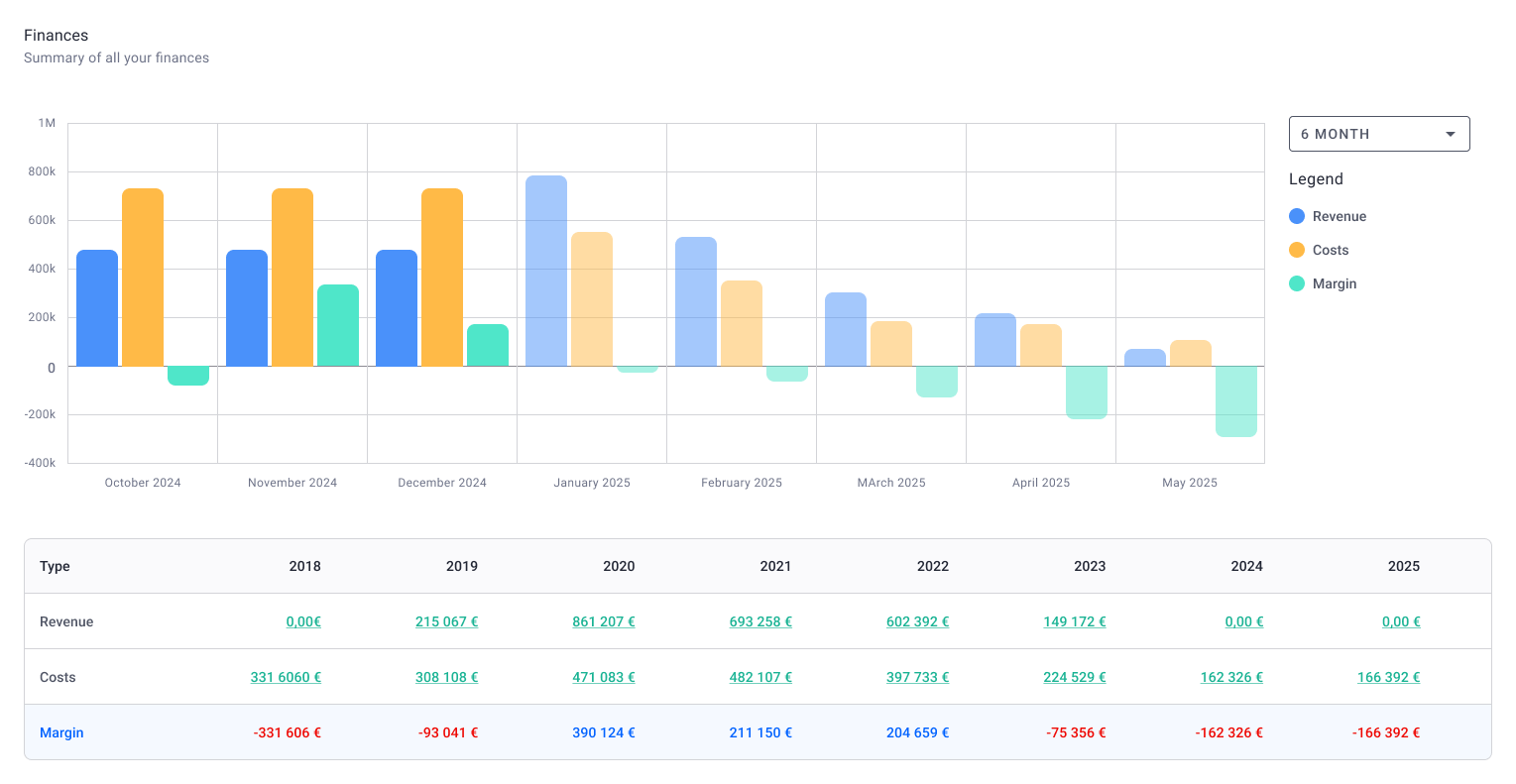
Access financial KPIs, project progress and performance data through centralised dashboards. Milient Project Flow provides company-wide, individual project and employee dashboards, helping consultancy managers monitor workloads, track financial performance and make informed decisions using up-to-date information.
3. Integrated Billing and Invoicing
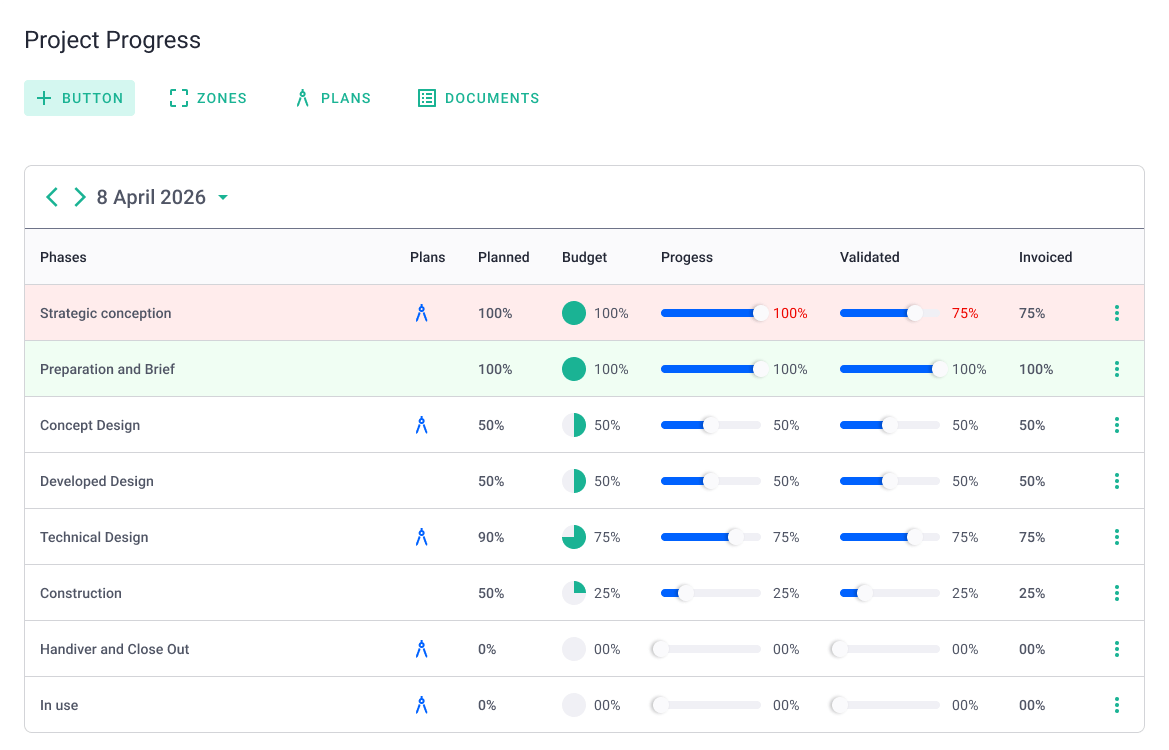
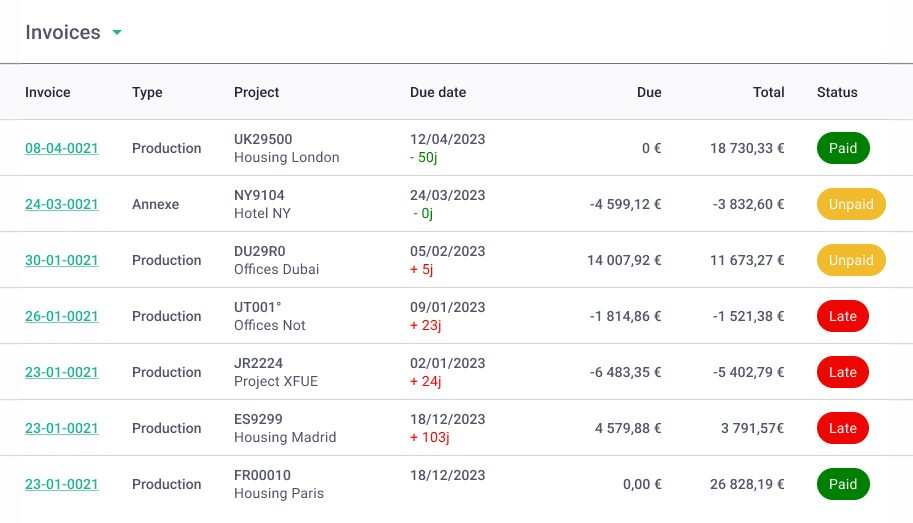
Simplify project billing by connecting invoicing with project financial data and accounting systems. Teams can generate invoices from detailed forecasts, manage invoice approvals and reduce duplicate data entry between platforms, helping consulting firms save time during project finalisation.
Explore Milient's project management features and resource management capabilities.
Pricing
Milient Project Flow offers pricing for growing consulting firms that need project management alongside financial control.
Indicative pricing. Contact Milient for current pricing, billing terms and available features.
Where Milient Excels
-
-
- Built for AEC Consultancies: Supports industry-specific workflows, including project workstages, fee structures, budget planning and resource allocation.
- Financial Visibility: Combines project budgets, time recording, billing and financial dashboards, giving firms greater control over project profitability.
- Connected Workflows: Integrates with accounting and reporting tools such as Sage, Xero, QuickBooks and Power BI, helping reduce duplicate data entry and disconnected processes.
-
Where Milient Falls Short
-
-
- More Than Basic Task Management: Consultancies only looking for simple task lists or collaboration tools may not need Project Flow's financial management and reporting capabilities.
- Limited Timesheet Viewing Options: Some users have highlighted the lack of a calendar view for recorded hours and limited visibility of timesheet approval statuses.
-
Customer Reviews
Users on Capterra highlight Milient Project Flow's ease of use, financial planning capabilities and responsive support.
Review 1:
"Very user friendly. The display is easy to understand and I can change my operating language. I like the visualisation and the blog, which helps me and my colleagues communicate on our project progress."
— Verified user, Capterra
Review 2:
"Project Flow allowed me to stop relying on endless Excel spreadsheets. Updating the billable forecast is the feature that has saved me a huge amount of time. The support team is very responsive."
— Verified user, Capterra
Review 3:
— Ian Blake, Founder and Managing Director at iB Architects“Recording time against specific project stages has given us much better visibility into where our time is going and how our projects are performing."
Who Milient Is Best For
-
-
- Growing AEC Consultancies: Architecture and engineering firms needing integrated project planning, time tracking and financial management.
- Consultancy Owners and Project Managers: Teams seeking better control over budgets, billing, resources and profitability.
-
2. CMap: Best for Project Accounting and Financial Management
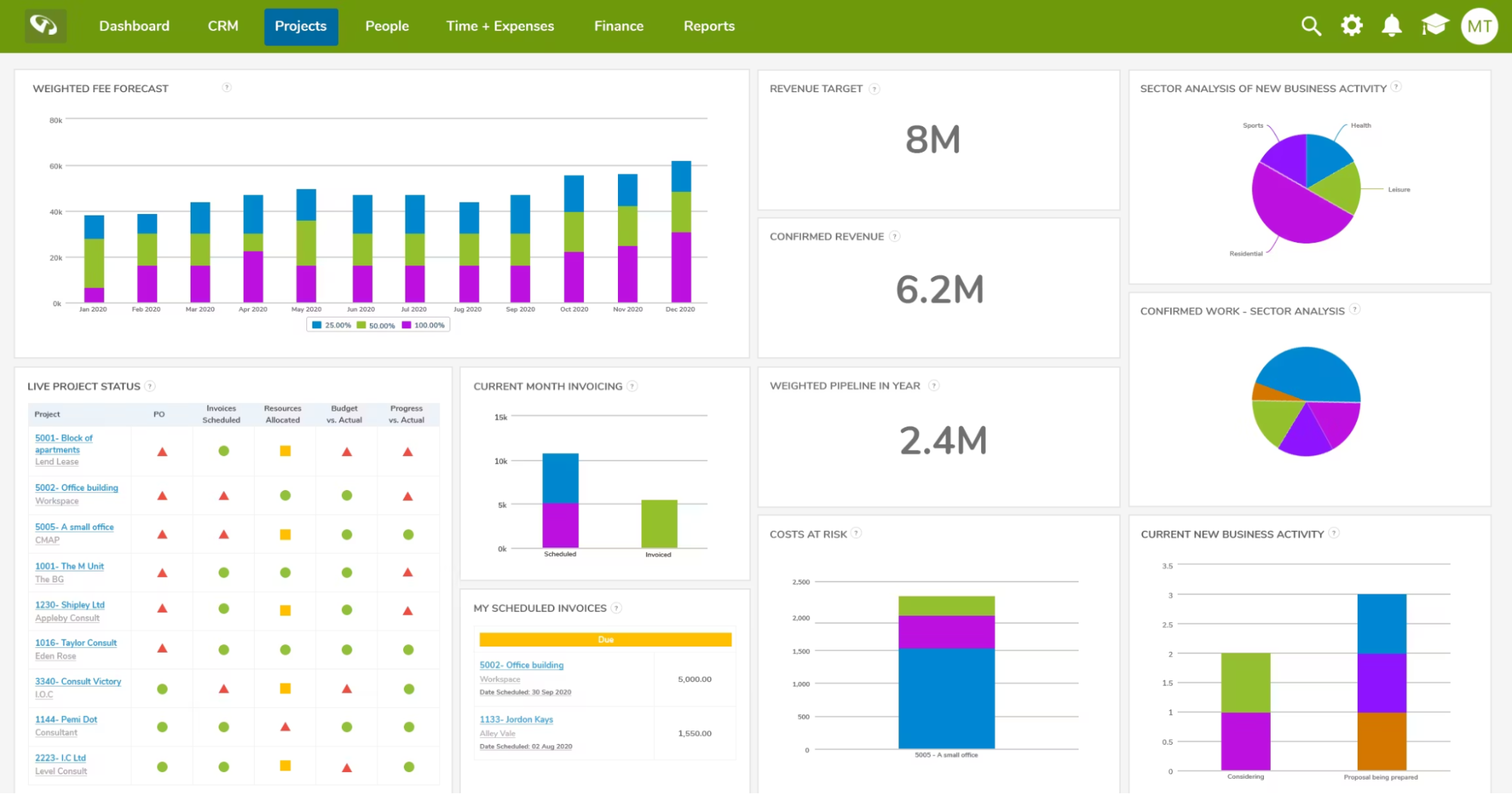
CMap is project management software designed for consulting and professional services firms. It combines project planning, resource management, financial tracking and invoicing in one platform.
Its key differentiator is its focus on project profitability, with built-in CRM, reporting and AI-powered features to help consulting firms manage their operations.
Key Features
-
-
- Project Financial Management: Track project budgets, costs and profit margins in real time. Supports fixed-fee and time-and-materials projects, helping firms monitor financial performance.
- Resource Planning: Manage staff availability, utilisation and workloads using resource allocation tools, skills matching and AI-powered recommendations.
- Project and Task Management: Organise tasks by project stage, monitor deadlines and link project progress with budgets through Kanban and timeline views.
- AI-Powered Reporting: CMap Intelligence offers reporting dashboards, financial insights and a chat interface for querying project data.
-
Pricing
CMap doesn't publish its subscription prices. You get a quote based on your firm's size and needs.
Before you commit, check the implementation costs, how long setup will take and the minimum contract length. Some firms report multi-year terms, so look closely at the renewal and cancellation conditions.
Where CMap Excels
-
-
- Financial Visibility: Connects project costs, budgets, invoicing and profitability reporting in one platform.
- Extensive Integrations: Connects with tools such as HubSpot, Salesforce, Xero and QuickBooks to support existing workflows.
- Customisation: Offers configurable features and settings to accommodate consulting firms with complex business structures.
-
Where CMap Falls Short
-
-
- Learning curve: Some users find the interface complicated, especially when moving between features or doing everyday tasks like recording time.
- Implementation effort: Getting CMap fully set up can take a lot of time and internal resource, which smaller consultancies may find hard to spare.
- Onboarding and adoption: Reviews mention difficulty with initial setup and with getting teams to use the platform consistently, although some users praise the onboarding support.
- Contract flexibility: Minimum terms can be longer than with some alternatives. If flexibility matters to you, confirm the contract length, renewal and cancellation terms before you sign.
-
Customer Reviews
CMap receives positive feedback for its project oversight and centralised information, although some reviewers highlight difficulties with usability.
Positive review – 4/5:
"Brings a lot of project information into one place. The timesheet features are just excellent."
Negative review – 4/5:
"Cmap can feel unnecessarily complicated for tasks that should be straightforward. The interface is not intuitive, which makes navigating between functions frustrating. Time recording and updating project information are buried in the software, making them feel cumbersome. You have to go through too many clicks to open or find things."
Source: G2 Reviews
Who CMap Is Best For
-
-
- Mid-sized and larger consulting firms: firms that need project accounting, resource planning and financial reporting in one system.
- Consultancies with complex workflows: teams that want deep customisation and integrations, and can commit time to implementation and a longer contract.
-
3. Deltek: Best for Large Consulting Firms with Complex Project Requirements
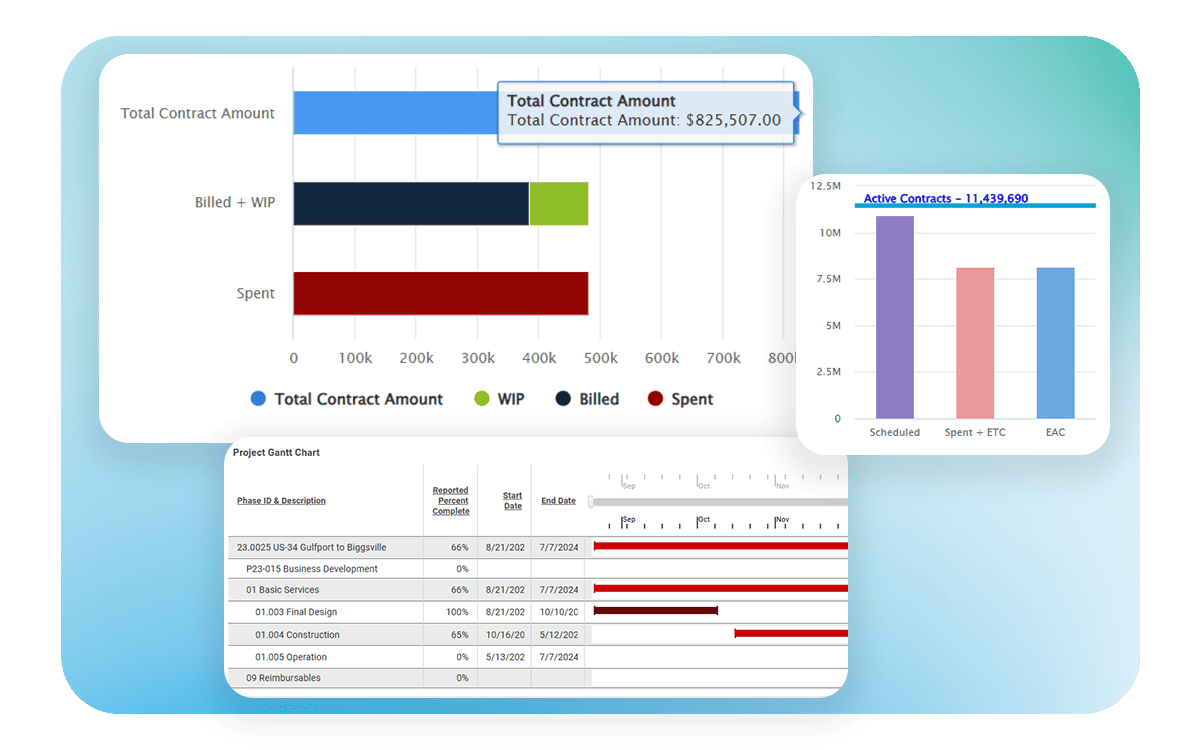
Deltek provides project management and enterprise resource planning (ERP) software for consulting and professional services firms. Its solutions, including Deltek Vantagepoint and Maconomy, combine project planning, resource management, financial reporting and accounting.
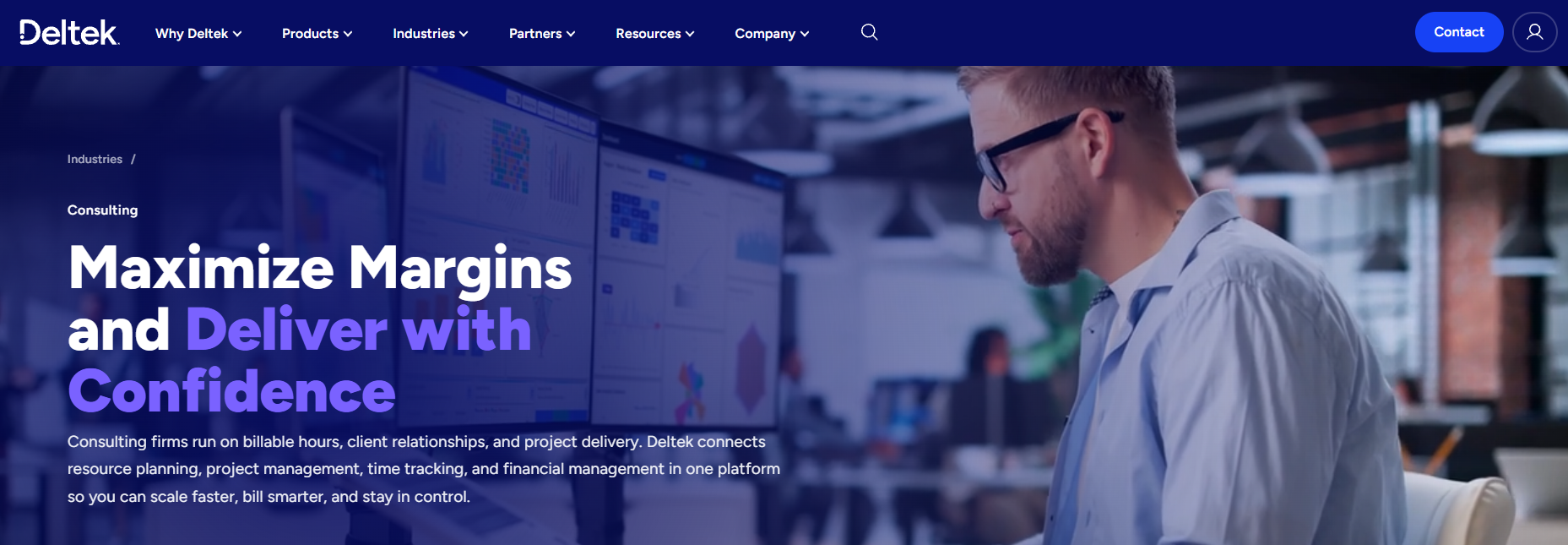
Deltek is particularly suited to larger consultancies managing complex projects, multiple departments and extensive financial operations.
Key Features
-
-
- Project and Resource Management: Plan projects, allocate resources and monitor workloads across teams, helping consulting firms manage project delivery and staff utilisation.
- Time Tracking and Billing: Record billable hours and expenses, automate invoicing and connect time tracking with project financial data.
- Financial Management and Reporting: Monitor project budgets, profitability and financial performance through reporting dashboards and forecasting tools.
- AI and Automation: Deltek's Dela AI capabilities support forecasting, project insights and workflow automation across supported products.
-
Pricing
Deltek does not publicly disclose standard pricing for Vantagepoint or Maconomy. Costs depend on the selected solution, number of users, modules and implementation requirements.
Contact Deltek directly for current pricing and implementation costs.
Where Deltek Excels
-
-
- Comprehensive Financial Management: Combines project accounting, budgeting, invoicing and financial reporting to help consulting firms manage complex operations.
- Scalability: Supports larger consultancies managing multiple projects, departments and offices.
- Integrated Business Operations: Connects CRM, project management, resource planning and accounting, reducing reliance on disconnected systems.
-
Where Deltek Falls Short
-
-
- Complex User Interface: Some Vantagepoint users report that navigating the platform and completing routine tasks can be complicated, particularly for occasional users.
- Implementation Requirements: The platform's extensive functionality can require significant setup, training and data preparation.
- Reporting Limitations: Some reviewers report difficulties combining information across modules and creating customised reports without exporting data.
-
Customer Reviews
Deltek Vantagepoint users highlight its comprehensive financial management capabilities, although some report challenges with usability and reporting.
Positive review – 5/5:
"I like that Deltek Vantagepoint provides a centralized place to access project and financial information. In my day-to-day work, being able to look up project details and financial data in the same system is very useful, especially when researching transactions or reconciling information between different systems. The reporting and search capabilities also make it easier to investigate issues without having to rely on multiple sources."
Negative review – 5/5:
"Vantagepoint has a lot of functionality, but that can also make the system feel complex at times. Some screens and workflows are not immediately intuitive, especially for occasional users, and it can take time to learn where information is located. I would like to see simpler navigation and a more streamlined experience for common tasks."
Additional negative review – 3.5/5:
"A lot of the material in the Learning Hub and the help documentation is outdated. When I try to follow the steps, it often turns into guesswork because the instructions no longer match the current system."
Source: Third-party Deltek Vantagepoint customer reviews supplied in screenshots.
Who Deltek Is Best For
-
-
- Large Consulting Firms: Businesses managing complex projects, financial operations and multiple departments.
- Multi-Office Professional Services Firms: Organisations requiring enterprise-level accounting, resource planning and financial reporting.
-
4. Scoro: Best for Consultancy Management
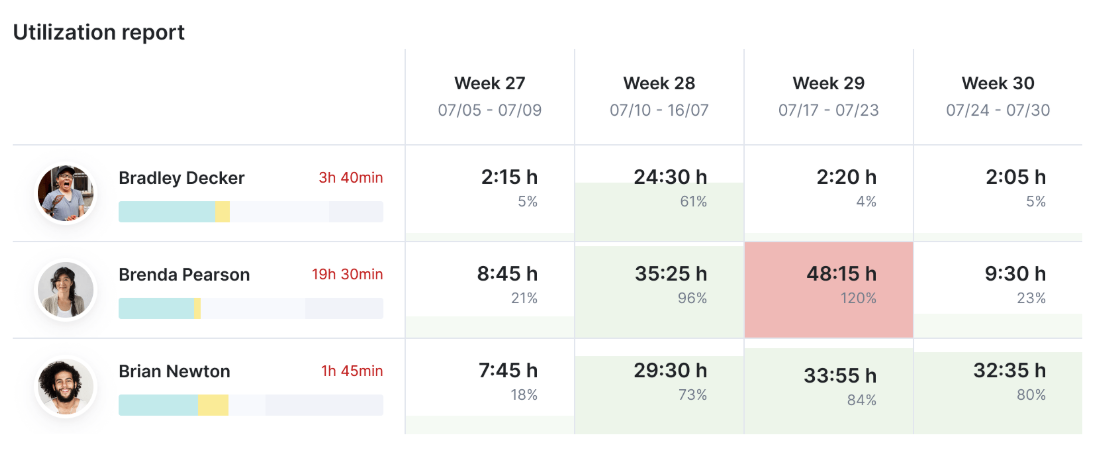
Scoro is an all-in-one consultancy management software designed for professional services firms. It combines project management, resource planning, quoting, time tracking and invoicing in one platform. Its key strength is connecting project delivery with financial reporting, helping consultancies monitor profitability, manage workloads and streamline operations.
Key Features
-
-
- Project Management: Plan projects, assign tasks, track milestones and monitor progress using Gantt charts and project dashboards.
- Resource Planning: Schedule consultants based on skills and availability, track utilisation and forecast staffing requirements.
- Financial Management: Monitor project budgets, costs, revenue and profit margins to understand financial performance.
- Quoting and Invoicing: Create quotes, track billable hours and automate invoicing across fixed-fee, time and materials, and retainer projects.
- Reporting and Dashboards: Track project profitability, team performance and business KPIs through customisable dashboards.
-
Pricing
Scoro offers four pricing plans, starting at £13 per user/month. Pricing varies depending on the features required, with more comprehensive financial and project management capabilities available in higher-tier plans.
Prices shown are based on the supplied Scoro pricing screenshot and may vary depending on billing terms.
Where Scoro Excels
-
-
- All-in-one platform: Connects quoting, project management, resource planning and invoicing, reducing the need for multiple disconnected tools.
- Financial visibility: Helps consultancies track project profitability, costs and margins throughout delivery.
- Resource utilisation: Provides visibility into consultant workloads and capacity to support resource allocation and hiring decisions.
-
Where Scoro Falls Short
-
-
- Project management usability: Some reviewers report difficulties navigating large projects, locating tasks and managing complex timelines.
- Reporting limitations: Certain users find that profitability calculations and reporting configurations do not always meet their requirements.
- Pricing considerations: Costs can increase when businesses require more comprehensive functionality across multiple areas.
-
Customer Reviews
Scoro receives positive feedback for bringing project management, quoting and reporting together, although some users highlight limitations in project management usability and reporting.
Positive review – 4/5:
"Now, with Scoro, I can quote, manage projects, allocate resources, and report while staying in the same platform."
Positive review – 3.5/5:
"Additionally, the reporting and dashboards in Scoro provide us with a pulse on the business."
Negative review – 3.5/5:
"I find project management a sticking point. We used Asana previously, which is really best in class in that area, so we knew that it would be harder for the team but we potentially underestimated how much of a difference it would be."
Who Scoro Is Best For
-
-
- Consultancies and professional services firms: Businesses looking to manage projects, resources, finances and invoicing within one connected platform.
- Growing teams: Consultancies needing better visibility into staff utilisation, project profitability and operational performance.
-
5. Monograph: Best for mid-sized architecture and engineering firms
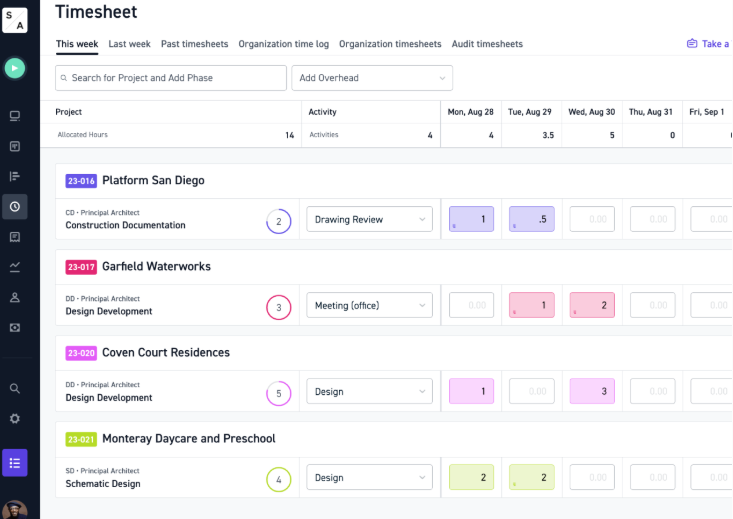
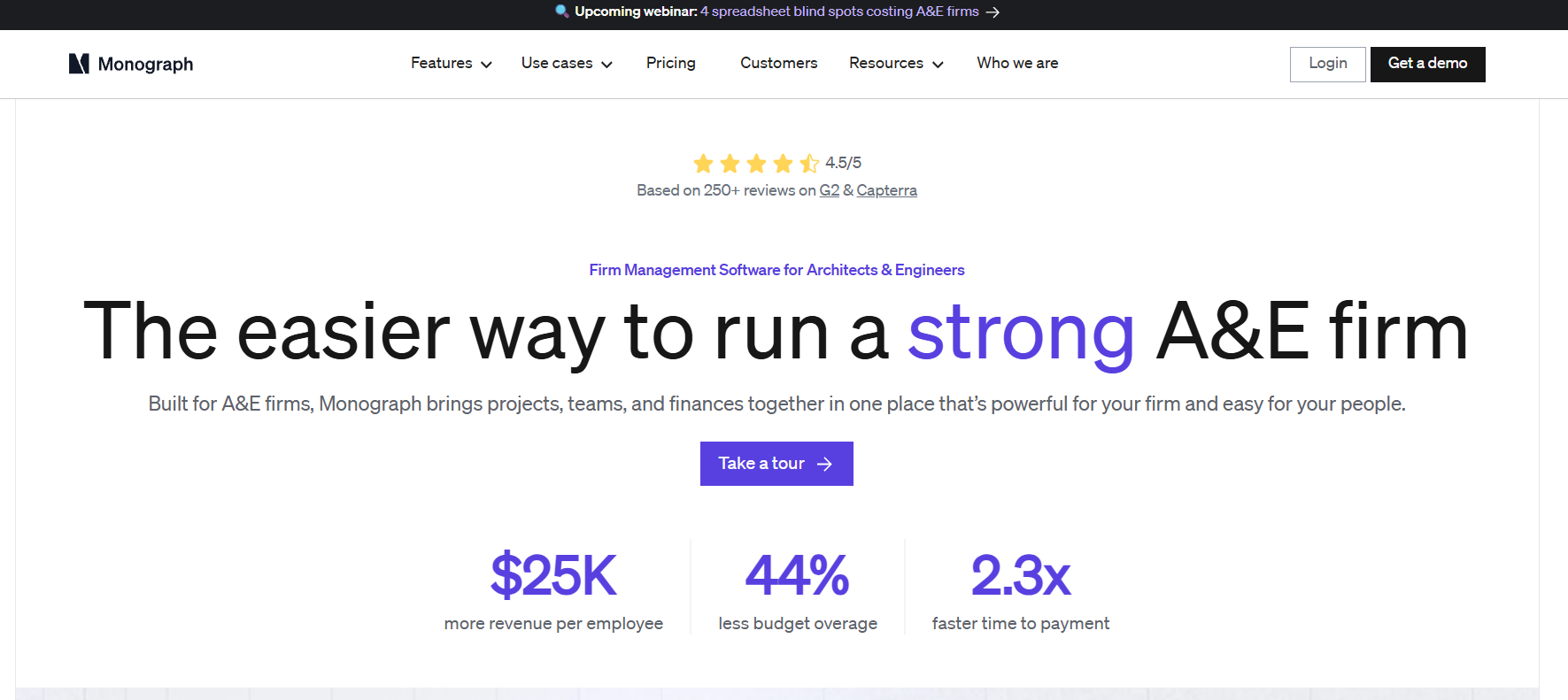
Monograph is a project and firm management platform designed specifically for architecture and engineering (A&E) firms It brings project planning, resource management, time tracking and financial reporting together, helping firms manage projects from initial proposals through to invoicing and payment.
Key Features
-
-
- Project Planning: Create project timelines, manage phases and monitor progress using visual Gantt charts.
- Resource Management: Allocate staff, monitor workloads and plan capacity across multiple projects.
- Time Tracking and Invoicing: Record billable hours and expenses, generate invoices and manage project payments.
- Financial Reporting: Track project budgets, profitability, staff utilisation and overall firm performance through dashboards.
- Pipeline Management: Manage prospective projects and convert successful opportunities into active projects.
-
Pricing
Monograph uses customised pricing based on firm size and requirements. Its online pricing calculator provides estimated subscription costs.
Pricing is indicative, based on Monograph's online calculator, and may vary depending on the subscription and requirements.
Where Monograph Excels
-
-
- Industry-Specific Features: Designed for architecture and engineering firms, with project phases, fee tracking and staffing management.
- Project Visibility: Visual timelines and dashboards help teams monitor project progress, budgets and profitability.
- Integrated Workflows: Connects project planning, time tracking, invoicing and financial reporting in one platform.
-
Where Monograph Falls Short
-
-
- Limited Industry Coverage: Primarily designed for architecture and engineering firms, making it less suitable for other consulting industries.
- Additional Integrations: Some users report needing other software to support their complete workflow.
- Reporting and Functionality: Some reviewers highlight limitations with reporting, resource allocation and certain invoicing functions.
-
Customer Reviews
Monograph users appreciate its project visibility and industry-specific features, although some report limitations with integrations and functionality.
Positive Review – 4/5 (Capterra, July 2025)
"When it comes to specifically manage projects, i really appreciate Monograph's capabilities as it let me track multiple projects at once and let me know what projects, or project phases, need my attention."
Negative Review – 4/5 (Capterra, July 2025)
"The fact that I need to subscribe to other tools to make it complete. If Monograph could offer an all-in-one suite (from estimate to billing), i would highly recommend it."
Additional Negative Review – 1/5 (Software Advice, February 2026)
"Adding previously billed amounts does not function from project that were started before we migrated to the software. We were told it was a glitch but there was no urgency to fix it. We cannot prepare invoices and we are a small firm that does not have the reserves to wait until they get around to fixing this basic function."
Who Monograph Is Best For
-
-
- Architecture and Engineering Firms: Practices looking for industry-specific software to manage project phases, budgets, staffing and invoicing.
- Small to Mid-Sized A&E Firms: Growing firms wanting better visibility into project profitability, resource allocation and financial performance.
-
How to Choose the Best Project Management Software for Consultants
Choosing the right project management software depends on your consultancy's size, project complexity and financial requirements. Here are four important features to consider before making a decision.
1. Project Planning and Management
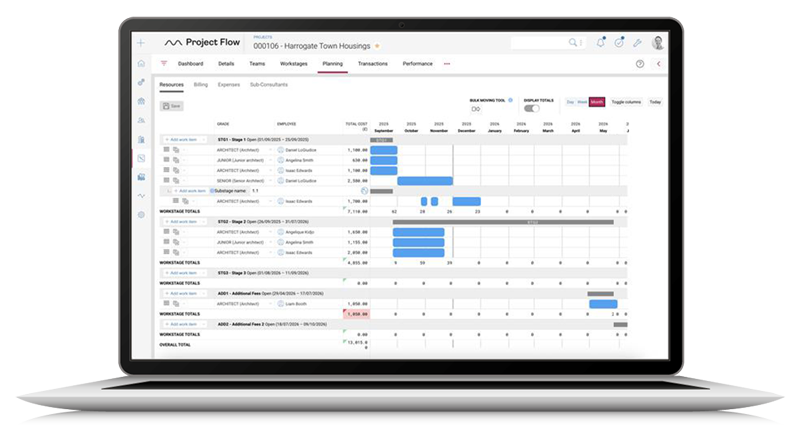
Consulting projects often involve multiple stages, deadlines and changing client requirements. Look for software that allows you to create project plans, assign tasks and monitor progress across each stage. Project templates can also help standardise workflows and reduce repetitive administration.
Milient Project Flow supports project planning with work stages, timelines and budget tracking, helping consultants manage projects from start to finish.
2. Project Budgeting and Financial Visibility
Managing project budgets is particularly important for consultancies working with fixed fees or billable hours. Look for software that tracks actual costs against budgets, monitors fee usage and provides visibility into project profitability.
Milient Project Flow brings project financial data into accessible dashboards, helping consulting firms identify potential budget overruns and make informed decisions before profitability is affected.
3. Time Tracking and Invoicing
Accurate time tracking helps consulting firms understand where billable hours are spent and whether projects remain profitable. Look for software that connects timesheets with project stages, budgets and invoicing to reduce manual administration.
Milient Project Flow allows consultants to record time against individual project stages, monitor hours against budgets and use recorded project data to support invoicing.
See Project Flow's invoicing feature in Action
Want to see how Milient Project Flow works before booking a demo?
Take a self-guided tour of the platform to explore how you can manage projects, track budgets and gain better visibility across your consultancy.
Get Started with Milient: Smarter Resource & Project Management
The best project management software for consultants depends on your team's needs. For architecture, engineering and AEC consultancies, Milient Project Flow combines project planning, time tracking and financial management. For larger consulting teams focused on scheduling and capacity, Milient Resource Flow offers dedicated resource management tools.

Want more content like this? Follow Milient: