Key takeaways
 Milient Project Flow: Best for architecture and engineering firms that need an all-in-one platform combining project management, resource planning, CRM, timesheets, and financial management.
 Deltek Ajera: Best for small to mid-sized architecture and engineering firms that prioritise project accounting, budgeting, and financial management alongside project delivery.
 CMAP: Best for established AEC firms looking for a comprehensive business management platform with strong project accounting and operational controls.
 Monograph: Best for design-focused architecture and engineering practices that prioritise project planning, budgets, and resource visibility over advanced business management features.
 Scoro: Best for professional services organisations that require a feature-rich PSA platform with CRM, quoting, resource planning, invoicing, and detailed financial reporting.
Engineering firms often outgrow generic project management software as projects, teams, and client demands become more complex. If you're searching for the best engineering project management software or project management software for engineers, this guide compares the leading engineering project management tools available in 2026.
We've reviewed each platform's features, pricing, strengths, limitations, and ideal use cases to help you choose the best project management software for engineering firms.
Best Engineering Project Management Software in 2026: A Quick Look
1. Milient Project Flow:Best for Engineering and Architecture Firms Needing Financial Control
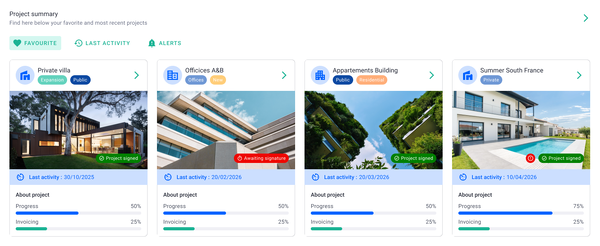
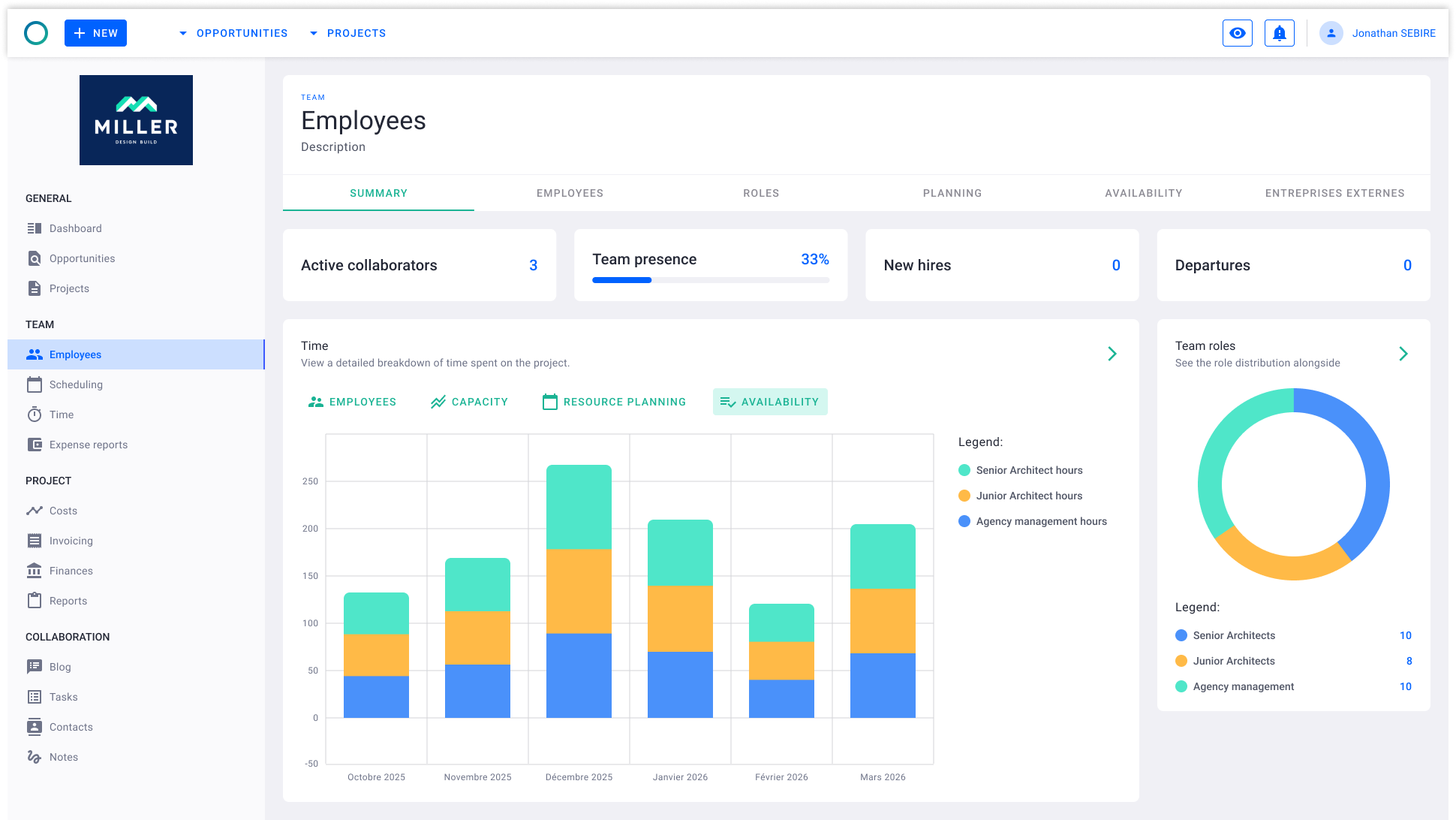
Milient Project Flow is purpose-built for architecture and engineering firms that need more than basic task management. Unlike generic project management software, it combines project planning, resource management, time tracking, financial management, and reporting in one connected platform.
This gives firms complete visibility over project performance, utilisation, and profitability while reducing reliance on spreadsheets and disconnected systems.
Key Features
Engineering projects often involve multiple phases, stakeholders, budgets, and deadlines. Milient Project Flow helps teams manage this complexity while maintaining visibility into project profitability and resource utilisation.
1. Real-Time Project Financial Visibility
Project Flow gives teams a live overview of project health across their portfolio. Users can track budgets consumed, invoiced percentages, project status, and fee progress without relying on manual spreadsheets or disconnected reporting tools.
This visibility allows project managers and firm leaders to identify issues early, make informed decisions, and maintain tighter control over project profitability.
2. Time and Budget Tracking
/time%20management.svg)
Project Flow tracks budgeted, expected, and actual hours side by side, giving engineering firms a clear picture of project performance as work progresses. Teams can quickly identify projects that are trending over budget before costs escalate.
By monitoring resource usage and labour costs in real time, firms can improve forecasting accuracy and protect project margins.
3. Phase-Based Project Planning
/project_planning.png?width=935&height=556&name=project_planning.png)
Engineering projects often involve multiple phases, milestones, and dependencies. Project Flow includes built-in Gantt planning tools that allow teams to schedule, manage, and track project phases from concept through delivery.
Project managers can visualise timelines across multiple projects simultaneously, helping teams coordinate resources more effectively and maintain delivery schedules.
Pricing
*Pricing may vary based on requirements and contract terms.
Where Milient Shines
-
-
- AEC-specific functionality: Designed specifically for architecture, engineering, and consulting firms rather than generic project teams, making workflows more relevant and easier to adopt.
- Financial visibility across projects: Combines project management with budget tracking, invoicing, and profitability monitoring so leaders can understand project performance in real time.
- Reduces spreadsheet dependency: Centralises project data, reporting, and planning within a single platform, helping firms eliminate manual processes and improve operational efficiency.
-
Where Milient Falls Short
-
-
- Less suitable for non-AEC industries: Organisations outside architecture, engineering, and consulting may find some industry-specific functionality unnecessary for their workflows.
- Timesheet workflow could be improved: Some users report that timesheet submission and approval statuses are not always immediately clear.
- Limited calendar-based hour views: Teams looking for calendar-style visualisation of logged project hours may find current reporting options somewhat restrictive.
-
Customer Reviews
Project Flow receives positive feedback for its ease of use, visibility, and customer support.
"Project Flow allowed me to stop relying on endless Excel spreadsheets. Updating the billable forecast is the feature that has saved me a huge amount of time. The support team is very responsive." — Verified user, Capterra
"Very user friendly. The display is easy to understand and I can change my operating language." — Verified user, Capterra
"The ease of use — it's intuitive enough." — Verified user, Capterra
Who Milient is Best For
-
-
- Engineering firms: Teams that need project management, financial tracking, and resource planning in a single platform.
- Growing AEC practices: Organisations moving beyond spreadsheets and looking for greater operational control as project complexity increases.
- Firm leaders and project directors: Decision-makers who need real-time visibility into budgets, utilisation, invoicing, and project profitability.
-
2. Deltek Ajera: Best for A&E Accounting
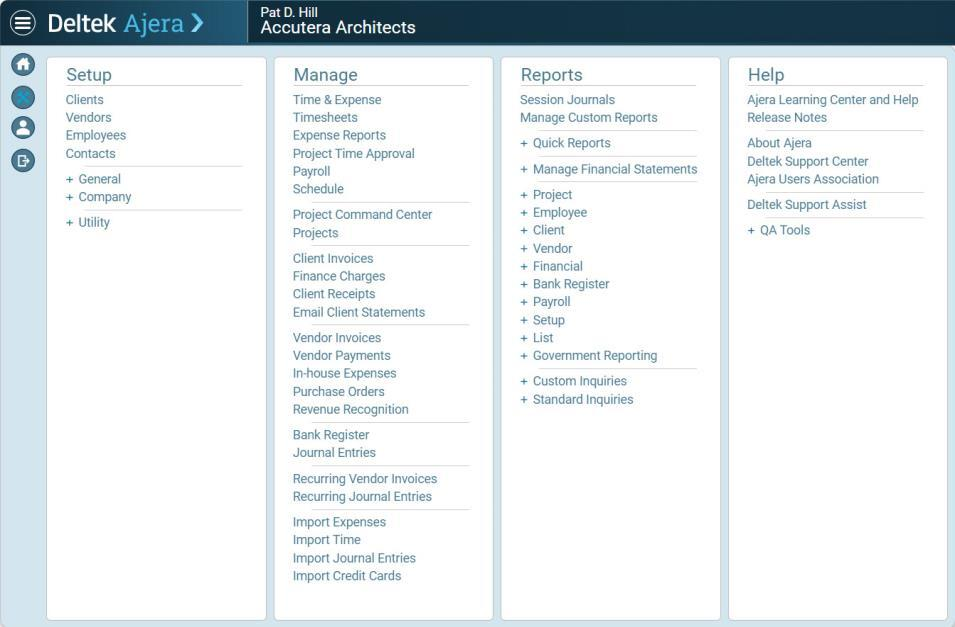
Deltek Ajera is a project management and accounting platform built specifically for architecture and engineering firms. Its biggest differentiator is the combination of project management, resource planning, financial management, invoicing, and business intelligence in a single system. Rather than focusing purely on project delivery, Ajera places a strong emphasis on project profitability, financial performance, and operational visibility.
Key Features
-
-
- Project & Financial Management: Combines project tracking, budgeting, invoicing, and accounting in one platform, helping firms manage both project delivery and financial performance from a single source of truth.
- Resource Planning & Staffing: Provides workload visibility and resource management tools that help firms assign the right people to projects, balance utilisation, and identify capacity issues before they impact delivery.
- Automated Invoicing & Payments: Supports digital invoice approvals, client billing, payment processing, and financial automation to reduce administrative effort and improve cash flow.
- Business Intelligence & Dashboards: Offers real-time dashboards and reporting tools that give leaders visibility into project performance, KPIs, profitability, and company-wide financial health.
-
Pricing
Deltek does not publicly publish Ajera pricing. Organisations must contact the sales team for a custom quotation based on company size, required modules, implementation needs, and user numbers.
Where Deltek Ajera Shines
-
-
- Strong financial management capabilities: Combines accounting, project management, invoicing, and reporting in a single platform, reducing the need for multiple systems.
- Built specifically for architecture and engineering firms: Industry-focused workflows make it easier to manage project finances, staffing, and operational performance.
- Comprehensive reporting and business visibility: Dashboards and analytics provide leadership teams with real-time insight into profitability, utilisation, project health, and company performance.
-
Where Deltek Ajera Falls Short
-
-
- Can have a steep learning curve: Several reviewers note that new users may need time to become fully comfortable with the platform and its extensive functionality.
- Reporting flexibility can be limited: Some users report challenges creating highly customised reports or accessing specific data views without additional configuration.
- Project approval workflows could be simpler: Users occasionally mention that certain administrative and invoice approval processes require more steps than they would like.
-
Customer Reviews
"Ajera is user friendly and if you are new to Ajera, having the help button and the amount of resources available is important and less hassle. Also, with the implementation of new ideas and features that Ajera provides makes this system a very structured system." — Verified G2 Reviewer
"User friendly and easy to learn and use." — Verified G2 Reviewer
"Once you get comfortable with Ajera, it's a fantastic platform. I cannot sing the praises of the support staff enough! The response time is extremely fast." — Verified G2 Reviewer
"I thought I knew it really well, and would have considered myself a 'guru' as mentioned in the webinar. The meeting made me feel anything but a guru." — Verified G2 Reviewer
Who Deltek Ajera Is Best For
-
-
- Architecture and engineering firms: Organisations looking for integrated project management and accounting functionality.
- Finance-focused project organisations: Firms that need detailed visibility into project profitability, invoicing, and financial performance.
- Mid-sized and growing practices: Teams that have outgrown basic project management tools and require stronger operational and financial controls.
-
3. CMAP - Best for AEC Consultancies
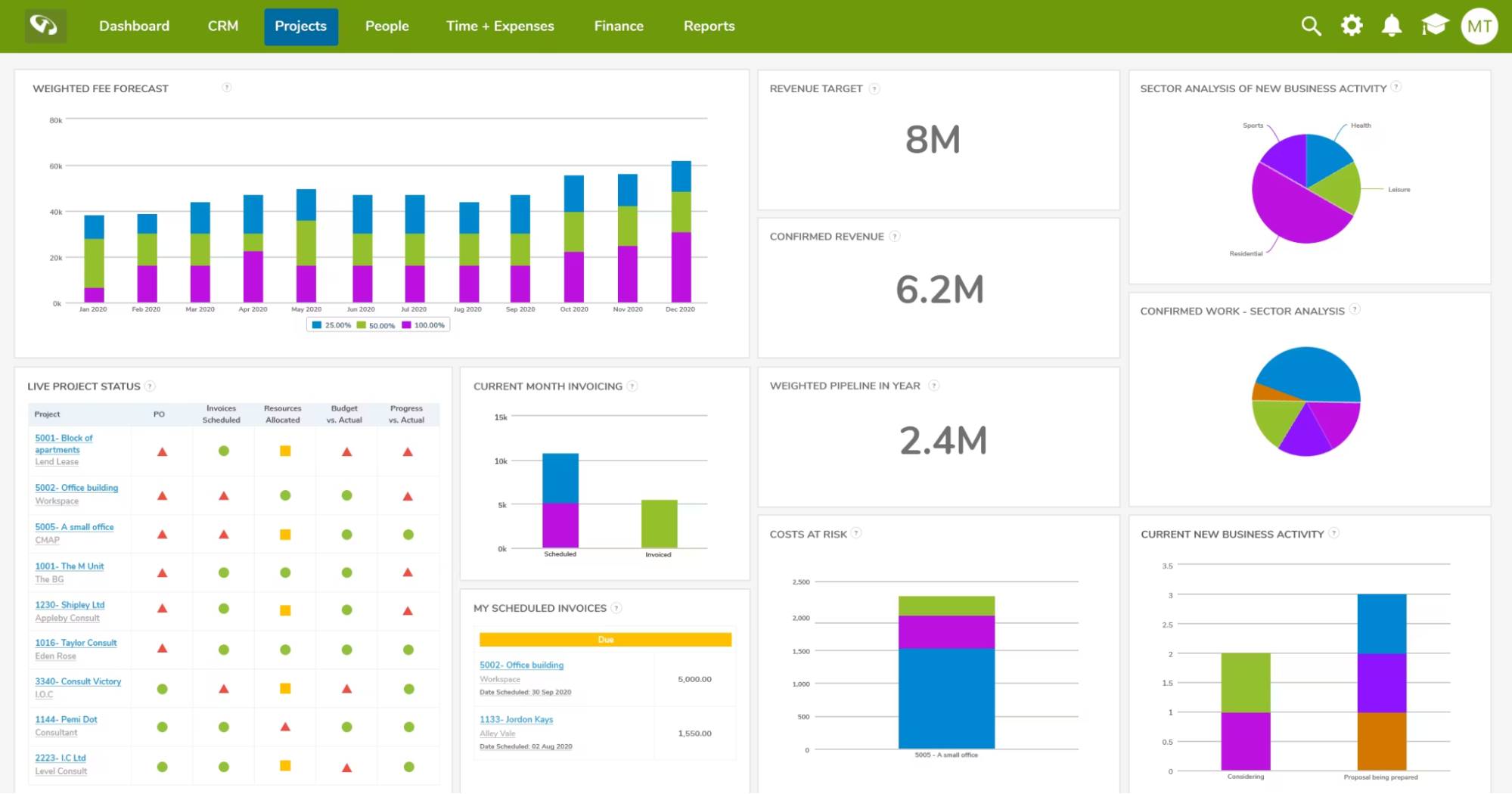
CMap is a professional services automation (PSA) platform built for architecture, engineering, consulting, and other service-based firms. It combines project management, resource planning, CRM, timesheets, project accounting, and reporting in one platform. Its key differentiator is helping firms replace disconnected spreadsheets with a single operational system that provides greater visibility into projects, people, finances, and profitability.
Key Features
-
-
- Professional Services Automation (PSA): Combines CRM, project management, resource planning, timesheets, project accounting, and reporting into one platform, helping firms manage projects from proposal through to invoicing.
- Resource Planning & Job Costing: Provides live visibility into staff availability, utilisation, project resourcing, and job costing, helping firms allocate the right people while maintaining project profitability.
- Project Financial Management: Tracks budgets, fee forecasts, invoicing, and financial performance through real-time dashboards, allowing project managers to monitor project health and make informed decisions.
- Document & Email Management: Includes integrated email management and document control tools for AEC firms, helping centralise project communications and reduce reliance on scattered files.
-
Pricing
CMap does not publicly list pricing on its website. Businesses must contact the sales team for a tailored quotation based on company size, required modules, and implementation requirements.
Where CMap Shines
-
-
- Purpose-built for professional services: Designed specifically for architecture, engineering, and consulting firms rather than general project management, with integrated project, financial, and resource management.
- Comprehensive operational visibility: Brings together CRM, resource planning, project accounting, reporting, and timesheets into a single platform to reduce spreadsheet dependency.
- Strong customer support: Multiple users praise the onboarding process, responsive support team, and willingness to incorporate customer feedback into future product improvements.
-
Where CMap Falls Short
-
-
- Learning curve for new users: Some reviewers mention that the interface and workflows take time to become familiar with, particularly during initial implementation.
- Reporting can be complex: Users note that creating custom reports may require additional support or training compared to using standard reports.
- Onboarding improvements requested: Some reviewers highlight that setup guidance, training resources, and new user onboarding could be more streamlined.
-
Customer Reviews
"The timekeeping feature is really easy to use. Its also easy as a finance admin to monitor timesheets for completeness and accuracy. I can reopen timesheets very easily and control the weekly/monthly usage to make sure folks are submitting timecards on time. The user interface is easy to use and isnt very clunky and repetitive." — Verified G2 Reviewer
"It is built with a Management Consulting lens which other PSA's are not. The integration with Hubspot and Xero works well for us. Dan Short was also very helpful, answering all of our questions patiently throughout onboarding." — Verified G2 Reviewer
"CMap has been a great tool to restructure how we plan, resource and price projects. Before we started using CMap, resource meetings were time consuming and the recording outcomes was laborious. The staff availability reports, central planner and people planner tools all make resourcing very easy and transparent, saving management many hours of time." — Verified G2 Reviewer
"Clear and easy functionality, sandbox is excellent for training purposes and it replaces what would otherwise be fractured in house business processes such as the fee estimator or reporting and dashboard function." — Verified G2 Reviewer
Who CMap Is Best For
-
-
- AEC and consulting firms: Businesses looking to combine project management, resource planning, CRM, and financial management in one platform.
- Growing professional services organisations: Firms wanting to replace spreadsheets with an integrated PSA solution.
- Operations and finance leaders: Teams that need greater visibility into utilisation, project profitability, and business performance.
-
4. Monograph: Best for Firms That Prioritise Simplicity
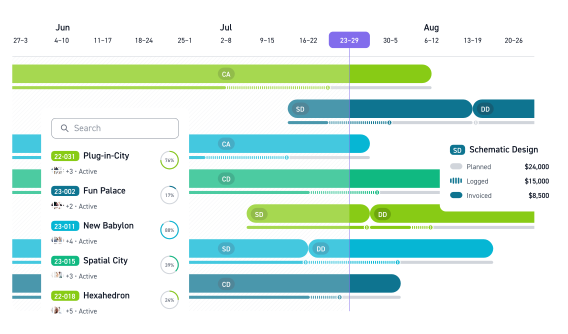
Monograph is a firm management platform built primarily for architecture and engineering firms. It combines project management, budgeting, staffing, invoicing, and forecasting in a single system. Its biggest differentiator is its modern, intuitive interface, which helps firms manage projects, finances, and teams without relying on disconnected tools or spreadsheets.
Key Features
-
-
- Project Budgeting & Forecasting: Track project budgets, planned fees, logged hours, invoiced amounts, and profitability from a single dashboard to identify overruns before they impact margins.
- Project & Resource Management: Manage project phases, staffing, schedules, and milestones while monitoring team capacity across multiple projects.
- CRM & Proposal Management: Track opportunities, build proposals, forecast revenue, and manage the sales pipeline alongside project delivery in one platform.
- Integrated Invoicing: Create invoices, monitor payments, and manage project accounting to help firms improve cash flow and reduce administrative work.
-
Pricing
Monograph publishes pricing based on team size.
Where Monograph Shines
-
-
- Modern user experience: Offers a clean, intuitive interface that's designed specifically for architecture and engineering firms.
- All-in-one firm management: Combines CRM, project management, budgeting, staffing, invoicing, and forecasting within one connected platform.
- Financial visibility: Gives firms real-time insight into budgets, fees, project profitability, and cash flow throughout the project lifecycle.
-
Where Monograph Falls Short
-
-
- Still developing some functionality: Several reviewers mention missing integrations and features that require external tools.
- Limited reporting and mobile capabilities: Users note opportunities for improvement in reporting, exports, and the iOS app.
- Occasional workflow limitations: Some reviewers report issues with invoice workflows and managing legacy project data after migration.
-
Customer Reviews
"Monograph is so beautifully designed that my team of architects enjoy looking at an analyzing data now. We love how past, current, and future fee and staffing projections are married together to give us a clear picture of our firm's profitability and staff and project needs." - G2 Reviewer
"Probably its integration with Quickbooks to do my accounting. I also must mention the powerful Gantt chart feature." - Capterra Reviewer
"Timesheet analysis and Budget forecasting." - Capterra Reviewer
"I loved the idea of the software but it fails to deliver on the most basic functionality. I wish it did what the promotional material says it does." - Capterra Reviewer
Read all Capterra reviews
Who Monograph Is Best For
-
-
- Architecture firms: Small to mid-sized practices looking for an intuitive platform to manage projects, budgets, staffing, and invoicing.
- Design-led firms: Teams that value a modern user experience alongside project financial visibility.
-
5. Scoro: Best for Professional Services
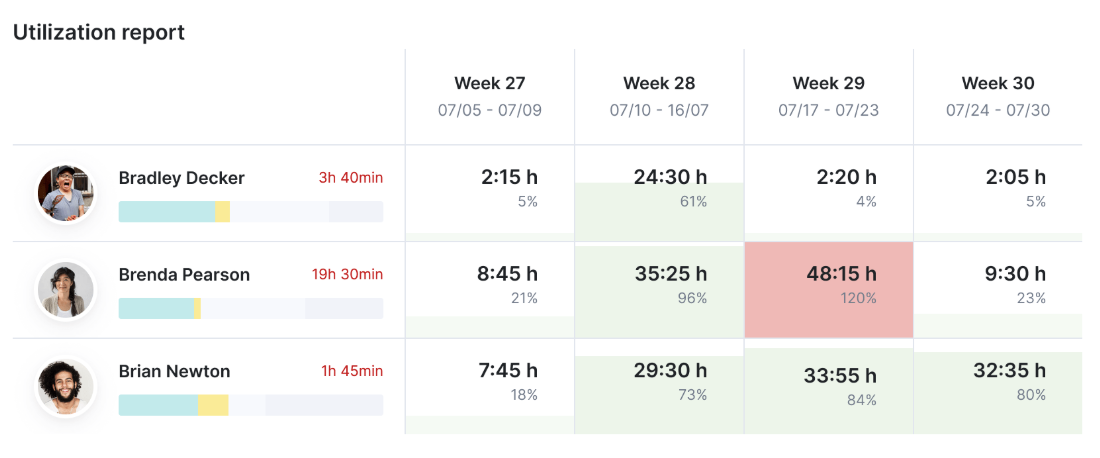
Scoro is a professional services automation (PSA) platform that combines project management, CRM, resource planning, quoting, budgeting, invoicing, time tracking, and reporting in one system. It is designed for consultancies, agencies, IT firms, and other service-based businesses that want greater visibility across the entire project lifecycle. Scoro stands out for its financial management capabilities, resource forecasting, and broad range of built-in business management features.
Key features
-
-
- Project management: Manage projects from quote to completion with task management, budgets, milestones, and project tracking.
- Resource planning: Forecast team capacity, balance workloads, and monitor utilisation to improve resource allocation.
- CRM & sales pipeline: Track leads, opportunities, proposals, and customer relationships alongside project delivery.
- Financial management: Create quotes, manage budgets, automate invoicing, monitor profitability, and forecast revenue from one platform.
- Reporting & dashboards: Build real-time reports covering utilisation, project performance, financial metrics, and business operations.
-
Pricing
Where Scoro shines
-
-
- Comprehensive PSA platform: Brings together CRM, project management, resource planning, finance, and reporting within a single system, reducing the need for multiple tools.
- Strong financial visibility: Budget tracking, profitability reporting, forecasting, and invoicing provide detailed commercial oversight throughout the project lifecycle.
- Highly configurable: Suitable for organisations that need custom workflows, reporting, automation, and integrations to match established business processes.
-
Where Scoro falls short
-
-
- Steeper learning curve: The breadth of functionality can make navigation, setup, and day-to-day administration more complex for new users.
- Reporting can require effort: While powerful, some users note that creating specific reports or configuring dashboards takes time to learn.
- Higher investment: Scoro is priced above many project management tools, making it better suited to businesses that will actively use its wider PSA capabilities.
-
Customer reviews
Review 1 (G2)
"I like that everything with Scoro is in the same place. It includes timesheets, planners, projects, and the reporting, which makes management much more streamlined. We used to work with separate software for time tracking, project management, and billing, so having all this together in Scoro has made us more effective as an agency. Scoro helps us have everything under one roof with clearer visibility across teams."
Review 2 (G2)
"We've used Scoro for over three years and remain very satisfied with its performance. It has improved efficiency across our team compared to our previous system. Quotes can be created, approved, and automatically converted into projects with related tasks, saving significant time. Invoices can be generated and sent directly through Scoro, with automatic follow-ups for outstanding payments."
Review 3 (G2)
"What I like best about Scoro is how effectively it brings together project management, time tracking, budgeting, reporting, and invoicing in one platform. That has been especially valuable from a finance and operations perspective, because it gives much better visibility across the full lifecycle of a job rather than forcing us to piece things together from separate systems and spreadsheets."
Review 4 (G2)
"I love how the Scoro team set themselves apart with their unmatched customer service. Scoro is a brilliant system that has improved visibility across the business and eased the admin burden on the team. It has streamlined internal processes and tracking of projects and costs."
Read all G2 reviews
Who Scoro is best for
-
-
- Professional services businesses: Organisations that need an all-in-one PSA platform with project management, CRM, resource planning, financial management, and detailed reporting in a single system.
-
How to Choose the Right Engineering Project Management Software
The best engineering project management software depends on your firm's size, project complexity, and future growth plans. Rather than focusing solely on features or price, look for a platform that improves visibility, connects your teams, and supports the way engineers manage projects from proposal through to delivery and invoicing.
Choose software that connects your entire project lifecycle
Many firms still rely on separate tools for CRM, project planning, resource management, timesheets, and financials. While this may work initially, disconnected systems often create duplicate work and reduce visibility across projects.
Project Flow helps engineering firms manage the full project lifecycle in one connected platform, giving teams a single source of truth from winning work through to project delivery and invoicing.
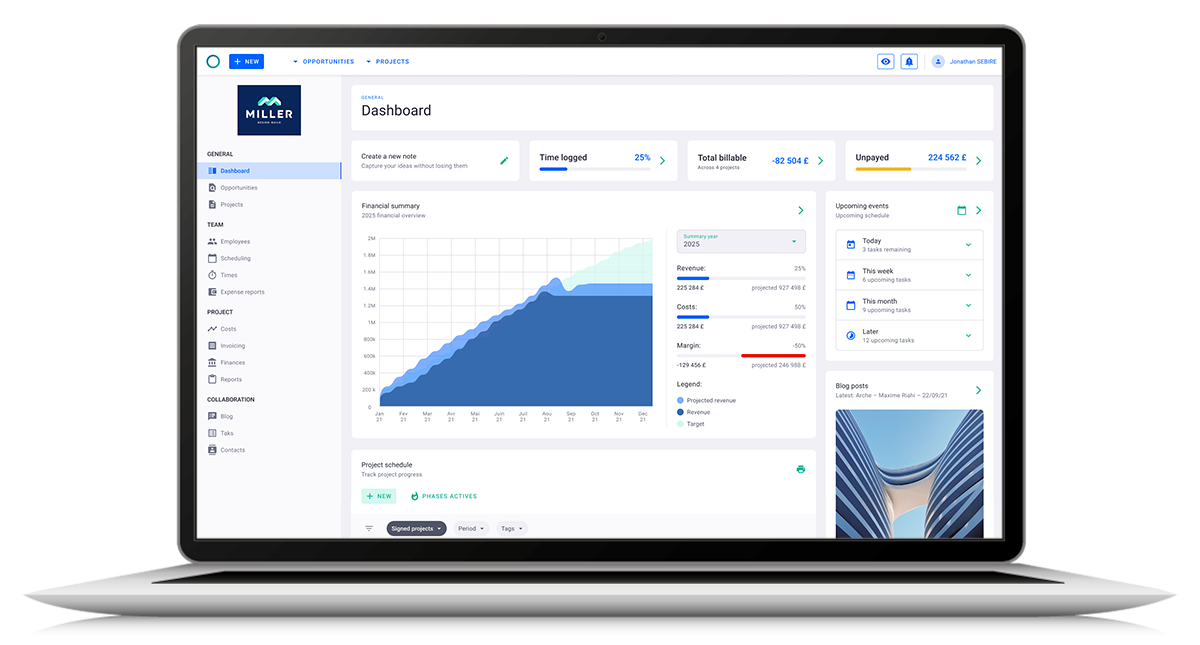
Prioritise resource planning and profitability
Engineering projects succeed when the right people are available at the right time. Look for software that combines resource scheduling, utilisation reporting, budgeting, and profitability tracking so project managers can identify issues before they affect delivery.
Project Flow combines resource planning with real-time financial visibility, helping engineering firms balance workloads while protecting project margins.
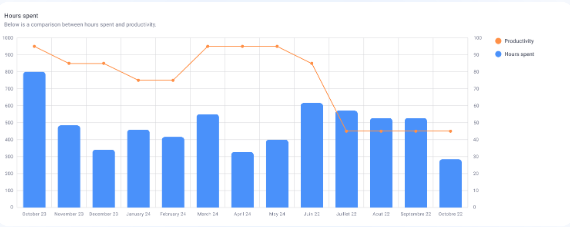
Look for reporting that supports better decisions
As projects become more complex, managers need accurate reporting rather than manually updating spreadsheets. Dashboards should provide clear visibility into project health, budgets, timesheets, utilisation, and financial performance.
Project Flow provides live dashboards and reporting that help engineering leaders make faster, data-driven decisions without relying on disconnected reports.
/planning_team.png?width=1578&height=1122&name=planning_team.png)
Try Milient's Engineering Project Management Software
Choosing the right software is about more than replacing spreadsheets, it's about giving your team the visibility needed to deliver projects on time, manage resources effectively, and protect profitability.
If you're looking for a platform built specifically for architecture and engineering firms, Milient Project Flow combines project management, resource planning, financial management, and reporting in one integrated solution.
 Andrea Neeve
Marketing Associate
Want more content like this? Follow Milient: